
Introduction
This manual provides essential information for the safe and effective installation, operation, maintenance, and troubleshooting of the Generic Control Board, compatible with Hisense Refrigerator model BCD-518WP/HC4 2130493. This component is designed to replace the original computer board, control board, and variable frequency board in compatible Hisense refrigerator units. Please read these instructions thoroughly before proceeding with installation or any related procedures.
Safety Information
Adherence to the following safety guidelines is crucial to prevent personal injury or damage to the appliance.
- Disconnect Power: Always ensure the refrigerator is completely disconnected from the main power supply before attempting any installation, repair, or maintenance. Failure to do so can result in electric shock.
- Professional Installation Recommended: Installation of this control board requires technical knowledge and experience with refrigerator electronics. If you are not confident in your ability to perform the installation safely, it is strongly recommended to seek assistance from a qualified appliance technician.
- Handle with Care: Electronic components are sensitive to electrostatic discharge (ESD). Handle the control board by its edges and avoid touching the circuit board components directly. Consider using an anti-static wrist strap.
- Verify Compatibility: Ensure that this control board is the correct replacement part for your specific Hisense refrigerator model (BCD-518WP/HC4 2130493) before installation. Incorrect parts can cause damage.
- Inspect for Damage: Before installation, carefully inspect the control board for any visible damage. Do not install a damaged component.
Setup and Installation
This section outlines the general steps for installing the replacement control board. Specific procedures may vary based on your refrigerator model. Refer to your Hisense refrigerator's service manual for detailed instructions.
Pre-Installation Steps:
- Disconnect Power: Unplug the refrigerator from the wall outlet or turn off the circuit breaker supplying power to the unit.
- Access the Control Board: Locate and remove the access panel or cover that conceals the existing control board. This is typically found at the back of the refrigerator or inside the control panel area.
- Document Connections: Before disconnecting any wires, take clear photographs or make detailed diagrams of all wire connections to the old control board. This will be crucial for correct reassembly.
Installation Steps:
- Remove Old Board: Carefully disconnect all wires from the old control board. Unmount the old board from its housing.
- Install New Board: Position the new Generic Control Board into the designated mounting location. Secure it using the original screws or mounting hardware.
- Connect Wiring: Refer to your photographs or diagrams and meticulously reconnect all wires to the corresponding terminals on the new control board. Ensure all connections are secure and correctly seated.
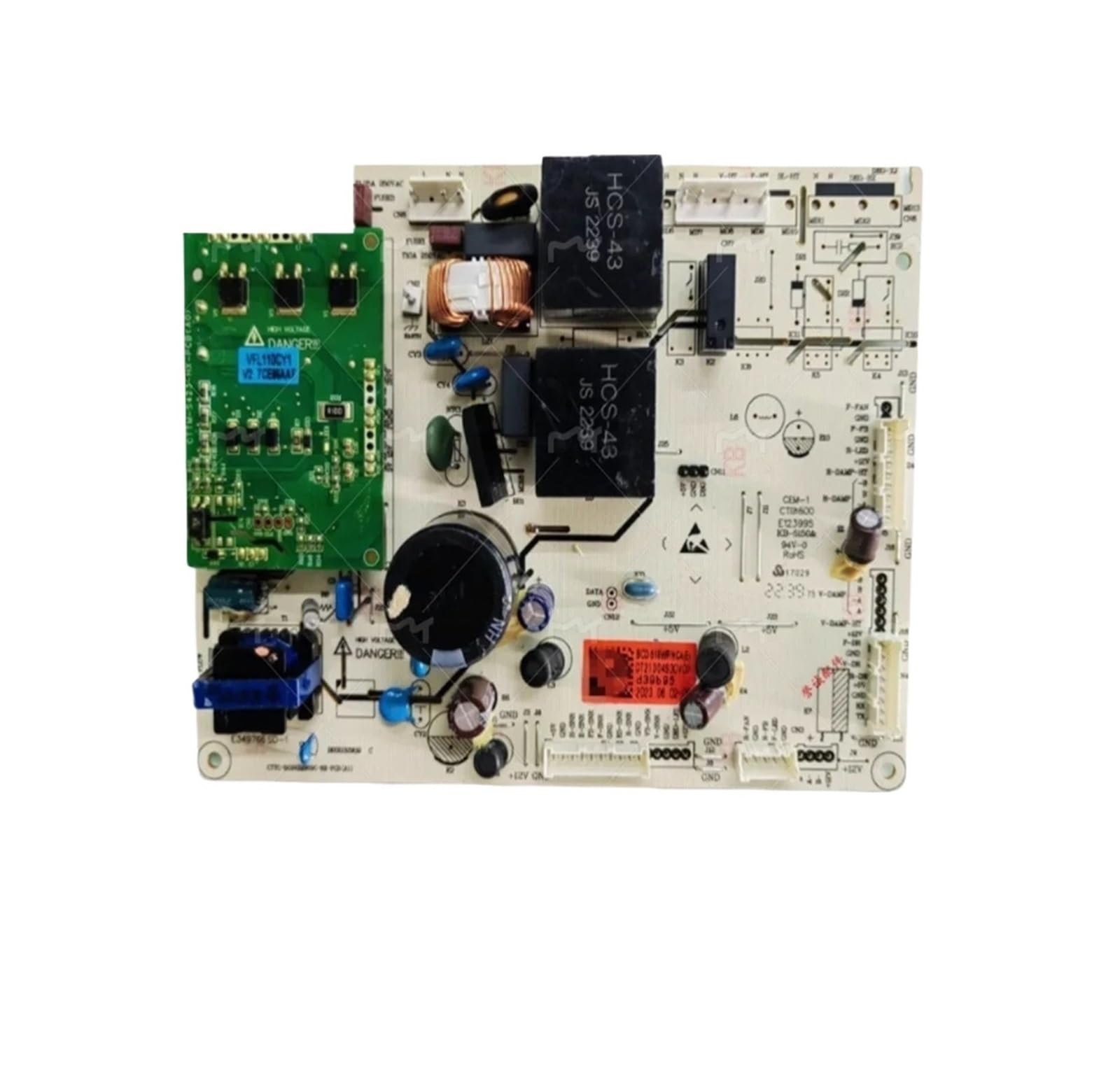
Image: Generic Control Board for Hisense Refrigerator. This image displays the electronic circuit board with various components and connectors, typical of a refrigerator control unit. It is a replacement part designed for specific Hisense models.
Post-Installation Steps:
- Secure Access Panel: Replace any access panels or covers that were removed.
- Restore Power: Plug the refrigerator back into the wall outlet or turn on the circuit breaker.
- Test Operation: Monitor the refrigerator's operation for a period to ensure all functions (cooling, temperature control, etc.) are working correctly.
Operating Instructions
Once correctly installed, the Generic Control Board operates automatically as an integral part of your Hisense refrigerator's system. It manages various functions, including temperature regulation, defrost cycles, and compressor operation, based on the refrigerator's internal sensors and user settings. No direct user interaction with the control board itself is required for normal operation.
- Automatic Functionality: The board continuously monitors and adjusts refrigerator parameters to maintain optimal performance.
- User Interface: All user-adjustable settings, such as temperature, are controlled via the refrigerator's external control panel, not directly on the installed board.
Maintenance
The Generic Control Board is designed for long-term reliability and typically requires no routine maintenance from the user. However, general care for your refrigerator can contribute to the longevity of all its components, including the control board.
- Keep Area Clean: Ensure the area around the control board (typically at the back of the refrigerator) is kept clean and free from dust and debris, which can impede airflow and potentially cause overheating.
- Avoid Moisture: Protect the control board from exposure to moisture or liquids, which can cause short circuits and damage.
- Professional Inspection: If you suspect an issue with the control board or other internal components, it is advisable to have the refrigerator inspected by a qualified service technician.
Troubleshooting
This section provides guidance on common issues that may arise after installing a new control board. For comprehensive troubleshooting of your Hisense refrigerator, consult its original service manual.
| Symptom | Possible Cause | Recommended Action |
|---|---|---|
| Refrigerator not cooling or not turning on | No power to the unit; loose wiring connection to the control board; faulty component (e.g., compressor, fan) not controlled by the board. | Check if the refrigerator is plugged in and the circuit breaker is on. Verify all wire connections to the control board are secure. If issues persist, consult a technician. |
| Unusual noises after installation | Loose mounting of the control board; interference with other components; fan motor issue. | Ensure the control board is securely mounted. Check for any wires or components touching moving parts. If the noise is from a fan, it may be unrelated to the control board. |
| Refrigerator displaying error codes | Faulty sensor; communication error; issue with another component. | Refer to your Hisense refrigerator's user manual or service manual for specific error code interpretations and troubleshooting steps. |
| Intermittent operation or erratic behavior | Loose connections; power fluctuations; component failure. | Check all wiring connections. Ensure stable power supply. If the problem continues, professional diagnosis is recommended. |
Specifications
The following specifications pertain to the Generic Control Board (BCD-518WP/HC4 2130493).
| Feature | Detail |
|---|---|
| Brand | Generic |
| Compatible Model | Hisense BCD-518WP/HC4 2130493 |
| Item Weight | 1.76 ounces |
| Product Dimensions | 3.94 x 3.94 x 3.94 inches |
| Part Type | Computer Board, Control Board, Variable Frequency Board |
| Certification | UL |
| Voltage | 1 Kilovolts |
Warranty and Support
For information regarding the warranty of this Generic Control Board, please refer to the documentation provided at the time of purchase or contact the seller directly. Specific warranty terms and conditions may vary.
For technical support or assistance with installation and troubleshooting beyond the scope of this manual, it is recommended to contact the seller or a qualified appliance repair technician.


