
1. Important Safety Information
Please read all instructions carefully before operating the appliance. Retain this manual for future reference. Always follow basic safety precautions to reduce the risk of fire, electric shock, and injury.
- Ensure the appliance is connected to a properly grounded power outlet.
- Do not immerse the power cord, plug, or appliance in water or other liquids.
- Unplug the appliance before cleaning or when not in use.
- Do not operate the appliance with a damaged cord or plug.
- Keep the appliance away from heat sources and direct sunlight.
- This appliance is for household use only.
2. Product Overview
The EUHOMY IM046-S is a countertop ice ball maker designed to produce crystal-clear, slow-melting 2-inch ice spheres. It features a self-cleaning function and offers both manual and automatic water refill options.

Image 2.1: Front view of the EUHOMY IM046-S Ice Ball Maker, showcasing its compact design and the ice spheres inside.
3. Setup
3.1 Unpacking
- Carefully remove the ice maker from its packaging.
- Check that all included components are present: Ice Maker Machine, Inlet Pipe, Instruction Manual, Ice Clamp.
- Remove any protective film or tape from the appliance.
3.2 Placement
Place the ice maker on a stable, level surface away from direct sunlight and heat sources. Ensure there is adequate ventilation around the unit. The product dimensions are 17.6"D x 12.6"W x 17.9"H.

Image 3.1: Product dimensions (Length: 12.6 in, Width: 17.6 in, Height: 17.9 in) and key specifications.
3.3 Water Filling
The ice maker offers two methods for adding water:
- Manual Fill: Open the water inlet cover and pour clean drinking water directly into the reservoir.
- Auto Refill: Connect the provided inlet pipe to a water line for continuous water supply.

Image 3.2: Illustration of the two water filling methods: manual pour and automatic water line connection.
3.4 Initial Cleaning
Before first use, perform a self-cleaning cycle. Refer to the 'Maintenance' section for detailed instructions on using the self-cleaning function.
4. Operating Instructions
4.1 Control Panel
The ice maker features an intuitive touch control panel. Familiarize yourself with the buttons and indicators:
- Power Button: Turns the appliance on or off.
- Clean Button: Initiates the self-cleaning cycle.
- Water Shortage Alert: Indicates when the water reservoir needs refilling.
- Door Alert: Indicates if the door is not properly closed.
- Ice Making Progress Bar: Displays the current stage of the ice production cycle.
- Breathing Indicator Light: Provides visual feedback on the machine's status.

Image 4.1: Detailed view of the easy touch controls and indicators on the ice maker's display panel.
4.2 Making Ice
- Ensure the water reservoir is filled.
- Press the Power Button (right side) to turn on the machine.
- The ice maker will automatically begin the ice production cycle. Four 2-inch ice balls are typically ready in approximately 40 minutes.
- The machine will continue to produce ice until the ice storage capacity is reached or the water level is low.
Video 4.1: This video demonstrates the ice making process, showing the machine producing four ice balls in approximately 40 minutes.
4.3 Ice Storage
The ice maker has a storage capacity of approximately 30-40 ice balls. The machine is designed to keep ice cold longer through adaptive cooling and high-density PU foam insulation, but it is not a freezer. For long-term storage, transfer ice balls to a freezer.
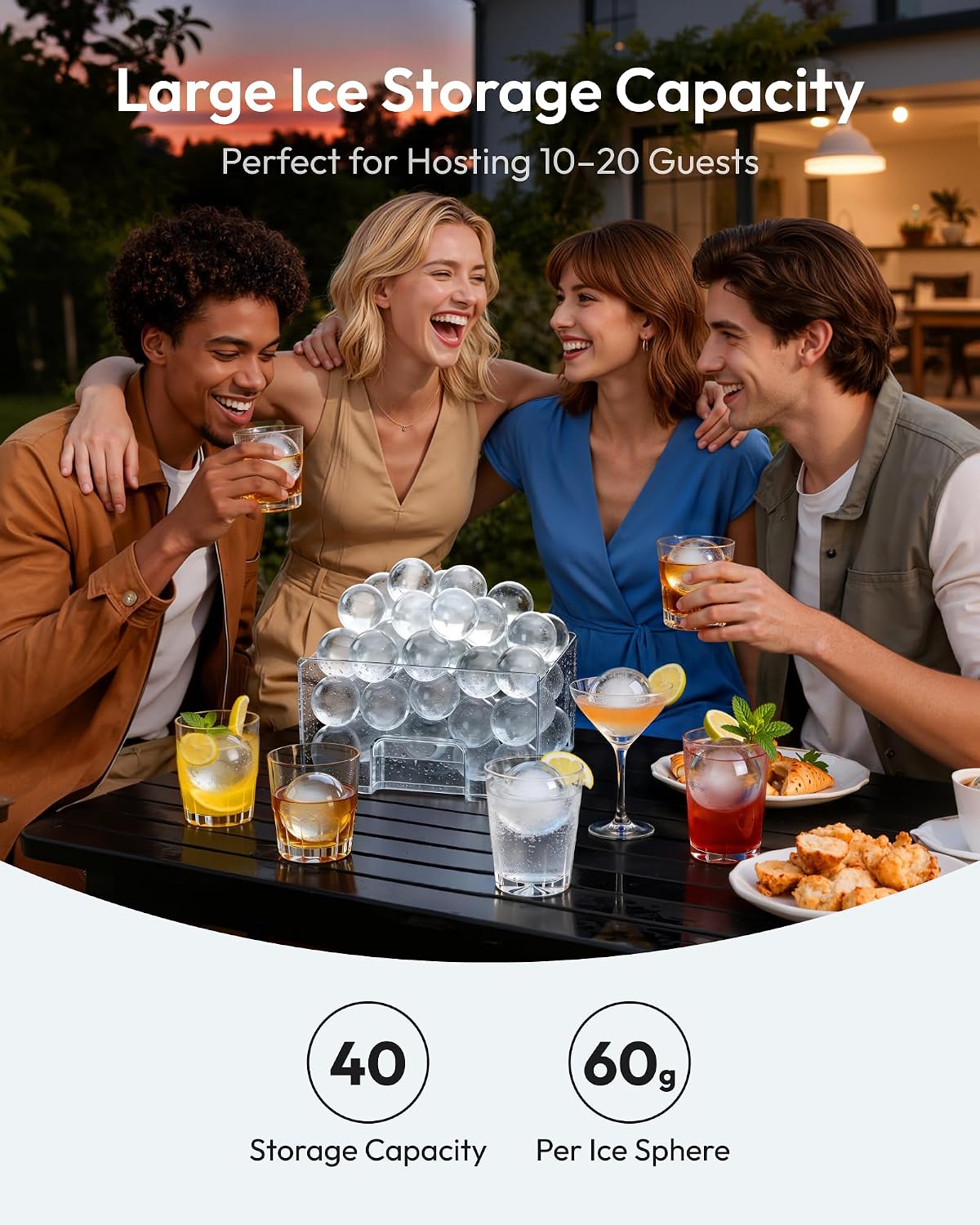
Image 4.2: The ice maker's large storage capacity, ideal for continuous ice supply.
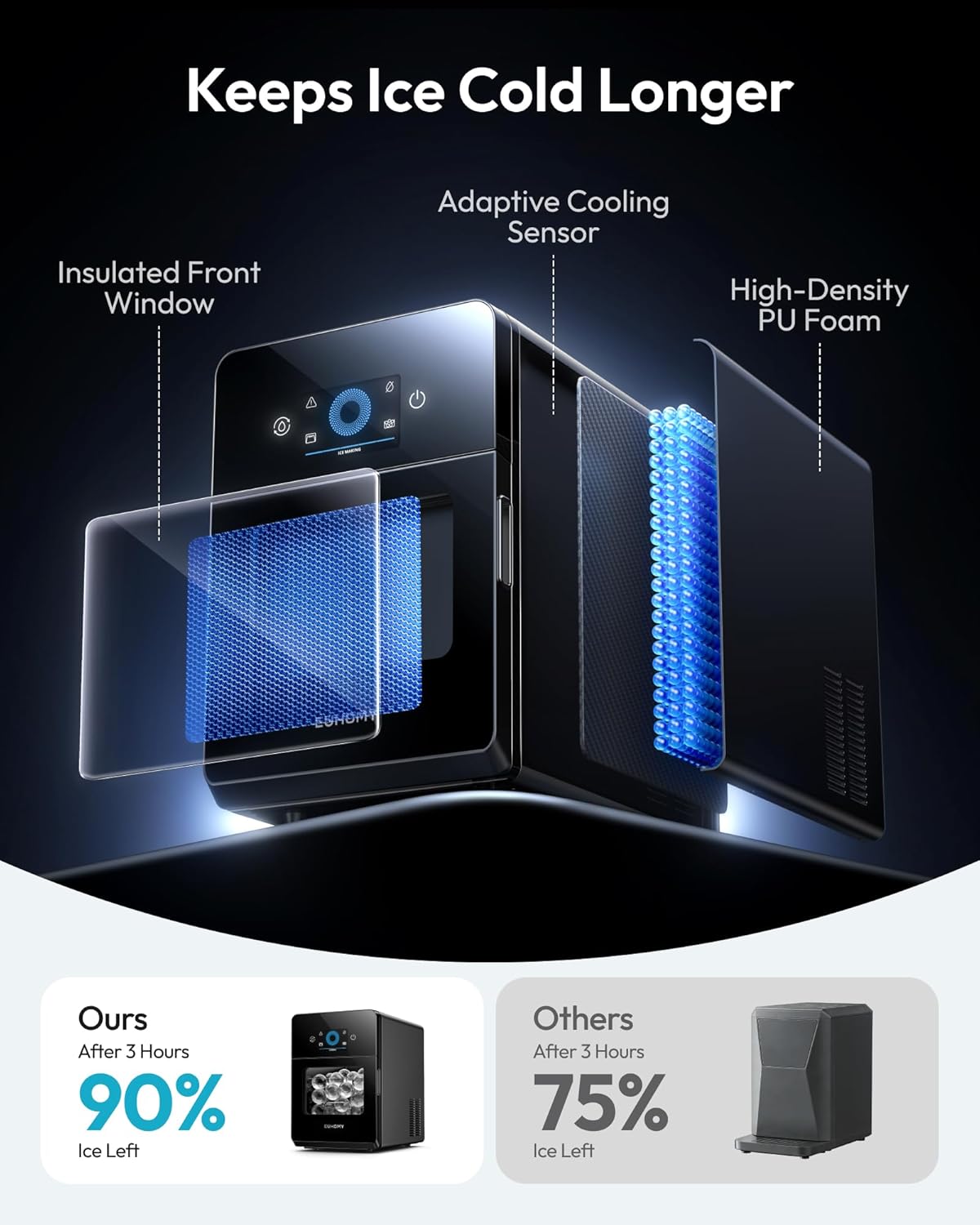
Image 4.3: Internal components demonstrating how the ice maker keeps ice cold longer, including insulation and cooling sensor.
4.4 Water Quality for Clear Ice
The clarity of the ice balls can be influenced by the quality of the water used. For best results and crystal-clear ice, distilled water is recommended. Filtered water also produces good results, while tap water may result in cloudier ice with more bubbles.

Image 4.4: Visual guide to ice clarity based on the Total Dissolved Solids (TDS) level in water, recommending distilled water for optimal results.

Image 4.5: Illustration demonstrating how the 2-inch clear ice spheres melt slower than standard ice cubes, preserving drink flavor.
5. Maintenance
5.1 Self-Cleaning Function
The ice maker is equipped with an automatic deep cleaning system:
- Ensure the water reservoir is filled with clean water.
- Press and hold the Clean Button (left side) for 5 seconds to initiate the thorough cleaning cycle.
- The machine will perform a cleaning process, circulating water to remove impurities.
- Once the cleaning cycle is complete, drain the water as described in section 5.2.

Image 5.1: The self-cleaning feature in action, ensuring hygienic ice production without manual scrubbing.
5.2 Draining Water
To drain water from the appliance:
- Locate the front-edge drain port at the bottom of the unit.
- Place a container under the drain port.
- Remove the drain plug to allow water to flow out.
- Once drained, securely replace the drain plug.

Image 5.2: The convenient front-edge drain port for easy water removal without lifting the machine.
5.3 General Cleaning
Regularly wipe the exterior of the appliance with a soft, damp cloth. For the interior, in addition to the self-cleaning function, periodically wipe down surfaces with a mild detergent solution and rinse thoroughly. Ensure the appliance is unplugged before any manual cleaning.
6. Troubleshooting
If you encounter issues with your EUHOMY IM046-S ice ball maker, refer to the following common problems and solutions:
| Problem | Possible Cause | Solution |
|---|---|---|
| Machine not turning on | No power supply | Check power cord connection and wall outlet. |
| No ice production | Low water level; Door not closed; Ambient temperature too high | Refill water reservoir; Ensure door is securely closed; Operate in a cooler environment. |
| Ice balls are cloudy | Poor water quality | Use filtered or distilled water for clearer ice. |
| Water Shortage Alert is on | Water reservoir is empty | Refill the water reservoir manually or check auto-refill connection. |
| Door Alert is on | Door is not properly closed | Close the door firmly until the alert disappears. |
If the problem persists after attempting these solutions, please contact customer support.
7. Specifications
| Feature | Detail |
|---|---|
| Brand | EUHOMY |
| Model Name | IM046-S |
| Product Dimensions | 17.6"D x 12.6"W x 17.9"H |
| Capacity | 22 Pounds (Ice Production per Day) |
| Wattage | 150 watts |
| Voltage | 120 Volts |
| Ice Ball Size | 2 inches (50 mm) |
| Ice Making Speed | 4 balls per 40 minutes |
| Daily Ice Production | Up to 144 balls per day |
| Ice Storage Capacity | 30-40 balls |
| Net Weight | 40.23 Lbs / 18.25 Kg |
| Refrigerant | R290a |
| Included Components | Ice Maker Machine, Inlet Pipe, Instruction Manual, Ice Clamp |
8. Warranty and Support
This EUHOMY ice ball maker comes with a 1 Year Manufacturer Warranty. For warranty claims, technical support, or any questions regarding the operation or maintenance of your appliance, please contact EUHOMY customer service. Refer to the contact information provided in the packaging or on the official EUHOMY website.