
1. Introduction
The Xega 4G LTE Cellular Security Camera is designed for surveillance in locations without Wi-Fi access. This camera operates exclusively on a 4G SIM card, providing a reliable security solution for various environments such as camping sites, RVs, vacation cabins, and remote outdoor areas. It features a built-in, non-replaceable SIM card and requires a 4G data plan subscription for operation.

Image 1.1: The Xega 4G LTE Cellular Security Camera, showing its design and wall-mount capability. Note the antenna for 4G connectivity.
2. Product Features
- 4G Connectivity: Operates solely on a 4G SIM card, eliminating the need for Wi-Fi.
- Long Battery Life: Equipped with a 10000mAh rechargeable battery, providing over 45 days of moderate use.
- Easy Installation: Supports desktop placement and wall mounting without requiring professional tools.
- HD Video Quality: Captures video in 3MP (2K) resolution for clear details.
- Night Vision: Features color and black-and-white night vision modes with a 20-meter range.
- Smart Detection: Utilizes intelligent human detection to trigger audio-visual alarms and real-time app alerts.
- Portability: Lightweight, palm-sized, and IP66 weatherproof for indoor and outdoor use.
- Shared Access: Allows multiple users to monitor the live feed simultaneously.
- Customizable Detection Zones: Define specific areas for monitoring to reduce false alarms.
- Two-Way Audio: Enables remote communication through the camera.

Image 2.1: An exploded view illustrating the high-capacity 10000mAh rechargeable battery integrated into the camera.
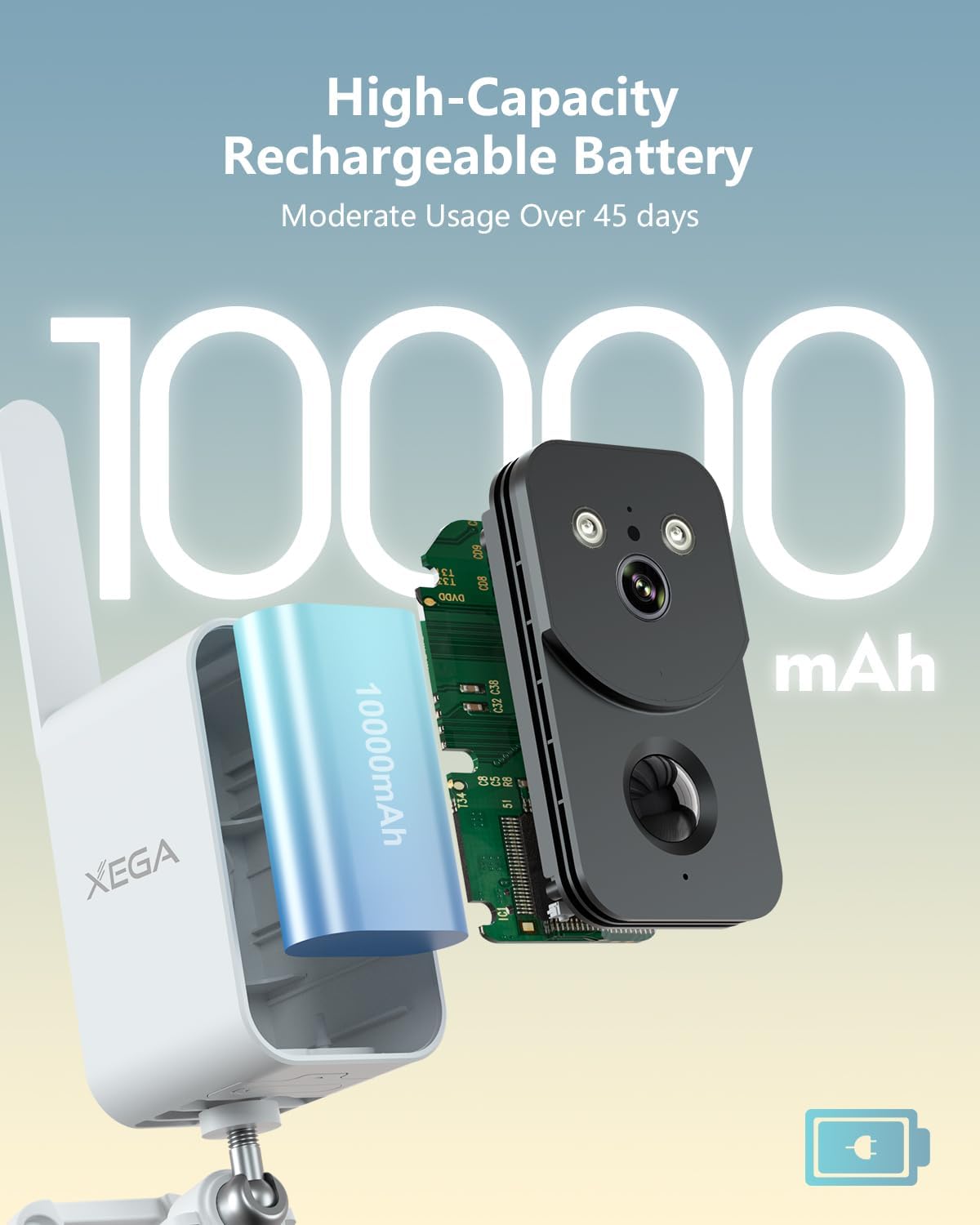
Image 2.2: The camera's human motion detection feature in action, showing a siren and spotlight activating to deter an intruder.
3. Setup
3.1 Data Plan Activation
The camera includes a 7-day SIM data trial for initial setup. After this period, a 4G data plan subscription is required for continued operation. Please refer to the provided documentation or the accompanying mobile application for details on subscription plans and activation.

Image 3.1: Overview of the required 4G data plan subscription options after the initial 7-day trial.
3.2 Physical Installation
The camera offers flexible installation options. It can be placed on a flat surface or mounted to a wall. No specialized tools or expertise are needed for installation, which typically takes less than 5 minutes.
- Desktop Placement: Simply place the camera on a stable, flat surface in your desired monitoring area.
- Wall Mounting: Use the included mounting bracket and screws to secure the camera to a wall. Ensure the mounting surface is stable and can support the camera's weight.
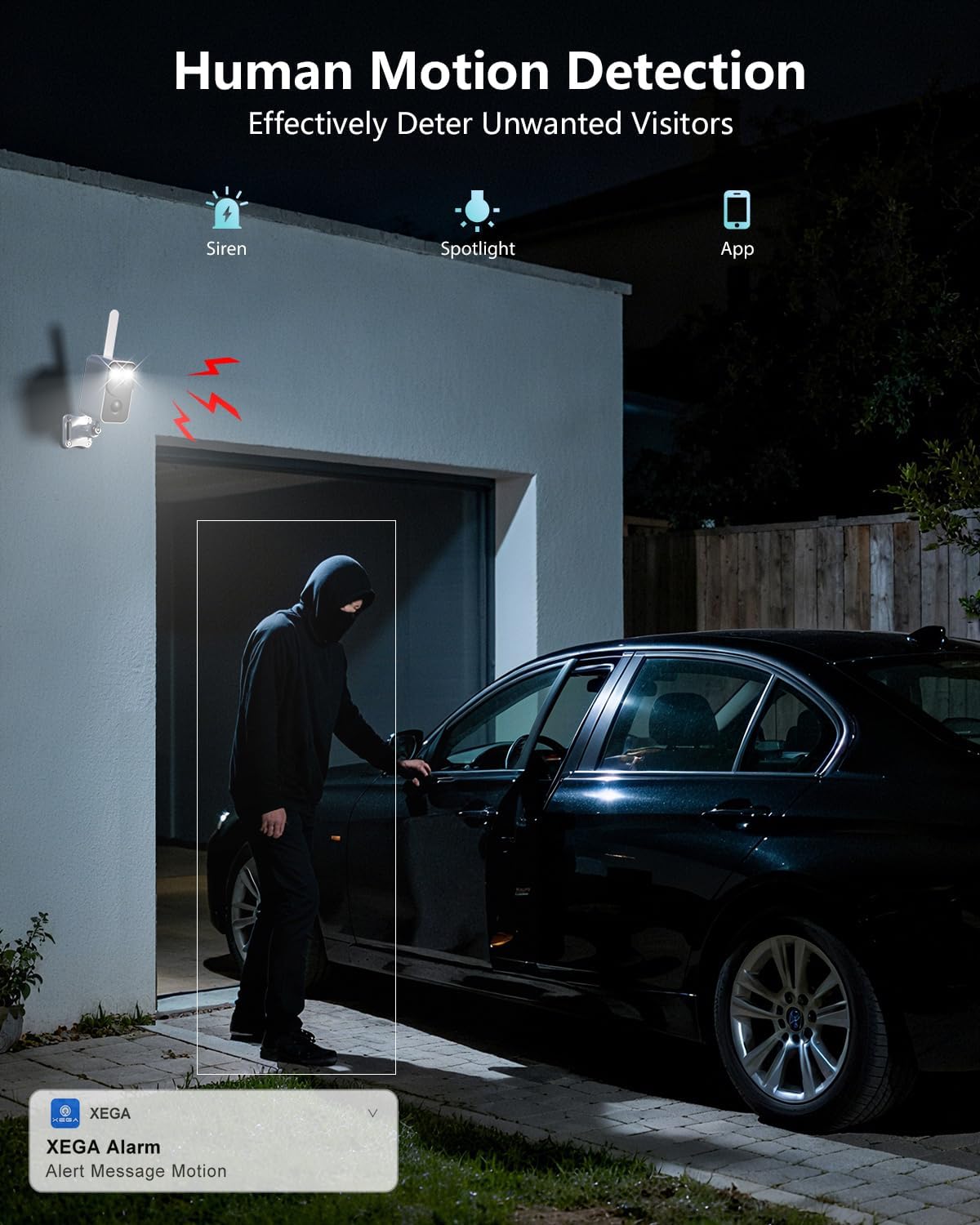
Image 3.2: Examples of dual installation options: mounted outdoors under an eave and placed indoors on a table.
4. Operation
4.1 Mobile Application Control
Manage and monitor your camera using the dedicated mobile application. The app allows you to view live feeds, receive alerts, and adjust settings.
4.2 Motion Detection and Alerts
The camera features PIR (Passive Infrared) motion detection, specifically designed to detect human movement. When motion is detected, the camera can trigger audio-visual alarms and send real-time alerts to your mobile application.

Image 4.1: The camera's PIR motion detection identifying a person, with an alert message displayed on a smartphone.
4.3 Two-Way Audio
Utilize the two-way audio feature to communicate remotely. This allows you to speak through the camera to individuals at the camera's location or to deter unwanted visitors.
4.4 Storage Options
The camera supports both cloud storage and local storage via a TF (microSD) card (sold separately). You can choose the storage method that best suits your needs for recording and reviewing footage.
5. Maintenance
5.1 Battery Charging
Recharge the camera's 10000mAh battery as needed. The battery life can exceed 45 days with moderate use, but frequent activity or extreme temperatures may reduce this duration. Use the provided charging cable and a compatible power adapter.
5.2 Cleaning
Periodically clean the camera lens and body with a soft, dry cloth to ensure optimal image quality and prevent dust buildup. Avoid using harsh chemicals or abrasive materials.
5.3 Data Plan Monitoring
Regularly monitor your 4G data plan usage and subscription status through the mobile application or your service provider to ensure uninterrupted camera operation.
6. Troubleshooting
- Camera not connecting: Ensure your 4G data plan is active and has sufficient data. Remember, this camera does not support Wi-Fi connections.
- No alerts received: Check your mobile application settings to ensure notifications are enabled. Verify the camera has a stable 4G connection and sufficient battery charge.
- Short battery life: High motion detection frequency, continuous live viewing, or extreme temperatures can reduce battery life. Adjust detection sensitivity and frequency in the app if necessary.
- Poor image quality: Clean the camera lens. Ensure there are no obstructions in the camera's field of view.
- SIM card issues: The SIM card is built-in and non-replaceable. If you suspect a SIM card issue, contact Xega customer support.
7. Specifications
| Connectivity | 4G LTE (Built-in SIM Card) |
| Resolution | 3MP (2K) |
| Battery Capacity | 10000mAh Rechargeable |
| Night Vision Range | Up to 20 meters (Color/B&W) |
| Motion Detection | PIR Human Motion Detection |
| Weatherproof Rating | IP66 |
| Storage Options | Cloud Storage, TF Card (up to 128GB, sold separately) |
| Audio | Two-Way Audio |
8. Warranty and Support
For detailed warranty information, technical assistance, or customer support, please visit the official Xega website or contact their customer service department directly. Keep your purchase receipt for warranty claims.