Introduction
This manual provides detailed instructions for the installation, operation, and maintenance of the FENSAJRD LED Backlight Strip, model huzihao. This product is designed for various TV models including UA50H5500AW, UA50H6300AR, UA50H5100AR, UE50H6400AK, UE50H5000AS, UN50J5500AF, UE50H5030AW, and UE5016282SU. The LED backlight strips offer energy efficiency, long-lasting durability, and stable operation without flicker, thanks to a low-power design and advanced heat dissipation technology. They ensure strong compatibility and flexible installation, maintaining the aesthetic integrity of your television.
Setup and Installation
Proper installation is crucial for the optimal performance and longevity of your LED backlight strips. Please follow these steps carefully.
1. Preparation
- Ensure the television is completely powered off and unplugged from the electrical outlet.
- Place the TV screen-down on a soft, clean surface to prevent scratches.
- Carefully remove the TV back cover and any internal components necessary to access the existing backlight strips.
- Identify the old backlight strips and their connections.
2. Removing Old Backlight Strips
- Gently disconnect the power cables from the old LED strips.
- Carefully peel off or unclip the old strips from the TV panel. Note their orientation and placement for reference.
3. Installing New Backlight Strips
The FENSAJRD LED backlight strips are designed for flexible installation. Each set includes 12 pieces, with 13 LED beads per strip, each operating at 3V.
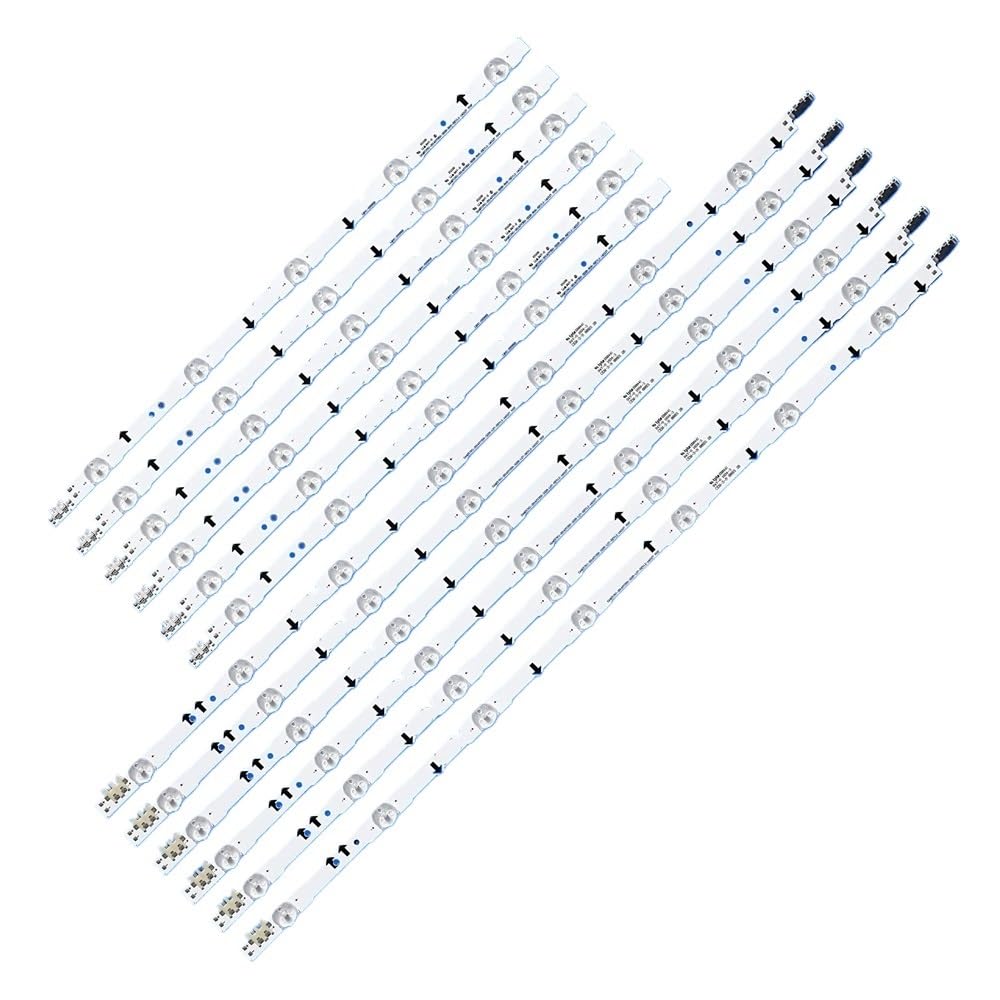
Figure 1: A single FENSAJRD LED backlight strip, showing the individual LED lens and the electrical connector at one end. This strip is part of a larger set designed for TV backlighting.
- Align the new FENSAJRD LED backlight strips with the designated positions on the TV panel. Ensure the polarity (+/-) matches the connections.
- Securely attach the strips. Many strips have adhesive backing; if not, use appropriate fasteners or clips as per your TV's design.

Figure 2: Several FENSAJRD LED backlight strips laid out, illustrating how they connect to form a continuous lighting array. Arrows indicate the direction of connection, and visible connectors show the male and female ends for assembly.
- Connect the strips to each other using the provided connectors. Ensure a firm and secure connection for each segment.
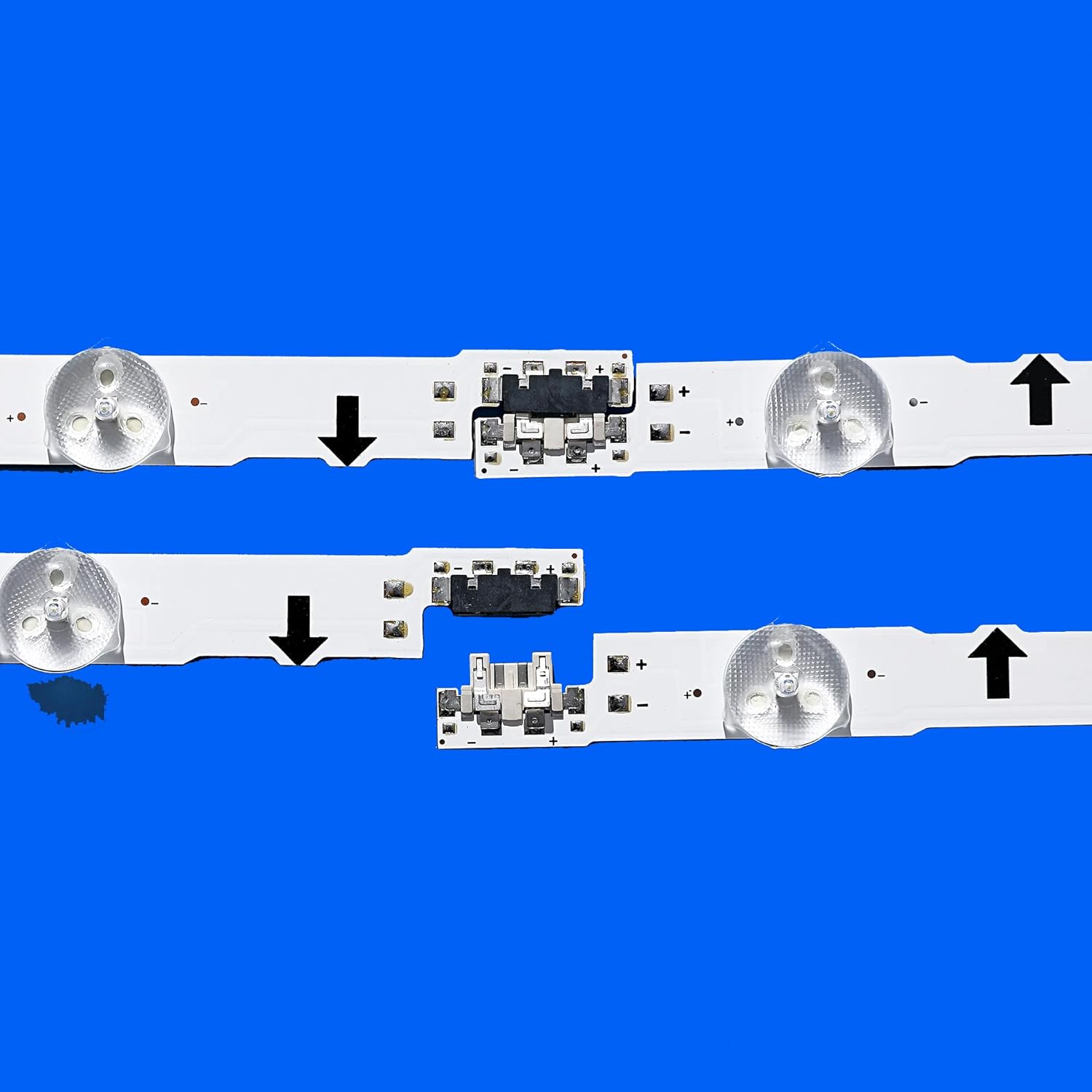
Figure 3: A detailed view of the connectors on the FENSAJRD LED backlight strips. The image highlights the precise connection points and includes visible part numbers and manufacturing details, which are crucial for compatibility and proper installation.
- Connect the main power cable from the TV's power board to the first LED strip in the series.
- Double-check all connections to ensure they are secure and correctly oriented.
4. Reassembly and Testing
- Before fully reassembling the TV, temporarily plug it in and power it on to verify that all LED strips illuminate correctly and uniformly.
- If all strips are working, carefully reassemble the TV, ensuring no cables are pinched and all components are securely fastened.
- Once reassembled, perform a final test of the TV's display.
Operating Instructions
The FENSAJRD LED Backlight Strips operate automatically once correctly installed and the television is powered on. They are designed to provide uniform brightness and enhance image quality by eliminating dark areas and improving contrast and color hierarchy.
- Power On: The backlight strips will activate when the television is turned on.
- Power Off: The backlight strips will deactivate when the television is turned off.
- No user intervention is required for the operation of the backlight strips themselves after installation.
Maintenance
The FENSAJRD LED Backlight Strips are designed for long-lasting, stable operation with minimal maintenance. However, proper care can further extend their lifespan.
- Cleaning: If the TV is disassembled for any reason, gently clean the surface of the LED strips with a soft, dry, lint-free cloth. Avoid using liquid cleaners directly on the strips.
- Handling: When handling the strips, avoid bending them excessively or applying direct pressure to the LED beads.
- Environment: Ensure the TV operates in a well-ventilated area to prevent excessive heat buildup, which can affect the lifespan of electronic components, including the backlight strips.
Troubleshooting
If you encounter issues after installing the FENSAJRD LED Backlight Strips, refer to the following common problems and solutions:
| Problem | Possible Cause | Solution |
|---|---|---|
| No backlight / Dark screen |
|
|
| Flickering backlight |
|
|
| Uneven brightness or dark spots |
|
|
Important: Attempting TV repairs can be complex and may void your TV's warranty. If you are unsure about any step, it is recommended to seek assistance from a qualified technician.
Specifications
| Feature | Detail |
|---|---|
| Brand | FENSAJRD |
| Model Number | huzihao |
| Compatible TV Models | UA50H5500AW, UA50H6300AR, UA50H5100AR, UE50H6400AK, UE50H5000AS, UN50J5500AF, UE50H5030AW, UE5016282SU |
| Strip Length | 1026mm (approx. 40.4 inches) |
| Number of LED Beads per Strip | 13 |
| LED Lamp Voltage | 3V |
| Package Includes | 1 set = 12 pieces LED Strip |
| Item Weight | 1.76 ounces |
| Package Dimensions | 0.39 x 0.39 x 0.39 inches |
| Batteries Required | No |
Warranty Information
Specific warranty details for the FENSAJRD LED Backlight Strip (model huzihao) are not provided in the product information. Please refer to your purchase documentation or contact the seller directly for warranty terms and conditions.
Customer Support
For technical assistance, troubleshooting beyond this guide, or inquiries regarding your FENSAJRD LED Backlight Strip, please contact the seller or manufacturer directly through the platform where the product was purchased. Please have your model number (huzihao) and purchase details ready when contacting support.