1. Introduction
Thank you for choosing the LG 34 Inch UltraWide WQHD Curved Monitor. This manual provides essential information for the safe and efficient use of your new monitor. Please read it thoroughly before operating the device and keep it for future reference.
Package Contents
- LG 34 Inch UltraWide Curved Monitor
- Monitor Stand (Base and Neck)
- Power Cable
- HDMI Cable
- DisplayPort Cable
- USB-C Cable
- User Manual & Warranty Card
2. Key Features
- 34-inch WQHD UltraWide Curved Display: Expansive 21:9 screen (3440 x 1440) for enhanced productivity and immersive viewing.
- HDR Display with 99% sRGB: Delivers vibrant, natural colors and distinct image layers, supporting HDR brightness performance.
- 120Hz High Refresh Rate: Ensures fluid scrolling and dynamic content for a comfortable visual experience.
- 5ms (GTG) Response Time: Provides quick pixel response for smooth motion.
- LG Switch for Multitasking & Eye Care: Enables quick split-screen functionality, customizable layouts, and Reader Mode to reduce eye strain.
- Adjustable Stand: Supports height, tilt, and swivel adjustments for optimal viewing angles.
- Built-in Speakers: Integrated audio for convenience.
- Multiple Connectivity Options: Includes DisplayPort and HDMI inputs.
3. Setup
3.1 Assembling the Stand
Carefully remove the monitor and stand components from the packaging. Follow the instructions below to attach the stand to the monitor.
- Place the monitor face down on a soft, clean surface to prevent scratches.
- Attach the stand neck to the monitor's rear panel. Ensure it clicks securely into place.
- Attach the stand base to the bottom of the stand neck. Tighten the screw(s) firmly to secure the base.
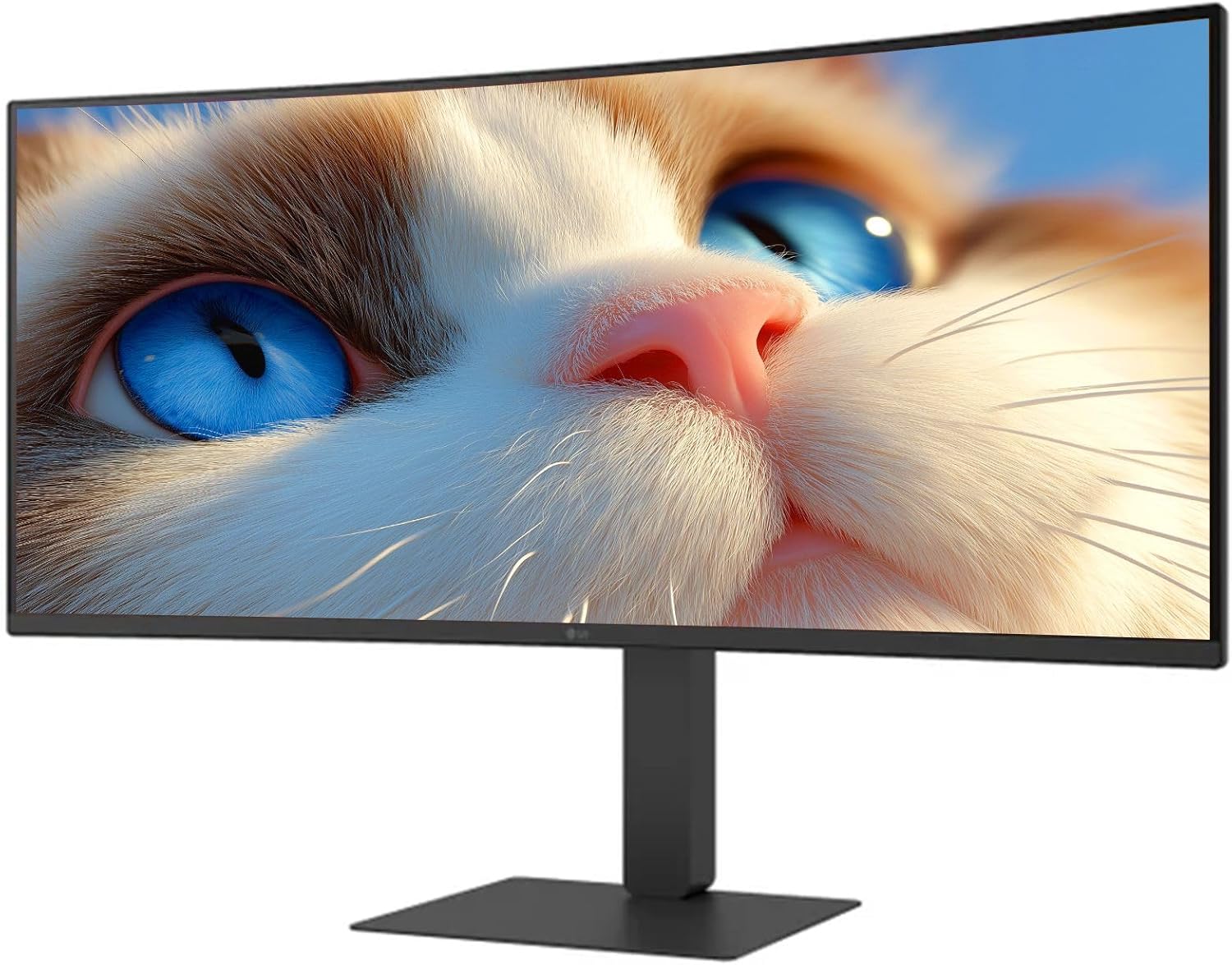
Figure 1: Front view of the LG 34 Inch UltraWide Curved Monitor with stand.

Figure 2: Side view of the LG 34 Inch UltraWide Curved Monitor with stand.
3.2 Connecting the Monitor
Connect the monitor to your computer or other devices using the appropriate cables.
- Connect the power cable to the monitor's power input and then to a power outlet.
- For video input, connect either an HDMI cable or a DisplayPort cable from your computer's graphics card to the corresponding port on the monitor.
- If your computer supports USB-C, you can use the provided USB-C cable for video, audio, and data transfer.

Figure 3: Rear view of the monitor showing available ports for connectivity.
4. Operating the Monitor
4.1 Power On/Off
Press the power button, usually located on the bottom center of the monitor, to turn the monitor on or off. The power indicator light will illuminate when the monitor is on.
4.2 On-Screen Display (OSD) Menu
The OSD menu allows you to adjust various monitor settings. Use the joystick button (typically located on the bottom center) to navigate the menu.
- Picture Mode: Select from various preset modes (e.g., Custom, Reader, HDR Effect) or customize settings like brightness, contrast, and sharpness.
- Input: Manually select the input source (HDMI, DisplayPort, USB-C).
- General: Access settings for language, OSD transparency, and power-saving options.
4.3 Adjusting the Stand
The monitor stand offers ergonomic adjustments for your comfort:
- Height Adjustment: Gently push or pull the monitor up or down to your desired height.
- Tilt Adjustment: Hold both sides of the monitor and tilt it forwards or backwards.
- Swivel Adjustment: Rotate the monitor left or right on its base.
5. Maintenance
5.1 Cleaning the Monitor
To ensure the longevity and optimal performance of your monitor, follow these cleaning guidelines:
- Always unplug the monitor from the power outlet before cleaning.
- Use a soft, lint-free cloth slightly dampened with water or a specialized screen cleaner.
- Do not spray cleaner directly onto the screen.
- Avoid using abrasive cleaners, solvents, or ammonia-based products.
6. Troubleshooting
If you encounter issues with your monitor, refer to the following common solutions:
- No Power: Ensure the power cable is securely connected to both the monitor and the power outlet. Check if the power outlet is functioning.
- No Signal: Verify that the video cable (HDMI, DisplayPort, or USB-C) is correctly connected to both the monitor and your computer. Ensure the correct input source is selected in the OSD menu.
- Flickering Screen: Check the video cable connection. Try adjusting the refresh rate in your computer's display settings.
- Image Distortion: Reset the monitor to factory settings via the OSD menu. Ensure your computer's display resolution matches the monitor's native resolution (3440 x 1440).
- No Sound from Built-in Speakers: Check the volume settings on both the monitor and your computer. Ensure the audio output is correctly routed to the monitor.
If the problem persists after trying these steps, please contact LG customer support.
7. Specifications
| Feature | Specification |
|---|---|
| Brand | LG |
| Model Number | 195174134092 |
| Screen Size | 34 inches |
| Maximum Resolution | WQHD (3440 x 1440) |
| Refresh Rate | 120Hz |
| Response Time | 5ms (GTG) |
| Aspect Ratio | 21:9 |
| Color Gamut | sRGB 99% |
| HDR Support | HDR10 |
| Viewing Angle | 178 degrees (R/L), 178 degrees (U/D) |
| Display Connectors | 1 x HDMI, 1 x DisplayPort |
| Eye Relief Features | Low blue light, Flicker-free, Anti-glare, Reader Mode |
| Built-in Speakers | Yes |
| Product Dimensions (with stand) | 8.7"D x 32.1"W x 19.2"H |
| Product Weight (with stand) | 16.8 Pounds |
8. Warranty and Support
Your LG 34 Inch UltraWide Curved Monitor comes with a standard manufacturer's warranty. Please refer to the warranty card included in your package for detailed terms and conditions.
For technical support, service, or further inquiries, please visit the official LG website or contact their customer service hotline. Keep your purchase receipt and product serial number (located on the back of the monitor) handy when contacting support.