
Introduction
Thank you for choosing the STARRYBOT C-DC2504 Cordless Robotic Pool Cleaner. This manual provides essential information for the safe and efficient operation, maintenance, and troubleshooting of your new pool cleaner. Please read this manual thoroughly before first use and retain it for future reference.
The STARRYBOT C-DC2504 is designed to effortlessly keep your pool sparkling clean. Its dual high-efficiency motors deliver strong suction, effectively removing debris for crystal-clear water. Featuring smart self-parking and an LED indicator, this robotic cleaner enhances your swimming experience by simplifying pool maintenance.
Safety Information
Important Safety Instructions:
- Read all instructions before using this appliance.
- Do not operate the cleaner when people or pets are in the pool.
- Only use the charger supplied by the manufacturer.
- Ensure the charging port is dry before connecting the charger.
- Keep the cleaner away from heat sources and direct sunlight.
- Do not attempt to repair the cleaner yourself. Contact qualified service personnel.
- Store the cleaner in a cool, dry place when not in use.
Package Contents
Verify that all items are present and in good condition:
- STARRYBOT C-DC2504 Robotic Pool Cleaner
- Charging Adapter
- Retrieval Hook
- User Manual
Product Overview
Familiarize yourself with the main components of your robotic pool cleaner.

Image: The STARRYBOT C-DC2504 Robotic Pool Cleaner demonstrating its powerful suction for effective debris removal, including leaves, silt, and sand grains.
- Main Unit: Houses the motors, battery, and control system.
- Filter Basket: Top-load design for easy access and cleaning of collected debris.
- Brushes: Located on the underside for scrubbing the pool floor.
- Charging Port: For connecting the charging adapter.
- Power Button: For activating and deactivating the cleaner.
- LED Indicator: Provides status updates (e.g., working, low battery).
Setup
Follow these steps to prepare your STARRYBOT C-DC2504 for its first use.
- Charge the Cleaner:
Before initial use, fully charge the robotic pool cleaner. Connect the charging adapter to the cleaner's charging port and then to a power outlet. The LED indicator will show charging status. A full charge typically takes 2.5 hours.

Image: The STARRYBOT C-DC2504 Robotic Pool Cleaner undergoing a quick charge, highlighting its 2.5-hour charging time.
- Attach Brushes:
Ensure the two brushes are securely snapped into the designated slots on the bottom of the cleaner. These brushes aid in scrubbing the pool surface for thorough cleaning.
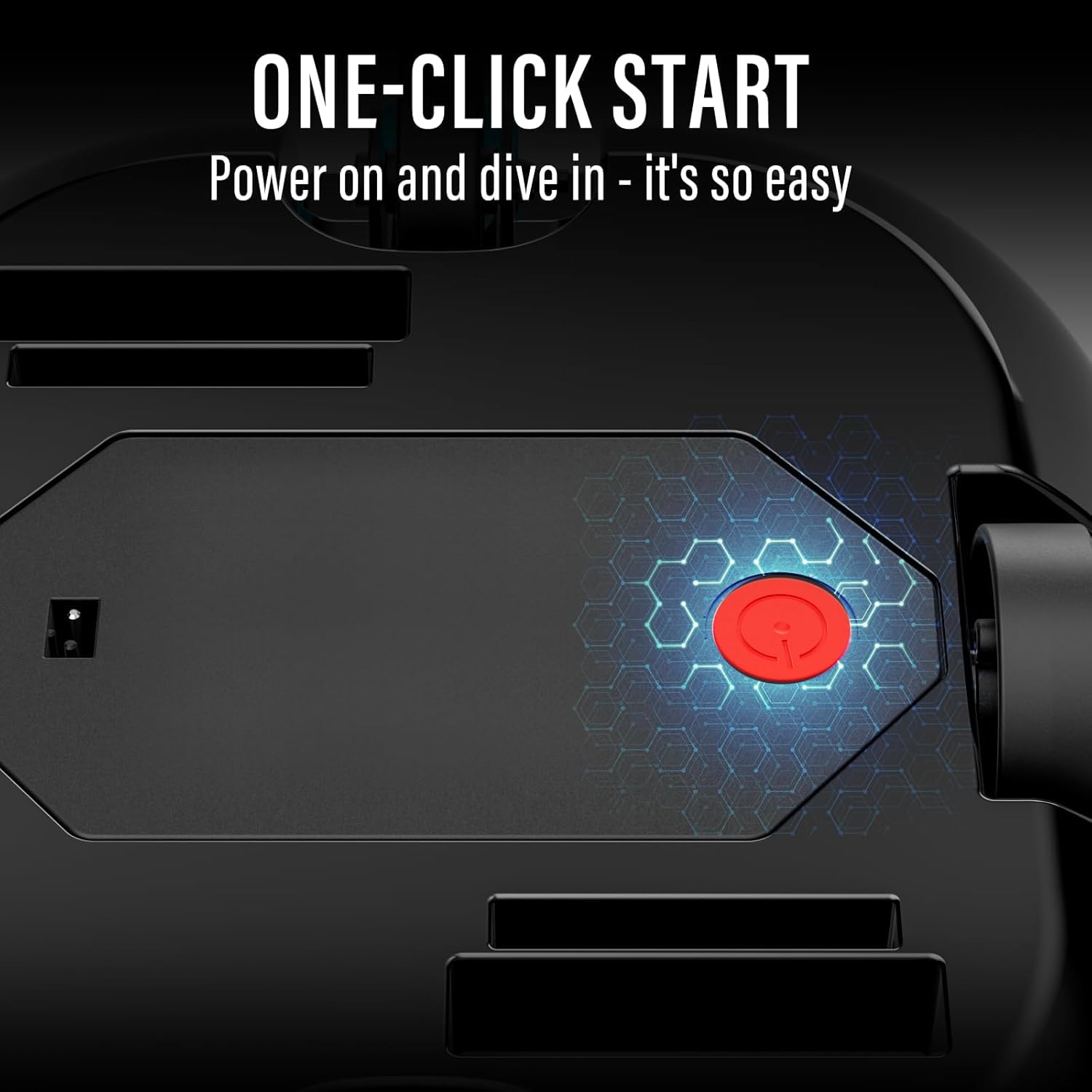
Image: A close-up view of the STARRYBOT C-DC2504's underside, illustrating the power button and the areas where brushes are attached.
Operating Instructions
Operating your STARRYBOT C-DC2504 is simple and straightforward.
- Power On:
Locate the power button on the underside of the cleaner. Press the button to turn the unit on. The LED indicator will illuminate, signaling that the cleaner is ready for operation.
- Submerge in Pool:
Gently place the cleaner into the pool. Allow it to sink to the bottom. Ensure all air bubbles escape from the unit to allow it to fully submerge and operate effectively.
- Automatic Cleaning:
Once submerged, the cleaner will begin its automatic cleaning cycle. It is designed for flat-bottom pools and will navigate to clean the entire pool floor up to 900 sq. ft.

Image: The STARRYBOT C-DC2504 Robotic Pool Cleaner showcasing its smart self-parking function, where it docks itself when power is low or cleaning is complete.
- Smart Self-Parking & LED Indicator:
The cleaner features a smart self-parking function, returning to the edge of the pool when its battery is low or the cleaning cycle is complete. The LED indicator will change color or blink to signal its status (e.g., green for working, yellow for low battery).
Maintenance
Regular maintenance ensures the longevity and optimal performance of your pool cleaner.
- Retrieving the Cleaner:
Once the cleaning cycle is complete or the battery is low, the cleaner will self-park near the pool edge. Use the provided retrieval hook attached to a standard pool pole to carefully lift the cleaner out of the water. Allow excess water to drain before fully removing it.
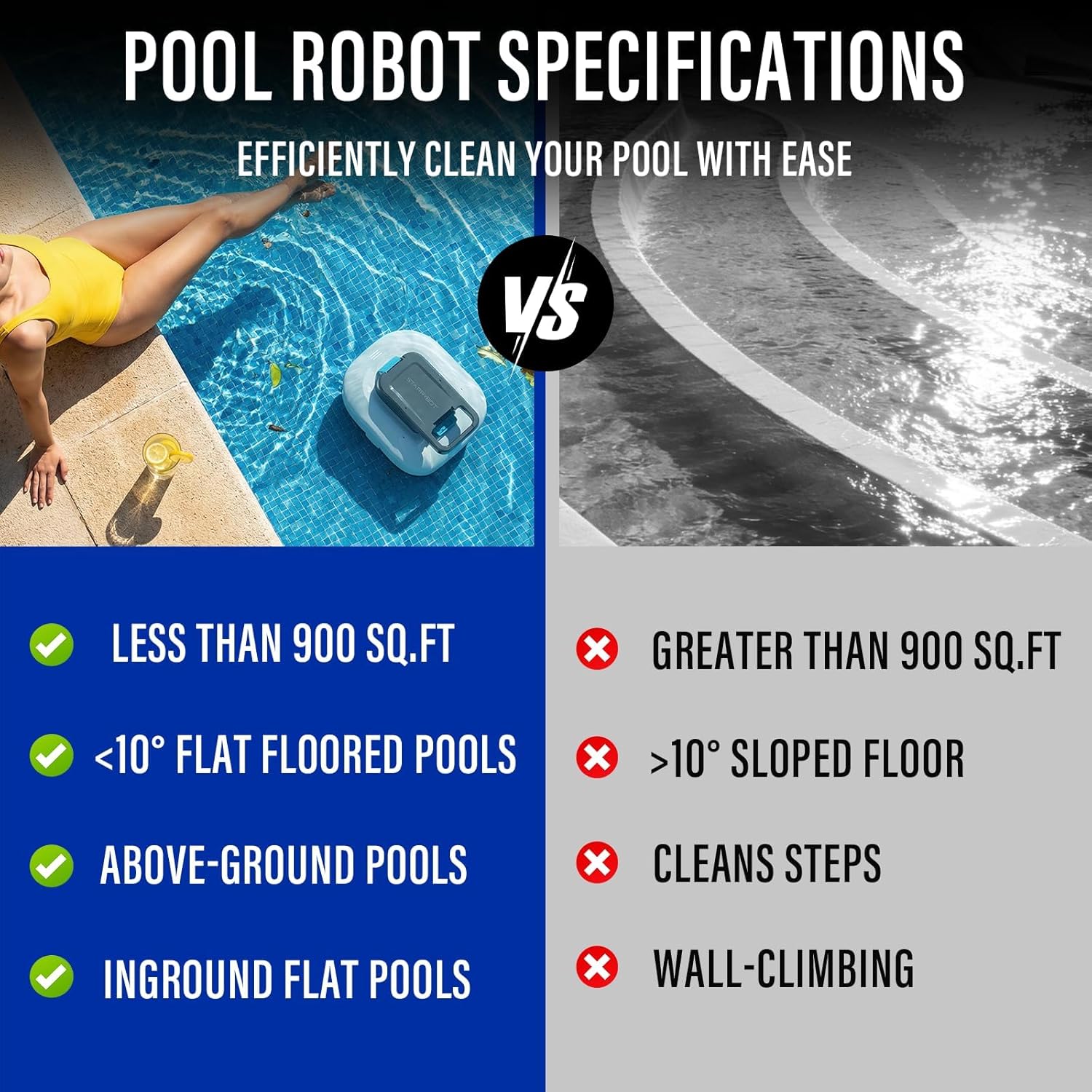
Image: A person easily retrieving the STARRYBOT C-DC2504 Robotic Pool Cleaner from the pool, highlighting its lightweight design and convenient handle.
- Cleaning the Filter Basket:
Open the top cover of the cleaner and remove the filter basket. Empty any collected debris and rinse the basket thoroughly with a hose. Ensure the filter is clean before reinserting it into the cleaner. Regular cleaning prevents clogging and maintains suction power.
- Recharging:
After each cleaning cycle, recharge the cleaner to ensure it's ready for the next use. Always ensure the charging port is dry before connecting the charger.
- Storage:
When not in use for extended periods, store the cleaner in a cool, dry, and shaded area. Ensure it is fully charged before storage.
Troubleshooting
If you encounter any issues, refer to the following common problems and solutions:
| Problem | Possible Cause | Solution |
|---|---|---|
| Cleaner does not turn on. | Low battery; Power button not pressed correctly. | Charge the cleaner fully; Ensure the power button is pressed firmly. |
| Cleaner does not move or moves slowly. | Filter basket clogged; Obstruction in wheels/brushes; Low battery. | Clean the filter basket; Remove any obstructions; Recharge the cleaner. |
| Poor cleaning performance. | Filter basket full/clogged; Brushes worn out; Pool surface too sloped. | Clean the filter basket; Replace worn brushes; Ensure pool is suitable (flat bottom, <10° slope). |
| Cleaner floats or does not sink. | Air trapped inside the unit. | Gently rock the cleaner underwater to release trapped air bubbles. |
Specifications
| Feature | Detail |
|---|---|
| Brand | STARRYBOT |
| Model Name | C-DC2504 |
| Material | Plastic |
| Color | White |
| Product Dimensions (L x W x H) | 11.42"L x 6.81"W x 14.17"H |
| Power Source | Battery Powered |
| Special Features | Cordless, Smart Self-Parking, Smart LED Indicator |
| Control Method | Push Button |
| Efficiency | High Suction Power, Long Battery Life |
| Lithium Battery Energy Content | 48 Watt Hours |
| Number of Batteries | 1 (12V, included) |
| Battery Description | Lithium-Ion |
| Charging Time | 2.5 Hours |
| Max Pool Size | Up to 900 Sq.ft (Flat Pool) |
| Installation Type | Robotic |
Warranty & Support
The STARRYBOT C-DC2504 Robotic Pool Cleaner comes with a 1-year warranty from the date of purchase.
For warranty claims, technical support, or any questions regarding your product, please contact STARRYBOT customer service. Refer to the product packaging or the official STARRYBOT website for the most current contact information.