
1. Introduction
Thank you for purchasing the BLAUPUNKT 40-inch Full HD LED TV. This manual provides essential information for setting up, operating, and maintaining your television. Please read it thoroughly before use and keep it for future reference.
This television is designed to deliver a clear and vibrant viewing experience with its Full HD LED display. It offers versatile connectivity options for various external devices and includes integrated tuners for digital broadcasting.
2. What's in the Box
Please check that all items listed below are included in your package:
- BLAUPUNKT 40-inch Full HD LED TV
- User Manual
- Power Cable
- Remote Control
- Stand (Base)
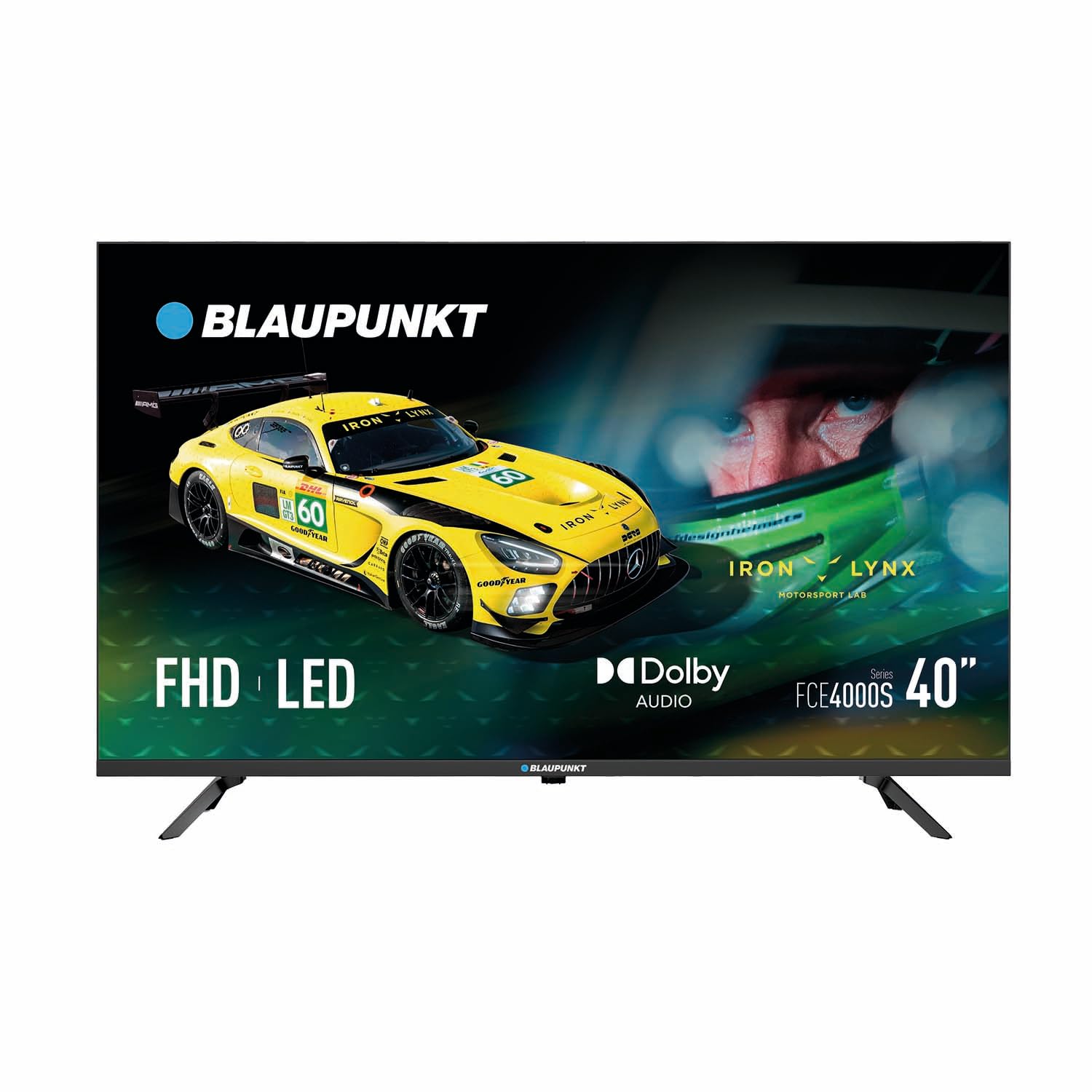
Figure 2.1: Front view of the BLAUPUNKT 40-inch Full HD LED TV.
3. Setup
3.1 Stand Assembly
- Carefully place the TV screen-down on a soft, clean surface to prevent scratches.
- Align the stand with the mounting holes on the bottom of the TV.
- Secure the stand using the provided screws. Ensure it is firmly attached.
3.2 Wall Mounting (Optional)
This TV supports VESA 200x200mm wall mounts. For wall mounting, please refer to the instructions provided with your wall mount kit. Ensure the mount is securely fastened to a sturdy wall structure.

Figure 3.1: Side profile of the TV.

Figure 3.2: Side view showing accessible ports.
3.3 Connecting Devices
- Power: Connect the power cable to the TV's power input and then to a wall outlet.
- HDMI: Use HDMI cables to connect external devices like Blu-ray players, game consoles, or set-top boxes to the TV's HDMI ports. This TV has 2 HDMI ports.
- USB: Insert USB drives into the USB port for media playback. This TV has 1 USB port.
- Antenna/Satellite: Connect your antenna or satellite dish cable to the appropriate DVB-S2/T2 tuner input.
- Optical Audio: For high-quality audio output to a soundbar or home theater system, use the SPDIF optical output.

Figure 3.3: Rear view of the TV with VESA mounting and port locations.
4. Operating Your TV
4.1 Power On/Off
Press the Power button on the remote control or on the TV itself to turn the TV on or off.
4.2 Input Source Selection
Press the 'Source' or 'Input' button on your remote control to cycle through available input sources (HDMI 1, HDMI 2, USB, DVB-S2, DVB-T2, etc.).
4.3 Channel and Volume Control
Use the 'CH +/-' buttons to change channels and 'VOL +/-' buttons to adjust the volume. The 'Mute' button silences the audio.
4.4 Electronic Program Guide (EPG)
Access the Electronic Program Guide (EPG) to view program schedules for digital channels. This feature helps you plan your viewing.
4.5 Teletext
If available on your broadcast, press the 'Text' button to access teletext services for news, weather, and other information.
5. Key Features
- Full HD LED Display: Enjoy crisp and clear images with 1920x1080 pixel resolution and a 16:9 aspect ratio.
- Dolby Audio: Experience enhanced sound quality with 2x8W integrated stereo speakers and Dolby Audio support.
- Multiple Connectivity Options: Equipped with HDMI, USB, YPbPr, DVB-S2/T2 tuners, and SPDIF optical output for versatile device connections.
- Parental Control: Manage and restrict content access for children.
- Sleep Timer: Set the TV to automatically turn off after a specified period.
- Low Energy Consumption: Designed for energy efficiency with a Class F rating and 39W power consumption during use.
Figure 5.1: Enhanced audio experience with Dolby Audio.
6. Maintenance
To ensure the longevity and optimal performance of your TV, follow these maintenance guidelines:
- Cleaning the Screen: Use a soft, lint-free cloth specifically designed for electronics. Do not use abrasive cleaners or sprays directly on the screen.
- Cleaning the Cabinet: Wipe the TV cabinet with a soft, dry cloth. Avoid using harsh chemicals.
- Ventilation: Ensure proper ventilation around the TV. Do not block the ventilation openings.
- Power Cord: Regularly check the power cord for any damage. If damaged, replace it immediately.
7. Troubleshooting
If you encounter any issues with your TV, please refer to the following common problems and solutions:
| Problem | Possible Cause | Solution |
|---|---|---|
| No Power | Power cable disconnected; Power outlet issue | Check power cable connection; Try a different outlet |
| No Picture/Sound | Incorrect input source; Loose cable connection | Select correct input source; Secure all cable connections |
| Poor Picture Quality | Weak signal; Incorrect picture settings | Check antenna/cable connection; Adjust picture settings (brightness, contrast) |
| No Signal from Tuner | Antenna/satellite not connected or configured | Ensure antenna/satellite cable is connected; Perform channel scan |
7.1 Product Demonstration Video
Video 7.1: A general product demonstration video showing TV mounting and flexibility. This video illustrates how a TV can be mounted and adjusted, which is relevant for installation.
7.2 Picture and Sound Settings Overview
Video 7.2: A comparison video demonstrating various picture and sound settings, including color enhancement, noise reduction, and game mode. This helps users optimize their viewing experience.
8. Specifications
| Feature | Detail |
|---|---|
| Screen Size | 40 Inches |
| Display Technology | LED |
| Resolution | 1080p (1920x1080) |
| Refresh Rate | 60 Hz |
| Aspect Ratio | 16:9 |
| Audio Output | 2x8W Stereo Speakers, Dolby Audio |
| HDMI Ports | 2 |
| USB Ports | 1 |
| Tuners | DVB-S2/T2 |
| Optical Audio Output | 1 (SPDIF) |
| VESA Mounting Standard | 200 x 200 mm |
| Energy Efficiency Class | F |
| Power Consumption (in use) | 39 W |
| Product Dimensions (DxWxH) | 19.9 x 89.3 x 56.1 cm |
| Product Weight | 5.5 kg |
9. Warranty and Support
Your BLAUPUNKT TV comes with a 3-year manufacturer warranty. For warranty claims, technical support, or any inquiries not covered in this manual, please contact BLAUPUNKT customer service or the retailer from whom you purchased the product. Keep your proof of purchase for warranty validation.
For additional information and support, you may visit the official BLAUPUNKT website or contact their customer service hotline.