
Introduction
This manual provides instructions for the Turnwin Soft Silicone Sport Strap, designed for compatibility with the Tiksounds P150 Smartwatch. It covers installation, usage, maintenance, and specifications to ensure optimal performance and longevity of your replacement wristband.
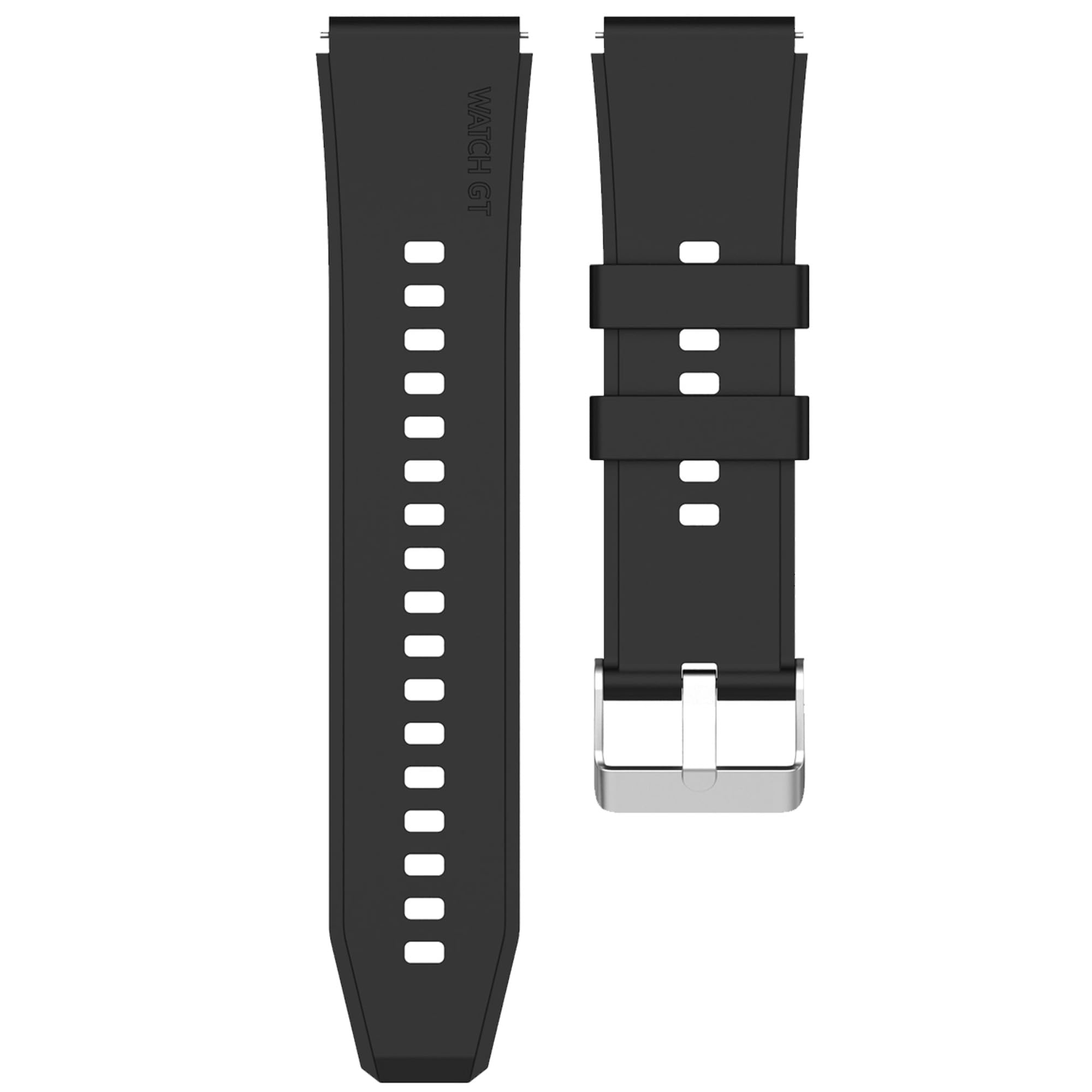
Image: Turnwin Soft Silicone Sport Strap in black, securely attached to a Tiksounds P150 Smartwatch. The watch face displays time and activity metrics.
Key Features
- Perfect Compatibility: Designed specifically for the Tiksounds P150 Smart Watch, ensuring a secure and precise fit.
- Premium Silicone Material: Constructed from high-quality, soft, skin-friendly, and durable silicone, resistant to sweat and water for all-day comfort.
- Easy Installation & Removal: Features a convenient quick-release design for tool-free band changes in seconds.
- Secure Buckle Closure: Equipped with a sturdy stainless-steel buckle to keep the watch securely on your wrist during various activities.
Setup: Band Installation
The Turnwin Soft Silicone Sport Strap features quick-release pins for easy attachment and removal. Follow these steps to install your new band:
- Prepare the Watch: If a band is currently attached, remove it by locating the quick-release pin on the underside of the band and sliding it inward to detach.
- Identify Band Sections: The strap consists of two sections. Identify the section with the buckle and the section with the adjustment holes.
- Attach First Section: Take one section of the new strap. Locate the quick-release pin on the back of the strap.
- Align and Insert: Align one end of the quick-release pin with the corresponding lug hole on the Tiksounds P150 Smartwatch. Slide the pin inward to retract it, then position the other end into the opposite lug hole.
- Secure the Band: Once both ends of the pin are aligned with the lug holes, release the quick-release pin. Gently tug on the strap to ensure it is securely locked into place.
- Repeat for Second Section: Follow the same steps to attach the second section of the strap to the other side of your smartwatch.

Image: A detached black silicone strap, clearly showing the quick-release pins on each end, ready for installation onto the smartwatch lugs.
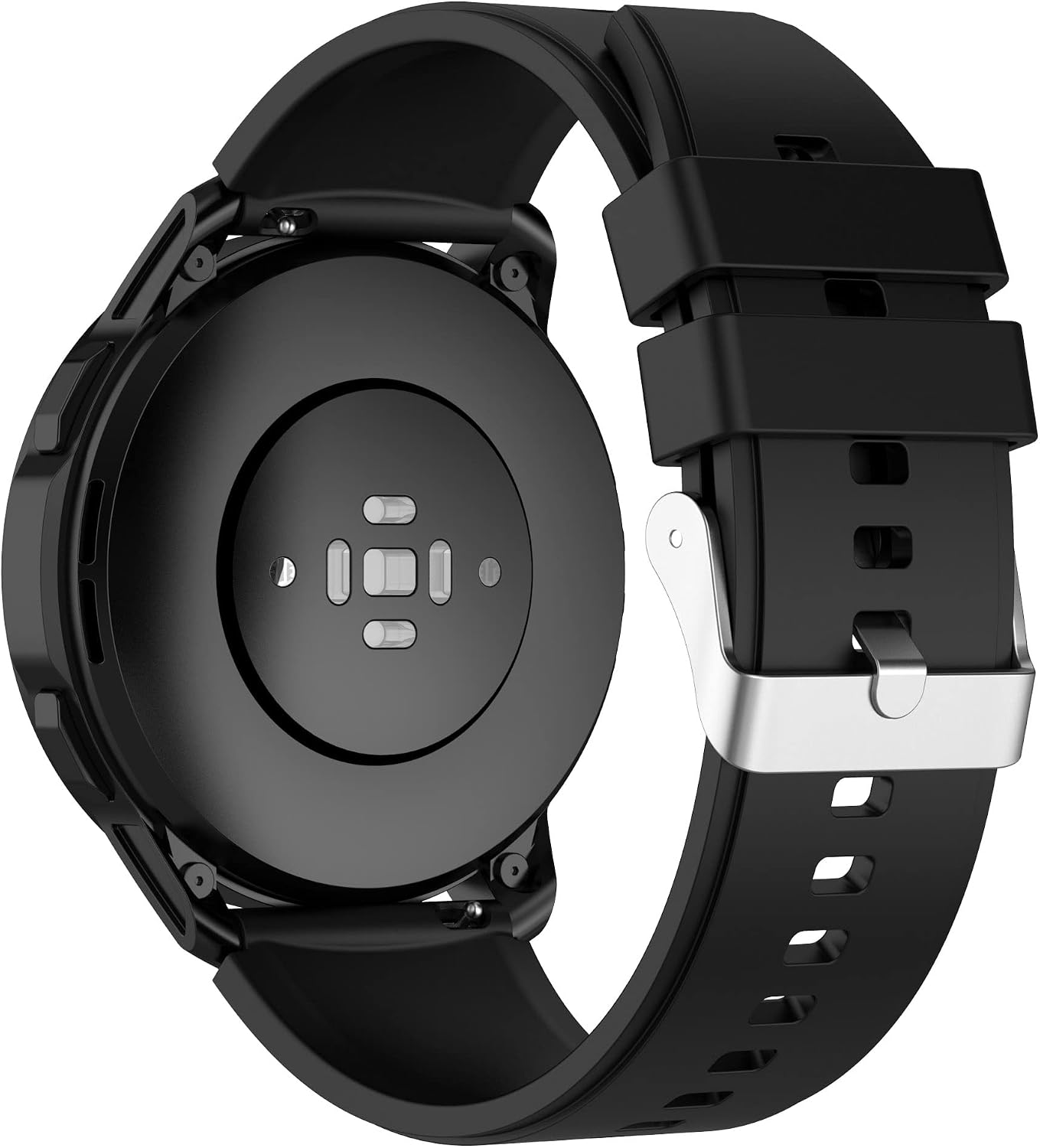
Image: Rear view of the Tiksounds P150 Smartwatch with the Turnwin silicone band attached. This view highlights the secure connection of the quick-release pins to the watch lugs.
Operating: Wearing Your Smartwatch Band
For optimal comfort and accurate sensor readings from your Tiksounds P150 Smartwatch, ensure the band is worn correctly.
- Proper Fit: The band should be snug but not overly tight. It should be tight enough that the watch does not slide around on your wrist, but loose enough to allow for comfortable movement and prevent skin irritation.
- Sensor Contact: Ensure the back of the smartwatch maintains consistent contact with your skin for accurate heart rate and other health monitoring functions.
- Adjust as Needed: Use the buckle and adjustment holes to find your ideal fit. You may need to adjust the tightness depending on your activity level (e.g., slightly tighter during exercise).
Maintenance and Care
To maintain the quality and longevity of your Turnwin Soft Silicone Sport Strap, follow these care instructions:
- Regular Cleaning: Clean the band regularly, especially after exercise or exposure to sweat, dirt, or lotions. Use a soft, damp cloth with a small amount of mild soap (e.g., hand soap) and water.
- Rinse Thoroughly: Rinse the band with clean water to remove any soap residue.
- Dry Completely: Allow the band to air dry completely before reattaching it to your smartwatch or wearing it. Avoid direct sunlight or high heat, which can damage the silicone.
- Avoid Harsh Chemicals: Do not use harsh cleaning agents, abrasive materials, or solvents, as these can degrade the silicone material and cause discoloration or damage.
- Storage: When not in use, store the band in a clean, dry place away from direct sunlight and extreme temperatures.
Troubleshooting
If you encounter any issues with your Turnwin Soft Silicone Sport Strap, refer to the following common solutions:
- Band Not Attaching Securely:
- Ensure the quick-release pins are fully retracted when inserting the band into the watch lugs.
- Verify that both ends of the pin are properly seated in the lug holes before releasing.
- Check for any debris in the lug holes that might obstruct the pin.
- Skin Irritation:
- Ensure the band is clean and dry. Residue from sweat, soap, or lotions can cause irritation.
- Adjust the band to a comfortable fit; a band that is too tight can restrict airflow and cause irritation.
- If irritation persists, discontinue use and consult a dermatologist.
- Band Feels Loose or Too Tight:
- Utilize the multiple adjustment holes on the strap to find the most comfortable and secure fit for your wrist.
- Refer to the size guide in the specifications section to ensure the band is appropriate for your wrist circumference.
Specifications
Detailed specifications for the Turnwin Soft Silicone Sport Strap:
| Feature | Detail |
|---|---|
| Brand | Turnwin |
| Compatibility | Tiksounds P150 Smart Watch |
| Material | Silicone |
| Clasp Type | Tang Buckle (Stainless Steel) |
| Metal Type | No Metal Type (for band material) |
| Wrist Circumference | Minimum: 5.5 inches, Maximum: 8.7 inches |

Image: Visual representation of the wrist circumference range for the strap, showing a minimum of 5.5 inches and a maximum of 8.7 inches.
Warranty and Support
For information regarding warranty coverage or product support, please refer to the documentation provided with your purchase or contact the seller directly. Keep your purchase receipt as proof of purchase.