
Henkion LT-600
Henkion Multifunction RJ45 Network Cable Tester LT-600 User Manual
Model: LT-600
1. Product Overview
The Henkion LT-600 is a versatile network cable tester designed for comprehensive network diagnostics. It features a 4-inch IPS touch screen (800*480 resolution) and integrates multiple functions for efficient cable testing and network analysis. This device supports advanced UTP cable testing, digital signal ethernet cable tracing, POE++ detection, RJ45 TDR cable testing, and cable length measurement. It also includes various network tools such as IP discovery, IP address scanning, PING test, LLDP/CDP detection, port flashing, and PPPOE dial-up. The unit is powered by a rechargeable lithium-ion battery for extended use.
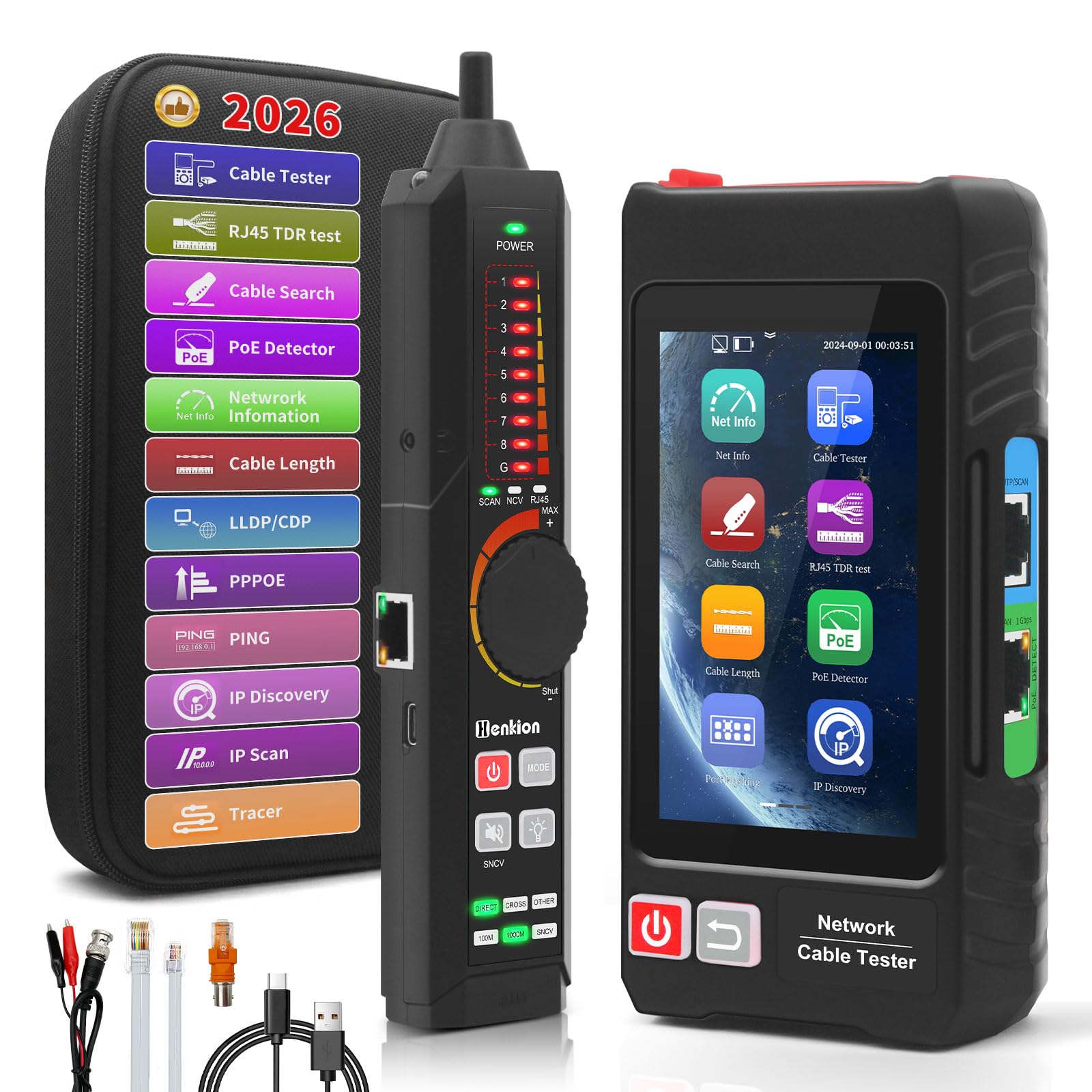
Figure 1: Henkion LT-600 Multifunction Network Cable Tester (Main Unit and Receiver)
2. Setup
2.1 Battery Connection and Charging
The main unit (emitter) and receiver both contain built-in rechargeable lithium-ion batteries. Before initial use, ensure the battery in the main unit is properly connected. The battery may be unplugged for shipping. Open the battery compartment on the back of the main unit and connect the battery cable if it is disconnected. Both units can be charged using the provided USB-C cable. The emitter has a 3.7V 4000mAh battery (approx. 6 hours working time), and the receiver has a 3.7V 2000mAh battery (approx. 12 hours working time).

Figure 2: Charging the main unit and receiver via USB-C ports.
2.2 Powering On/Off
To power on the device, press and hold the red power button located on the main unit. To power off, press and hold the same button. The receiver unit has a separate power button.
3. Operating Instructions
The LT-600 features a touch screen interface for easy navigation. Swipe through the application icons to select the desired test function.
3.1 UTP Cable Test
This function tests the sequence, type, and remote kit of UTP cables. It quickly detects near-end, mid-end, and far-end fault points of RJ45 cable connectors. Connect one end of the RJ45 cable to the UTP/SCAN port on the main unit and the other end to the receiver unit. The screen will display the connection sequence and cable number. The receiver's indicators will also identify the cable.

Figure 3: UTP Cable Test interface showing connection sequence and fault detection.
3.2 Cable Tracer
The digital signal ethernet cable tracer can quickly locate target cables (BNC, network, telephone, and other metal cables) from a bundle. It effectively rejects noise and false signals. Connect the cable to be traced to the main unit's UTP/SCAN port. Select the 'Cable Search' function on the main unit. Use the receiver to trace the cable; it will emit an audible tone and light indicators when near the target cable. Adjust the sensitivity knob on the receiver for optimal detection.

Figure 4: Cable Tracer in use with the main unit and receiver.
3.3 POE++ Detect
The RJ45 POE Tester supports IEEE802.3BT/AT/AF and non-standard protocol detection. It displays power supply voltage, power supply pins, and pin polarity. Connect the network cable from the POE switch to the LAN port on the main unit. Select the 'POE Detector' function to view the POE information.

Figure 5: POE Detect function displaying power details.
3.4 Network Tools
The device includes a suite of network tools:
- IP Discovery: Searches the entire network segment for IP addresses of connected devices.
- IP Scan: Quickly finds IP addresses of IP cameras or other devices, supporting MAC address, camera manufacturer, and IP conflict detection.
- PING Test: Verifies network connectivity and IP address correctness.
- LLDP/CDP Detection: Detects main capabilities, management addresses, device identification, interface information, and other details of switches and devices (requires switch support for LLDP/CDP protocol).
- Port Flashing: Quickly locates the port of an Ethernet switch and other connected devices by flashing the port LED.
- PPPOE Dial-up: For testing PPPOE connections.
- Tracer: Determines the path of an IP packet across a network.

Figure 6: Various Network Tools available on the LT-600.
3.5 RJ45 TDR Cable Test & Length Measurement
This function tests cable pair status, length, attenuation reflectivity, impedance, and skew. It can measure opens of network cables up to 3000 meters. The maximum measurable length for TDR test is 180 meters (590 feet). Connect the RJ45 cable to the LAN port on the main unit. Select 'RJ45 TDR Test' or 'Cable Length' function. The device will display detailed parameters and cable length. You can also create test reports.

Figure 7: RJ45 TDR Test and Cable Length Measurement results.
3.6 PD Power Detection & NCV Detection
PD power test detects if the power output of a POE switch is normal and identifies the pins used for power supply. The NCV (Non-Contact Voltage) scan function provides sound and light dual alarms, distinguishing between live and neutral wires.
3.7 FTP Function
The FTP function allows users to copy test reports and data via network FTP. Connect the tester and a PC to the same LAN and set the IP to the same network segment. Enter the FTP address displayed by the tester into the PC's address bar to access files.
3.8 Flashlight
Both the main unit and the receiver have a built-in flashlight function to provide illumination in dark working environments.
4. Maintenance
- Keep the device clean and free from dust and moisture.
- Store in the provided tool bag when not in use to protect it from damage.
- Regularly charge the batteries to maintain optimal performance.
- Avoid operating the device in extreme temperatures (below -10°C or above 50°C) or high humidity (above 90%).
5. Troubleshooting
5.1 Device Not Powering On
Ensure the internal battery cable is securely connected within the battery compartment. The battery may be disconnected for shipping. Charge the device fully before attempting to power on again.
5.2 Firmware Update Freezes Device
If the device freezes during a firmware update attempt, a hard reset may be required. Locate the tiny reset hole and use a paperclip to press the reset button. This should restore normal functionality, though it may not resolve the firmware update issue itself.
5.3 Inaccurate Cable Length Measurement
Cable length measurements have an accuracy of Cable length x 3% ± 1m. For precise measurements, ensure the cable type is correctly selected in the settings. Calibration may also be required for specific cable types to improve accuracy.
6. Specifications
| Feature | Specification |
|---|---|
| Brand | Henkion |
| Model Number | LT-600 |
| Screen & Display | 4-inch IPS touch screen, 800*480 resolution |
| Power Source | Rechargeable Battery Powered |
| Emitter Battery | 3.7V 4000mAh lithium-ion (working time about 6 hours) |
| Receiver Battery | 3.7V 2000mAh lithium-ion (working time about 12 hours) |
| Cable Types Supported | RJ45 twisted pair, RJ11 telephone cable, BNC video cable, low-voltage metal cables |
| Cable Length Measurement | Up to 3000 meters (accuracy: Cable length x 3% ± 1m) |
| RJ45 TDR Test Range | Maximum measurable length up to 180 meters |
| POE Protocol Support | IEEE 802.3BT/AT/AF and non-standard protocol detection |
| Working Temperature | -10°C to +50°C |
| Working Humidity | 30%-90% |
| Emitter Dimensions | 154 x 86 x 40mm (5.91 x 3.39 x 1.57 inches) / 0.3kg (0.66lbs) |
| Receiver Dimensions | 210 x 40 x 25mm (8.26 x 1.57 x 0.98 inches) / 0.13kg (0.3lbs) |
7. What's in the Box
- 1x Host (Main Unit)
- 1x Receiver
- 1x RJ45/RJ11 Cable
- 1x USB Cable (Type-C)
- 1x RJ45 to BNC connector
- 1x Screwdriver
- 1x Lanyard
- 1x Tool Bag
- 1x BNC alligator clip
- 1x Packing box
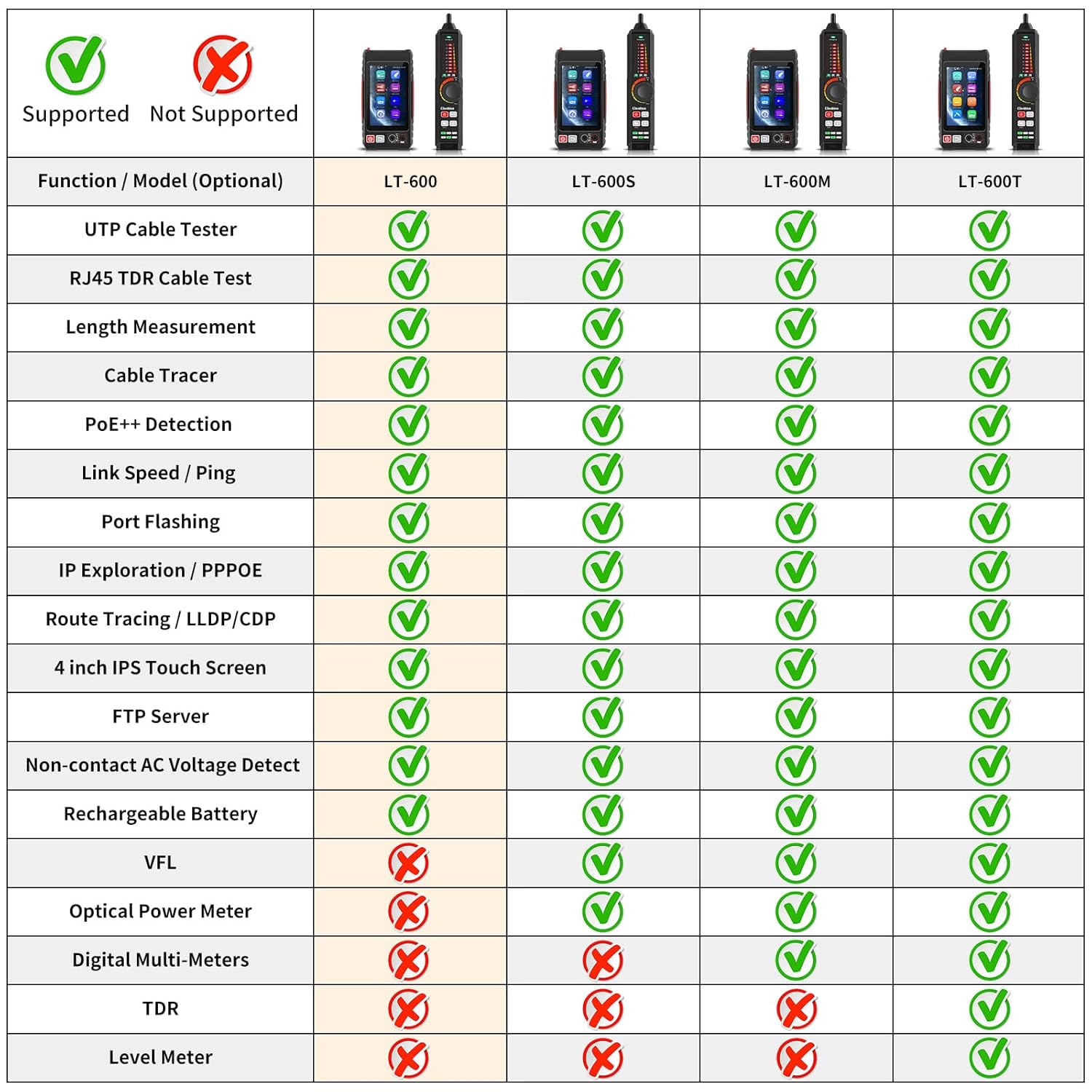
Figure 8: Contents of the Henkion LT-600 package.
8. Warranty and Support
Henkion offers a 30-day free return policy. For any product-related inquiries or support needs, please contact Henkion US directly. We are committed to providing the best service possible.
Related Documents - LT-600
 |
Henkion LT-600 Series Multi-function Network Cable Tester User Manual Comprehensive user manual for the Henkion LT-600 series multi-function network cable testers, detailing features, operations, and technical specifications for models LT-600, LT-600S, LT-600M, and LT-600T. Covers cable testing, network diagnostics, and measurement tools. |
 |
Multi-function Network Cable Tester LT-600T User Manual Comprehensive user manual for the WANLUTECH LT-600T Multi-function Network Cable Tester, detailing its extensive features, operational procedures, safety precautions, and technical specifications for professional network cable testing and analysis. |
 |
Rsrteng LT-600 Series Multi-function Network Cable Tester User Manual Comprehensive user manual for the Rsrteng LT-600 series multi-function network cable testers, detailing features, operations, technical specifications, and contact information. |
 |
Multi-function Network Cable Tester User Manual - Operation Guide Detailed user manual for the Multi-function Network Cable Tester, covering features like cable tracing, UTP/Continuity testing, length measurement, PoE detection, optical power meter, and visual fault locator. Includes interface descriptions, operating instructions, and technical specifications. |
 |
Triplett CTX1200 Network and Cable Tester User Manual Comprehensive user manual for the Triplett CTX1200 Network and Cable Tester, detailing features, operation, testing functions like UTP cable testing, RJ45 TDR, PING, IP Scan, and specifications. |
 |
NOYAFA NF-308 & NF-388 Network Cable Tester User Manual Comprehensive user manual for the NOYAFA NF-308 and NF-388 network cable testers, providing detailed instructions for testing Ethernet, telephone, coaxial, and USB cables, along with wire tracing capabilities. |
Ask a question about this manual
Ask about setup, troubleshooting, compatibility, parts, safety, or missing instructions. Manuals+ will review the question and use this page’s manual context to help answer it.