
Introduction
Thank you for choosing SHOPTIME Wired Type-C In-Ear Earphones. This manual provides essential information for the proper setup, operation, and maintenance of your earphones. Please read it carefully to ensure optimal performance and longevity of your device.
What's in the Box
- 1 x Type-C Earphone
Product Overview
The SHOPTIME Wired Type-C In-Ear Earphones are designed to deliver clear audio with deep bass. They feature an ergonomic design for comfortable wear and an in-line microphone for hands-free communication.
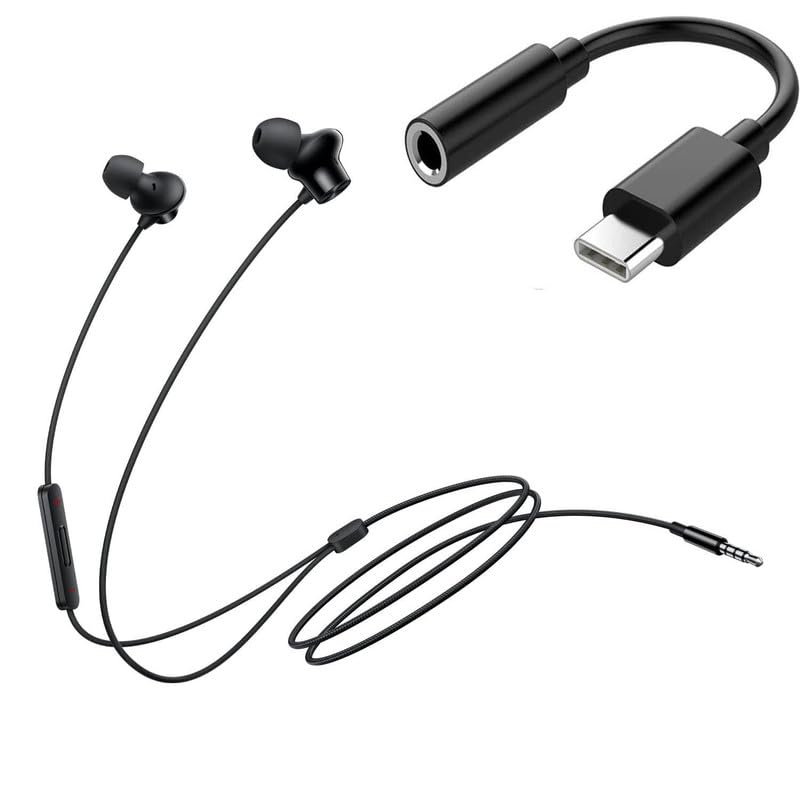
Figure 1: Front view of the SHOPTIME Wired Type-C In-Ear Earphones, showcasing the earbud design and cable.
Key Features
- Extra Bass: Equipped with 10mm dynamic drivers for enhanced bass and clear audio.
- Ergonomic Design: Lightweight in-ear design with sound-insulating material for comfort and reduced external noise.
- High-Quality Built-in Design: Features a shockproof membrane and sound units for improved sensitivity and noise reduction.
- In-line Remote Control: Integrated controls for play/pause, hands-free calling, and track navigation.
- Built-in Microphone: Positioned for clear voice capture during calls.
- Type-C Connectivity: Compatible with all Type-C enabled smartphones, laptops, PCs, and tablets.
Setup
Setting up your SHOPTIME earphones is a straightforward process.
Connecting the Earphones
- Locate the Type-C port on your smartphone, tablet, laptop, or other compatible device.
- Insert the Type-C connector of the earphones firmly into the device's Type-C port.
- Ensure the connection is secure. Your device should automatically detect the earphones.
No additional drivers or software are typically required for basic functionality.
Operating Instructions
Your earphones feature an in-line remote for convenient control of audio playback and calls.
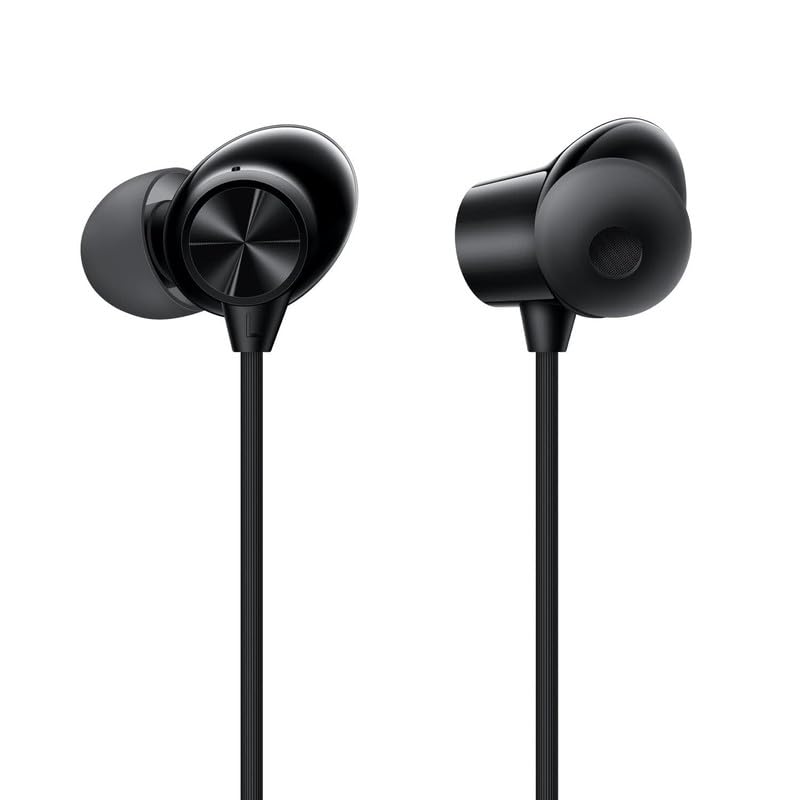
Figure 2: Side view of the earphones, showing the earbud and cable with the in-line remote.
In-line Remote Functions
- Play/Pause Music: Press the multi-function button once to play or pause audio.
- Next Track: Press the multi-function button twice quickly to skip to the next song.
- Previous Track: Press the multi-function button three times quickly to go back to the previous song.
- Answer/End Call: Press the multi-function button once to answer an incoming call or end an ongoing call.
- Reject Call: Press and hold the multi-function button for approximately 2 seconds to reject an incoming call.
- Activate Voice Assistant: (Functionality may vary by device) Press and hold the multi-function button for a few seconds to activate your device's voice assistant (e.g., Google Assistant, Siri).
Volume Control
Volume is typically controlled directly from your connected device (smartphone, tablet, laptop).
Maintenance
Proper care and maintenance will extend the life of your earphones.
Cleaning
- Gently wipe the earbuds and cable with a soft, dry, lint-free cloth.
- Do not use harsh chemicals, cleaning solvents, or strong detergents.
- Avoid getting moisture into any openings.
Storage
- Store the earphones in a clean, dry place when not in use.
- Avoid tangling the cable. Consider using a cable organizer or wrapping it loosely.
- Keep away from extreme temperatures and direct sunlight.
Troubleshooting
If you encounter issues with your earphones, refer to the following common problems and solutions.
- No Sound:
- Ensure the earphones are fully plugged into the Type-C port.
- Check the volume level on your connected device.
- Test the earphones with another device to rule out a device-specific issue.
- Ensure the audio output setting on your device is set to the connected earphones.
- Microphone Not Working:
- Ensure the earphones are fully plugged in.
- Check your device's privacy settings to ensure microphone access is granted to relevant applications.
- Test the microphone with another device or application.
- Poor Audio Quality (Distortion, Static):
- Ensure the Type-C connector is clean and free of debris.
- Try adjusting the volume on your device.
- Test with different audio sources or devices.
- Avoid bending or stressing the cable excessively.
- In-line Remote Not Responding:
- Ensure the earphones are securely connected.
- Some functions may not be supported by all devices or operating systems.
- Restart your connected device.
Specifications
| Model | VEER_JACK_&ONE-PLUS_EP_50 3759 |
| Connectivity Technology | Wired |
| Headphones Jack | Type-C |
| Driver Unit | 10mm |
| Frequency Response | 20Hz-20kHz |
| Impedance | 32 Ohm |
| Sensitivity | 105dB ± 3dB |
| Rated Power | 5mW |
| Cable Length | 1.2m |
| Cable Material | TPE |
| Control Type | Call Control |
| Microphone Format | Built-In |
| Item Weight | 20 Grams |
| Product Dimensions | 5 x 5 x 1 cm |
Warranty and Support
Warranty Information
This product is covered by a standard manufacturer's warranty against defects in materials and workmanship. Please retain your proof of purchase for warranty claims. The warranty period and terms may vary based on your region and retailer. For specific warranty details, please refer to the documentation provided at the time of purchase or contact your retailer.
Customer Support
If you have any questions, require technical assistance, or experience issues not covered in this manual, please contact SHOPTIME customer support through your purchase platform or the official SHOPTIME website. Please have your product model number (VEER_JACK_&ONE-PLUS_EP_50 3759) and purchase details ready when contacting support.