
1. Safety Information
Important: Before using the YOLEO ITX320 Inversion Table, consult with a licensed physician. Certain medical conditions may not be suitable for use with this product. Always read and understand all instructions and warnings prior to assembly and use.
- Ensure all parts are correctly assembled and secured before each use.
- Inspect the inversion table for any signs of wear, damage, or loose components. Do not use if damaged.
- The maximum user weight capacity for this inversion table is 300 lbs (136.08 kg).
- The recommended user height range is 4 ft 10 in to 6 ft 6 in. Adjust the height setting accurately for your body.
- Use the inversion table on a flat, stable surface.
- Do not allow children or pets near the inversion table during use.
- Begin inversion gradually to allow your body to adapt.
2. Product Overview
The YOLEO ITX320 Inversion Table is designed to provide a comfortable and secure inversion experience. It features a wider backrest with an adjustable headrest, an ergonomic ankle holding system, and a four-position adjustable pin system for controlled inversion angles.
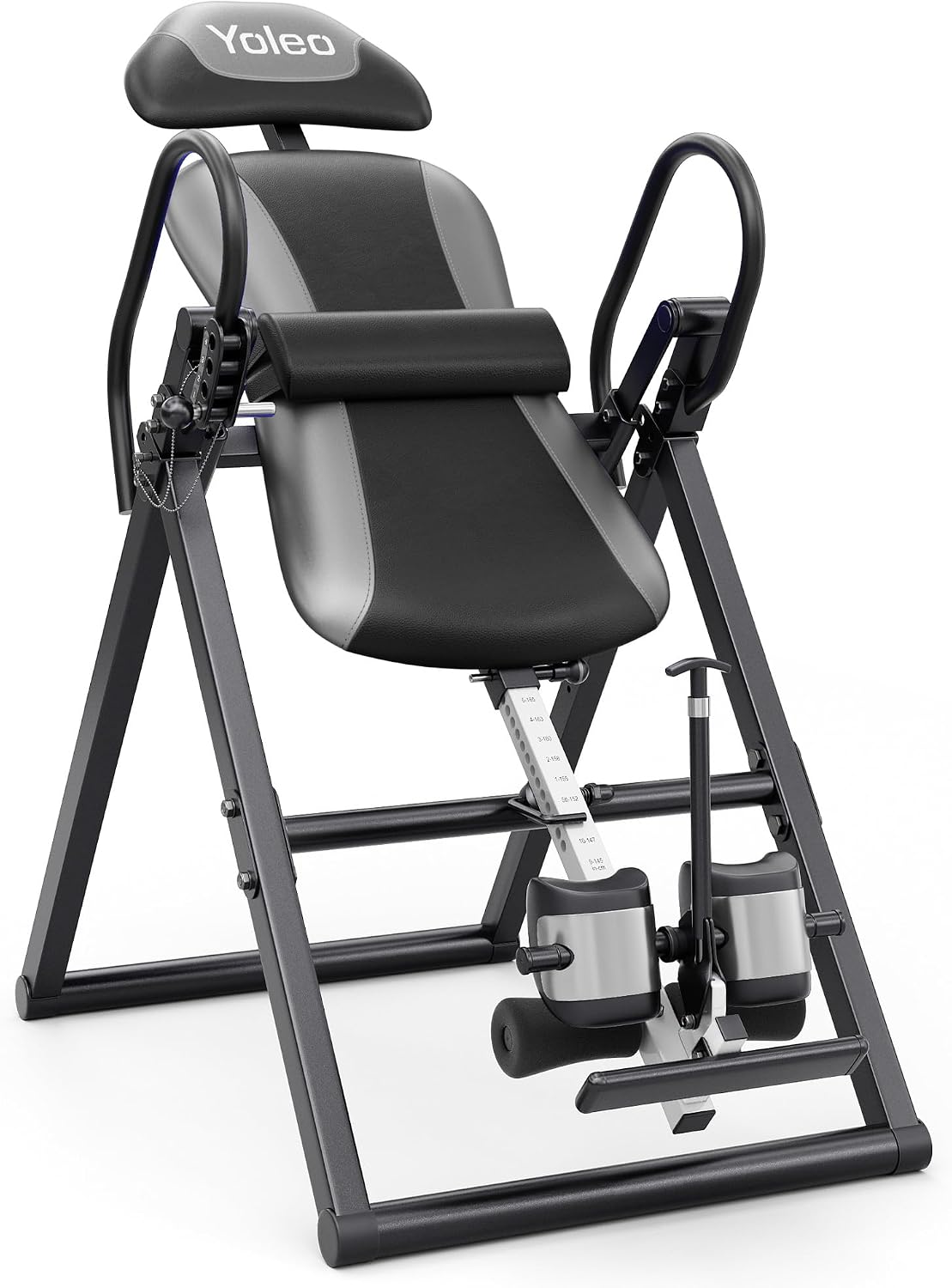
Figure 2.1: YOLEO ITX320 Inversion Table, main product view.
Key Components:
- Comfortable Backrest: Wider design with an adjustable headrest for neck support.
- Ergonomic Ankle Holders: Designed for secure and comfortable ankle support during inversion.
- Adjustable Pin System: Allows selection of four inversion angles (90°, 120°, 150°, 180°).
- Height Selector Rod: For precise adjustment to match user height.
- Lumbar Pad: Removable for additional lower back support.
- Foldable Frame: For convenient storage.
3. Setup and Assembly
The YOLEO ITX320 Inversion Table is designed for easy assembly. Refer to the detailed assembly instructions provided in the separate assembly guide included with your product for step-by-step procedures. Ensure all components are present before beginning assembly.
Assembly Tips:
- Lay out all parts and hardware in an organized manner.
- Follow the numerical sequence of steps in the assembly guide.
- Tighten all bolts and nuts securely, but do not overtighten until instructed.
- Some bolts may require additional tools beyond those provided for easier access and tightening.

Figure 3.1: The YOLEO ITX320 Inversion Table is built with a robust and durable frame.
4. Operating Instructions
4.1 Adjusting for User Height
- Locate the Easy Height Selector Rod on the main frame.
- Pull out the adjustment pin and slide the rod to match your height. The rod is marked with height measurements.
- Ensure the pin locks securely into place. This adjustment is crucial for proper balance and control during inversion.

Figure 4.1: Adjustable features including the headrest, height selector rod, safety pin adjustment system, and soft lumbar support.
4.2 Securing Ankle Holders
- Step onto the foot platform.
- Place your ankles between the ergonomic ankle holders.
- Engage the ankle locking mechanism. Ensure your ankles are snug and secure without excessive pressure.

Figure 4.2: The improved ankle holding system provides comfort and a secure fit.
4.3 Inverting and Returning
- Once your height is set and ankles are secured, slowly lean back. The table will pivot with your body weight.
- Use the side handles for control during inversion and to assist in returning to the upright position.
- To return upright, grasp the handles and slowly pull yourself forward.
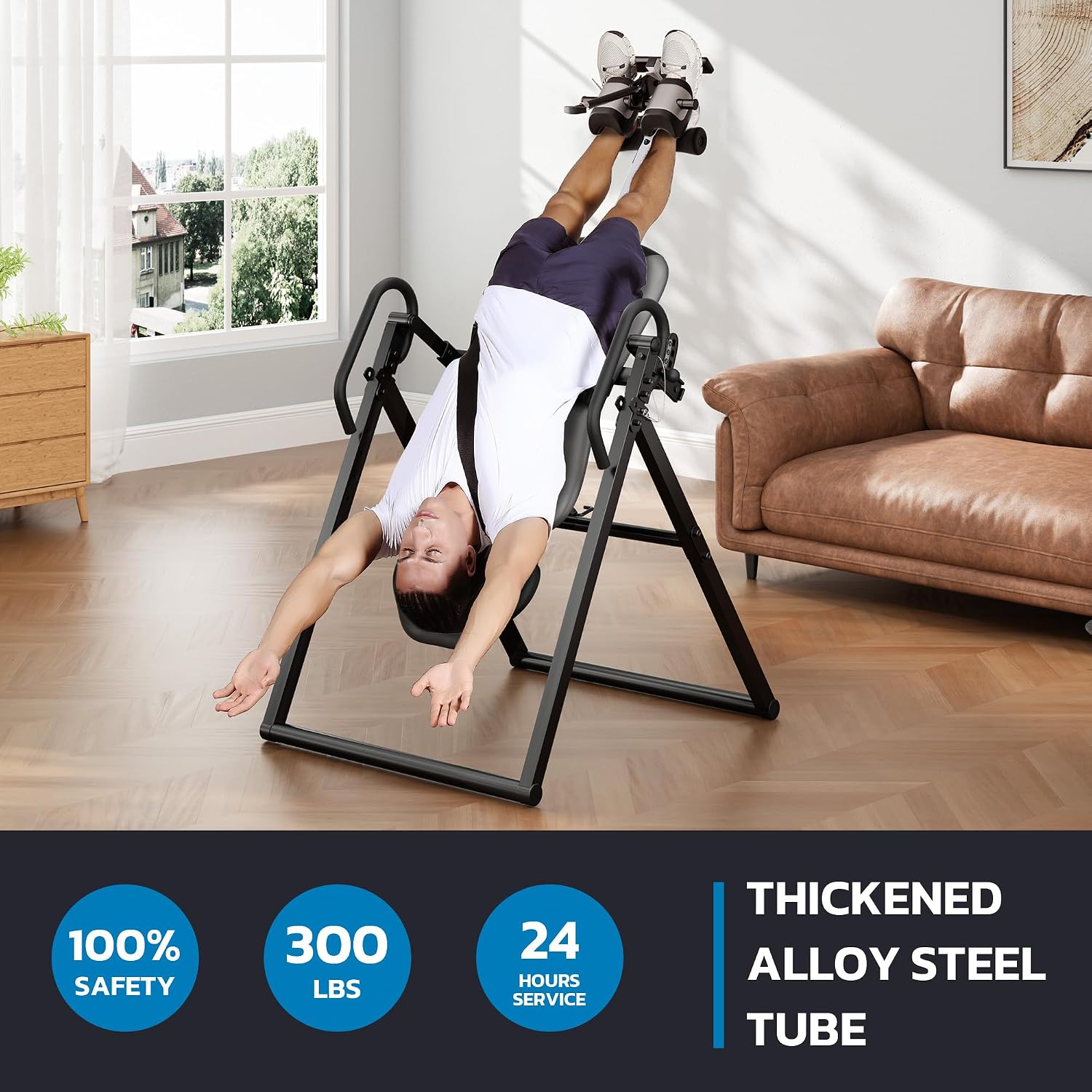
Figure 4.3: A user demonstrating inversion on the YOLEO ITX320 Inversion Table.
4.4 Adjusting Inversion Angles
The ITX320 features a four-position adjustable pin system, allowing you to control the maximum inversion angle:
- 90°: Partial inversion, ideal for beginners.
- 120°: Moderate inversion for gentle stretching.
- 150°: Deeper inversion for more significant decompression.
- 180°: Full inversion, for experienced users.
To adjust the angle, locate the safety pin system and select the desired position before use. Ensure the pin is fully engaged.

Figure 4.4: Multi-position adjustable system for various inversion angles.
5. Maintenance
5.1 Cleaning
Wipe down the frame and padded surfaces with a damp cloth after each use. Use mild soap if necessary, then wipe with a clean, dry cloth. Avoid abrasive cleaners or solvents that could damage the finish or materials.
5.2 Inspection
Regularly inspect the inversion table for:
- Loose bolts, nuts, or pins. Tighten as needed.
- Cracks, tears, or excessive wear on padded surfaces.
- Damage to the frame or moving parts.
- Ensure the ankle locking mechanism functions smoothly and securely.
If any significant damage is found, discontinue use and contact customer support.
5.3 Storage
The YOLEO ITX320 Inversion Table is foldable for convenient storage. To fold, ensure the table is in the upright position, then follow the folding instructions in your assembly guide. Store in a dry, safe place away from direct sunlight and extreme temperatures.

Figure 5.1: The inversion table folds for space-saving storage.
6. Troubleshooting
Common Issues and Solutions:
- Difficulty Inverting or Returning Upright:
Solution: Ensure the height setting is correctly adjusted for your body. Incorrect height can affect balance and pivot. Adjust the height selector rod slightly up or down until you find a comfortable balance point. - Ankle Discomfort:
Solution: Verify that the ankle holders are securely fastened but not overly tight. Ensure you are wearing appropriate footwear (e.g., athletic shoes) to provide cushioning. If discomfort persists, consult your physician. - Table Feels Unstable:
Solution: Check that all assembly bolts and nuts are tightened. Ensure the inversion table is placed on a flat, level surface. - Squeaking or Noise During Use:
Solution: Inspect all pivot points and connections. A small amount of silicone-based lubricant can be applied to moving parts if necessary, avoiding contact with padded surfaces.
7. Specifications
| Feature | Specification |
|---|---|
| Model Number | ITX320 |
| Assembled Dimensions (H x W x D) | 38.5" x 27.5" x 73.5" |
| Folded Dimensions (approx.) | 73.5" H x 27.5" W x 38.5" D (based on image) |
| Item Weight | 24.5 kg (54 lbs) |
| Maximum User Weight | 300 lbs (136.08 kg) |
| Recommended User Height | 4 ft 10 in to 6 ft 6 in |
| Material | Metal |
| Color | Grey |
8. Warranty and Support
8.1 Warranty Information
The YOLEO ITX320 Inversion Table comes with a 2-year warranty from the date of purchase. This warranty covers manufacturing defects and material flaws under normal use and service. Please retain your proof of purchase for warranty claims.
8.2 Customer Support
For any questions, assistance with assembly, troubleshooting, or warranty inquiries, please contact our customer support team:
Email: homegym.service@outlook.com
Our team is available to provide professional after-sales service, including free return and exchange services as applicable.