
1. Introduction
Thank you for choosing the AearKing 3-in-1 Floating Pool Speaker with Digital Thermometer. This device combines a high-quality Bluetooth speaker, vibrant LED lights, and an accurate digital water thermometer, designed for use in pools, hot tubs, and other water environments. Please read this manual carefully before use to ensure proper operation and to maximize the product's lifespan.
2. Package Contents
- AearKing 3-in-1 Floating Pool Speaker with Digital Thermometer (Model HK703)
- USB Charging Cable
- Instruction Manual
3. Setup
3.1 Charging the Device
Before first use, fully charge the speaker. Connect the provided USB charging cable to the DC-5V port on the speaker and to a standard USB power adapter (not included). The charging indicator light will illuminate during charging and turn off when fully charged. A full charge provides up to 7 hours of continuous music playback and all-day temperature monitoring.
3.2 Initial Power On
Press and hold the Power/Play/Pause button (ON/OFF/►/▮▮) for approximately 3 seconds to turn the device on. You will hear an audible prompt, and the LED lights will activate.
4. Operation
4.1 Bluetooth Speaker Functionality
- Pairing: Turn on the speaker. It will automatically enter Bluetooth pairing mode, indicated by a flashing LED light. On your smartphone or other Bluetooth-enabled device, search for "AearKing HK703" in the Bluetooth settings and select it to connect. You will hear a confirmation sound upon successful pairing.
- Music Playback: Once connected, you can play music from your device. Use the ►/▮▮ button to play or pause. Use the ◀◀/− button for previous track/volume down (short press for previous, long press for volume down) and ►►/+ button for next track/volume up (short press for next, long press for volume up).
- Hands-Free Calling: When a call comes in, press the ►/▮▮ button to answer. Press again to end the call.
- TWS (True Wireless Stereo) Pairing: To achieve true stereo sound, you can pair two AearKing HK703 speakers together. Turn on both speakers. On one speaker, press and hold the Light Mode/TWS button (✪/TWS) for 3-5 seconds until you hear a pairing tone. The two speakers will automatically connect to each other. Once connected, pair your device to one of the speakers as described above.

Image: Two AearKing floating pool speakers in a pool, demonstrating TWS sync for immersive stereo sound. One speaker is connected to a phone via Bluetooth, and both speakers are wirelessly linked for stereo audio.
4.2 Digital Pool Thermometer
The device features a high-sensitivity temperature sensor for accurate water temperature readings. The temperature is displayed on the clear LCD screen.
- Temperature Display: The current water temperature is shown on the digital display. Readings update every 5 seconds.
- Temperature Range: The thermometer measures temperatures from 34°F to 140°F (1°C to 60°C).
- Switching Units: Press the Thermometer button (🌡/M) to switch between Celsius (°C) and Fahrenheit (°F). The device will remember your last selected unit.
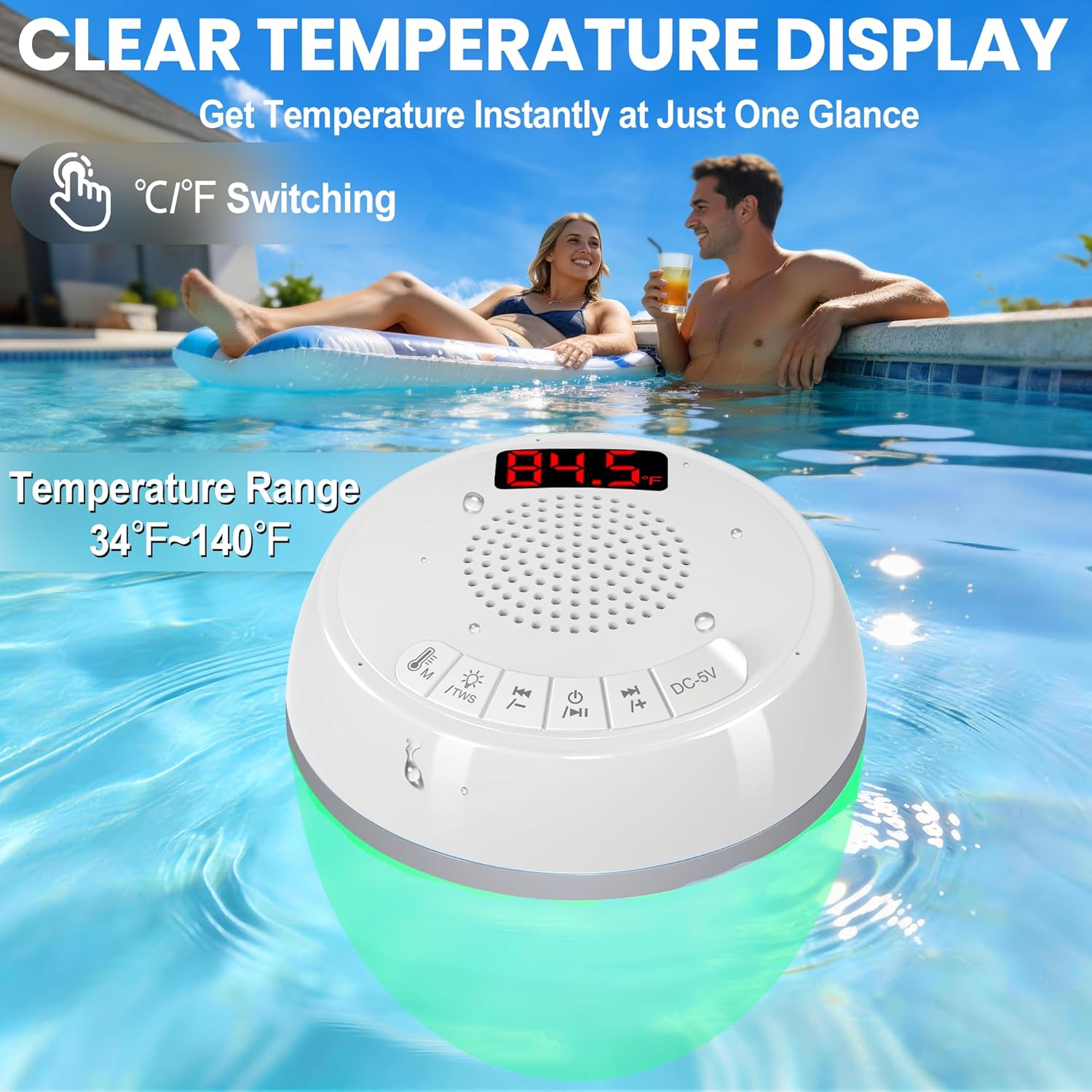
Image: AearKing floating pool speaker displaying 84.5 degrees Fahrenheit on its digital screen, floating in a pool. The image highlights the clear temperature display and the °C/°F switching function.
4.3 Light Modes
The speaker features 7 dynamic and static light modes to enhance your pool experience.
- Changing Modes: Short press the Light Mode/TWS button (✪/TWS) to cycle through the available light modes.
- Available Modes: Includes music-synced rhythm modes, solid colors, and gentle gradient transitions.
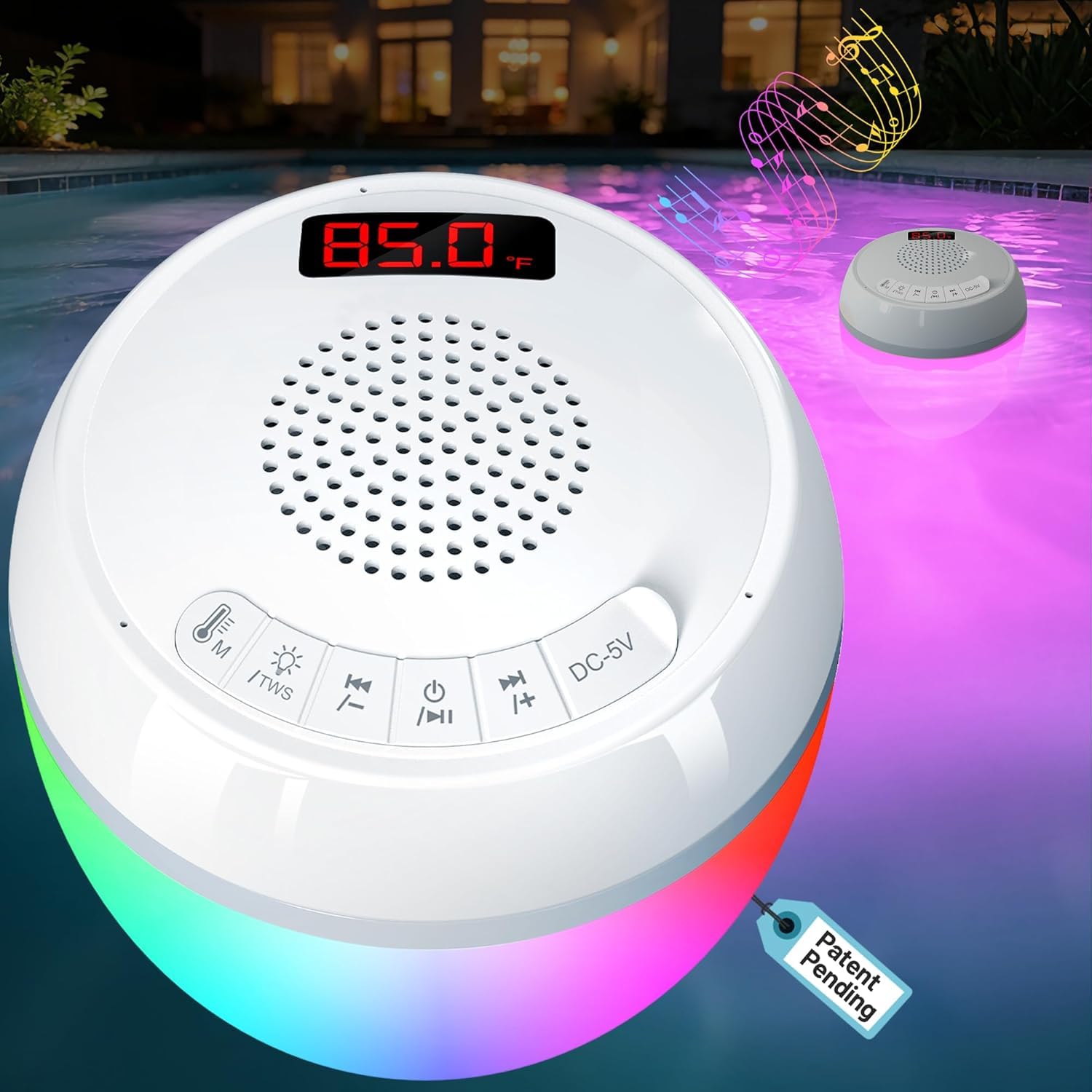
Image: AearKing floating pool speaker with colorful lights illuminating a pool at night, showing various light modes like slow flash, fast flash, and auto. The image also displays different color options for the speaker's lights.
4.4 Control Buttons Overview

Image: Diagram showing the control buttons on the AearKing floating pool speaker. Each button is labeled with its function: Thermometer Button, Light Mode Button/TWS Button, Volume Down/Previous Track, ON/OFF/Play/Pause, and Volume Up/Next Track.
- 🌡/M (Thermometer Button): Short press to switch between Celsius (°C) and Fahrenheit (°F).
- ✪/TWS (Light Mode Button/TWS Button): Short press to cycle through light modes. Long press for 3-5 seconds to initiate TWS pairing.
- ◀◀/− (Volume Down/Previous Track): Short press for previous track. Long press to decrease volume.
- ON/OFF/►/▮▮ (ON/OFF/Play/Pause): Long press for 3 seconds to power on/off. Short press to play/pause music or answer/end calls.
- ►►/+ (Volume Up/Next Track): Short press for next track. Long press to increase volume.
5. Maintenance
5.1 Cleaning
To clean the speaker, wipe it with a soft, damp cloth. Do not use abrasive cleaners or solvents, as these may damage the surface or internal components. Ensure the charging port cover is securely closed before placing the device in water.
5.2 Storage
When not in use for extended periods, store the speaker in a cool, dry place away from direct sunlight. Ensure the device is fully charged before storing to prolong battery life. The integrated sealed construction with double sealing rings effectively prevents moisture intrusion and screen fogging.

Image: A child holding the AearKing floating pool speaker underwater, demonstrating its IP68 waterproof rating. This illustrates the device's durability and water resistance.
6. Troubleshooting
- Device will not power on: Ensure the battery is charged. Connect the speaker to a power source using the USB cable and try again after a few minutes.
- Cannot pair via Bluetooth: Make sure the speaker is in pairing mode (flashing LED). Ensure Bluetooth is enabled on your device and it is within range (up to 10 meters). Try unpairing and re-pairing. If TWS is active, ensure only one speaker is connected to your device.
- Inaccurate temperature readings: Ensure the thermometer probe is fully submerged in the water. Allow a few minutes for the temperature to stabilize.
- Lights are not working: Check if the device is powered on. Press the Light Mode button (✪/TWS) to cycle through modes.
- Muffled or distorted sound: Ensure the speaker is not fully submerged if playing music, as sound quality can be affected underwater. Check the volume levels on both the speaker and your connected device. If the issue persists, try disconnecting and reconnecting Bluetooth.
7. Specifications
| Brand | AearKing |
| Model Number | HK703 |
| Bluetooth Version | 5.0 |
| Waterproof Rating | IP68 |
| Temperature Range | 34°F to 140°F (1°C to 60°C) |
| Temperature Accuracy | ±0.9°F |
| Temperature Update Rate | Every 5 seconds |
| Battery Life | Up to 7 hours (music playback) |
| Charging Port | USB (DC-5V) |
| Material | High-strength ABS |
| Included Components | Instruction Manual |
8. Warranty and Support
8.1 Warranty Information
This product is covered by a limited warranty. Please refer to the warranty card included with your purchase or contact your retailer for specific warranty terms and conditions. The warranty typically covers manufacturing defects but does not cover damage caused by misuse, accidents, or unauthorized modifications.
8.2 Customer Support
For technical assistance, troubleshooting, or warranty claims, please contact the retailer where you purchased the product or visit the official AearKing website for support contact information. Please have your model number (HK703) and proof of purchase ready when contacting support.