
Introduction
Thank you for choosing the K KitchenTour CaféMetric Coffee Scale with Timer. This precision scale is designed to enhance your coffee brewing experience, offering accurate measurements for both espresso and pour-over methods. With a 0.1g resolution and a 2000g capacity, along with integrated timer functions, this device provides the control needed for consistent and high-quality coffee. Please read this manual thoroughly before use to ensure proper operation and longevity of your scale.
Product Overview
Components Included:
- K KitchenTour CaféMetric Coffee Scale
- Silicone Protective Pad
- AAA Batteries (3x)
- Instruction Manual
Key Features:
- High Precision: Measures with 0.1g accuracy.
- Capacity: Supports up to 2000g (2 kg).
- Integrated Timer: For precise brewing duration.
- LED Display: Clear and easy-to-read digital display.
- Tempered Glass Surface: Durable and easy to clean.
- Auto Shut-Off: Conserves battery life.
- Unit Conversion: Switch between grams (g), milliliters (ml), and ounces (oz).
- Compact Design: Space-saving form factor.
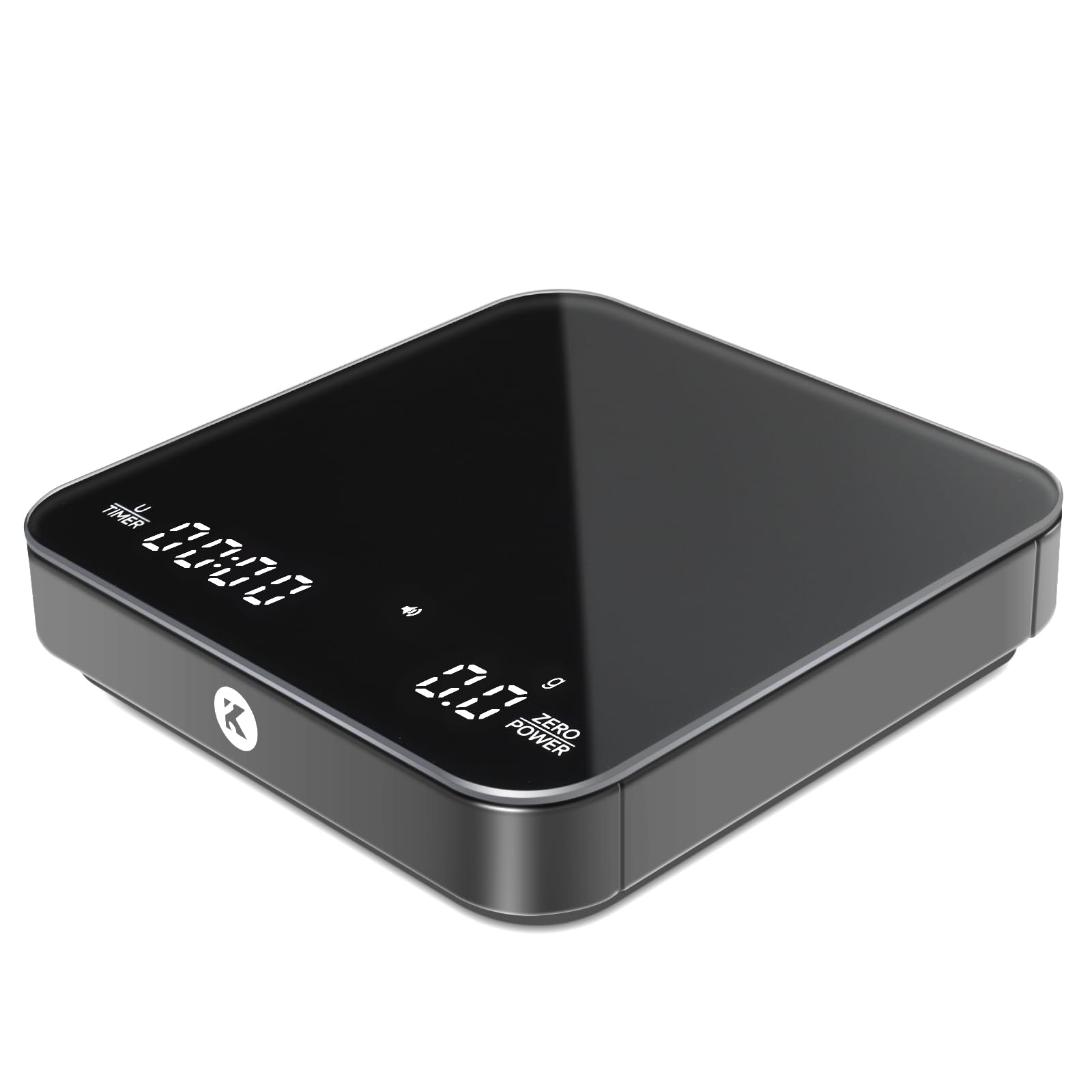
Image: The K KitchenTour CaféMetric Coffee Scale, showcasing its sleek design and LED display.
Setup
- Unpack the Scale: Carefully remove the scale and all accessories from the packaging.
- Install Batteries: Open the battery compartment on the underside of the scale. Insert the three AAA batteries, ensuring correct polarity (+/-). Close the compartment securely.
- Placement: Place the scale on a flat, stable, and level surface to ensure accurate readings. Avoid placing it near vibrating equipment or in direct sunlight.
- Initial Power On: Press the Power/Zero button to turn on the scale. The display will illuminate and show "0.0g" when ready.
- Apply Silicone Pad: For heat protection and slip resistance, place the provided silicone pad on the weighing platform.

Image: The coffee scale with the silicone protective pad being placed on its surface, illustrating its use for heat and spill protection.
Operating Instructions
Basic Weighing:
- Turn on the scale by pressing the Power/Zero button.
- Ensure the display shows "0.0g". If not, press the Power/Zero button again to tare the scale.
- Place the item to be weighed (e.g., coffee beans, portafilter) onto the center of the weighing platform.
- Read the weight displayed on the LED screen.
Tare Function:
The tare function allows you to weigh multiple ingredients in the same container or to exclude the weight of a container.
- Place an empty container on the scale. The display will show its weight.
- Press the Power/Zero button. The display will reset to "0.0g".
- Add your ingredient to the container. The display will show only the weight of the ingredient.

Image: The coffee scale in use with a portafilter, demonstrating the precision weighing for espresso preparation.
Unit Conversion:
To switch between weighing units (grams, milliliters, ounces), press the UNIT button. The current unit will be indicated on the display.
Timer Function:
The integrated timer is essential for pour-over and espresso brewing.
- With the scale on and tared, press the TIMER button to start the timer.
- Press the TIMER button again to pause/resume the timer.
- To reset the timer, press and hold the TIMER button.

Image: The scale displaying both weight and an active timer, illustrating its time-stream integration for precise brewing.
Pour-Over Mode (Water Flow Speed):
This mode helps monitor your pouring consistency for pour-over coffee. Refer to the specific instructions on the scale's display or included quick guide for activation, as this feature may vary slightly by firmware version. It typically displays the flow rate live, assisting in maintaining a steady pour.

Image: The scale displaying real-time water flow velocity during a pour-over, aiding in consistent brewing technique.
Auto Shut-Off:
The scale is equipped with an auto shut-off feature to conserve battery power. If inactive for a period (typically 3-5 minutes), the scale will automatically turn off.
Maintenance and Care
- Cleaning: Wipe the scale surface with a soft, damp cloth. For stubborn stains, a mild detergent can be used. Ensure no liquid enters the internal components. The tempered glass surface and silicone pad are designed for easy cleaning.
- Avoid Abrasives: Do not use abrasive cleaners or harsh chemicals, as these can damage the display or surface finish.
- Battery Replacement: When the low battery indicator appears on the display, replace all three AAA batteries promptly with new ones to ensure accurate and consistent performance.
- Storage: Store the scale in a cool, dry place away from extreme temperatures and humidity. Do not place heavy objects on the scale when not in use.
- Handle with Care: While durable, avoid dropping the scale or subjecting it to strong impacts, as this can affect its precision.

Image: The scale with water spilled on its surface and the protective pad, demonstrating its resistance to spills and ease of cleaning.
Troubleshooting
| Problem | Possible Cause | Solution |
|---|---|---|
| Scale does not turn on. | Dead or incorrectly installed batteries. | Check battery polarity. Replace with new AAA batteries. |
| Inaccurate or fluctuating readings. |
|
|
| Display shows "Lo" or "Err". | Low battery or overload error. | Replace batteries if "Lo" appears. Remove weight if "Err" appears and restart the scale. |
| Timer not functioning. | Incorrect button press or scale in a different mode. | Ensure you are pressing the dedicated TIMER button. Refer to operating instructions for specific timer functions. |
Specifications
| Brand: | K KitchenTour |
| Model: | CS-K |
| Weight Capacity: | 2000g (2 Kilograms) |
| Readout Accuracy: | 0.1 Grams |
| Display Type: | LED |
| Power Source: | 3 x AAA Batteries |
| Material: | Tempered Glass |
| Special Features: | Auto Shut Off, Timer, Unit Conversion |
| Item Weight: | 0.37 Kilograms |
Warranty and Support
For warranty information and customer support, please refer to the product packaging or contact K KitchenTour customer service through the retailer where the product was purchased. Keep your purchase receipt as proof of purchase.