
Introduction
Thank you for choosing the zakotu MD10 4K Action Camera. This manual provides essential information for setting up, operating, and maintaining your device. Please read it thoroughly before use to ensure optimal performance and longevity of your camera.

Image: The zakotu MD10 4K Action Camera, a compact device designed for capturing high-quality video and photos.
What's in the Box
Verify that all items are present in your package:
- Action Camera × 1
- Bike H Mount × 1
- Turn 90° Mount A × 1
- M Mount × 1
- Turn 90° Mount B × 1
- Safety Cord × 1
- USB Cable × 1
- Wiping Cloth × 1
- Storage Bag × 1
- User Manual × 1

Image: All included accessories for the zakotu MD10 camera, including various mounts, cables, and the camera itself.
Product Overview
The zakotu MD10 is a compact and versatile action camera designed for various outdoor activities. It features 4K video recording, up to 72MP photo capabilities, a 1.4-inch HD touch screen, and a 125° wide-angle lens. Its IPX6 waterproof rating and cold resistance ensure durability in challenging environments.
Key Features:
- 4K/30fps Video & Up to 72MP Photography
- 3.5 Hours Battery Life & Fast Charging
- 1.4" HD Touch Screen
- 125° Wide-Angle Lens
- Time-lapse Video & Continuous Shooting
- Built-in WiFi for Sharing
- IPX6 Waterproof & Cold Resistant (-10°C operating)
- Compact and Portable (89g weight)

Image: The compact and portable design of the zakotu MD10 action camera, highlighting its small size and light weight (89g).
Setup
1. Charging the Battery
Before first use, fully charge the camera's internal battery. Connect the camera to a USB power source using the provided USB-C cable. The charging indicator will show the charging status. A full charge takes approximately 1.5 hours with a fast charging adapter.
- The camera supports recording while charging, ideal for extended use.

Image: An illustration highlighting the camera's 1200mAh battery, providing up to 3.5 hours of continuous recording.

Image: The camera being used while connected to a portable power bank, demonstrating its "record while charging" capability.
2. Inserting a Micro SD Card
The camera requires a Micro SD card (not included) for storing recordings. Insert the Micro SD card into the designated slot until it clicks into place. Ensure the card is formatted correctly (FAT32 or exFAT) for optimal performance. A high-speed card (Class 10 or U3 recommended) is necessary for 4K video recording.
3. Mounting the Camera
Use the included mounts to attach the camera to various surfaces or gear. The Bike H Mount, 90° Mounts, and M Mount provide flexible options for different scenarios like cycling, helmets, or backpacks. The magnetic clip design allows for secure attachment and easy angle adjustment.
4. Connecting to Mobile App (WiFi Sharing)
To connect your camera to a mobile device for preview, control, and sharing, follow these steps:
- Download the "GoPlus Cam" app from the Google Play Store or Apple App Store.
- Turn on the Wi-Fi function in the camera settings.
- On your phone, search for the camera's Wi-Fi network (e.g., "F3_BP******") and connect. The initial password is 12345678.
- Open the "GoPlus Cam" app to view, manage, and share your photos and videos.

Image: A visual guide demonstrating the steps to connect the camera to a mobile phone using the "GoPlus Cam" app for WiFi sharing.
Operating Instructions
1. Power On/Off
- To power on: Press and hold the Power button until the screen illuminates.
- To power off: Press and hold the Power button until the screen turns off.
2. Video Recording (4K/30fps)
The camera captures video at 4K resolution at 30 frames per second, ensuring clear and smooth footage. Press the Record button once to start recording. Press it again to stop. The 1.4" HD touch screen allows for easy framing and playback.

Image: A visual comparison demonstrating the clarity and smooth footage achieved with 4K Ultra-HD video recording.
3. Photo Capture (Up to 72MP)
Capture high-resolution still images, up to 72 megapixels. Switch to photo mode and press the Shutter button to take a picture. The 125° wide-angle lens ensures expansive shots.

Image: An example of ultra-clear photography, showcasing the camera's ability to capture fine details at 64MP resolution.
4. Continuous Shooting (Burst Mode)
For capturing fast-moving action, use continuous shooting mode. This mode takes a rapid sequence of photos, ensuring you don't miss any critical moments. Activate this feature through the camera's settings menu.

Image: A collage demonstrating various shooting modes including continuous shooting, time-lapse video, and loop recording.
5. Time-lapse Video
Create dynamic time-lapse videos of sunrises, cityscapes, or other gradual changes. Select time-lapse mode in the settings and set your desired interval. The camera will automatically compile the images into a video.

Image: A visual representation of the camera's loop recording and time-lapse video capabilities.
6. Loop Recording
Enable loop recording for continuous video capture. When the memory card is full, the camera will automatically overwrite the oldest footage. This is useful for dashcam-like applications or security monitoring.
7. Using the 1.4" HD Touch Screen
The 1.4-inch HD touch screen provides an intuitive interface for navigating menus, adjusting settings, previewing footage, and playing back recorded content. Swipe and tap to access various functions.

Image: The camera's 1.4-inch HD touch screen displaying a clear image, alongside an illustration of continuous shooting.
8. Intelligent Noise Reduction
The camera features intelligent noise reduction technology to ensure clear audio capture, even in environments with background noise. This enhances the overall quality of your video recordings.
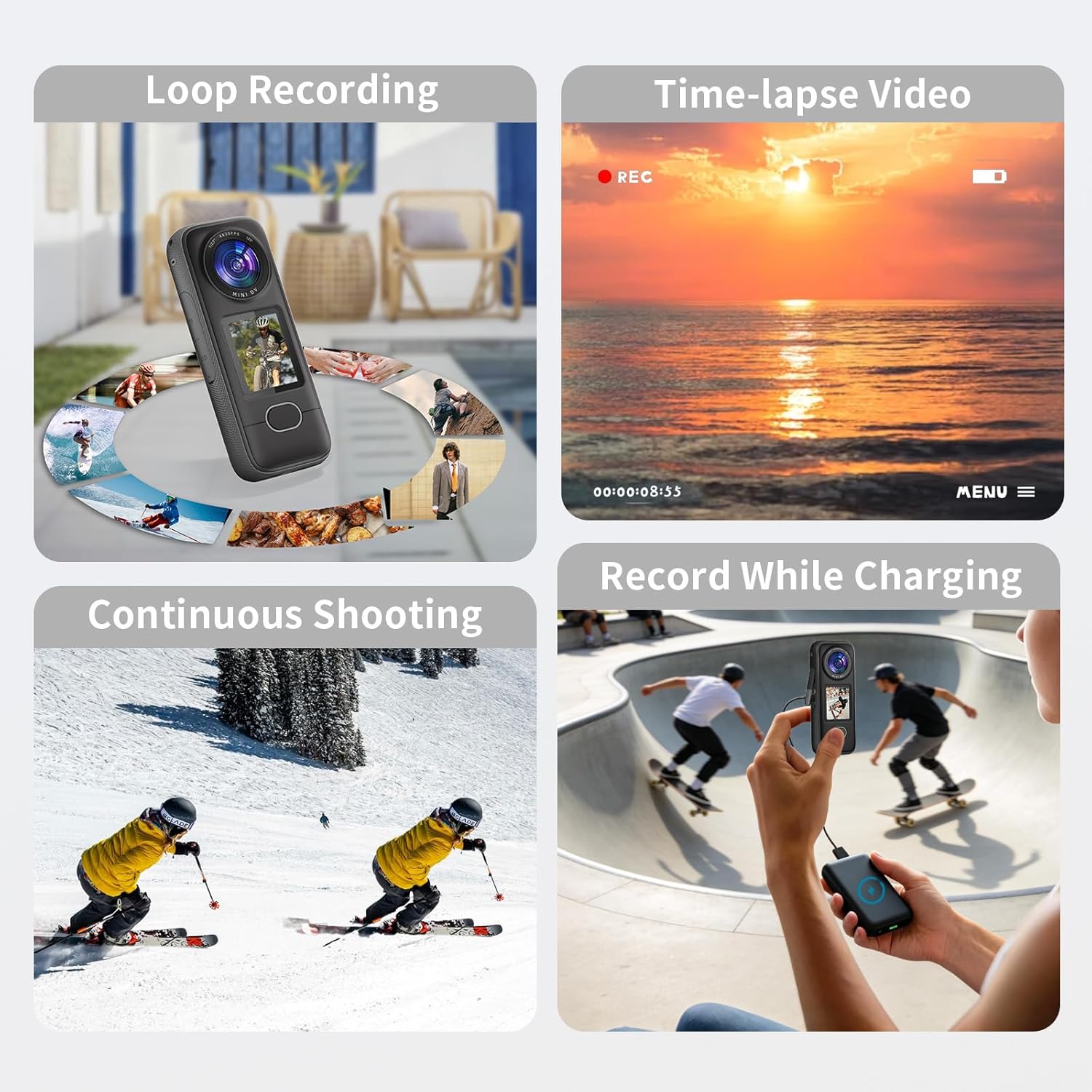
Image: A visual representation of the camera's WiFi connectivity for mobile app integration and its intelligent noise reduction capabilities for clear audio.
Maintenance
1. Waterproof and Cold Resistant Guidelines
The camera is rated IPX6 waterproof, providing strong resistance against rain, splashes, and wet environments. It is designed to operate reliably at temperatures as low as -10°C and can be safely stored at -20°C. While robust, avoid submerging the camera in water or exposing it to extreme temperatures beyond its specified limits.

Image: Visuals demonstrating the camera's IPX6 waterproof rating against splashes and its ability to withstand cold temperatures down to -10°C.
2. Cleaning
Use the provided wiping cloth or a soft, lint-free cloth to clean the camera lens and screen. Do not use harsh chemicals or abrasive materials. For stubborn dirt, lightly dampen the cloth with water.
3. Storage
When not in use, store the camera in the provided storage bag in a cool, dry place, away from direct sunlight and extreme temperatures. Remove the Micro SD card if storing for extended periods.
Troubleshooting
| Problem | Possible Solution |
|---|---|
| Camera does not power on. | Ensure the battery is charged. Connect to a power source and try again. |
| Cannot record video/take photos. | Check if a Micro SD card is inserted and has sufficient free space. Ensure the card is formatted correctly. |
| Poor video/photo quality. | Clean the camera lens. Ensure adequate lighting. Check resolution settings. |
| Cannot connect to Wi-Fi. | Ensure Wi-Fi is enabled on the camera and your mobile device. Verify the correct Wi-Fi password (12345678). Try restarting both devices. |
| Camera freezes or becomes unresponsive. | Perform a soft reset by pressing and holding the Power button for 10-15 seconds. If the issue persists, ensure the firmware is up to date. |
Specifications
| Feature | Detail |
|---|---|
| Brand | zakotu |
| Model Number | MD10 |
| Video Capture Resolution | 4K (30fps) |
| Photo Resolution | Up to 72MP |
| Screen Size | 1.4 Inches |
| Lens Type | Wide Angle (125°) |
| Flash Memory Type | Micro SD (up to 128GB, not included) |
| Connectivity Technology | USB, Wi-Fi |
| Water Resistance Level | IPX6 |
| Operating Temperature | Down to -10°C |
| Storage Temperature | Down to -20°C |
| Battery Life | Approx. 3.5 hours (recording) |
| Battery Type | 1 Nonstandard Battery (included) |
| Weight | 89g |
| Dimensions | 113*46*22.7mm |
Warranty and Support
This product comes with a standard manufacturer's warranty. For specific warranty details, please refer to the warranty card included in your package or contact zakotu customer support. For technical assistance or further inquiries, please visit the official zakotu website or contact their customer service team.
Manufacturer: zakotu
Warranty Description: 1 year (as per product data)
For support, please visit: zakotu Store on Amazon