1. Important Safety Information
Please read all safety and operating instructions carefully before using this television. Keep this manual for future reference.
- Power Source: Connect the TV only to a power supply as indicated on the rating label.
- Ventilation: Ensure proper ventilation. Do not block ventilation openings.
- Water and Moisture: Do not expose the TV to rain or moisture. Do not place objects filled with liquids on the TV.
- Heat: Keep the TV away from heat sources such as radiators, heat registers, stoves, or other appliances that produce heat.
- Cleaning: Unplug the TV from the wall outlet before cleaning. Use a soft, dry cloth. Do not use liquid cleaners or aerosol cleaners.
- Servicing: Do not attempt to service this product yourself. Refer all servicing to qualified service personnel.
2. Setup and Assembly
2.1 Unpacking the TV
Carefully remove the TV and all accessories from the packaging. Ensure all components listed below are present.
Included Components:
- Blaupunkt 32-inch HD LED TV
- Remote Control
- Power Cable
- TV Stand (2 pieces)
- Screws for Stand Assembly
- User Manual (this document)
- Warranty Card
2.2 Attaching the TV Stand
To attach the stand, place the TV face down on a soft, flat surface to prevent screen damage. Align each stand piece with the corresponding slots on the bottom of the TV and secure them with the provided screws.
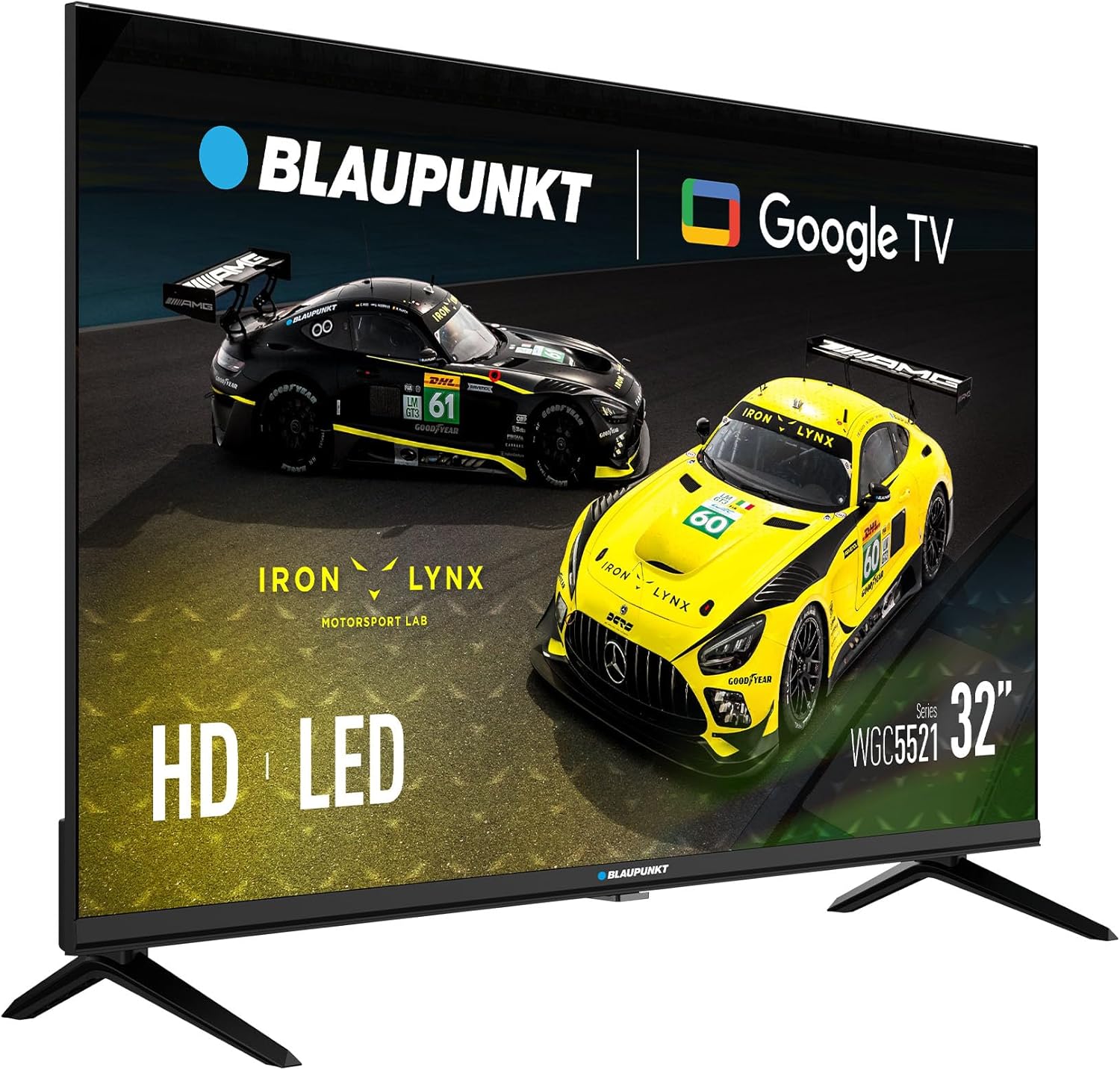
Image: Front view of the Blaupunkt 32-inch HD LED TV with its stand attached, ready for use.
2.3 Wall Mounting (Optional)
This TV supports VESA 100x100mm wall mounts. Ensure you use a compatible wall mount kit (sold separately) and follow the instructions provided with the wall mount. Remove the stand before wall mounting.

Image: Rear view of the Blaupunkt 32-inch HD LED TV, highlighting the VESA mounting points for wall installation.
3. Connections
Before making any connections, ensure the TV and all external devices are powered off and unplugged from the wall outlet.
3.1 Power Connection
Connect the supplied power cable to the TV's power input and then to a wall outlet.
3.2 Antenna/Cable/Satellite Connection
- DVB-T2 (Terrestrial): Connect a terrestrial antenna cable to the 'ANT IN' port.
- DVB-S2 (Satellite): Connect a satellite dish cable to the 'SAT IN' port.
- DVB-C (Cable): Connect a cable TV signal to the 'ANT IN' port.
3.3 HDMI Connections
Connect external devices such as Blu-ray players, game consoles, or set-top boxes to the HDMI ports (HDMI1, HDMI2) using HDMI cables.
3.4 USB Connection
Insert a USB storage device into the USB port to play media files (photos, music, videos).
3.5 CI Slot
Insert a Conditional Access Module (CAM) and smart card (provided by your service provider) into the CI Slot to access encrypted digital channels.

Image: Side view of the Blaupunkt 32-inch HD LED TV, illustrating the various input and output ports including HDMI and USB.

Image: Angled rear view of the Blaupunkt 32-inch HD LED TV, providing a clearer look at the rear-facing connection ports.
4. Operating Instructions
4.1 Initial Setup Wizard
After connecting the power cable and turning on the TV for the first time, the Initial Setup Wizard will guide you through the basic settings:
- Language Selection: Choose your preferred language for the TV menu.
- Network Connection: Connect the TV to your Wi-Fi network to access Google TV features and online content.
- Google Account Setup: Sign in with your Google account to personalize your experience, download apps, and access Google services.
- Channel Scan: The TV will automatically scan for available digital channels (DVB-T2/S2/C) based on your connection.
4.2 Remote Control Functions
The remote control allows you to navigate the TV's features:
- Power Button: Turns the TV on or off.
- Volume +/-: Adjusts the volume level.
- Channel +/-: Changes TV channels.
- Input/Source: Selects the input source (HDMI1, HDMI2, TV, USB).
- Navigation Buttons: Use arrow keys to move through menus and 'OK' to confirm selections.
- Home Button: Accesses the Google TV home screen.
- App Buttons: Dedicated buttons for popular streaming services (if available).
4.3 Google TV Interface
The Google TV interface provides access to streaming apps, live TV, and personalized recommendations. Navigate using the remote control to explore content.
4.4 Media Playback via USB
Insert a USB drive containing media files. The TV will prompt you to open the media player, or you can access it from the Google TV home screen. Supported formats include common photo, music, and video files.
4.5 Picture and Sound Settings
Access the TV's settings menu to adjust picture and sound preferences:
- Picture Modes: Choose from presets like Standard, Dynamic, Movie, or customize settings for Brightness, Contrast, Color, and Sharpness. The TV supports HDR for enhanced contrast and color.
- Sound Modes: Select from presets like Standard, Music, Movie, or Speech. The TV features Dolby Audio for an immersive sound experience.
5. Maintenance
5.1 Cleaning the TV
Always unplug the TV before cleaning.
- Screen: Gently wipe the screen with a soft, lint-free cloth. For stubborn marks, slightly dampen the cloth with water or a specialized screen cleaner (do not spray directly on the screen).
- Cabinet: Wipe the TV cabinet with a soft, dry cloth. Avoid using abrasive cleaners, waxes, or solvents.
5.2 Power Off Procedures
To completely power off the TV, press the power button on the remote control or the TV itself, then unplug the power cable from the wall outlet.
6. Troubleshooting
If you encounter issues, refer to the following common problems and solutions before contacting support.
| Problem | Possible Solution |
|---|---|
| No power | Ensure the power cable is securely connected to the TV and the wall outlet. Check if the wall outlet is working. |
| No picture, but sound is present | Check the input source. Ensure external devices are powered on and connected correctly. Try a different HDMI cable. |
| No sound, but picture is present | Check the volume level. Ensure 'Mute' is not activated. Check audio settings and external device audio output. |
| Remote control not working | Replace the batteries. Ensure there are no obstructions between the remote and the TV's IR sensor. |
| Cannot connect to Wi-Fi | Ensure your router is on and working. Re-enter the Wi-Fi password. Try restarting the TV and router. |
| Poor picture quality from antenna | Check antenna connection. Adjust antenna position. Perform a new channel scan. |
7. Specifications
| Feature | Specification |
|---|---|
| Model | 32WGC5521S |
| Display Size | 32 inches |
| Display Technology | LED |
| Resolution | HD (1366 x 768) |
| Refresh Rate | 60 Hz |
| Special Features | HDR, Google TV (GTV), Dolby Audio |
| Operating System | Google TV |
| Connectivity | 2x HDMI, 1x USB, CI Slot, DVB-T2/S2/C Tuner |
| Audio Output Mode | Stereo |
| Power Consumption | 26 W |
| Voltage | 220 Volts |
| VESA Compatibility | 100 x 100 mm |
| Dimensions (W x H x D) | 71.6 x 42.3 x 5.8 cm (without stand) |
| Weight | 3.98 kg |
8. Warranty and Support
8.1 Product Warranty
This product comes with a warranty. Please refer to the included Warranty Card for detailed terms, conditions, and registration information. Keep your proof of purchase for warranty claims.
8.2 Customer Support
If you experience any issues not covered in the troubleshooting section or require further assistance, please contact Blaupunkt customer support. Contact details can typically be found on the warranty card or the official Blaupunkt website.


