
Introduction
This manual provides detailed instructions for the Generic Knup KPFN634 Wireless Cat Ear Gaming Headset. Please read this manual carefully before using the product to ensure proper operation and to maximize your user experience. Keep this manual for future reference.
Product Overview
Features
- Wireless Bluetooth Connectivity: Offers freedom of movement with stable and practical connection for various compatible devices.
- Cat Ear Design: Modern and stylish aesthetic, suitable for gamers and streamers.
- Integrated Microphone: Enables clear communication for online gaming, calls, and meetings.
- Immersive Sound: Provides an immersive audio experience for games, music, and movies.
- Wide Compatibility: Compatible with PCs, notebooks, smartphones, tablets, and other Bluetooth-enabled devices.
Components Included
- 1x Knup KPFN634 Cat Ear Gaming Headset with LED
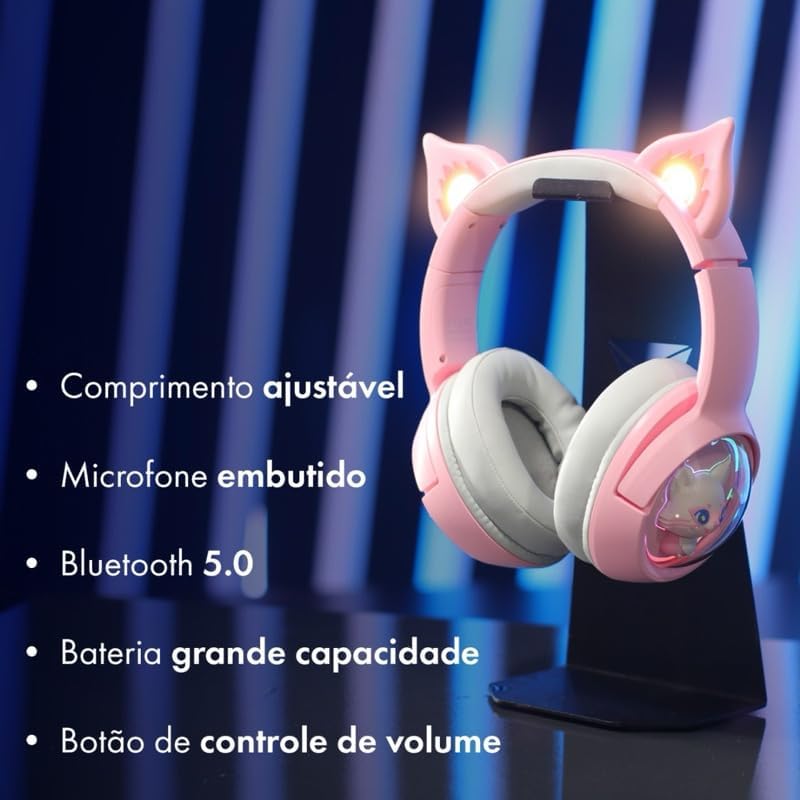
Image: The headset highlighting its key features: adjustable length, built-in microphone, Bluetooth 5.0 connectivity, large capacity battery, and a volume control button for easy audio management.
Setup
Charging the Headset
- Connect the charging cable to the headset's charging port.
- Connect the other end of the cable to a USB power source (e.g., computer, wall adapter).
- The LED indicator will show charging status (refer to product for specific LED behavior). Charge fully before first use.
Bluetooth Pairing
- Ensure the headset is charged and powered off.
- Press and hold the power button until the LED indicator flashes, indicating pairing mode.
- On your device (PC, smartphone, tablet), enable Bluetooth and search for available devices.
- Select "KPFN634" or a similar name from the list of devices.
- Once connected, the LED indicator will change (e.g., solid blue) to confirm successful pairing.

Image: The headset demonstrating its wireless Bluetooth connection, compatible with various devices including smartphones, desktop computers, and laptops.
Operating Instructions
Power On/Off
- Power On: Press and hold the power button for approximately 3 seconds until the LED lights up.
- Power Off: Press and hold the power button for approximately 5 seconds until the LED turns off.
Volume Control
- Use the volume control button (or wheel, if applicable) on the headset to adjust the audio level.
- Alternatively, adjust the volume directly on your connected device.
Microphone Usage
- The integrated microphone is automatically active when the headset is connected.
- Ensure the microphone is positioned correctly for clear voice pickup.
- For calls or in-game chat, select the headset as the input device in your system's audio settings if necessary.
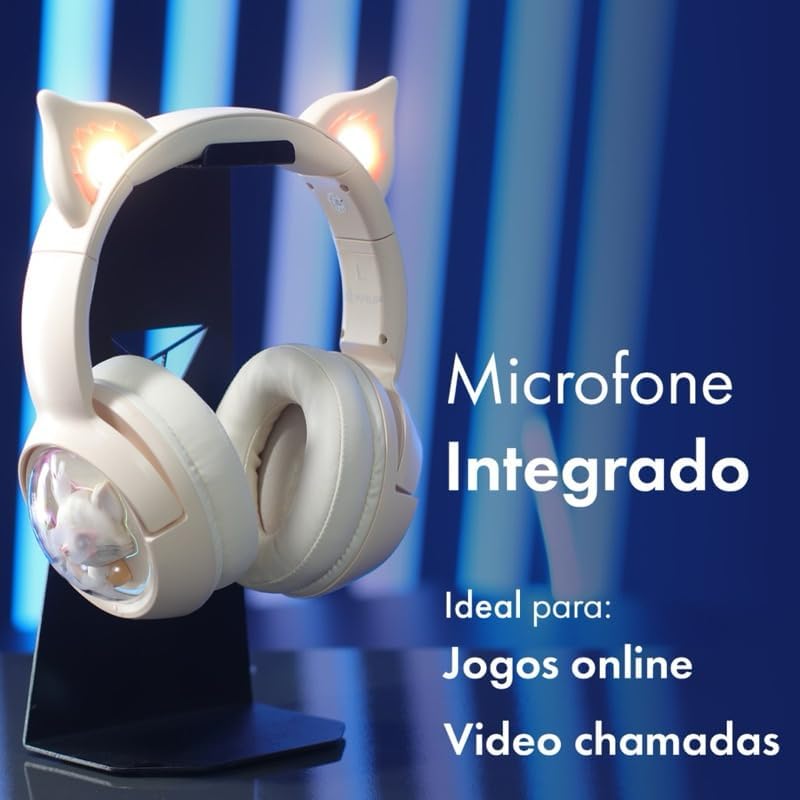
Image: The headset showcasing its integrated microphone, emphasizing its suitability for clear communication during online gaming sessions and video calls.
Maintenance
- Clean the headset regularly with a soft, dry cloth.
- Avoid using harsh chemicals or abrasive materials.
- Store the headset in a cool, dry place away from direct sunlight and extreme temperatures.
- Do not expose the headset to water or excessive moisture, as it is not water-resistant.
Troubleshooting
- No Power: Ensure the headset is fully charged.
- Cannot Pair:
- Make sure the headset is in pairing mode (flashing LED).
- Ensure Bluetooth is enabled on your device.
- Move the headset closer to your device.
- Try unpairing and re-pairing the headset from your device's Bluetooth settings.
- No Sound/Low Sound:
- Check the volume levels on both the headset and your connected device.
- Ensure the headset is properly connected via Bluetooth.
- Test with a different audio source or device.
- Microphone Not Working:
- Verify that the headset is selected as the input device in your device's audio settings.
- Check if the microphone is muted on the headset or your device.
Specifications
| Brand | Generic |
| Model Name | KPFN634 |
| Color | Beige |
| Ear Placement | Circumaural |
| Headphone Form Factor | Circumaural |
| Impedance | 32 Ohms |
| Connectivity Technology | Wireless (Bluetooth) |
| Compatible Devices | Mobile phones, Desktops (and other Bluetooth-enabled devices) |
| Material | Plastic |
| Noise Control | None |
| Water Resistance Level | Not water resistant |
| Country of Origin | China |
Warranty Information
Warranty details for this product are currently unknown. Please refer to your point of purchase or retailer for specific warranty terms and conditions.
Support
For further assistance or inquiries not covered in this manual, please contact the retailer or the manufacturer's customer support. Keep your purchase receipt as proof of purchase.