
Product Overview
The INNOVAR Electric Height Adjustable Standing Desk is designed to provide a versatile and ergonomic workspace. This desk allows for seamless transitions between sitting and standing positions, promoting a healthier work routine. It features a robust T-shaped steel frame, a durable wood desktop, and an advanced brushless motor for quiet and stable operation.
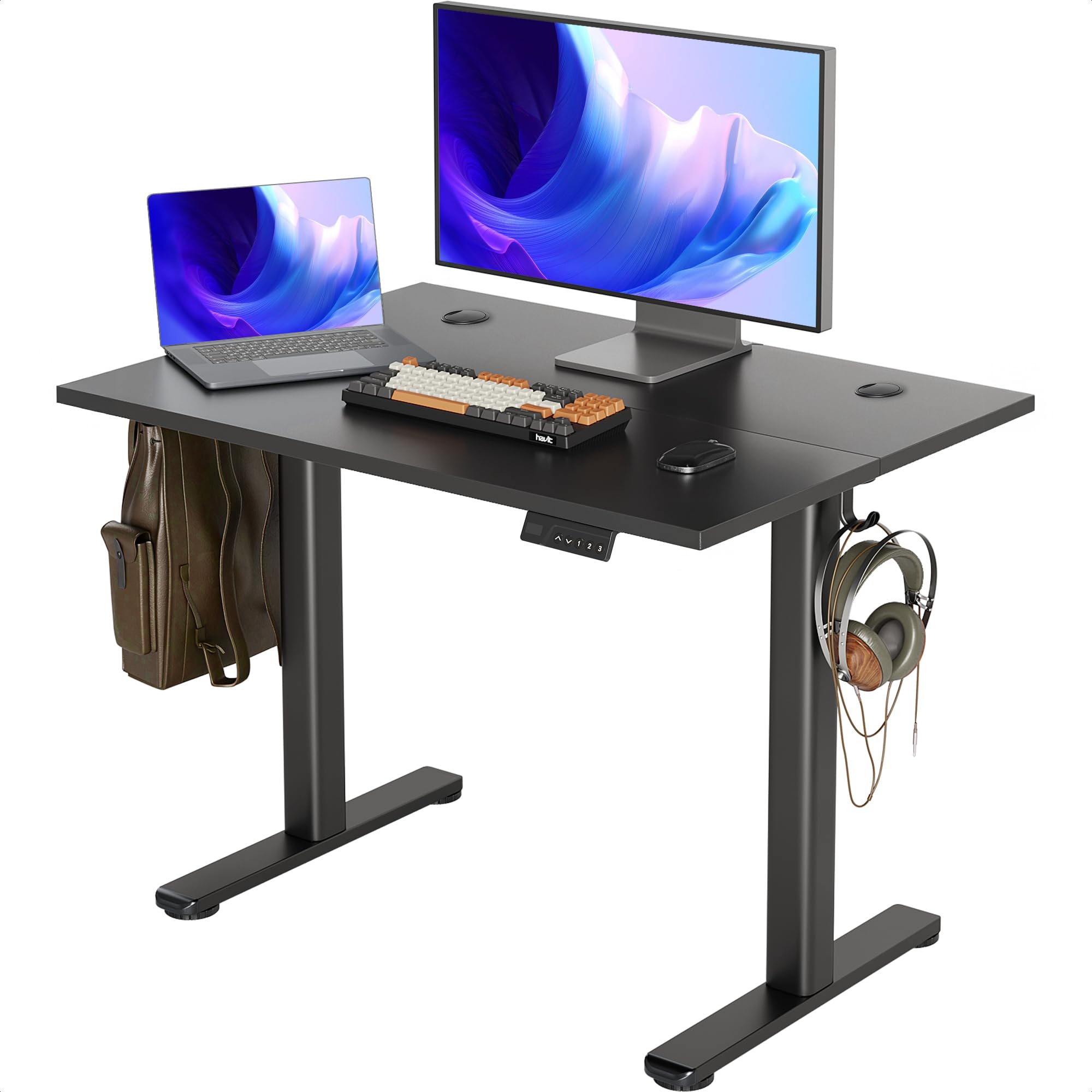
INNOVAR Electric Height Adjustable Standing Desk in a home office setting.
Important Safety Instructions
- Always ensure the desk is placed on a level surface to maintain stability.
- Do not exceed the maximum weight limit of 176 pounds (80 kg) on the desktop.
- Keep hands and objects clear of moving parts during height adjustment to prevent injury or damage.
- Ensure all cables are properly managed and secured to avoid entanglement during desk movement.
- Do not allow children to operate the desk without adult supervision.
- Unplug the power cord before cleaning or performing any maintenance.
What's Included
Verify that all components are present before beginning assembly:
- Desktop (40x24 Inch)
- Desk Frame (Legs and Crossbar)
- Control Panel with LED Display
- Power Adapter and Cable
- Assembly Hardware (screws, bolts, etc.)
- Installation Instructions Manual
- Basic Installation Tools
- Cable Management Grommets
- Headphone/Bag Hooks (2)
- Adjustable Foot Pads
Assembly Guide
Assembly of the INNOVAR Electric Height Adjustable Standing Desk is designed to be straightforward. Please follow the detailed step-by-step instructions provided in the separate installation manual included in your package. An installation video is also available to assist first-time users, allowing for completion in under 30 minutes.
Ensure all connections are secure and the desk is stable before use. The desk dimensions are important for planning your workspace.

Diagram showing the dimensions of the INNOVAR standing desk: 40 inches width, 23.6 inches depth, and adjustable height from 28.3 to 46.5 inches.
Operating Your Desk
Height Adjustment
The desk's height can be adjusted electrically from 28.3 inches to 46.5 inches. Use the 'Up' and 'Down' arrow buttons on the control panel to move the desktop to your desired height. The LED display will show the current height.
Memory Presets
The control panel features three programmable memory presets (buttons 1, 2, 3) to store your preferred sitting and standing heights. To set a memory preset:
- Adjust the desk to your desired height using the 'Up' or 'Down' buttons.
- Press the 'M' button (or similar memory set button, if present, otherwise hold the number button).
- Press one of the number buttons (1, 2, or 3) until the LED display confirms the setting.
To recall a preset height, simply press the corresponding number button (1, 2, or 3). The desk will automatically move to the stored height.

Close-up of the desk's control panel, featuring an LED display, up/down arrows, and three memory preset buttons.

Two individuals demonstrating the adjustable height range of the INNOVAR standing desk, from sitting to standing positions.
Care and Maintenance
To ensure the longevity and appearance of your INNOVAR standing desk, follow these care instructions:
- Cleaning the Desktop: Wipe the desktop with a damp cloth to remove dust and spills. For stubborn marks, use a mild, non-abrasive cleaner. Always follow with a dry cloth to prevent water spots.
- Cleaning the Frame: The alloy steel frame can be wiped clean with a dry cloth. Avoid using harsh chemicals that may damage the finish.
- Motor Maintenance: The upgraded brushless motor requires no specific maintenance. Avoid obstructing the motor or lifting mechanism.
- Regular Checks: Periodically check all screws and bolts to ensure they remain tight.
Troubleshooting
If you encounter any issues with your INNOVAR standing desk, please refer to the following common solutions:
- Desk Not Moving: Check if the power cord is securely plugged into both the desk and a working power outlet. Ensure no objects are obstructing the desk's movement.
- Uneven Movement: Verify that the desk is placed on a flat surface and that the adjustable foot pads are correctly leveled.
- Control Panel Not Responding: Unplug the desk from the power source for 10-15 seconds, then plug it back in. This may reset the system.
- Unusual Noises: While the desk operates quietly (≤45dB), any unusual loud noises may indicate an obstruction or a loose component. Stop operation and inspect the desk.
If the problem persists after attempting these steps, please contact customer support.
Technical Specifications
| Feature | Specification |
|---|---|
| Model Number | P2.01.013.0005 |
| Desktop Dimensions (W x D) | 40 inches x 24 inches |
| Height Adjustment Range | 28.3 inches to 46.5 inches |
| Maximum Load Capacity | 176 pounds (80 kg) |
| Motor Type | Brushless Electric Motor |
| Noise Level | ≤45dB |
| Desktop Material | Wood |
| Frame Material | Alloy Steel |
| Color | Black |
| Memory Presets | 3 |

The INNOVAR standing desk supports a load capacity of 154 lbs.

The desk operates with an ultra-quiet design, rated at 45dB.
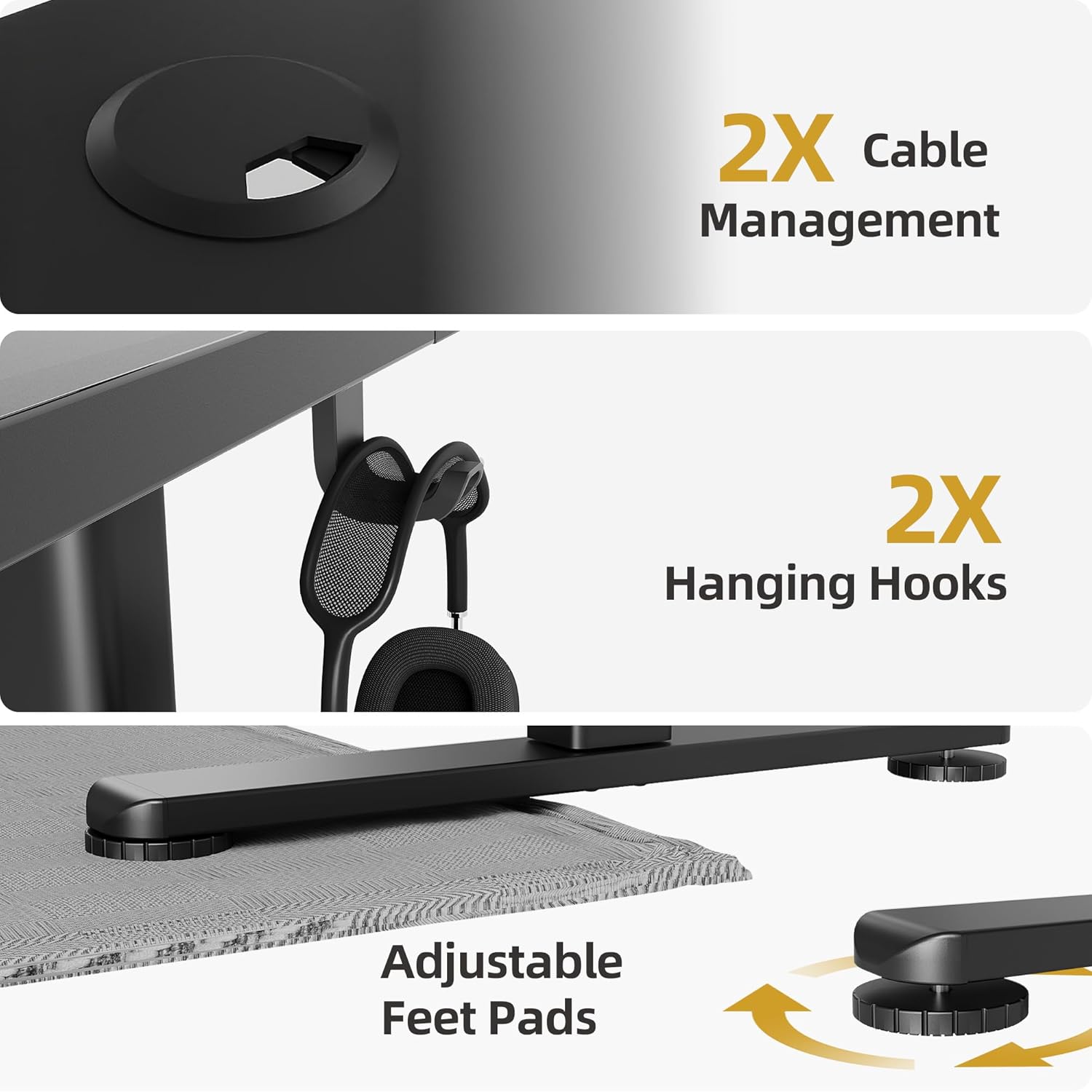
Integrated features include cable management, hanging hooks, and adjustable foot pads.
Warranty Information
The INNOVAR Electric Height Adjustable Standing Desk comes with a Limited Warranty. Please refer to the warranty card included in your package for specific terms, conditions, and duration of coverage. This warranty typically covers manufacturing defects and malfunctions under normal use.
Customer Support
For any questions, concerns, or assistance regarding your INNOVAR Electric Height Adjustable Standing Desk, please do not hesitate to contact us. You can reach our customer support team through the Amazon platform where you purchased the product. Our team is available to help with assembly, operation, troubleshooting, and warranty claims.