
Introduction
This manual provides essential information for the proper identification, use, and care of your KEYSALACARTE HD87 replacement keys. These keys are precision-cut to code for specific National and CompX file cabinet and office furniture locks. Please read these instructions carefully to ensure correct application and reliable operation.
Product Overview
Your KEYSALACARTE HD87 replacement keys are designed to provide consistent and reliable access to compatible locks. They are manufactured to match factory specifications for locks within the HD1–HD615 code range, commonly found on various metal office furniture.
- Includes a pair (2) of keys cut by code HD87 on a 1069G blank.
- Designed for many National and CompX metal file cabinet, desk, credenza, and storage locks.
- Utilizes the 1069G furniture keyway profile.
- Commonly used in office, school, healthcare, warehouse, and government settings for keyed-alike furniture.
- Computer-cut on calibrated equipment for accurate depths and spacing.
Key Identification
Before using your new keys, it is crucial to verify that your lock is compatible. These keys are specifically for locks stamped with the code HD87 and using the 1069G keyway profile.
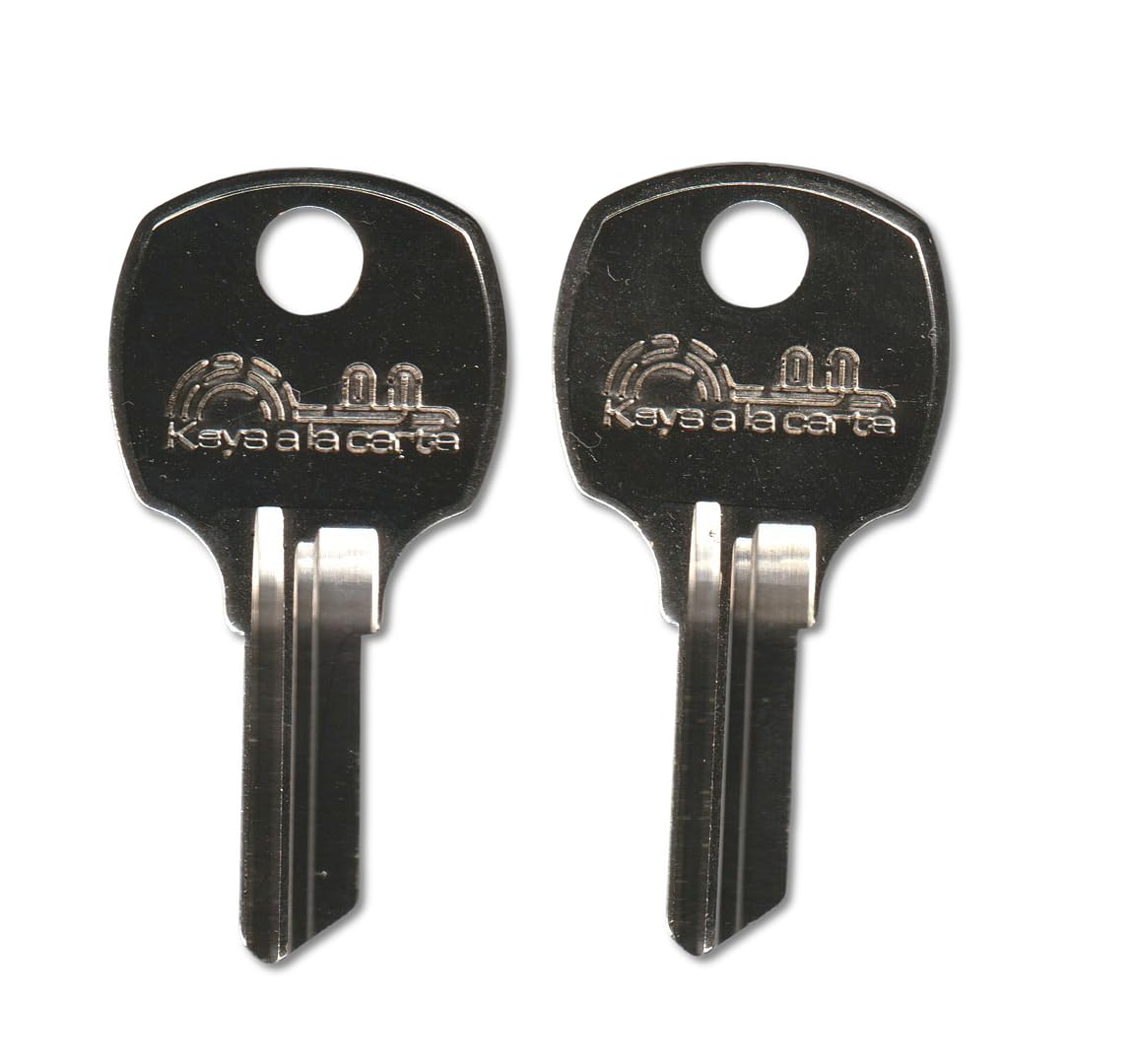
Image: Example of KEYSALACARTE replacement keys.
To ensure compatibility:
- Check the Lock: Locate the code stamped on the face of your lock cylinder. It must clearly display HD87.
- Check Original Key (if available): If you have an original key, the code HD87 should be stamped on it.
- Verify Keyway Profile: Compare the shape of your lock's keyway (the slot where the key inserts) with the 1069G profile. This ensures the key will physically fit into the lock.
Note: These keys will not operate rekeyed locks or locks with a different keyway profile. Always confirm the stamped code and keyway shape before attempting to use the keys.
Usage Instructions
Follow these steps for proper key usage:
- Insert Key: Gently insert the HD87 key into the lock's keyway. Do not force the key.
- Turn Key: Once fully inserted, turn the key clockwise or counter-clockwise (depending on the lock mechanism) to engage or disengage the lock.
- Remove Key: After locking or unlocking, return the key to its original insertion position before gently pulling it out.
Maintenance and Care
To ensure the longevity and smooth operation of your keys and locks:
- Keep Clean: Keep keys free from dirt, debris, and corrosive substances.
- Avoid Forcing: Never force a key into a lock or attempt to turn it if it feels stuck. This can damage both the key and the lock.
- Storage: Store keys in a dry place away from extreme temperatures.
- Lubrication (for locks): If a lock becomes stiff, apply a small amount of graphite-based lubricant specifically designed for locks. Avoid oil-based lubricants as they can attract dust.
Troubleshooting
If your HD87 key is not working as expected, consider the following:
- Incorrect Code: Double-check that your lock is indeed stamped with HD87. These keys will not work with other codes.
- Incorrect Keyway: Ensure the keyway profile of your lock matches the 1069G profile.
- Lock Condition: The lock mechanism itself may be damaged, jammed, or worn out. If the lock is faulty, a new key will not resolve the issue.
- Obstruction: Check for any foreign objects or debris inside the lock's keyway that might be preventing the key from fully inserting or turning.
- Key Damage: Inspect the key for any bends, breaks, or excessive wear that might affect its functionality.
Specifications
| Feature | Detail |
|---|---|
| Key Code | HD87 |
| Key Blank | 1069G (Ilco 1069G cross-reference) |
| Compatibility | National, CompX file cabinet & office furniture locks (HD1–HD615 code range) |
| Quantity | Pair (2) |
| Manufacturer | The Lock Doctor LLC |
| Item Weight | 0.96 ounces (for the pair) |
| Package Dimensions | 3 x 1.25 x 0.25 inches |
Support Information
For further assistance or inquiries regarding your KEYSALACARTE HD87 replacement keys, please contact The Lock Doctor LLC, the manufacturer. Refer to your purchase documentation for specific contact details or visit the seller's page on the platform where the product was purchased.