
1. Introduction
Thank you for choosing the Decker Crisp N Bake PRO 4-Slice Air Fryer Toaster Oven. This compact countertop appliance is designed for versatile cooking, offering Air Fry, Bake, Broil, Toast, and Keep Warm functions. Its Air Fry Technology circulates hot air for crisp textures with minimal oil, while EvenToast Technology ensures consistent browning. This manual provides essential information for safe and efficient operation.
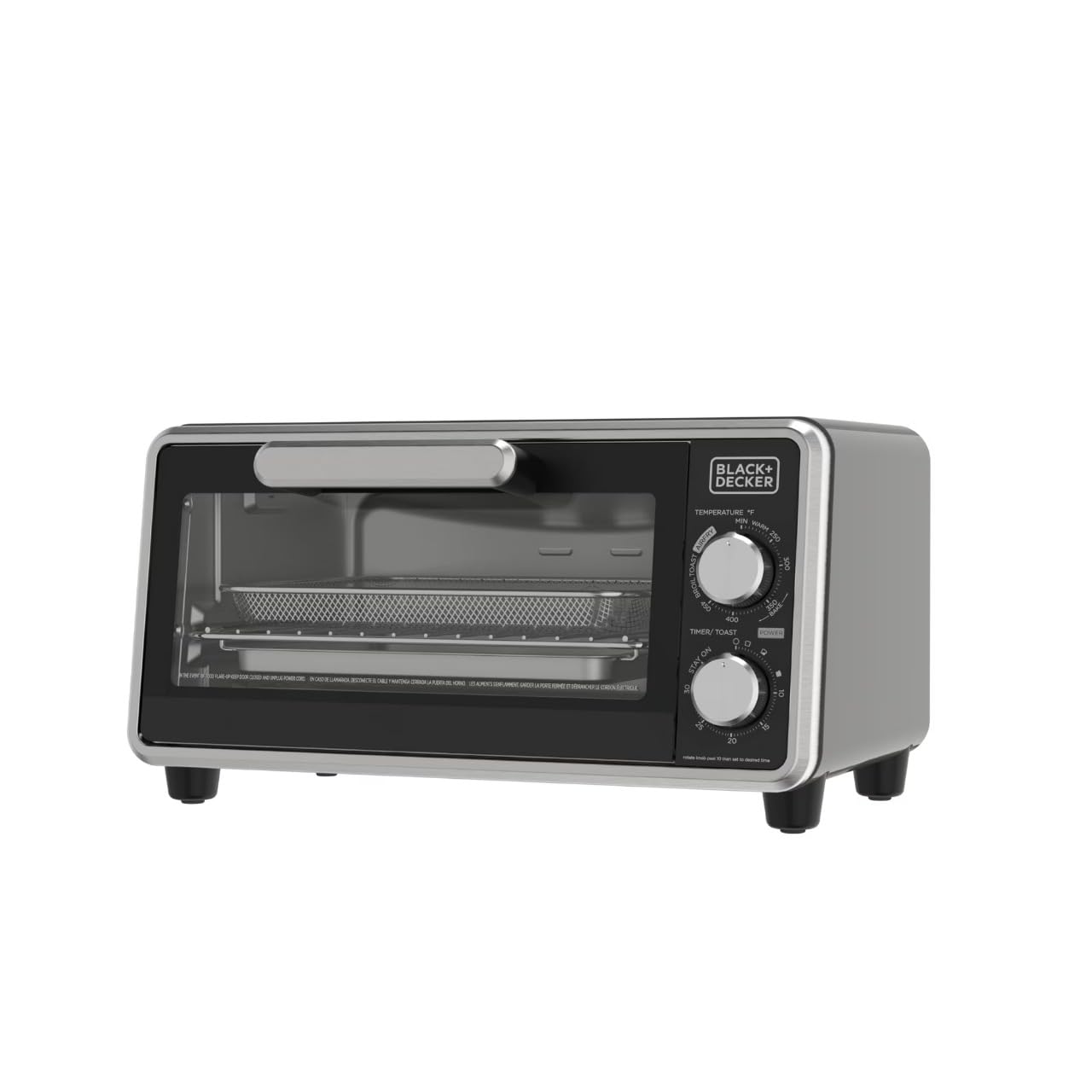
Image: The Decker Crisp N Bake PRO Air Fryer Toaster Oven in a kitchen setting, showing cooked chicken and garlic inside.
2. Important Safeguards
When using electrical appliances, basic safety precautions should always be followed to reduce the risk of fire, electric shock, and/or injury, including the following:
- Read all instructions before using the appliance.
- Do not touch hot surfaces. Use handles or knobs.
- To protect against electrical shock, do not immerse cord, plugs, or appliance in water or other liquid.
- Close supervision is necessary when any appliance is used by or near children.
- Unplug from outlet when not in use and before cleaning. Allow to cool before putting on or taking off parts.
- Do not operate any appliance with a damaged cord or plug, or after the appliance malfunctions or has been damaged in any manner.
- The use of accessory attachments not recommended by the appliance manufacturer may cause injuries.
- Do not use outdoors.
- Do not let cord hang over edge of table or counter, or touch hot surfaces.
- Do not place on or near a hot gas or electric burner, or in a heated oven.
- Extreme caution must be used when moving an appliance containing hot oil or other hot liquids.
- To disconnect, turn any control to OFF, then remove plug from wall outlet.
- Do not use appliance for other than intended use.
- Oversize foods or metal utensils must not be inserted in a toaster oven as they may create a fire or risk of electric shock.
- A fire may occur if the toaster oven is covered or touching flammable material, including curtains, draperies, walls, and the like, when in operation.
- Do not place any materials other than manufacturer’s recommended accessories in this oven when not in use.
- Do not place cardboard, plastic, paper, or similar materials in the oven.
- Do not clean with metal scouring pads. Pieces can break off the pad and touch electrical parts, creating a risk of electric shock.
- Do not store any materials, other than manufacturer’s recommended accessories, in this oven when not in use.
3. Parts and Features
Familiarize yourself with the components of your Decker Crisp N Bake PRO Air Fryer Toaster Oven:
- Temperature Control Knob: Adjusts cooking temperature and selects cooking function (Air Fry, Bake, Broil, Toast, Keep Warm).
- Timer/Toast Control Knob: Sets cooking time up to 30 minutes or selects 'Stay On' for continuous operation.
- Power Indicator Light: Illuminates when the oven is operating.
- Oven Rack: For baking, broiling, and toasting.
- Bake Pan: Used for baking and catching drips.
- Air Fry Mesh Tray: Designed for air frying to allow hot air circulation.
- Crumb Tray: Removable tray at the bottom for easy cleaning of crumbs.
- Glass Door: Allows viewing of food during cooking.
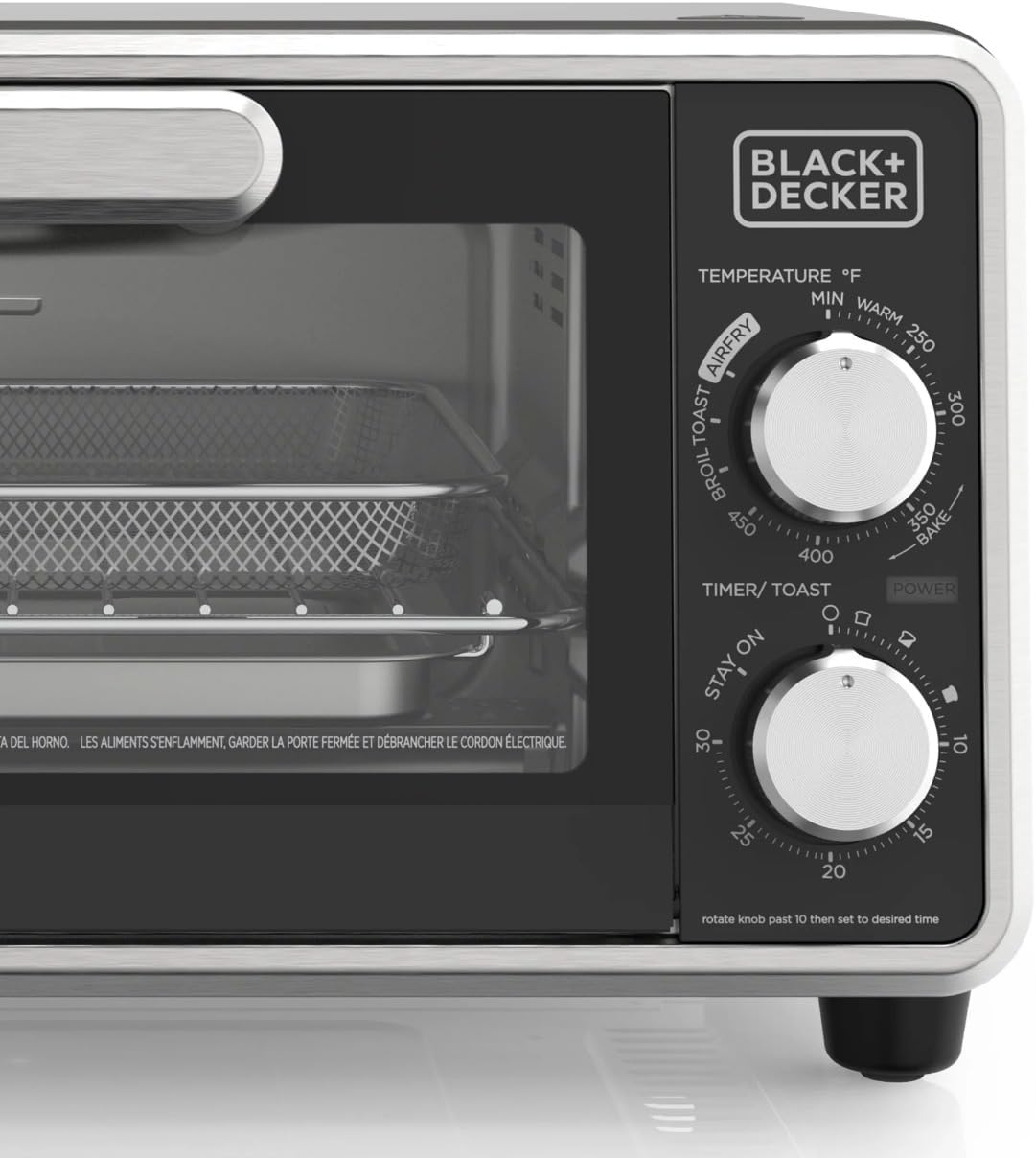
Image: A close-up view of the control panel, showing the temperature and timer knobs.

Image: The various accessories included with the oven: an air fry mesh tray, a bake pan, an oven rack, and a crumb tray.
4. Setup
Before first use, follow these steps:
- Unpack: Remove all packaging materials, stickers, and any plastic bands from the appliance.
- Clean: Wash the oven rack, bake pan, and air fry mesh tray in warm, soapy water. Rinse and dry thoroughly. Wipe the interior and exterior of the oven with a damp cloth and dry completely.
- Placement: Place the oven on a stable, level, heat-resistant surface. Ensure there is at least 6 inches (15 cm) of space on all sides and above the oven for proper ventilation. Do not place directly against a wall or under cabinets.
- Initial Burn-Off: It is recommended to run the oven empty for about 10-15 minutes on the highest temperature setting (450°F) in the Bake mode to burn off any manufacturing oils. A slight odor or smoke may be present; this is normal. Ensure the area is well-ventilated.
5. Operating Instructions
This appliance features five cooking modes: Air Fry, Bake, Broil, Toast, and Keep Warm.
General Operation:
- Place the desired food item on the appropriate accessory (oven rack, bake pan, or air fry mesh tray).
- Insert the accessory into the oven.
- Close the oven door.
- Turn the Temperature Control Knob to select the desired cooking function and temperature.
- Turn the Timer/Toast Control Knob to the desired cooking time. For times less than 20 minutes, turn the knob past 20 and then back to the desired time for accuracy. The power indicator light will illuminate.
- When cooking is complete, the timer will chime, and the oven will turn off. If using 'Stay On', manually turn the Timer/Toast Control Knob to OFF.
- Carefully remove food using oven mitts.
Air Fry:
Use the Air Fry function for crispy results with less oil. Place food on the air fry mesh tray, which should be placed on top of the bake pan to catch any drips.
- Turn the Temperature Control Knob to AIR FRY and set the desired temperature (up to 450°F).
- Set the Timer/Toast Control Knob to the recommended air frying time.
- Monitor food and shake or flip halfway through cooking for even crisping.

Image: The air fry mesh tray inside the oven, filled with french fries during the air frying process.
Bake:
Ideal for cookies, cakes, casseroles, and other baked goods. Use the bake pan or an oven-safe dish placed on the oven rack.
- Turn the Temperature Control Knob to BAKE and set the desired temperature.
- Set the Timer/Toast Control Knob to the required baking time.

Image: A tray of chocolate chip cookies baking inside the oven.
Broil:
Use for browning the top of dishes or cooking thin cuts of meat. Place food on the oven rack, typically closer to the top heating element.
- Turn the Temperature Control Knob to BROIL.
- Set the Timer/Toast Control Knob to the desired broiling time. Monitor closely to prevent burning.
Toast:
Perfect for bread, bagels, and frozen waffles. The EvenToast Technology ensures uniform browning.
- Turn the Temperature Control Knob to TOAST.
- Set the Timer/Toast Control Knob to the desired toast shade (lighter to darker).

Image: Two slices of bread with melted cheese being toasted inside the oven.
Keep Warm:
Maintains food at a serving temperature without further cooking.
- Turn the Temperature Control Knob to KEEP WARM.
- Set the Timer/Toast Control Knob to the desired time or 'Stay On' for extended warming.
6. Cooking Tips
- Preheating: For best results, especially with baking and air frying, preheat the oven for 5-10 minutes before adding food.
- Even Cooking: For larger quantities or thicker items, consider rotating or flipping food halfway through cooking.
- Air Frying Oil: A light spray of oil can enhance crispiness for air-fried foods, but is often not necessary.
- Capacity: The oven fits four slices of bread or a 9-inch pizza. Avoid overcrowding the oven for optimal cooking performance.
7. Care and Cleaning (Maintenance)
Regular cleaning will help maintain your oven's performance and appearance.
- Always Unplug: Before cleaning, ensure the oven is unplugged from the power outlet and has completely cooled down.
- Crumb Tray: Pull out the crumb tray from the bottom of the oven. Discard crumbs and wash the tray in warm, soapy water. Rinse and dry thoroughly.
- Accessories: The oven rack, bake pan, and air fry mesh tray can be washed in warm, soapy water. For stubborn food residue, soak them before cleaning. Rinse and dry completely.
- Interior: Wipe the interior walls with a damp cloth and mild liquid soap. Do not use abrasive cleaners or scouring pads. Ensure the interior is dry before next use.
- Exterior: Wipe the exterior surfaces with a damp cloth. Dry thoroughly. Do not immerse the oven in water.
- Glass Door: Clean the glass door with a damp cloth and a non-abrasive cleaner.
8. Troubleshooting
If you encounter issues with your oven, refer to the following common problems and solutions:
| Problem | Possible Cause | Solution |
|---|---|---|
| Oven does not turn on. | Not plugged in; power outage; timer not set. | Ensure oven is plugged into a working outlet. Check household circuit breaker. Set the Timer/Toast Control Knob. |
| Food not cooking evenly. | Oven overcrowded; food not rotated; incorrect temperature/time. | Avoid overcrowding. Rotate food halfway through cooking. Verify correct temperature and time settings for the recipe. |
| Excessive smoke during cooking. | Food residue or grease buildup; high-fat foods. | Clean the oven interior and accessories thoroughly. Use the bake pan under the air fry mesh tray to catch drips from high-fat foods. |
| Toast is too light or too dark. | Timer/Toast Control Knob setting. | Adjust the Timer/Toast Control Knob to a higher setting for darker toast or a lower setting for lighter toast. |
If the problem persists after trying these solutions, please contact customer support.
9. Specifications
| Feature | Specification |
|---|---|
| Brand | Decker |
| Model Name | Crisp ‘N Bake PRO |
| Model Number | TO42250BDID |
| Color | Black and Silver |
| Product Dimensions (D x W x H) | 10"D x 15.5"W x 9.45"H |
| Capacity | Fits 4 slices of bread or a 9-inch pizza |
| Wattage | 1150 watts |
| Control Type | Knob Control |
| Power Source | Electric |
| Temperature Range | Up to 450 Degrees Fahrenheit |
| Material | Stainless Steel (exterior), Glass (door) |
| Item Weight | 8.51 Pounds |
| Included Components | Bake pan, Rack, Air fry Mesh Tray |
10. Warranty and Support
For warranty information, please refer to the documentation included with your purchase or visit the manufacturer's official website. If you require technical assistance or have questions not covered in this manual, please contact Decker customer support.
Keep your purchase receipt as proof of purchase for warranty claims.