
1. Introduction
The AITEK ANB-BE3000P Pure Sine Wave UPS 3000VA is designed to provide clean, stable, and continuous power to critical equipment. Utilizing online double conversion technology, this UPS constantly corrects electrical grid variations, ensuring a high level of security for professional environments, critical systems, and sensitive operations. Its pure sine wave output ensures compatibility with advanced computers, servers, precision equipment, soundboards, laboratory instruments, and communication systems, preventing noise, overheating, and internal damage, thereby extending device durability.
With a capacity of 3000VA and 2100W, this model supports multiple devices simultaneously without losing stability. The wide input voltage range (85V to 275V AC) allows reliable operation even in locations with significant electrical fluctuations, maintaining continuous supply and reducing impacts on internal components.
2. Safety Information
- Read all instructions: Before installing or operating the UPS, read all safety instructions and operating instructions.
- Electrical Hazard: This unit contains hazardous voltages. Do not attempt to disassemble the UPS. There are no user-serviceable parts inside. Refer servicing to qualified service personnel.
- Battery Safety: This UPS model is designed for external battery connection. Ensure proper polarity when connecting external batteries. Batteries can present a risk of electrical shock and high short-circuit current. Observe the following precautions:
- Do not dispose of batteries in a fire. The batteries may explode.
- Do not open or mutilate batteries. Released electrolyte is harmful to the skin and eyes. It may be toxic.
- Replace batteries only with the same type and number of batteries as recommended by the manufacturer.
- Environment: Install the UPS in a controlled environment, free from excessive dust, humidity, and extreme temperatures. Ensure adequate ventilation around the unit.
- Grounding: The UPS must be connected to a grounded AC power outlet.
- Overload: Do not overload the UPS. The total power consumption of connected equipment should not exceed the UPS's rated capacity (2100W).
3. Setup
3.1 Unpacking
Carefully unpack the UPS and inspect it for any shipping damage. The package should contain:
- 01 AITEK ANB-BE3000P Pure Sine Wave UPS 3000VA
- 01 Instruction Manual
- 01 SB50 Cable (for external battery connection)
3.2 Physical Placement
Place the UPS in a well-ventilated area, away from direct sunlight, heat sources, and excessive moisture. Ensure there is sufficient clearance around the unit for proper airflow, especially around the side and rear ventilation grilles.

A side profile of the UPS, highlighting the ventilation grilles essential for heat dissipation and optimal performance.
3.3 Connecting External Batteries
This UPS model requires external batteries for power backup. Use the provided SB50 cable to connect your external battery bank to the UPS. Ensure correct polarity (red to positive, black to negative) to prevent damage.
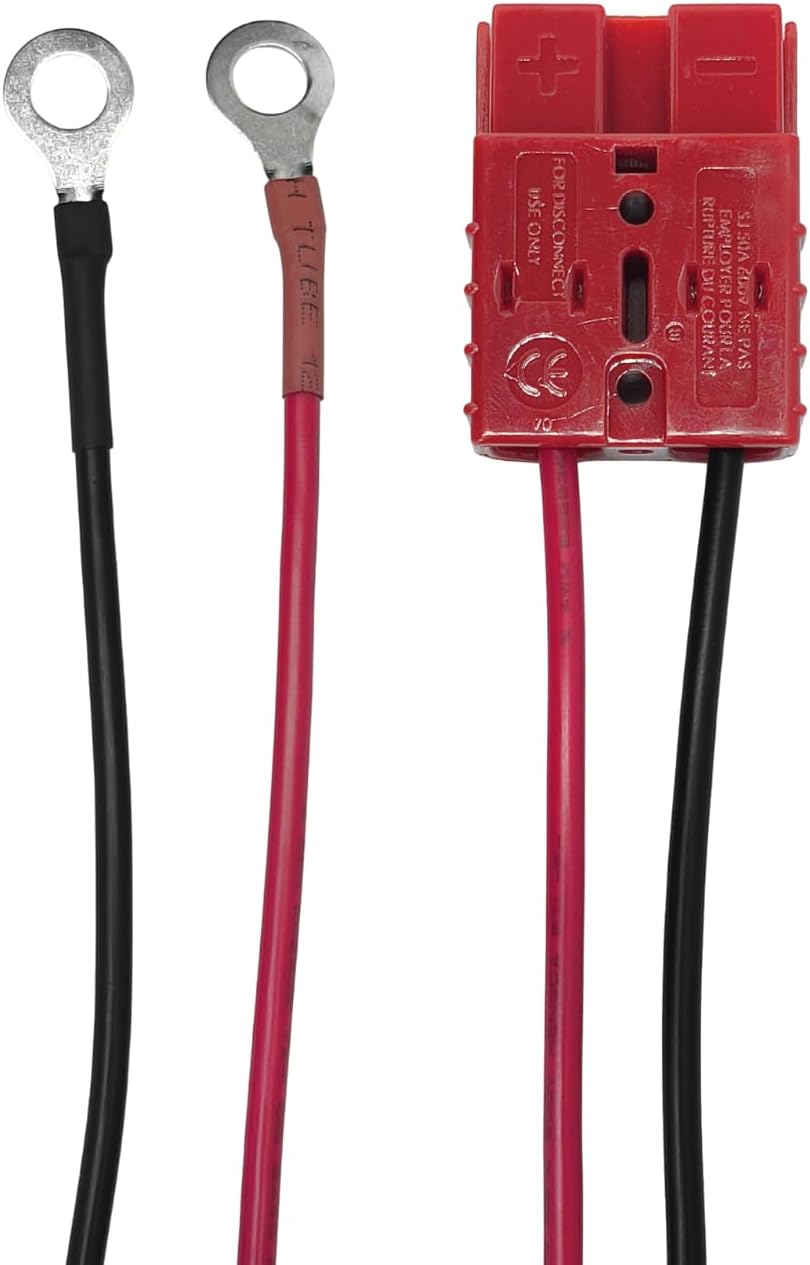
This image displays the specialized cable used to connect external batteries to the UPS, featuring ring terminals for battery posts and a red Anderson connector for secure attachment to the UPS.
3.4 Connecting to Power and Devices
Connect the UPS to a standard 110V AC grounded wall outlet. Then, connect your servers, computers, and other critical equipment to the six 110V output sockets on the rear panel of the UPS.

A detailed view of the UPS rear panel, displaying the RS-232 communication port, cooling fan vents, six 110V output sockets for connecting devices, and terminals for external battery connection.
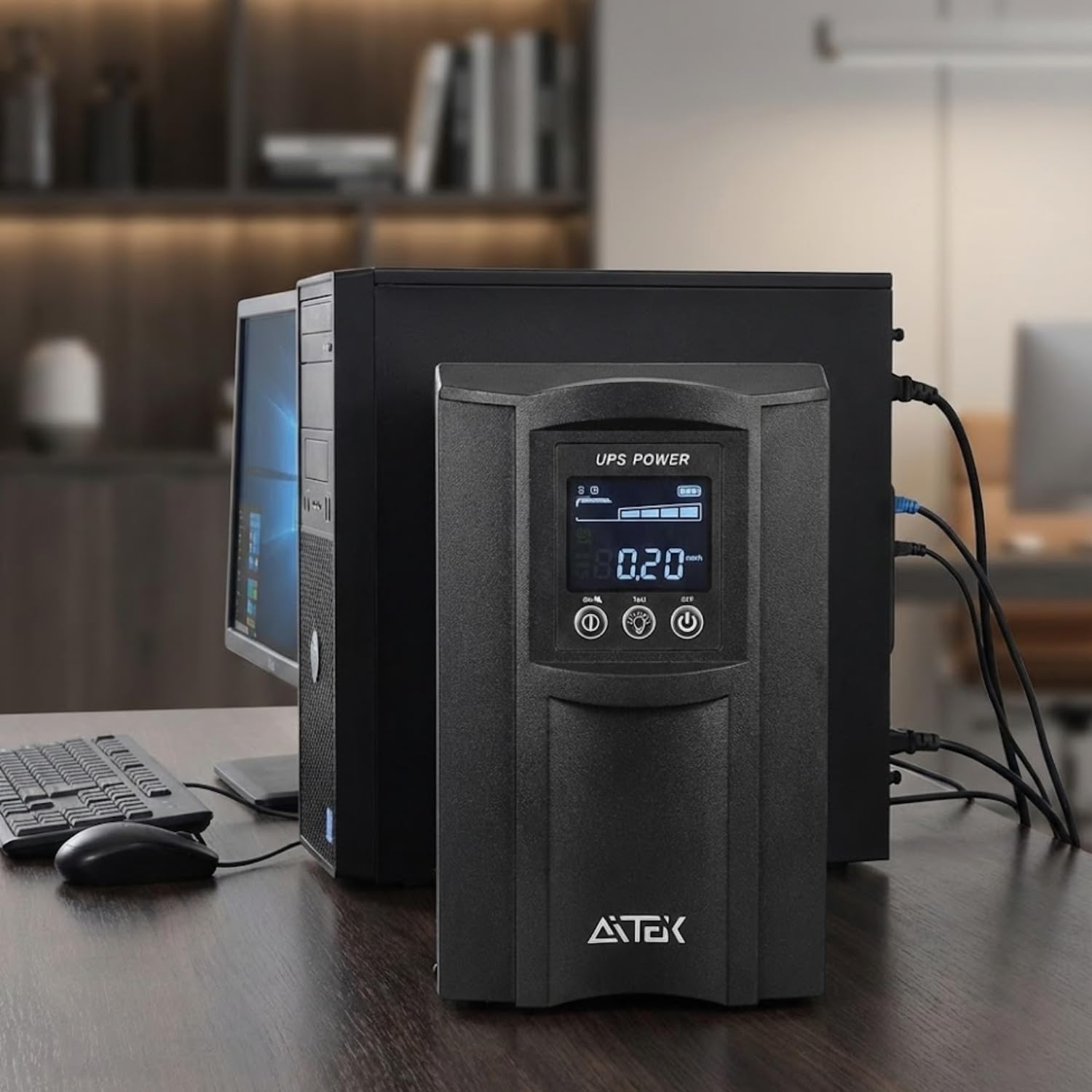
This image shows the AITEK Pure Sine Wave UPS 3000VA integrated into a typical office or home setup, connected to a desktop computer and monitor, illustrating its role in providing stable power.
3.5 Initial Power On
After all connections are secure, press the power button on the front panel to turn on the UPS. The display will illuminate, showing operational status.

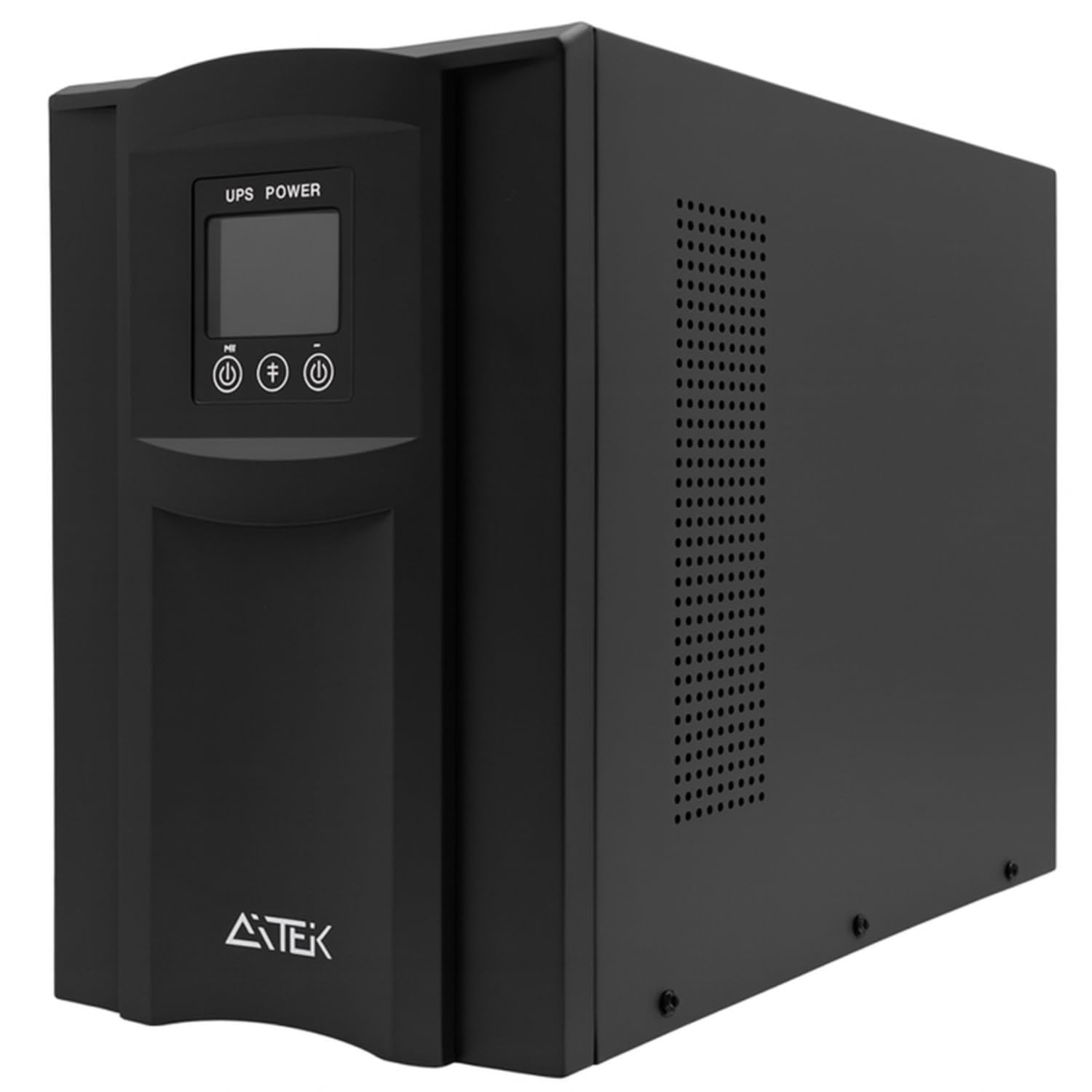
The front of the UPS, featuring its digital display and control buttons for monitoring and operation.
4. Operating Instructions
4.1 Power On/Off
- To Power On: Press and hold the power button (usually marked with a 'U' or power symbol) on the front panel for a few seconds until the display lights up.
- To Power Off: Press and hold the power button again until the display turns off. Ensure all connected devices are safely shut down before turning off the UPS.
4.2 Understanding the Display and Indicators
The front panel display provides real-time information about the UPS status, including input/output voltage, load level, battery charge, and operational mode. Refer to the specific icons and readings on your unit's display for detailed status.
The UPS front panel display, showing 'UPS POWER' and various status indicators, including battery level and output voltage.
4.3 Battery Mode Operation
In the event of a power outage or significant voltage fluctuation, the UPS will automatically switch to battery mode, providing continuous power to connected devices. An audible alarm may sound, and the display will indicate battery operation. The duration of backup power depends on the load connected and the capacity of your external battery bank.
4.4 Overload Protection
The UPS features intelligent overload protection. If the connected load exceeds the UPS's capacity (2100W), it will emit progressive alerts. In severe overload situations, the UPS may automatically shut down to protect itself and connected equipment. Reduce the load by disconnecting non-essential devices if an overload warning occurs.

This image illustrates key protective features of the AITEK Pure Sine Wave UPS 3000VA, including safeguards against battery overload, general energy overload, and short circuits, alongside its 3000VA power capacity.
4.5 Monitoring via RS-232
The UPS includes an RS-232 port for advanced monitoring. Connect the UPS to a computer using a compatible cable and software to monitor its operation in real-time. This feature is particularly useful for racks, technical rooms, corporate networks, and locations requiring continuous supervision.
5. Maintenance
5.1 Battery Maintenance
Since this UPS uses external batteries, their maintenance is crucial for optimal performance and lifespan. Follow the battery manufacturer's guidelines for charging, discharging, and replacement. Regularly inspect battery terminals for corrosion and ensure connections are secure.
5.2 Cleaning
Keep the UPS clean and free of dust. Use a soft, dry cloth to wipe the exterior. Do not use liquid or aerosol cleaners. Ensure ventilation openings are clear of obstructions to maintain proper airflow.
5.3 Environmental Considerations
Maintain the UPS in a stable environment. Avoid exposing it to extreme temperatures, high humidity, or corrosive substances. Proper environmental conditions contribute to the longevity and reliability of the unit.
6. Troubleshooting
This section addresses common issues you might encounter with your UPS.
| Problem | Possible Cause | Solution |
|---|---|---|
| UPS does not turn on | No input power; Power button not pressed correctly; External battery not connected or discharged. | Check power cord connection to wall outlet; Ensure wall outlet has power; Press and hold power button for a few seconds; Verify external battery connection and charge level. |
| UPS beeps continuously / Overload alarm | Connected load exceeds UPS capacity. | Disconnect non-essential equipment to reduce the load. Ensure total load is within 2100W. |
| Short backup time | External batteries are old or not fully charged; Excessive load. | Allow batteries to fully charge; Reduce connected load; Consider replacing old external batteries. |
| UPS switches to battery mode frequently | Unstable input power; High sensitivity setting. | Check the quality of your input power supply; Consult the advanced settings via RS-232 software if available to adjust sensitivity (if applicable). |
7. Specifications
| Feature | Specification |
|---|---|
| Model | ANB-BE3000P (Saída 110V) |
| Capacity & Power | 3000VA / 2100W |
| Technology | Online Double Conversion, fully stabilized energy |
| Waveform | Pure Sine Wave |
| Output Voltage | 110V AC |
| Input Voltage Range | 85V - 275V AC |
| Efficiency | 85% in AC mode |
| Overload Protection | Progressive alerts and automatic shutdowns |
| Noise Level | Less than 45 dBA at 1 meter |
| Harmonic Distortion (THD) | ≤ 3% THD (linear load), ≤ 6% THD (non-linear load) |
| Frequency | 60 Hz |
| DC Voltage (Extended Mode) | 96 Vdc |
| Power Factor | ≥ 0.99 (input) |
| Ports | RS-232 for monitoring |
| Composition | Metal, Plastic, Electronic Components |
| Dimensions (L x W x H) | 44.0 x 19.2 x 34.0 cm (19.2P x 44L x 34A cm) |
| Net Weight | 18.2 kg (18.7 Kilograms) |
8. Warranty
This AITEK UPS comes with a manufacturer's warranty of 90 days from the date of purchase. Please retain your proof of purchase for any warranty claims. The warranty covers defects in materials and workmanship under normal use. It does not cover damage caused by misuse, accidents, unauthorized modifications, or improper installation.
9. Support
For technical assistance, troubleshooting beyond this manual, or warranty inquiries, please contact AITEK customer support. Refer to the contact information provided with your product packaging or visit the official AITEK website for the most up-to-date support details.
When contacting support, please have your product model (ANB-BE3000P) and purchase information readily available.