
Introduction
This manual provides essential instructions for the safe and effective operation, maintenance, and troubleshooting of your Bangeran Mammoth EX Auto Recline 22-inch Heavy Duty Portable Bariatric Power Wheelchair. Please read this manual thoroughly before using the wheelchair to ensure proper function and user safety. Keep this manual for future reference.
Safety Information
Your safety is paramount. Adhere to all safety guidelines to prevent injury or damage to the wheelchair.
General Safety Guidelines
- Adjust your Mammoth Power Wheelchair to your personal comfort level as much as possible.
- Take your time to learn how the Mammoth Power Wheelchair works in a private space before operating around others.
- Practice bending, reaching, transferring, and getting in and out of the Mammoth Power Wheelchair.
- Always be aware of your surroundings.
- If you are unsure whether your Mammoth Power Wheelchair can surpass an obstacle, try to find another way around.
- Ensure that electric and electronic components such as the controller, battery, and charger do not encounter any moisture. If moisture is present, dry thoroughly before use.
- The Mammoth seat is designed for comfort, not specifically for pressure relief. If you suffer from pressure sores, please consult your doctor.
Before Using the Mammoth Power Wheelchair
- Before sitting, ensure that your Mammoth Power Wheelchair is switched off. This prevents unintended movement when touching the joystick.
- Make sure the footrest is folded down or in the correct position for entry.
- Once seated, ensure your feet are safely on the footrest.
Setup and Initial Assembly
Follow these steps to prepare your wheelchair for first use.
1. Unpacking and Unfolding
Carefully remove the wheelchair from its packaging. The wheelchair is designed to fold for portability. To unfold:
- Place the folded wheelchair on a flat, stable surface.
- Gently pull the armrests outwards until the frame locks into place.
- Ensure all locking mechanisms are securely engaged before use.

Image: The Bangeran Mammoth EX Auto Recline Power Wheelchair shown in its compact, folded state for transport or storage.

Image: Side view of the Bangeran Mammoth EX Auto Recline Power Wheelchair in its upright, ready-to-use position.
2. Battery Installation and Charging
Locate the battery compartment, typically under the seat. Insert the battery pack, ensuring it clicks securely into place. Connect the charger to the charging port and then to a standard electrical outlet. Charge fully before first use (refer to charging indicator on the joystick or charger).
3. Headrest and Joystick Adjustment
- Headrest: The adjustable headrest can be positioned for optimal comfort and support. Loosen the adjustment knobs, set the desired height and angle, then tighten the knobs securely.
- Joystick: Attach the joystick to either the left or right armrest, depending on user preference. Ensure it is firmly secured and the electrical connection is made.
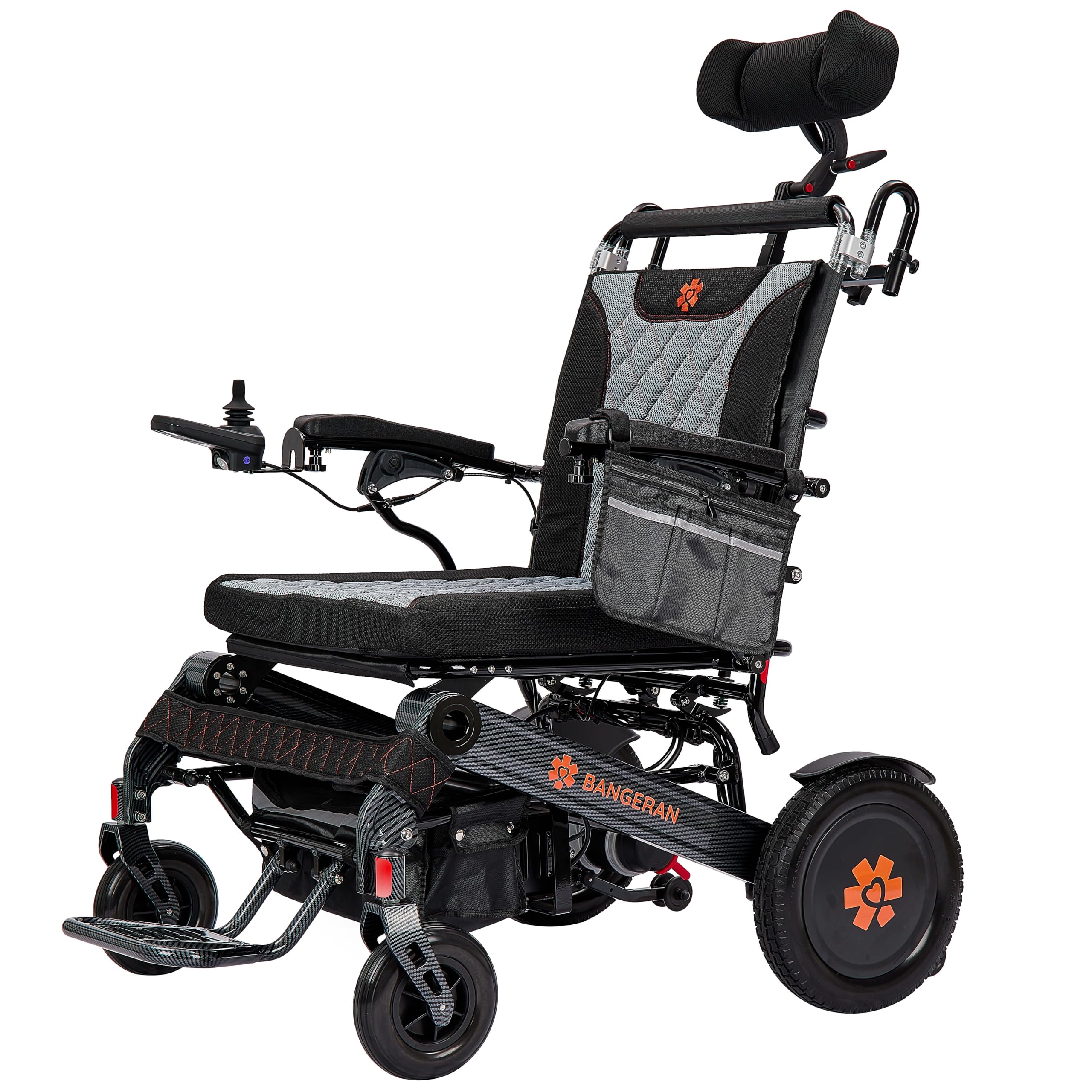
Image: Front view of the Bangeran Mammoth EX Auto Recline Power Wheelchair, highlighting the adjustable headrest and the joystick controller on the armrest.
Operating Instructions
Familiarize yourself with the controls and functions of your power wheelchair.
1. Powering On/Off
Press the power button on the joystick controller to turn the wheelchair on or off. The battery indicator lights will illuminate when powered on.
2. Driving with the Joystick
- Gently push the joystick in the desired direction of travel (forward, backward, left, right).
- The speed can be adjusted using the speed control buttons on the joystick. Start at a low speed until comfortable.
- Release the joystick to stop. The electromagnetic brakes will engage automatically.
3. Automatic Reclining Function
The Mammoth EX Auto Recline features an automatic 180° recline function. Use the dedicated recline button on the digital joystick to adjust the backrest position. Press and hold the button to recline, and release when the desired angle is reached. Press again to return to an upright position.

Image: Side view of the Bangeran Mammoth EX Auto Recline Power Wheelchair with the backrest in a partially reclined position.

Image: Side view of the Bangeran Mammoth EX Auto Recline Power Wheelchair with the backrest fully reclined.
4. Footrest Adjustment
The double folding footrest can be adjusted for user comfort or folded up for easier transfers. Consult the specific mechanism on your model for adjustment or folding.
5. Manual Freewheel Mode
To manually push the wheelchair, locate the freewheel levers on the motors (typically at the rear wheels). Disengage these levers to allow the wheels to move freely. Always ensure the wheelchair is powered off before engaging or disengaging freewheel mode. Re-engage the levers before powering on the wheelchair for electric operation.
Maintenance
Regular maintenance ensures the longevity and safe operation of your power wheelchair.
- Cleaning: Wipe down the frame and seat with a damp cloth and mild detergent. Avoid excessive moisture on electronic components.
- Battery Care: Keep the battery charged. Avoid fully discharging the battery frequently. Store the wheelchair with a charged battery if not in use for extended periods.
- Tire Inspection: Regularly check tires for wear and tear. Ensure they are free from punctures or damage.
- General Checks: Periodically inspect all nuts, bolts, and connections for tightness. Ensure all moving parts operate smoothly.
Troubleshooting
This section addresses common issues you might encounter.
| Problem | Possible Cause | Solution |
|---|---|---|
| Wheelchair does not power on. | Battery discharged or not properly connected. Power button not pressed. | Ensure battery is fully charged and securely connected. Press the power button firmly. |
| Wheelchair moves slowly or erratically. | Low battery charge. Joystick malfunction. Motors in freewheel mode. | Charge the battery. Check joystick connection. Ensure freewheel levers are engaged. |
| Reclining function not working. | Low battery. Obstruction. Electrical connection issue. | Ensure battery is charged. Check for any obstructions. Contact customer support if issue persists. |
| Unusual noises during operation. | Loose components. Obstruction in wheels/motors. | Inspect for loose parts and tighten. Check wheels and motors for obstructions. |
If you encounter issues not listed here or if solutions do not resolve the problem, please contact Bangeran customer support.
Specifications
Key technical specifications for the Bangeran Mammoth EX Auto Recline 22-inch Power Wheelchair.
- Product Dimensions: 38"D x 28.5"W x 37"H
- Item Weight: 73 Pounds
- Seat Width: 22 inches
- Recline Function: Automatic 180°
- Brand: Bangeran
- Model: Mammoth EX Auto Recline
- Color: Black
- ASIN: B0G6FFC1C2
Customer Support
For further assistance, technical support, or warranty inquiries, please contact Bangeran customer service. Refer to your purchase documentation for specific contact details or visit the official Bangeran website.
Online Support: Visit the Bangeran Store on Amazon