
Introduction
This manual provides detailed instructions for the proper use and maintenance of your Diyife 304 Stainless Steel Digital Kitchen Scale. Designed for accuracy and ease of use, this scale is ideal for meal preparation, cooking, and baking. Please read this manual thoroughly before operating the device.
What's in the Box
- 1 x Diyife Digital Kitchen Scale
- 1 x Type-C USB Charging Cable
- 2 x AAA Batteries (included)
- 1 x User Manual
Product Features
- High Accuracy: Equipped with a 4-point sensor for precise measurements from 3g to 15kg (33lb), accurate to 1g/0.1oz.
- Durable Material: Constructed from 304 food-grade stainless steel for easy cleaning and durability.
- Dual Power Options: Operates with 2 AAA batteries or via Type-C USB charging.
- Backlit LCD Display: Clear display (5.5 x 2.3 cm) with white letters on a blue background for easy reading in various lighting conditions.
- Multiple Units: Easily switch between g, kg, lb:oz, fl:oz, and ml.
- Tare Function: Allows for weighing ingredients in a container by subtracting the container's weight.
- Automatic Shut-off: Conserves power by turning off after 2 minutes of inactivity or stable weight.
- Overload and Low Voltage Indicators: Provides alerts for safe and efficient operation.
Setup
- Unpacking: Carefully remove the scale and all accessories from the packaging.
- Protective Film: If present, gently peel off any blue protective film from the stainless steel surface before first use.
- Power Source:
- Battery Installation: Open the battery compartment on the underside of the scale. Insert the 2 AAA batteries, ensuring correct polarity (+/-).
- USB Charging: Alternatively, connect the provided Type-C USB cable to the scale and a suitable USB power source (e.g., wall adapter, computer USB port). The scale can be used while charging.
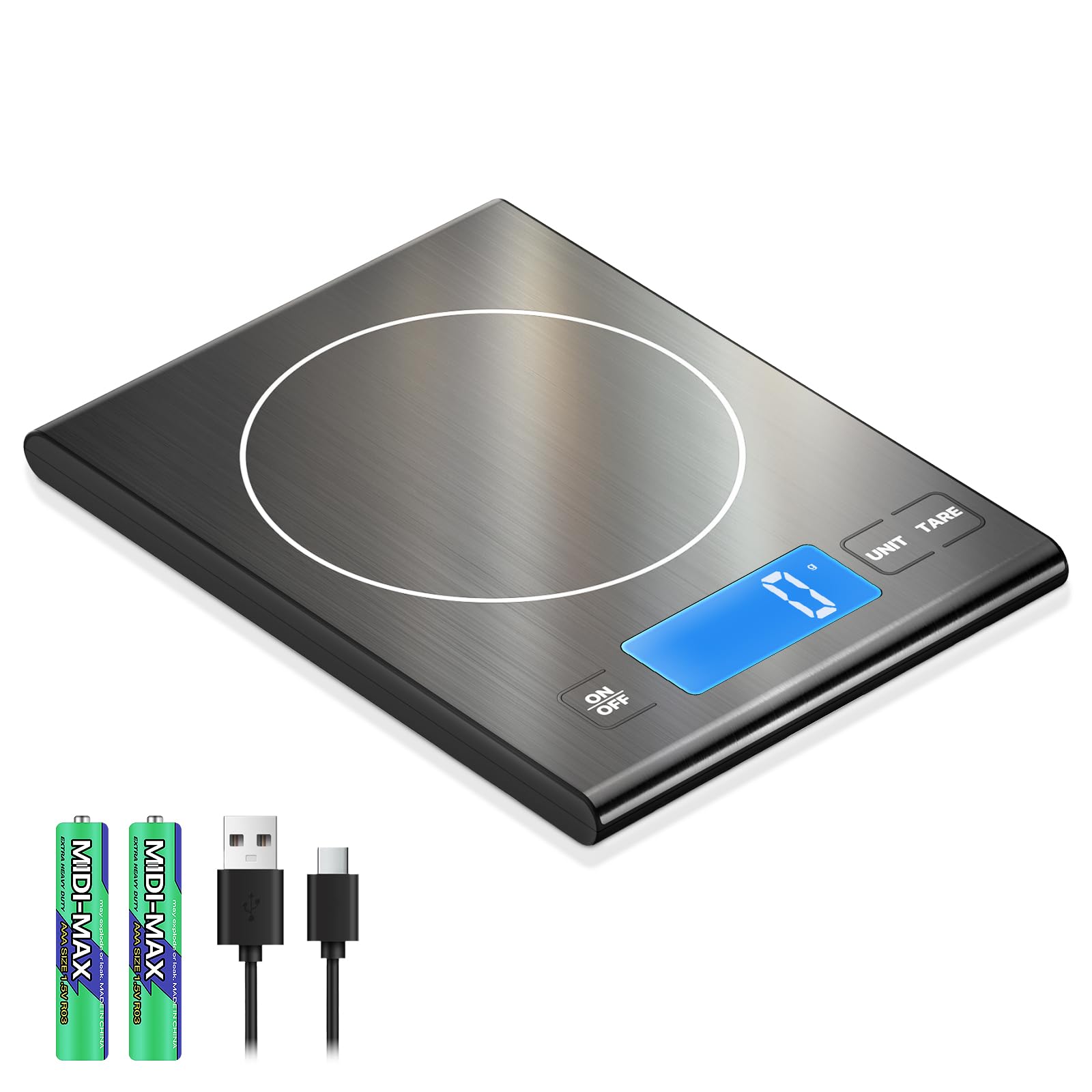
Image: The scale illustrating both battery installation and USB-C charging options.
- Placement: Place the scale on a clean, hard, and level surface to ensure accurate readings. Avoid soft or uneven surfaces.
Operating Instructions
- Power On/Off: Press the "ON/OFF" button to turn the scale on. The display will show "0" or "0g" when ready. Press and hold the "ON/OFF" button to turn the scale off.
- Weighing Items:
- Ensure the scale displays "0" before placing any item.
- Place the item gently on the center of the weighing platform.
- Read the weight displayed on the LCD screen.

Image: A user weighing apples on the scale, highlighting its user-friendly design.
- Unit Conversion: Press the "UNIT" button repeatedly to cycle through the available measurement units: g (grams), kg (kilograms), lb:oz (pounds:ounces), fl:oz (fluid ounces), ml (milliliters).

Image: The scale displaying a weight, demonstrating its capacity for larger items like a roasted chicken.
- Tare Function: To weigh multiple ingredients in the same container or to subtract the weight of a container:
- Place an empty container on the scale.
- Press the "TARE" button. The display will reset to "0".
- Add your ingredient(s) to the container. The display will show only the weight of the added ingredient(s).
- You can repeat this process for additional ingredients.
Display Information
The scale features a clear backlit LCD display for easy readability.

Image: A comparison showing the larger LCD display of the Diyife scale for improved visibility.
Automatic Shut-off
To conserve battery life, the scale will automatically turn off after approximately 2 minutes of inactivity (no button presses or significant weight changes).
Maintenance and Cleaning
- Cleaning: The 304 stainless steel surface is easy to clean. Wipe the scale with a damp cloth and mild detergent if necessary. Do not immerse the scale in water or use abrasive cleaners.
- Storage: Store the scale in a cool, dry place. Its slim design allows for easy storage in kitchen drawers or on countertops.
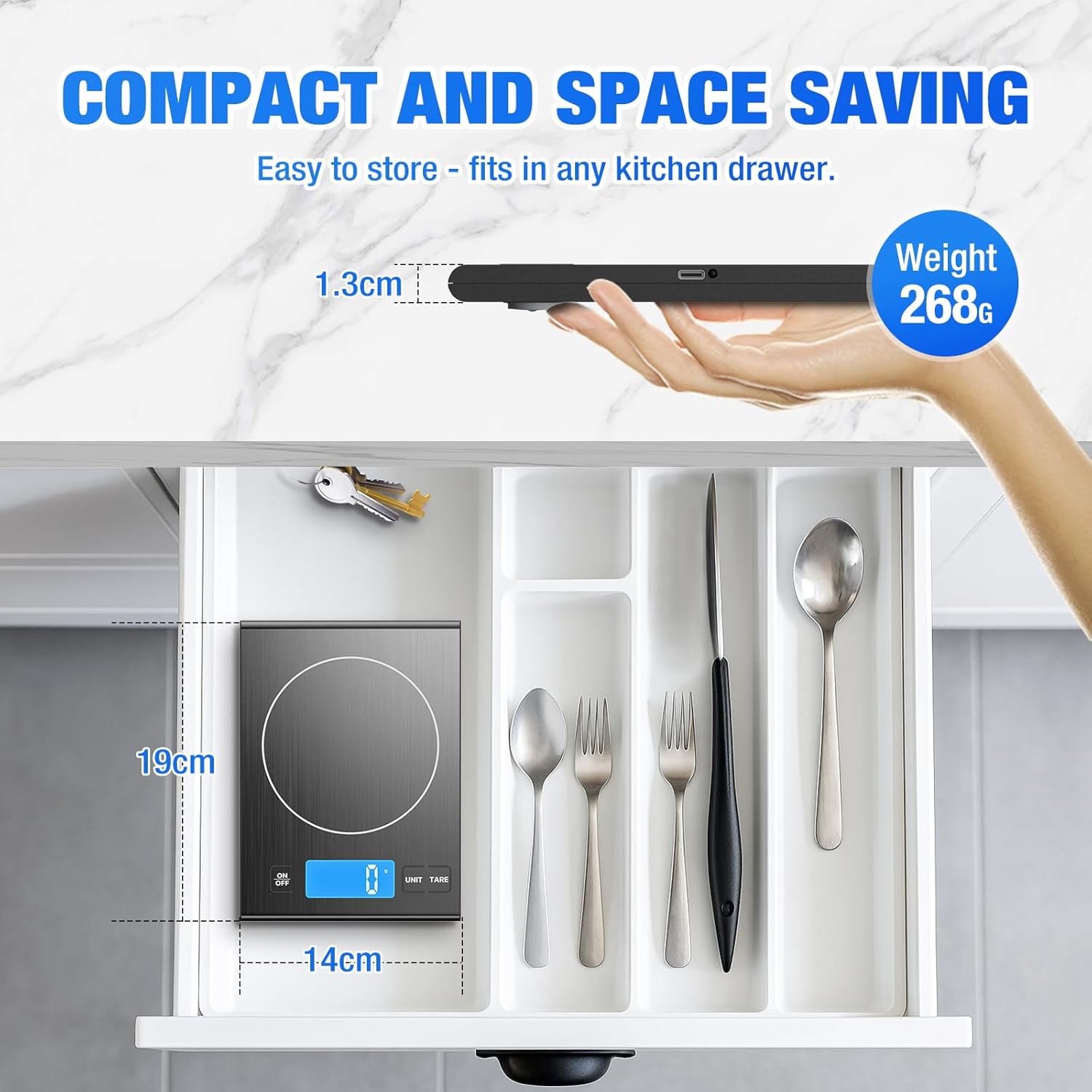
Image: The scale being cleaned, emphasizing its easy-to-maintain stainless steel surface.
Troubleshooting
| Problem | Possible Cause | Solution |
|---|---|---|
| Scale does not turn on | Low battery or no power. | Replace AAA batteries or connect the Type-C USB charging cable. Ensure batteries are inserted with correct polarity. |
| Inaccurate readings | Uneven surface, scale not tared, or item exceeding maximum weight. | Place the scale on a flat, stable surface. Press TARE before weighing. Ensure item weight is within the 15kg (33lb) limit. |
| "Lo" displayed | Low battery power. | Replace AAA batteries or charge the scale via Type-C USB. |
| "O-Ld" displayed | Overload. Item weight exceeds the maximum capacity. | Remove the item immediately to prevent damage. Do not exceed 15kg (33lb). |
Specifications
- Model: Diyife 304 Stainless Steel Digital Kitchen Scale
- Material: 304 Food Grade Stainless Steel
- Weight Capacity: 3g - 15kg (0.1oz - 33lb)
- Accuracy: 1g / 0.1oz
- Units: g, kg, lb:oz, fl:oz, ml
- Display: Backlit LCD (5.5 x 2.3 cm)
- Power Source: 2 x AAA Batteries (included) or Type-C USB Charging
- Auto-Off: 2 minutes
- Item Weight: Approximately 9.5 ounces (268g)
- Dimensions: Approximately 7.48 x 5.51 x 0.51 inches (19 x 14 x 1.3 cm)
Safety Information
- Do not place the scale near heat sources or in direct sunlight.
- Avoid exposing the scale to extreme temperatures or humidity.
- Do not drop or subject the scale to strong impacts.
- Keep out of reach of children.
- If using batteries, ensure they are inserted correctly and dispose of used batteries responsibly.
- Do not attempt to disassemble or repair the scale yourself. Contact customer support if issues arise.