
1. Introduction
Thank you for choosing the Findtime HSM9065 Men's Sports Watch. This digital watch is designed to be your reliable fitness companion, offering essential tracking features without the need for a smartphone connection. It combines durability with comfort, making it suitable for daily wear and various sports activities. This manual will guide you through the setup, operation, and maintenance of your new watch.
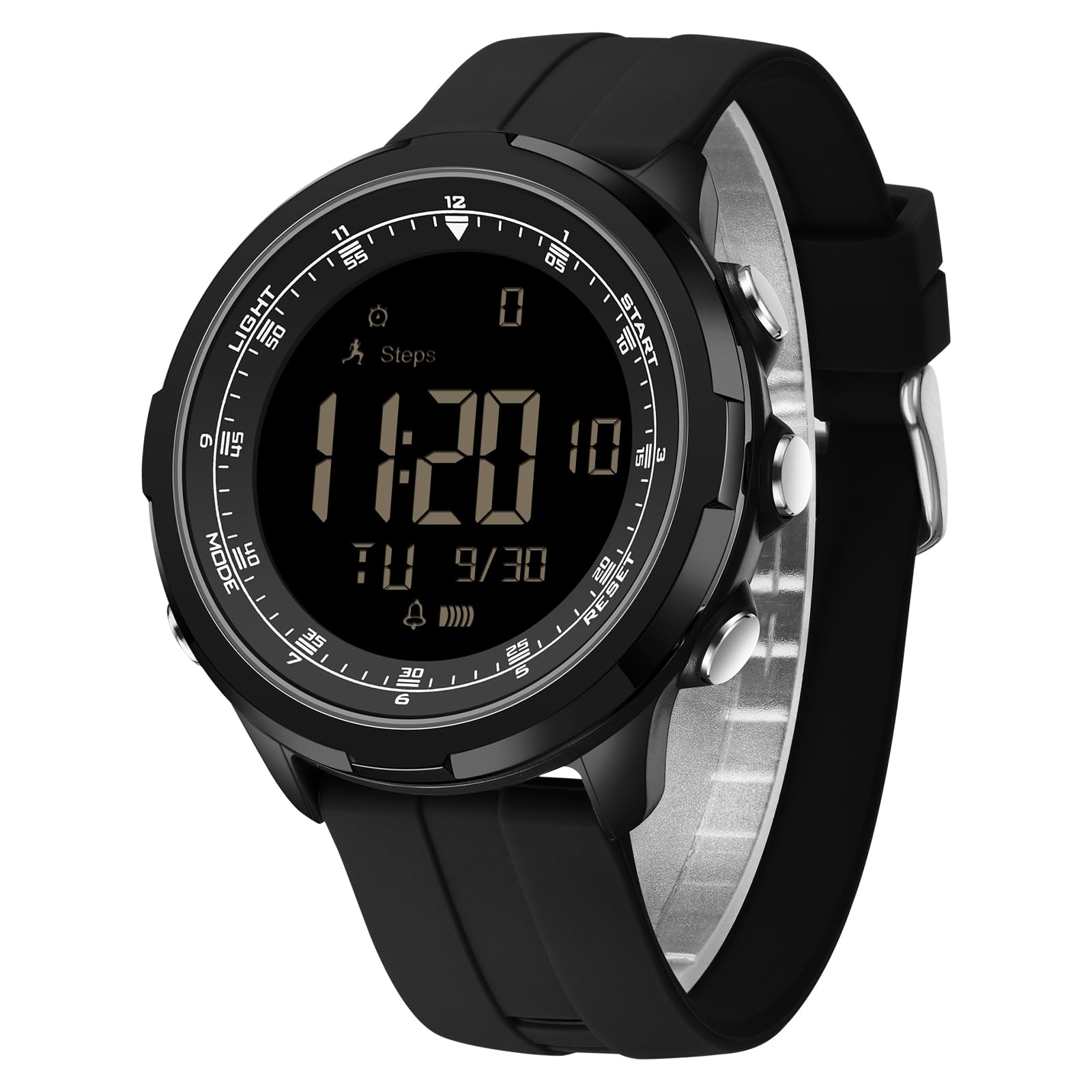
Figure 1.1: Overview of the Findtime HSM9065 Sports Watch displaying its core functions like time, step counting, and stopwatch.
2. Setup
2.1 Button Functions
The watch features several buttons for navigation and setting adjustments:
- LIGHT Button: Activates the LED backlight.
- MODE Button: Cycles through different modes (Time, Pedometer, Stopwatch, Alarm).
- START Button: Used to start/stop functions or increase values during setting.
- RESET Button: Used to reset functions or decrease values during setting.
2.2 Setting Time and Date
- From the Time Display mode, press the MODE button repeatedly until the time setting interface appears (usually indicated by flashing digits).
- Use the START or RESET buttons to adjust the flashing digit (hours, minutes, seconds).
- Press the MODE button to move to the next setting (e.g., from hours to minutes, then to date, month, year).
- Once all settings are adjusted, press the MODE button to exit the setting mode.
2.3 12/24 Hour Format
During time setting, you can toggle between 12-hour (AM/PM) and 24-hour formats using the START or RESET button when the hour digit is flashing.
3. Operating Instructions
3.1 Pedometer (Step Counter)
The watch automatically tracks your steps. To view your current step count:
- Press the MODE button until the Pedometer mode is displayed. The screen will show your total steps.
- To reset the step count for a new day or activity, press and hold the RESET button while in Pedometer mode until the count clears.

Figure 3.1: The watch displaying current total steps and distance, providing a clear overview of your daily activity.
3.2 Calorie Counter and Exercise Distance
The watch estimates calories burned and exercise distance based on your steps. To view these metrics:
- While in Pedometer mode, press the START button to cycle through steps, calories burned, and exercise distance.

Figure 3.2: The watch's display indicating various fitness functions, including a step gauge and calorie tracking, useful for monitoring daily activities like running.
3.3 Stopwatch Function
To use the stopwatch:
- Press the MODE button until the Stopwatch mode is displayed (usually indicated by '00:00:00').
- Press the START button to begin timing.
- Press the START button again to pause timing.
- Press the RESET button to clear the stopwatch to zero.
- To resume timing after pausing, press the START button.
3.4 LED Backlight
To illuminate the display in low-light conditions:
- Press the LIGHT button. The display will light up for a few seconds.

Figure 3.3: The watch's luminous display with the LED backlight activated, ensuring readability in dark environments.
3.5 Water Resistance (5ATM)
Your Findtime HSM9065 watch is rated 5ATM water resistant. This means it is suitable for:
- Splashes from hand washing.
- Rain exposure.
- Sweat during workouts.
Important Limitations: The watch is NOT suitable for:
- Saltwater or sea swimming.
- Scuba diving.
- Hot showers or saunas.
- Prolonged immersion in water.
Exposure to hot water or steam can compromise the watch's seals. Ensure the watch is not operated underwater.

Figure 3.4: Visual representation of the watch's 5ATM water resistance, highlighting its suitability for splashes and sweat, but not for swimming or hot water activities.
4. Maintenance
4.1 Cleaning Your Watch
To keep your watch in good condition:
- Wipe the watch case and strap regularly with a soft, damp cloth.
- Avoid using harsh chemicals, solvents, or abrasive cleaners, as these can damage the watch's finish and seals.
- For the silicone strap, mild soap and water can be used, ensuring it is thoroughly rinsed and dried afterward.
4.2 Battery Replacement
The watch uses a Lithium Polymer battery. When the display dims or functions become erratic, it may be time for a battery replacement. It is recommended to have the battery replaced by a qualified watch technician to ensure the water resistance seal is properly maintained.
4.3 Storage
When not in use for extended periods, store your watch in a cool, dry place away from direct sunlight and extreme temperatures.
5. Troubleshooting
If you encounter issues with your Findtime HSM9065 watch, please refer to the following common problems and solutions:
| Problem | Possible Cause | Solution |
|---|---|---|
| Display is blank or dim. | Low battery. | Replace the battery (refer to Section 4.2). |
| Time is incorrect. | Time needs to be set or reset. | Adjust the time and date (refer to Section 2.2). |
| Pedometer not counting steps accurately. | Watch movement not consistent with walking, or settings need adjustment. | Ensure the watch is worn securely. Reset the pedometer if necessary. The watch does not require phone connection for basic tracking, but personal parameters (height/weight) are not configurable on this model, so step/calorie accuracy is an estimate. |
| Water appears inside the watch. | Exposure to conditions beyond 5ATM rating (e.g., hot shower, swimming). | Immediately take the watch to a qualified technician for inspection and repair. Do not attempt to dry it yourself. |
If the problem persists after trying these solutions, please contact customer support.
6. Specifications
| Feature | Detail |
|---|---|
| Brand | Findtime |
| Model Number | HSM9065 |
| Display Type | Digital |
| Movement | Quartz |
| Case Shape | Round |
| Case Dimensions | 52mm (width) x 50mm (height) |
| Case Thickness | 16mm |
| Strap Material | Soft Silicone |
| Strap Width | 24mm |
| Suitable Wrist Circumference | 140mm - 230mm |
| Mirror Material | Thick Acrylic |
| Water Resistance | 5 ATM (Rain, Sweat, Hand Washing) |
| Special Features | Pedometer, Calorie Counter, Exercise Distance, Sleep Tracker, Time Display (12/24h), LED Backlight, Alarm |
| Battery Type | Lithium Polymer |
| Color | Black |
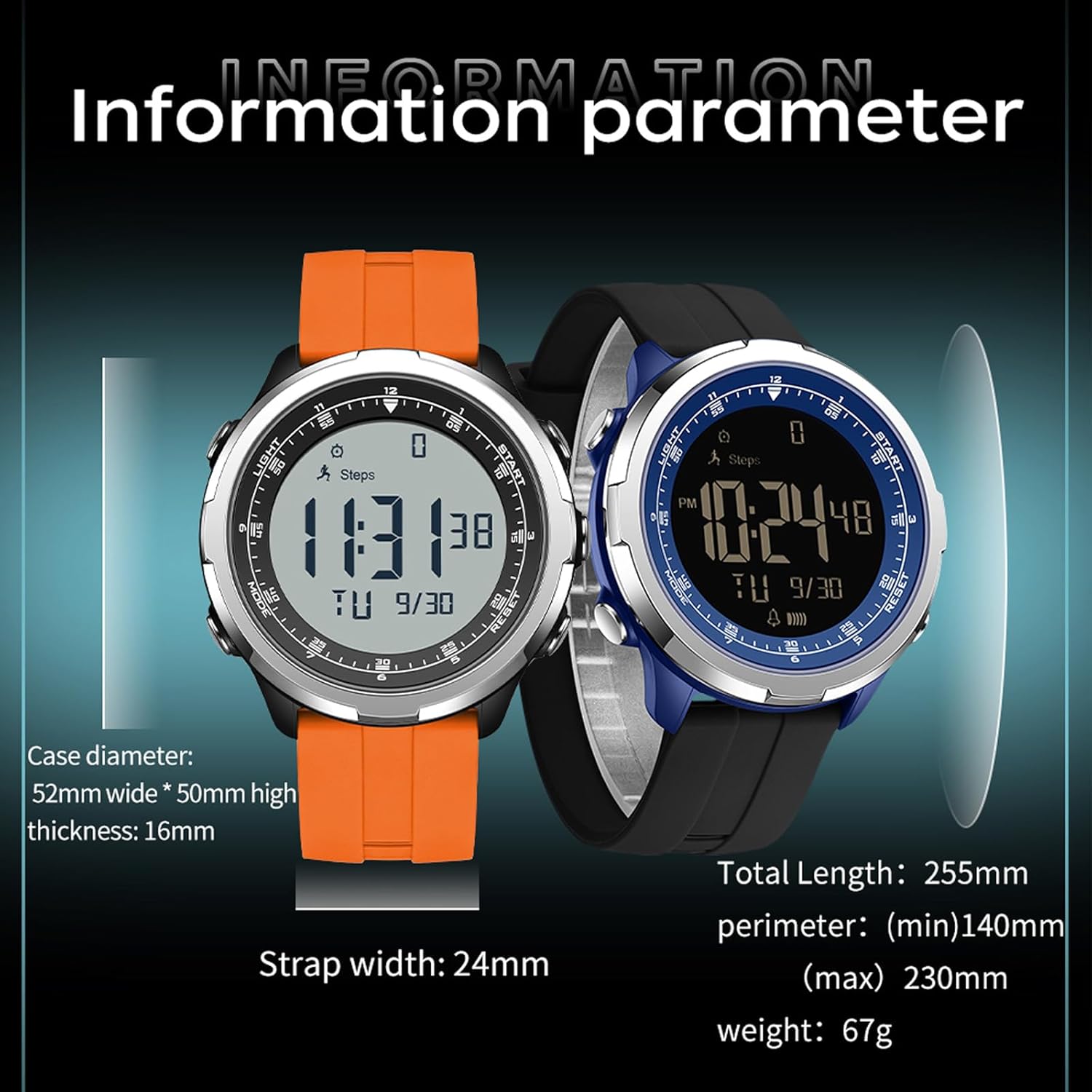
Figure 6.1: Detailed dimensions of the Findtime HSM9065 watch, including case diameter, thickness, strap width, and suitable wrist perimeter.
7. Warranty and Support
7.1 Warranty Information
Your Findtime HSM9065 Sports Watch is covered by a standard manufacturer's warranty against defects in materials and workmanship. Please retain your proof of purchase for warranty claims. The warranty does not cover damage caused by improper use, accidents, unauthorized repairs, or exposure to conditions beyond the specified water resistance limits.
7.2 Customer Support
For further assistance, technical support, or warranty inquiries, please contact your retailer or visit the official Findtime website. Please have your model number (HSM9065) and purchase details ready when contacting support.