
1. Product Overview
The kensen 7D Rotary Head Shaver FK-1699 is designed for efficient and comfortable shaving of the head and face. It features a 7D floating head system, two-speed settings, IPX6 waterproofing for wet and dry use, and a convenient LED display with Type-C charging.

Image: Overview of the kensen 7D Rotary Head Shaver FK-1699, showcasing its ergonomic design and multiple rotary blades.
Key Features:
- 7D Floating Head System: Seven independent floating heads adapt to facial and head contours for a close shave.
- Two-Speed Adjustment: Choose between 6600 RPM for sensitive skin or 7000 RPM for a faster, more thorough shave.
- IPX6 Waterproof: Suitable for both wet and dry shaving, and easy to clean under running water.
- LED Display: Shows battery level numerically and indicates lock status.
- Type-C Charging: Convenient and fast charging.
- Travel Lock: Prevents accidental activation during transport.
2. Safety Information
Please read all safety instructions before using the kensen 7D Rotary Head Shaver FK-1699 to ensure safe operation and prevent damage.
- This product is IPX6 waterproof, meaning it is protected against powerful water jets. However, do not immerse the shaver in water or any other liquids.
- After using alkaline products such as soap water, shaving foam, or shampoo, immediately disassemble the shaver head and rinse it thoroughly with water. Failure to do so may cause corrosion and peeling of the shaver's plating.
- Only use the dedicated USB-C charging cable provided with the product. Apple power adapters and PD protocol charging adapters are not compatible and should not be used for charging this device.
- Keep the device out of reach of children.
- Do not use the shaver if the blades are damaged, as this may cause skin irritation or injury.
3. Setup and Charging
3.1 Unpacking
Carefully remove all components from the packaging. Ensure the following items are present:
- kensen 7D Rotary Head Shaver
- USB-C Charging Cable
- Cleaning Brush
- Instruction Manual
3.2 Initial Charge
Before first use, fully charge the shaver. A full charge takes approximately 2 hours and provides up to 90 minutes of cordless use.
- Connect the provided USB-C charging cable to the shaver's charging port.
- Plug the other end of the USB-C cable into a compatible USB power adapter (not included) or a computer's USB port.
- The LED display will show the charging progress. Once fully charged, the display will indicate 100%.
Note: Only use the dedicated USB-C cable provided. Do not use Apple power adapters or PD protocol charging adapters.

Image: The kensen shaver connected to a Type-C charging cable, illustrating the charging process.

Image: The shaver's LED display showing battery percentage and the Type-C charging port, highlighting 90 minutes of cordless use after 2 hours of charging.
4. Operating Instructions
4.1 Power On/Off and Speed Adjustment
- To turn on the shaver, press the power button. It will start in the default speed mode.
- To switch between the two-speed modes (6600 RPM and 7000 RPM), press the power button again while the shaver is on. The LED display will indicate the current speed.
- To turn off the shaver, press and hold the power button for a few seconds.
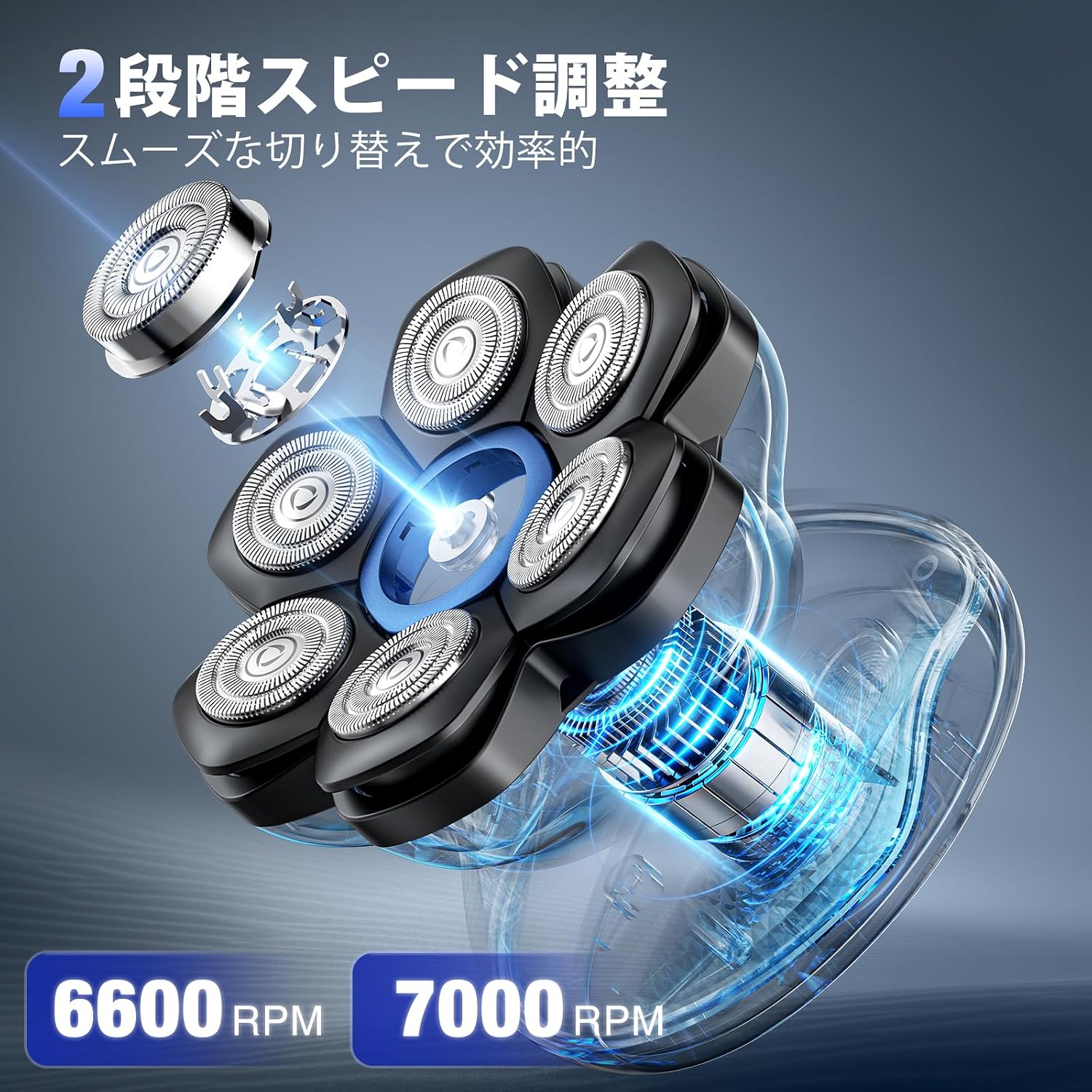
Image: Illustration of the shaver's two-speed adjustment feature, showing 6600 RPM and 7000 RPM options for different shaving needs.
4.2 Shaving Techniques
The 7D floating head system is designed to adapt to your contours for an effective shave.
- For Head Shaving: Gently press the shaver against your scalp and move it in circular motions. The flexible heads will follow the curves of your head.
- For Beard Shaving: Use similar circular motions on your face and neck. The shaver can be used for both dry and wet shaving.
Note: This shaver is designed to leave 0.1-0.3mm of hair for a comfortable shave, not a completely bare finish. Please consider this before use.

Image: Demonstrates the shaver's versatility for both head shaving and beard shaving, highlighting its 2-in-1 functionality.
4.3 Dry and Wet Shaving
- Dry Shaving: For a quick and convenient shave, use the shaver on dry skin.
- Wet Shaving: For a smoother experience, you can use the shaver with water, shaving gel, or foam. Ensure to follow the cleaning instructions immediately after wet shaving with alkaline products.

Image: A man shaving his head in the shower, illustrating the IPX6 waterproof capability for wet use.

Image: The shaver partially submerged in water, visually confirming its IPX6 waterproof rating.
4.4 Travel Lock Function
To prevent accidental activation during travel, the shaver is equipped with a travel lock.
- To activate the travel lock, press and hold the power button for 3 seconds. The LED display will show a lock icon.
- To deactivate the travel lock, press and hold the power button for 3 seconds again. The lock icon will disappear.
5. Maintenance and Cleaning
5.1 Cleaning the Shaver Head
Regular cleaning ensures optimal performance and hygiene.
- Turn off the shaver before cleaning.
- The shaver head is magnetically attached. Gently pull the head upwards to detach it from the main body.
- Rinse the detached shaver head under running water to remove hair clippings and residue.
- Use the provided cleaning brush to remove any stubborn hair from the blades and inside the shaver head.
- Allow the shaver head to air dry completely before reattaching it to the shaver body.
- To reattach, align the magnetic head with the shaver body and gently press until it clicks into place.
Important: If using soap, shaving foam, or shampoo, clean the head immediately after use to prevent corrosion of the plating.

Image: The shaver head detached from the body, illustrating the magnetic attachment for quick removal and cleaning.
5.2 General Care
- Store the shaver in a dry place when not in use.
- Avoid dropping the shaver or subjecting it to strong impacts.
- Do not use abrasive cleaners or solvents on the shaver body.
6. Troubleshooting
| Problem | Possible Cause | Solution |
|---|---|---|
| Shaver does not turn on. | Battery is depleted. | Charge the shaver fully using the provided USB-C cable. |
| Shaver is not charging. | Incorrect charging cable or adapter used. Defective charging cable or shaver. | Ensure you are using the dedicated USB-C cable provided. Do not use Apple or PD protocol adapters. If the issue persists, contact customer support. |
| Reduced shaving performance. | Shaver head is dirty or clogged with hair. Blades are dull. | Clean the shaver head thoroughly. Consider replacing the shaver head if blades are dull (replacement heads sold separately). |
| Shaver pulls hair or causes irritation. | Hair is too long. Blades are dull. Incorrect shaving technique. | Trim longer hair before shaving. Clean or replace blades. Ensure gentle circular motions. |
7. Specifications
| Feature | Detail |
|---|---|
| Model Number | FK-1699 |
| Brand | kensen |
| Head Type | 7D Rotary Floating Head |
| Blade Material | Stainless Steel |
| Speed Settings | 2 levels (6600 RPM, 7000 RPM) |
| Waterproof Rating | IPX6 (Splash-proof, not for immersion) |
| Power Source | Rechargeable Lithium-ion Battery |
| Charging Type | USB Type-C |
| Charging Time | Approx. 2 hours |
| Operating Time | Up to 90 minutes (cordless) |
| Display | LED (Battery level, lock status) |
| Color | Black |
| Dimensions (Package) | 14.5 x 12.2 x 8.5 cm |
| Weight (Package) | 470 g |
| Country of Origin | China |
8. Warranty and Support
For warranty information and customer support, please refer to the details provided at the point of purchase or contact the retailer directly. If you experience issues such as inability to charge even with the provided USB-C cable, it may indicate a defective product. In such cases, please reach out to the retailer or kensen official support channels for assistance.
Please retain your proof of purchase for warranty claims.


