
Introduction
Thank you for choosing the SUNITEC BC920C Hands-Free Bluetooth Car Speaker. This device is designed to provide clear, hands-free communication and music streaming in your vehicle, enhancing safety and convenience. This manual will guide you through the setup, operation, and maintenance of your new speaker.
What's in the Box
- 1 x BC920C Bluetooth Car Speaker Phone
- 1 x Car charger
- 1 x Type C charging cord
- 1 x User Guide

Image: The SUNITEC BC920C Bluetooth Car Speaker, car charger, Type C charging cord, and user guide laid out next to the product box.
Product Overview
Familiarize yourself with the main components and controls of your SUNITEC BC920C speaker:

Image: Top-down view of the SUNITEC BC920C speaker, highlighting the control buttons and speaker grille.
- Volume Down Button (-): Press to decrease volume.
- Multi-Function Button (MFB) / Call Button (Green Phone Icon): Press to answer/end calls, play/pause music. Long press to activate voice assistant.
- Volume Up Button (+): Press to increase volume.
- Voice Assistant Button (Microphone Icon): Press to activate Siri or Google Assistant.
- Speaker Grille: Audio output.
- Charging Port (Side): USB Type-C port for charging.
- Visor Clip (Back): For attaching the device to your car's sun visor.
Setup Guide
1. Charging the Device
Before first use, fully charge your SUNITEC BC920C speaker. Connect the provided Type-C charging cord to the speaker's charging port and the other end to the car charger or any compatible USB power source. A full charge typically takes approximately 2 hours.
The device features a long-lasting battery, offering up to 22 hours of talk time and 1000 hours of standby time on a single charge.
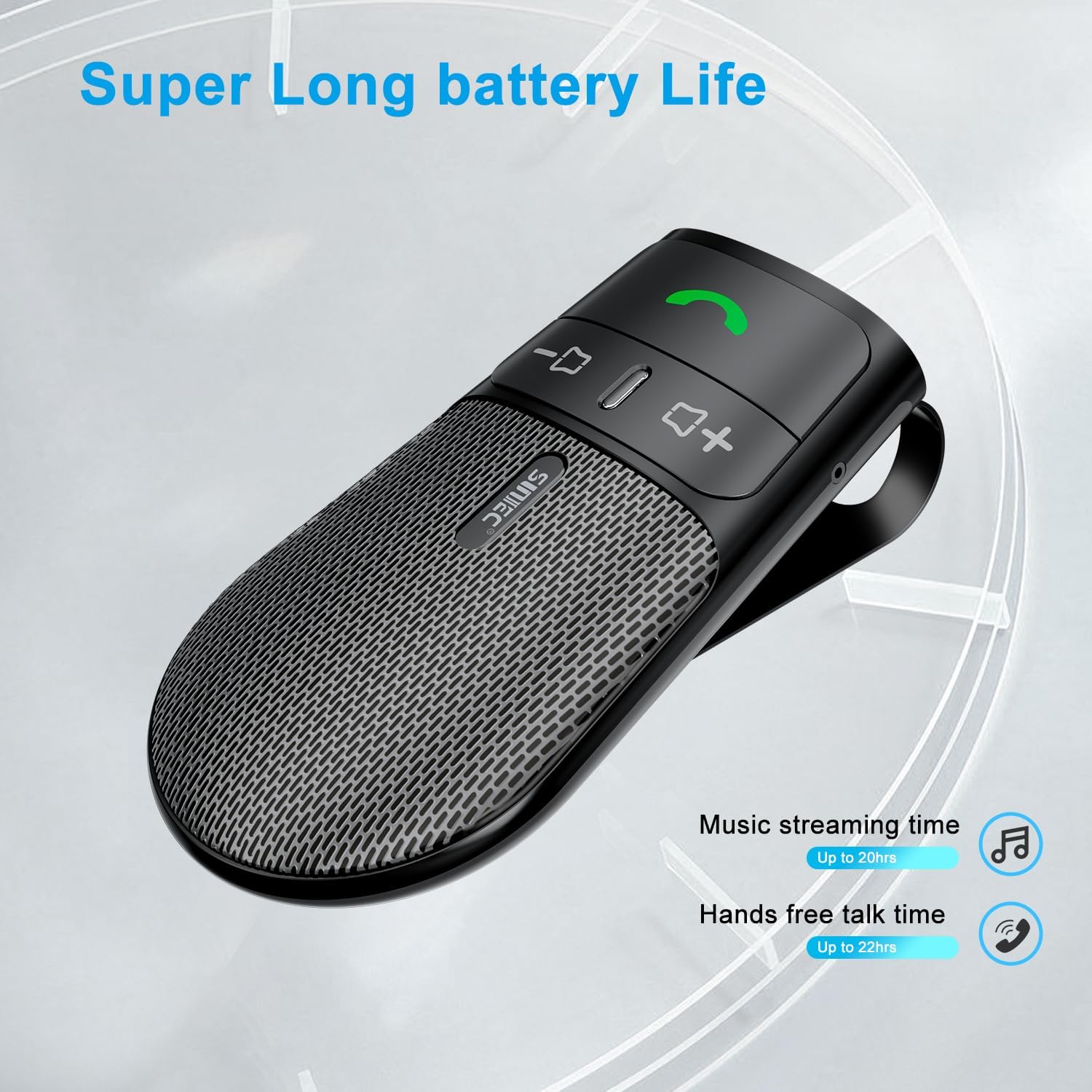
Image: The SUNITEC BC920C speaker with indicators for music streaming time (up to 20 hours) and hands-free talk time (up to 22 hours).
2. Mounting the Speaker
Attach the SUNITEC BC920C to your car's sun visor using the integrated clip. Ensure it is securely fastened and does not obstruct your view while driving.

Image: The SUNITEC BC920C speaker clipped onto a car's sun visor, positioned for optimal sound and microphone pickup.
3. Bluetooth Pairing
- Ensure the speaker is charged and powered on.
- On your mobile phone, navigate to the Bluetooth settings.
- Search for available devices. The speaker will appear as "BC920C".
- Select "BC920C" to pair. Once paired, you will hear a voice confirmation, and the indicator light on the speaker will change.
- The device supports Bluetooth V5.3 for stable performance.

Image: Two smartphones showing successful Bluetooth connections, demonstrating the dual connection capability of the speaker.
Operating Instructions
1. Automatic Power On/Off
The SUNITEC BC920C features a built-in vibration sensor for automatic power management. Once paired, the speaker will:
- Auto Power On: Automatically power on and reconnect to your phone when it detects car door opening or vibration.
- Auto Sleep/Off: Automatically enter sleep mode or power off if it's out of Bluetooth range (approx. 10 meters) or if Bluetooth is disabled on your phone.

Image: A hand opening a car door, illustrating the speaker's automatic power-on function triggered by car vibration.
2. Making and Receiving Calls
- Answer Call: Press the Multi-Function Button (MFB) once.
- End Call: Press the MFB once during a call.
- Reject Call: Long press the MFB for 2 seconds.
- Redial Last Number: Double-press the MFB.
- Adjust Volume: Use the Volume Up (+) and Volume Down (-) buttons.
3. Voice Assistant (Siri/Google Assistant)
Activate your phone's voice assistant (Siri or Google Assistant) directly from the speaker:
- Activate: Press the Voice Assistant Button (microphone icon) once.
- You can then use voice commands for dialing, sending texts, or getting directions, allowing you to focus on driving.

Image: Screenshots of Siri and Google Assistant on smartphones, indicating support for voice commands through the speaker.
4. Music Playback
- Play/Pause: Press the Multi-Function Button (MFB) once.
- Adjust Volume: Use the Volume Up (+) and Volume Down (-) buttons.
5. Dual Connection
The SUNITEC BC920C supports connecting to two mobile phones simultaneously. This allows you to manage calls from either phone without needing to disconnect and reconnect.
Product Demonstration Video
Watch this official video for a visual guide on how to use your SUNITEC BC920C Bluetooth Car Speaker:
Video: A demonstration of the SUNITEC BC920C Bluetooth Car Speaker's features and usage, including pairing and hands-free calling.
Maintenance
- Keep the device dry. Avoid exposure to moisture or liquids.
- Clean the device with a soft, dry cloth. Do not use harsh chemicals or abrasive cleaners.
- Store the device in a cool, dry place when not in use for extended periods.
- Do not attempt to disassemble or repair the device yourself. This will void the warranty.
Troubleshooting
| Problem | Possible Solution |
|---|---|
| Device does not power on. | Ensure the device is fully charged. Connect it to a power source using the provided Type-C cable and car charger. |
| Cannot pair with phone. |
|
| Poor audio quality / Echo. |
|
| Auto Power On/Off not working. |
|
Specifications
| Feature | Detail |
|---|---|
| Model Name | Hands Free Bluetooth Car speaker (BC920C) |
| Brand | SUNITEC |
| Connectivity Technology | Bluetooth V5.3 |
| Power Source | Battery Powered (3.7V, 5.55 Wh Lithium-ion) |
| Material | Acrylonitrile Butadiene Styrene (ABS) |
| Color | Black |
| Mounting Type | Clip on sun visor |
| Special Features | Automatic On/Off, Siri/Google Voice Assistant Support, Built-In Microphone, Hands-Free Calls |
| Talk Time | Up to 22 hours |
| Standby Time | Up to 1000 hours |
| Charging Time | Approximately 2 hours |
| Audio Output Mode | Stereo |
| Compatible Devices | Smartphones (iOS and Android) |
| Control Method | Push Button, Voice |
Warranty Information
The SUNITEC BC920C Hands-Free Bluetooth Car Speaker comes with a 12-month warranty from the date of purchase. This warranty covers manufacturing defects and workmanship under normal use. It does not cover damage caused by misuse, accidents, unauthorized modifications, or improper maintenance.
Please retain your proof of purchase for warranty claims.
Customer Support
For any questions, technical assistance, or warranty claims, please contact SUNITEC customer support through the retailer where you purchased the product or visit the official SUNITEC store on Amazon: