
Introduction
Thank you for choosing the zhizhi Smart Watch S81. This device is designed to enhance your daily life by providing comprehensive health monitoring, fitness tracking, and smart notifications. Please read this manual carefully to understand the watch's features and ensure proper operation and maintenance.
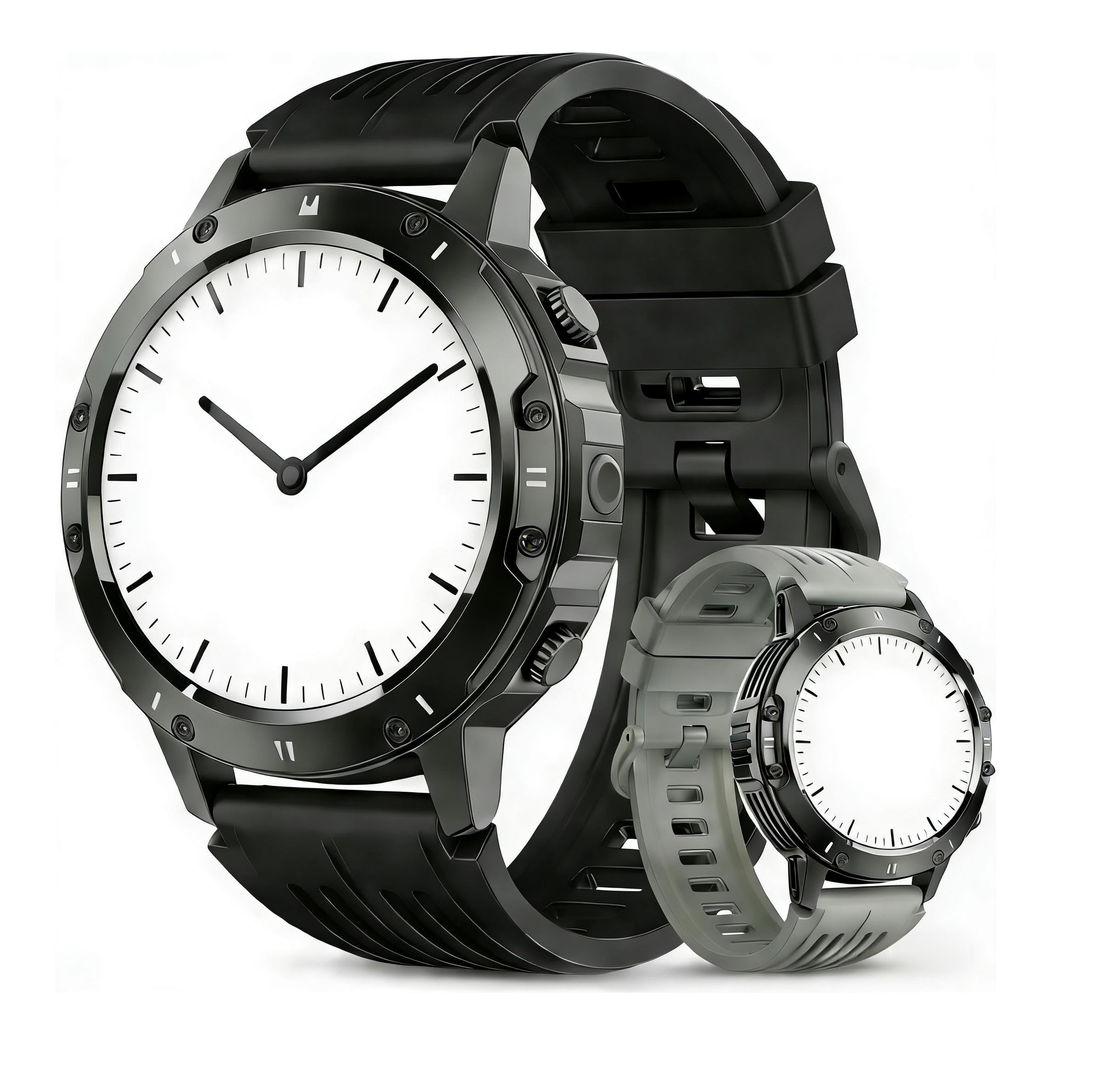
Image: The zhizhi Smart Watch S81, showcasing its sleek design and digital display.
Package Contents
- zhizhi Smart Watch S81 (with strap)
- Magnetic Charging Cable
- User Manual
Setup
1. Charging the Device
- Connect the magnetic charging cable to the charging contacts on the back of the watch.
- Plug the USB end of the cable into a standard USB power adapter (5V/1A recommended) or a computer's USB port.
- The watch display will show a charging indicator. Allow approximately 2 hours for a full charge.
- A full charge typically provides up to one week of usage, depending on feature usage.
2. App Installation
To unlock all features and synchronize data, download the companion app on your smartphone. Search for the app name (refer to the watch screen or packaging for the specific app name) in the Apple App Store (for iOS) or Google Play Store (for Android).
3. Pairing with Your Smartphone
- Ensure your watch is charged and powered on.
- Enable Bluetooth on your smartphone.
- Open the installed companion app on your smartphone.
- Follow the in-app instructions to search for and connect to your zhizhi Smart Watch S81. The watch's Bluetooth name will typically be "S81" or similar.
- Confirm the pairing request on both your phone and the watch if prompted.
Operating Instructions
1. Basic Navigation
- Touchscreen: Swipe left/right, up/down to navigate through menus and features. Tap to select an option.
- Side Button: Press to return to the previous screen or the watch face. A long press may power the device on/off or access a quick menu.
2. Key Features
- Fitness Tracking: The watch automatically tracks steps, distance, and calories burned throughout the day. View your progress on the watch or in the companion app.
- Heart Rate Monitoring: Access the heart rate function on the watch to measure your current heart rate. The watch can also monitor heart rate continuously.
- Blood Pressure Monitoring: Use the dedicated blood pressure function to take a reading. Ensure the watch is worn snugly on your wrist for accurate results.
- Sleep Tracking: Wear the watch to bed to monitor your sleep patterns, including deep sleep, light sleep, and wake times. Data is synchronized to the app.
- Call and Message Notifications: Once paired, the watch will display incoming call alerts and messages from your smartphone. You can answer or reject calls directly from the watch.
- Sport Modes: Select from various sport modes (e.g., running, strength training) to track specific workout data, including duration, distance, and calories.
Maintenance
1. Cleaning
- Wipe the watch screen and strap regularly with a soft, damp cloth.
- Avoid using harsh chemicals or abrasive materials, as these can damage the device.
- Ensure the charging contacts are clean and dry before charging.
2. Water Resistance
The zhizhi Smart Watch S81 is water-resistant, suitable for daily use such as hand washing, rain, and showering. It is not recommended for swimming, diving, or prolonged submersion in water. Avoid exposure to hot water or steam.
3. Battery Care
- Charge the watch regularly to maintain battery health.
- Avoid completely draining the battery frequently.
- Store the watch in a cool, dry place when not in use for extended periods.
Troubleshooting
- Watch not turning on: Ensure the watch is fully charged. Connect it to the charger and wait a few minutes before attempting to power it on.
- Unable to pair with phone: Check that Bluetooth is enabled on your phone and the watch. Ensure the watch is within range. Restart both the watch and your phone, then try pairing again through the app.
- Inaccurate health data: Ensure the watch is worn snugly on your wrist, not too loose or too tight. Clean the sensor on the back of the watch. Avoid excessive movement during measurements.
- Notifications not received: Verify that the watch is successfully paired with your phone. Check app permissions on your phone to ensure the companion app has access to notifications.
- Short battery life: Reduce screen brightness, disable unnecessary features, or limit continuous heart rate monitoring to extend battery life.
Specifications
| Brand | zhizhi |
| Model | S81 |
| Manufacturer | Shenzhen Buzz Tech CO.,LTD |
| Operating System | Android and iOS |
| Display Type | AMOLED |
| Wireless Communication | Bluetooth |
| Battery Type | Lithium Polymer (Rechargeable) |
| Device Interface | Buttons, Touchscreen |
| Item Weight | 100 g |
Warranty and Support
For warranty information and technical support, please refer to the documentation provided with your purchase or contact the retailer. Keep your proof of purchase for any warranty claims.


