
Important Safety Instructions
Read all instructions carefully before using this treadmill. Keep this manual for future reference.
- Placement: Place the treadmill on a flat, stable surface. Ensure adequate clearance around the unit.
- Power: Connect the treadmill to a grounded outlet. Do not use extension cords.
- User Weight: Do not exceed the maximum user weight of 400 lbs (181 kg).
- Children and Pets: Keep children and pets away from the treadmill during operation. The 15-second auto-pause feature helps protect against accidental use.
- Footwear: Always wear appropriate athletic footwear when using the treadmill.
- Emergency Stop: Familiarize yourself with the emergency stop procedure.
- Maintenance: Perform regular maintenance as described in this manual to ensure safe operation.
- Medical Advice: Consult a physician before starting any exercise program.
Package Contents
Verify that all items are present in the package:
- TREADMILL × 1
- REMOTE CONTROL × 1
- WRENCH × 1
- MANUAL & WARRANTY CARD × 1
- Power Cord × 1
Product Overview
The VITALWALK Apollo 11 Max is a commercial-grade walking pad treadmill designed for home and office use, featuring a full-deck design, auto-incline, and space-saving storage.
- Full-Deck Design: Offers a spacious 43"x18" running belt with a hidden motor for a wider stride.
- Auto Incline: 20-level (20%) automatic incline for varied workouts.
- High Capacity: Supports users up to 400 lbs (181 kg) with a heavy-duty double alloy frame.
- Quiet Operation: Operates at a library-quiet 35dB with a mute button for minimal disturbance.
- Space-Saving: Stores vertically in 2.1 sq.ft footprint with 4-wheel mobility.
- Smart Features: Speed-sensing LED lights (Green/Orange/Red), 15-second auto-pause, and Fitshow App connectivity (syncs with Apple Health/Strava).

Image: The VITALWALK Apollo 11 Max Walking Pad Treadmill, showcasing its full-deck design with dimensions of 43 inches in length and 18 inches in width.

Image: A user exercising on the VITALWALK Apollo 11 Max Walking Pad Treadmill, highlighting its 20% auto-incline feature for enhanced workouts.

Image: A user on the VITALWALK Apollo 11 Max Walking Pad Treadmill, demonstrating its robust design and 400 lbs weight capacity.
Setup
- Unpacking: Carefully remove the treadmill from its packaging. Retain packaging materials for potential future transport or returns.
- Placement: Choose a flat, stable, and level surface for the treadmill. Ensure there is at least 2 feet of clear space on all sides and 6 feet behind the treadmill for safety.
- Power Connection: Plug the power cord into a grounded electrical outlet. Ensure the power switch on the treadmill is in the OFF position before plugging it in.
- Initial Inspection: Check the running belt for any signs of damage or misalignment. Ensure all components are securely in place.
Video: Official product video demonstrating the setup and key features of the Vitalwalk Full Deck Walking Pad Treadmill with Auto Incline.
Operating Instructions
Getting Started
- Power On: Flip the main power switch to the ON position. The display will illuminate.
- Remote Control: Use the provided remote control to operate the treadmill. Ensure the remote has fresh batteries.
- Start/Stop: Press the 'Play/Pause' button on the remote to start or stop the treadmill.
Adjusting Speed and Incline
- Speed Adjustment: Use the '+' and '-' buttons on the remote to increase or decrease the speed. The speed range is 0.6 to 5 MPH.
- Incline Adjustment: Use the 'Up' and 'Down' arrow buttons to adjust the auto-incline. The incline can be set up to 20%.
- Mute Function: Press the 'Mute' button to silence beeps during operation, ideal for quiet environments.
Smart Features
- Ambient Lights: The treadmill features 3-color ambient LED lights (Green/Orange/Red) that change based on your speed, providing real-time intensity feedback.
- 15-Second Auto-Pause: For safety, the treadmill will automatically pause if no user is detected on the belt for 15 seconds. This feature can be manually activated by long-pressing both the 'Up' and 'Down' arrow buttons for 5 seconds until the display shows "APA1".
- APP Connectivity: Download the Fitshow App to connect your treadmill via Bluetooth. The app allows you to track calories burned, distance, and engage with virtual worlds. It also syncs with Apple Health and Strava.

Image: A user walking on the VITALWALK Apollo 11 Max Treadmill while working at a standing desk, illustrating its quiet operation and suitability for home office use.

Image: A user exercising on the VITALWALK Apollo 11 Max Treadmill, with a screen displaying fitness app integration for tracking and virtual workouts.
Maintenance
Regular maintenance ensures the longevity and safe operation of your VITALWALK treadmill.
- Cleaning: Wipe down the treadmill with a damp cloth after each use. Avoid using abrasive cleaners.
- Belt Lubrication: Lubricate the running belt every 3 months or after 50 hours of use, whichever comes first. Apply silicone lubricant (not included) under the center of the belt, about 6 inches from the front. Run the treadmill at a low speed for 5 minutes to distribute the lubricant.
- Belt Adjustment: If the running belt becomes misaligned or too loose/tight, refer to the detailed instructions in the included manual for adjustment using the provided wrench.
- Storage: When not in use, the treadmill can be stored vertically to save space. Utilize the built-in 4-wheel mobility for easy transport.
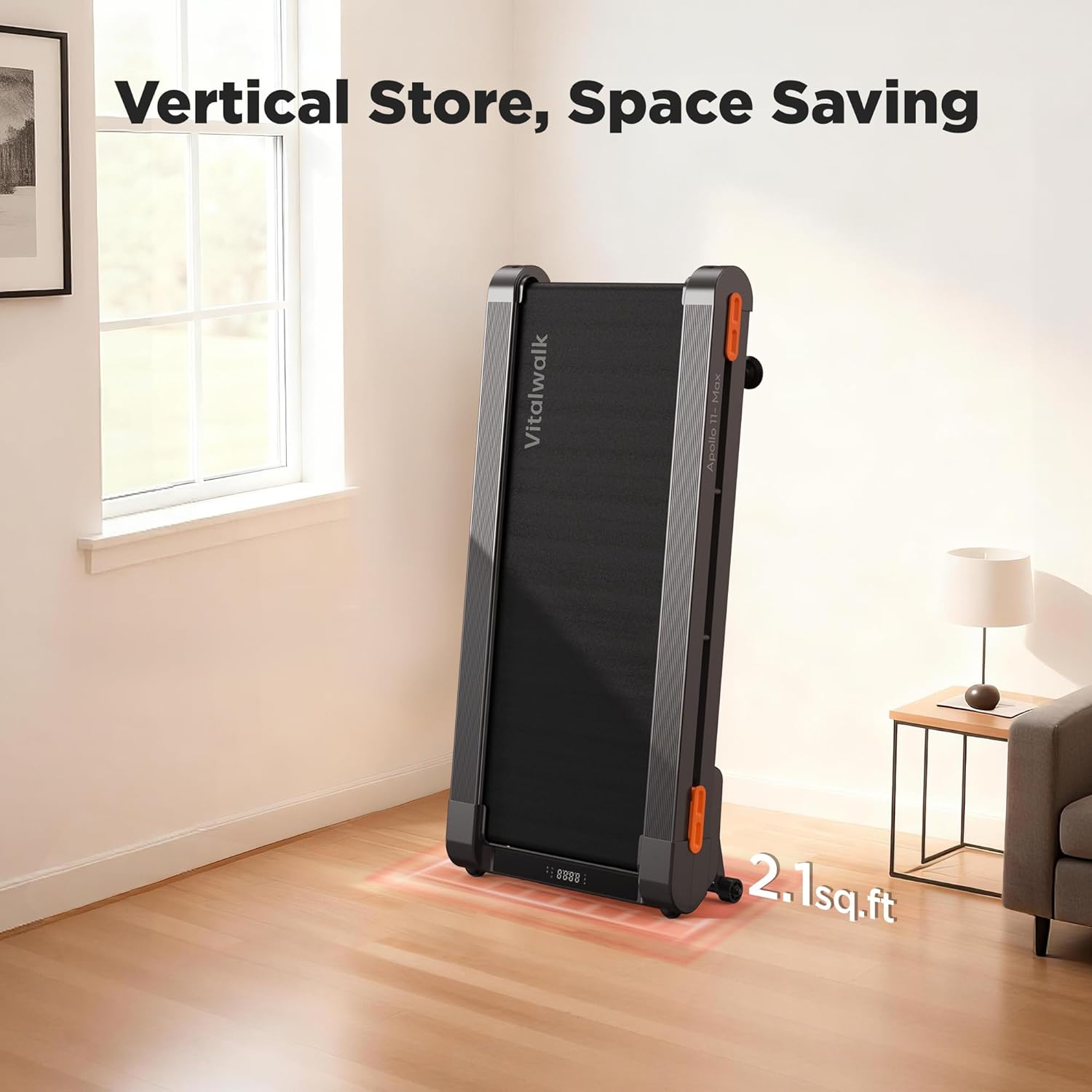
Image: The VITALWALK Apollo 11 Max Walking Pad Treadmill shown in its vertical storage position, demonstrating its space-saving design.
Troubleshooting
If you encounter any issues, refer to the following common problems and solutions:
| Problem | Possible Cause | Solution |
|---|---|---|
| Treadmill does not power on. | Power cord not connected, power switch off, circuit breaker tripped. | Ensure power cord is securely plugged in. Turn power switch ON. Check household circuit breaker. |
| Running belt stops unexpectedly. | 15-second auto-pause activated, safety key dislodged. | Step back onto the belt to resume. Ensure safety key is properly attached. |
| Unusual noise during operation. | Lack of lubrication, loose components, belt misalignment. | Lubricate the running belt. Check for and tighten any loose screws. Adjust belt tension/alignment. |
| Remote control not responding. | Low battery, remote out of range. | Replace remote batteries. Ensure you are within operating range of the treadmill. |
For further assistance, please contact customer support.
Specifications
| Feature | Detail |
|---|---|
| Brand | VITALWALK |
| Model Name | TM11GY / Apollo 11 Max |
| Product Grade | Commercial walking pad treadmill |
| Product Dimensions (LxWxH) | 48"D x 24"W x 7.6"H |
| Item Weight | 74 Pounds |
| Material | Alloy Steel |
| Maximum Speed | 5 Miles per Hour |
| Minimum Speed | 0.6 Miles per Hour |
| Maximum Horsepower | 3.5 Horsepower (Brushless Motor) |
| Maximum Incline Percentage | 20% (20 levels) |
| Maximum Weight Recommendation | 400 Pounds |
| Deck Length | 43 Inches |
| Deck Width | 18 Inches |
| Folded Size | 24 x 7.6 x 48 inches |
| Display Type | LED |
| Connectivity Technology | Bluetooth |
| Metrics Measured | Calories Burned, Distance, Incline, Speed, Time |
| Assembly Required | No |
Warranty and Support
VITALWALK provides comprehensive support for your product:
- Warranty: One-year warranty on the product.
- Frame Warranty: 5 Years of service for the frame.
- Motor Warranty: 2 Years of service for the motor.
- Technical Assistance: Lifetime technical assistance is provided.
- Customer Service: 24/7 customer service is available.
Contacting Support:
If you have any questions or require assistance, please log into your Amazon account, navigate to "Your orders," find the order ID for your VITALWALK treadmill, and click "Contact Seller."