
1. Introduction
This manual provides detailed instructions for the assembly, operation, and maintenance of your ROKR Industrial City Series Oil Pump Jack CGL03 3D puzzle model. This kit allows you to construct a detailed, motorized model of a classic oil pump jack with integrated LED lighting. Please read these instructions carefully before beginning assembly to ensure a smooth and enjoyable building experience.
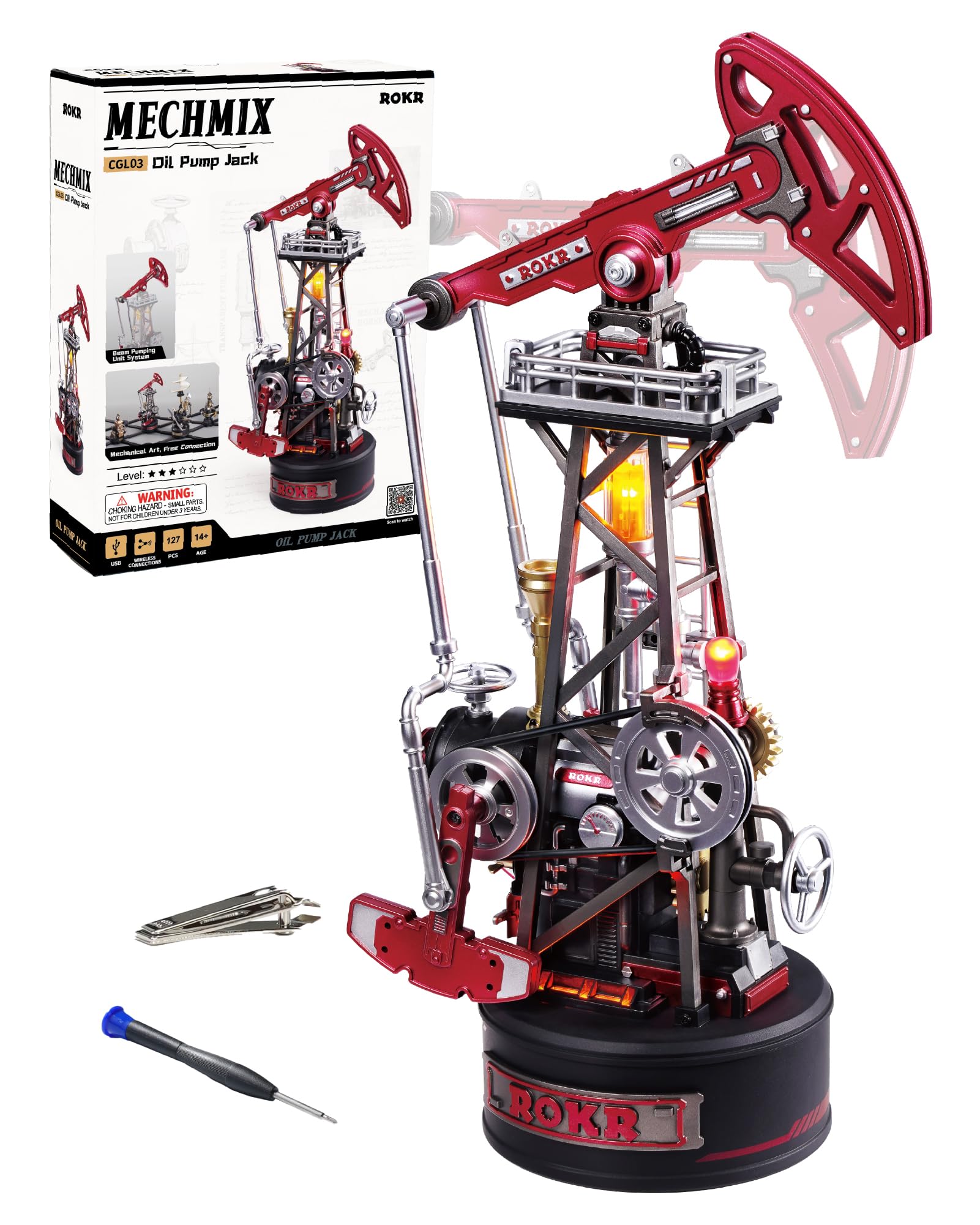
Image 1: Fully assembled ROKR Oil Pump Jack CGL03 model with dimensions (9.5 inches height, 5.3 inches length, 3.1 inches width).
2. Product Overview
The ROKR Oil Pump Jack CGL03 is a sophisticated 3D puzzle model designed for enthusiasts aged 14 and above. It features a motorized mechanism that mimics the real-world operation of an oil pump jack, complete with LED lighting to enhance its display. The model is part of the ROKR Industrial City Series, offering expandability with other sets.
Key Features:
- Dynamic Movement: Features a crank-driven walking beam that realistically simulates oil extraction.
- Motorized Functionality: Equipped with a motor and worm gear transmission for smooth, automatic operation.
- Integrated LED Lighting: Includes a 4-light system with a breathing lamp, oil tank light, boiler light, and base light for a vivid operational scene.
- Modular Design: Part of the ROKR Industrial City Series, allowing connection and expansion with other models.
- Precision Components: Composed of 127 precision-cut plastic components.

Image 2: Close-up of the model highlighting its dynamic features: walking beam, horsehead, linkage, crank, pulley, and engine pistons.
3. Setup and Assembly
Assembly typically takes approximately 3.5 hours. Follow the included illustrated instructions carefully. No glue is required for assembly, as parts are designed for interference fits and secured with small screws.
3.1. Unpacking and Component Check
Carefully unpack all components. Verify that all 127 pieces, including plastic sheets, motor, LED lights, and control board, are present according to the parts list in your instruction booklet. Each plastic sheet is typically labeled with a letter, and individual parts with numbers.
- Included Components: Plastic sheets (pre-cut), motor, LED lights, control board, small screws, screwdriver, clippers, sanding file, wax blocks.
- Note: A USB-C power cable is required but not included in the package.

Image 3: Kit contents including plastic sheets, instruction manual, and assembly tools.
3.2. Assembly Steps
- Prepare Parts: Use the provided clippers to carefully remove parts from the plastic sheets. Use the sanding file or a sharp knife to smooth any burrs.
- Follow Instructions: Refer to the step-by-step diagrams in the included manual. Pay close attention to part orientation and connection points.
- Motor and Wiring: Install the motor and carefully route the LED wiring through the designated channels as instructed. Ensure all connections are secure.
- Gear Lubrication: Apply the supplied lubricant to gears during assembly to ensure smooth operation.
- Secure Connections: Use the small screws and screwdriver to reinforce connections where indicated. Do not overtighten.

Image 4: Example of the assembly process, emphasizing precision and engagement.
4. Operating Instructions
4.1. Power Connection
The ROKR Oil Pump Jack CGL03 is powered via a USB-C connection. Connect a standard USB-C cable (not included) to the port located on the base of the model and to a 5V USB power source (e.g., wall adapter, power bank, computer USB port).

Image 5: USB-C power input on the model's base.
4.2. Activating the Model
Once powered, the model can be activated using the touch switch on its base. The touch switch controls both the motor and the LED lights.
- Single Tap: Activates the motor and lights.
- Second Tap: Turns off the motor, lights remain on.
- Third Tap: Powers off all devices (motor and lights).
- Long Press: Enters single-device control mode for multi-model setups.

Image 6: Control functions for single and multi-model operation.
4.3. LED Lighting System
The model features a 4-light system that illuminates various parts of the oil pump jack, creating a realistic industrial scene.
- Breathing Lamp: Provides a pulsating light effect.
- Oil Tank Light: Illuminates the miniature oil tank.
- Boiler Light: Lights up the boiler section.
- Base Light: Illuminates the model's base.

Image 7: Illuminated LED components on the model.
4.4. Interconnect Expansion (Optional)
This model can be connected with other ROKR Industrial City Series sets for an expanded display. Two modes of interconnection are available:
- 2.4G Wireless Link: The hub has a built-in wireless receiver. Once activated, it automatically pairs and can control all connected devices simultaneously.
- Electric Track Link: Utilizes a six-way connector and a six-way power supply base for unlimited expansion. This requires the purchase of an interconnect expansion pack separately.

Image 8: Multiple ROKR Industrial City Series models connected for an expanded display.
4.5. Official Product Videos
ROKR Industrial City Series-3D Puzzle Oil Pump Jack Overview
Video 1: An official video from Rolife showcasing the ROKR Industrial City Series Oil Pump Jack model, demonstrating its features and movement. Duration: 0:29.
ROKR Industrial City Series-3D Puzzle CGL03 Demonstration
Video 2: An official video from Rolife providing a demonstration of the ROKR Industrial City Series CGL03 model. Duration: 0:25.
5. Maintenance
- Cleaning: Use a soft, dry cloth to gently wipe dust from the model. Avoid using liquids or abrasive cleaners, which may damage the plastic or electronic components.
- Storage: Store the model in a cool, dry place away from direct sunlight and extreme temperatures to prevent material degradation.
- Handling: Handle the model with care to avoid accidental disassembly or damage to delicate parts.
- Lubrication: If the motorized parts begin to show resistance over time, a small amount of plastic-safe lubricant can be applied to the gears, similar to the initial assembly process.
6. Troubleshooting
| Problem | Possible Cause | Solution |
|---|---|---|
| Model does not power on or operate. |
|
|
| Motor runs, but movement is erratic or stops. |
|
|
| LED lights do not illuminate. |
|
|
| Parts detach during operation. |
|
|
7. Specifications
| Feature | Detail |
|---|---|
| Model Number | CGL03 |
| Brand | ROKR |
| Material Type | Plastic |
| Puzzle Type | 3D Puzzle |
| Number of Components | 127 |
| Approximate Build Time | 3.5 Hours |
| Recommended Age | 14+ years (Manufacturer Minimum Age: 168 months) |
| Operation Mode | Automatic (Motorized) |
| Power Source | USB-C (5V, cable not included) |
| Item Dimensions (L x W x H) | 5.31 x 3.15 x 9.5 inches (approximate, based on image) |
| Educational Objective | Hand-Eye Coordination, Logical Thinking, Problem Solving Skill |
8. Warranty and Support
For any issues regarding missing parts, damaged components, or operational difficulties not covered in the troubleshooting section, please contact ROKR customer support. Refer to the contact information provided in your product packaging or visit the official ROKR website for assistance.
Note: Specific warranty details may vary. Please retain your proof of purchase.