
Introduction
Thank you for choosing the Generic TS-FT007 Digital Ultrasonic Water Level Gauge. This device is designed to accurately measure the liquid level in water tanks and provide high and low-level alarms. Its IP65 rating ensures durability in various environments. Please read this manual thoroughly before installation and operation to ensure correct usage and optimal performance.
Safety Information
- Ensure all power is disconnected before installation or maintenance.
- Do not expose the device to extreme temperatures or corrosive substances.
- Only use the specified power supply for the device.
- Avoid direct contact with the ultrasonic sensor during operation.
- This device is rated IP65 for water and dust resistance; however, avoid submerging it in water.
Package Contents
Please check the package for the following items:
- TS-FT007 Digital Ultrasonic Water Level Gauge Unit
- Mounting Hardware (screws, anchors)
- User Manual (this document)
If any items are missing or damaged, please contact your supplier immediately.
Product Overview
The TS-FT007 utilizes ultrasonic technology to measure the distance to the liquid surface, thereby determining the water level. It features a digital display and configurable high/low-level alarms.
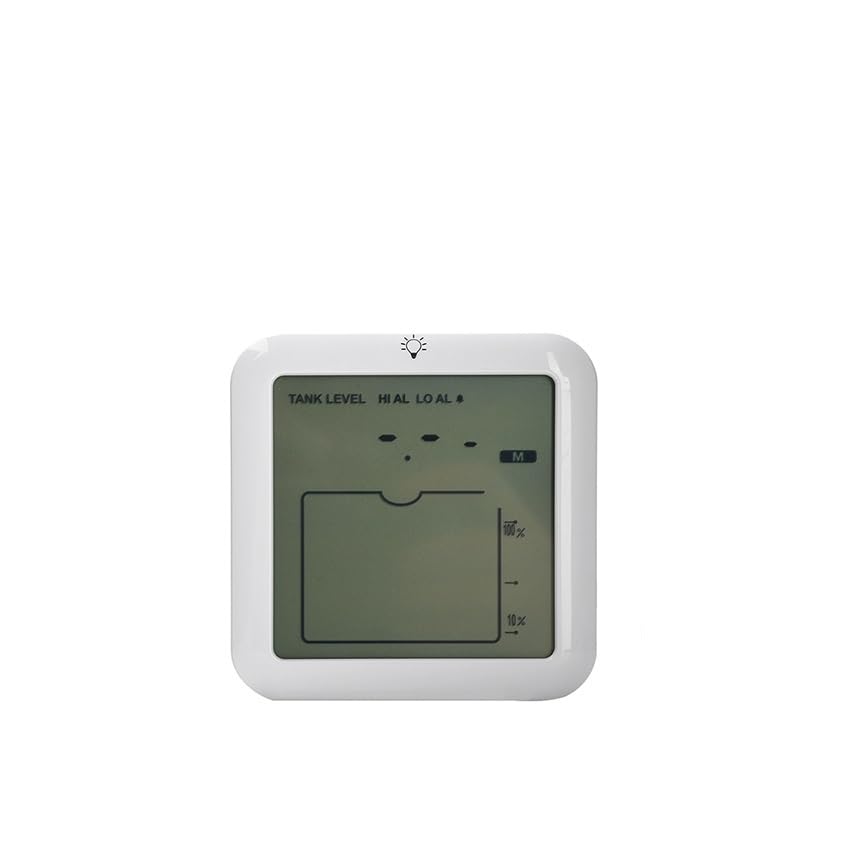
Figure 1: Front view of the TS-FT007 Digital Ultrasonic Water Level Gauge. This image shows the compact design of the sensor unit, typically mounted above the water tank.
Setup and Installation
1. Choosing an Installation Location
Select a location directly above the water tank where the ultrasonic sensor will have a clear, unobstructed path to the liquid surface. Avoid areas with excessive turbulence or foam.
2. Mounting the Sensor
- Using the provided mounting hardware, securely attach the sensor unit to a stable surface directly above the tank opening.
- Ensure the sensor is level and pointing vertically downwards towards the liquid surface.
- Maintain a minimum distance of 20 cm from the tank walls to prevent false readings.
3. Power Connection
Connect the power supply to the designated input port on the device. Ensure the power source matches the device's voltage requirements (refer to specifications). Once connected, the device will power on and begin initialization.
4. Initial Calibration (if applicable)
Some models may require initial calibration to set the tank depth or empty level. Refer to the on-screen prompts or specific instructions provided with your unit for calibration procedures. Typically, this involves setting the maximum and minimum water levels.
Operating Instructions
1. Power On
Once connected to power, the device will automatically power on. The digital display will show the current liquid level.
2. Reading the Display
The display typically shows the water level in a chosen unit (e.g., cm, inches, percentage). Refer to the display indicators for current readings.
3. Setting Alarms
The TS-FT007 features high and low-level alarms. To set these:
- Access the alarm settings menu (refer to device buttons or interface).
- Set the desired high-level threshold. When the water level exceeds this, an alarm will activate.
- Set the desired low-level threshold. When the water level drops below this, an alarm will activate.
- Confirm and save your settings.
4. Alarm Indication
When an alarm condition is met, the device will typically emit an audible alert and/or display a visual indicator (e.g., flashing light, on-screen message). Acknowledge or address the alarm as necessary.
Maintenance
- Cleaning: Periodically clean the sensor surface with a soft, damp cloth to remove dust or debris that may affect readings. Do not use abrasive cleaners.
- Inspection: Regularly inspect the mounting and wiring for any signs of wear or damage. Ensure all connections are secure.
- Environmental Conditions: Ensure the operating environment remains within the specified temperature and humidity ranges to prolong the device's lifespan.
Troubleshooting
| Problem | Possible Cause | Solution |
|---|---|---|
| No Power/Display Off | Power cable disconnected; Faulty power supply. | Check power connections; Test power supply. |
| Inaccurate Readings | Sensor obstructed; Incorrect calibration; Excessive turbulence. | Clear sensor path; Recalibrate device; Relocate sensor if turbulence is an issue. |
| Alarm Not Triggering | Alarm thresholds set incorrectly; Alarm function disabled. | Verify alarm settings; Ensure alarm function is enabled. |
| Constant Alarm | Water level consistently above/below threshold; Faulty sensor. | Adjust alarm thresholds; Check actual water level; Contact support if sensor is suspected faulty. |
Specifications
- Model: WWBFUGAFC-WATERLEVELGAUGE (TS-FT007)
- Measurement Principle: Ultrasonic
- Ingress Protection: IP65
- Features: Digital Display, High/Low Level Alarm
- Brand: generic
- Part Number: WWBFUGAFC-WATERLEVELGAUGE
- ASIN: B0G64VF1GY
Warranty and Support
This product comes with a standard manufacturer's warranty. For specific warranty terms and conditions, please refer to the documentation provided at the time of purchase or contact your retailer.
For technical support, troubleshooting assistance, or to inquire about replacement parts, please contact the manufacturer or your authorized dealer. Please have your model number (WWBFUGAFC-WATERLEVELGAUGE) and purchase information ready when contacting support.