
1. Introduction
Thank you for choosing the XUNTOP 4x90° Digital Angle Finder with Green Laser. This precision instrument is designed for accurate angle measurement in various applications, including woodworking, construction, and DIY projects. Featuring a high-visibility green laser, a clear VA display, and strong magnetic base, it offers reliable performance and ease of use. Please read this manual thoroughly before operation to ensure safe and effective use of the device.
2. Safety Information
Laser Safety
This device utilizes a Class 2 green laser with an output of less than 1mW. While generally safe, direct exposure to the laser beam should be avoided. Always adhere to the following safety guidelines:
- DO NOT stare directly into the laser beam.
- DO NOT intentionally direct the laser beam at people or animals.
- DO NOT use optical instruments (e.g., binoculars, telescopes) to view the laser beam.
- Ensure the device is used in a manner consistent with its intended purpose.
- Keep the device out of reach of children.
- This product is certified to IEC 60825, CE, and FDA standards.
General Safety
- Handle the device with care to prevent damage from drops or impacts.
- Do not expose the device to extreme temperatures or humidity.
- Keep the device clean and dry.
- Only use the provided Type-C charging cable for charging.
3. Package Contents
Verify that all items are present in the package:
- 1 x XUNTOP Digital Angle Finder (Model XOP073)
- 1 x Carry Bag
- 1 x Type-C Charging Cable
- 1 x User Manual

Image: Contents of the XUNTOP Digital Angle Finder package.
4. Product Overview
The XUNTOP Digital Angle Finder is a versatile tool designed for precision. Key features include:
- High-Visibility Green Lasers: Equipped with dual single-line green lasers (<1mW, Class II) for clear lines in bright conditions.
- 4-Sided Strong Magnetic Design: Magnets on all four sides allow secure attachment to metal surfaces for hands-free operation.
- High Accuracy Readings: Achieves an accuracy of ±0.1° at 0° and 90°, and ±0.2° across all other angles, with 0.05° resolution.
- Clear LCD VA Display: Backlit VA screen with reading inversion function ensures easy readability in various lighting conditions. IP54 waterproof and dust-proof.
- Long Battery Life: Built-in 340mAh USB-C rechargeable battery provides up to 7 hours of continuous runtime after approximately 2.5 hours of charging. Features auto power-off after 3 minutes of inactivity.
- User-Friendly Design: Supports relative/absolute measurement, two units (° and %), data hold, and a low battery indicator.

Image: Front and side view of the XUNTOP Digital Angle Finder, showing its dimensions and display.

Image: The digital angle finder's portability, shown attached to a belt.
5. Setup
Initial Charging
Before first use, fully charge the device. Connect the provided Type-C charging cable to the device's charging port and a compatible USB power source (e.g., computer, wall adapter). A full charge takes approximately 2.5 hours.

Image: The digital angle finder being charged via its Type-C port.
Powering On/Off
Press the ON/OFF button to turn the device on or off. The device will automatically power off after 3 minutes of inactivity to conserve battery.
6. Operating Instructions
Basic Angle Measurement
Place the magnetic base of the angle finder on a surface. The display will show the angle relative to gravity. The display automatically rotates for easy readability regardless of orientation.
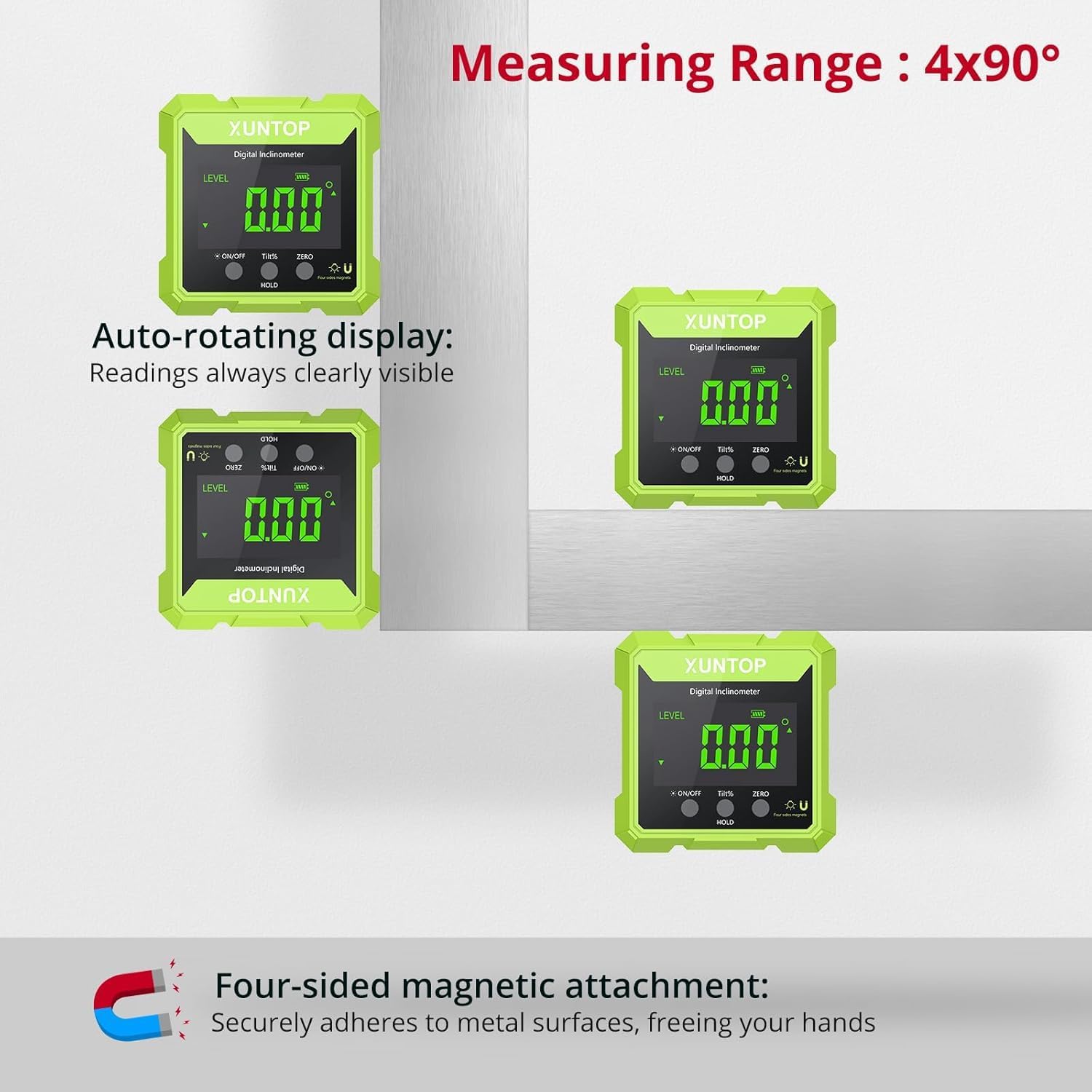
Image: The digital angle finder demonstrating its auto-rotating display and magnetic base.
Relative/Absolute Measurement
- Absolute Measurement: The device measures the angle relative to a true horizontal plane (0°).
- Relative Measurement: To set a new 0° reference point, place the device on the desired reference surface and press the ZERO button. The display will show 0.00°, and subsequent measurements will be relative to this new zero.
Video: Demonstration of the XUNTOP Digital Angle Finder's features, including magnetic attachment, automatic display reversal, unit conversion, and relative/absolute measurement.
Unit Conversion
Press the TILT/% button to switch between angle degrees (°) and percentage (%).
Laser Function
After turning on the device, press the ON/OFF button repeatedly to cycle through the laser modes:
- Right laser only
- Left laser only
- Both lasers on
- Lasers off
The green lasers provide a clear line for alignment tasks such as hanging pictures or aligning materials.

Image: The digital angle finder's laser function assisting in aligning picture frames.
Data Hold Function
Press the HOLD button to freeze the current reading on the display. Press it again to release the hold and resume live measurement.
Magnetic Attachment
The four-sided magnetic base allows the device to securely attach to metal surfaces, providing hands-free operation for tasks like saw blade angle calibration or metalworking.

Image: Various applications of the digital angle finder, including angle measurement, laser leveling, plate leveling, and saw blade angle calibration.
7. Maintenance
Cleaning
Wipe the device with a soft, dry cloth. For stubborn dirt, a slightly damp cloth can be used. Do not use abrasive cleaners or solvents, as they may damage the display or casing.
Storage
When not in use, store the angle finder in its provided carry bag in a cool, dry place, away from direct sunlight and extreme temperatures. Ensure the device is turned off before storage.
Battery Care
To prolong battery life, avoid fully discharging the battery frequently. Recharge the device when the low battery indicator appears. If storing for an extended period, charge the battery to approximately 50% every few months.
8. Troubleshooting
| Problem | Possible Cause | Solution |
|---|---|---|
| Device does not turn on | Low battery; Device malfunction | Charge the device fully. If still unresponsive, contact support. |
| Inaccurate readings | Device not calibrated; External interference; Device not stable | Ensure the device is on a stable surface. Perform a zero calibration. Avoid strong magnetic fields. |
| Laser not visible or weak | Bright ambient light; Laser mode off; Low battery | Use in lower light conditions. Press ON/OFF to cycle laser modes. Charge the device. |
| Display not clear | Screen dirty; Extreme temperature | Clean the screen. Use the device within its specified operating temperature range. |
| Battery not charging | Faulty cable/charger; Charging port damage | Try a different Type-C cable and USB power source. Contact support if the issue persists. |
9. Specifications
| Feature | Detail |
|---|---|
| Brand | XUNTOP |
| Model | XOP073 |
| Measurement Range | 4 x 90° |
| Accuracy | ±0.1° (at 0° and 90°), ±0.2° (other angles) |
| Resolution | 0.05° |
| Laser Type | Green Laser (Class 2, <1mW Output) |
| Display Type | VA LCD with Backlight |
| Magnetic Base | 4-sided strong magnets |
| Power Source | 340mAh USB-C Rechargeable Battery |
| Charging Time | Approx. 2.5 hours |
| Operating Time | Up to 7 hours (continuous) |
| Auto Power-off | 3 minutes of inactivity |
| Ingress Protection | IP54 (Dust-proof and Splash-proof) |
| Material | Aluminum, Plastic |
| Item Weight | 0.16 Kilograms |
10. Warranty
The XUNTOP Digital Angle Finder comes with an 18-month manufacturer warranty. This warranty covers defects in materials and workmanship under normal use. It does not cover damage caused by misuse, accidents, unauthorized modifications, or improper maintenance. Please retain your proof of purchase for warranty claims.
11. Support
For technical assistance, troubleshooting, or warranty inquiries, please contact XUNTOP customer support. Refer to the contact information provided on the product packaging or the official XUNTOP website.