
1. Introduction
Thank you for choosing the coolid Mini Projector C2. This portable projector is designed to provide a versatile and immersive viewing experience with its advanced features, including 4K support, 1080P Full HD resolution, auto keystone correction, 180° rotatable design, WiFi 6, and Bluetooth 5.4 connectivity. This manual will guide you through the setup, operation, and maintenance of your new projector.

Image 1: Overview of coolid Mini Projector C2 features.
2. What's in the Box
- coolid Mini Projector C2
- Power Cord
- Remote Control
- User Manual
3. Product Overview
The coolid Mini Projector C2 features a compact and portable design with an integrated stand that allows for 180° rotation. It includes various ports for connectivity and a built-in speaker for audio output.
3.1. Ports and Connections
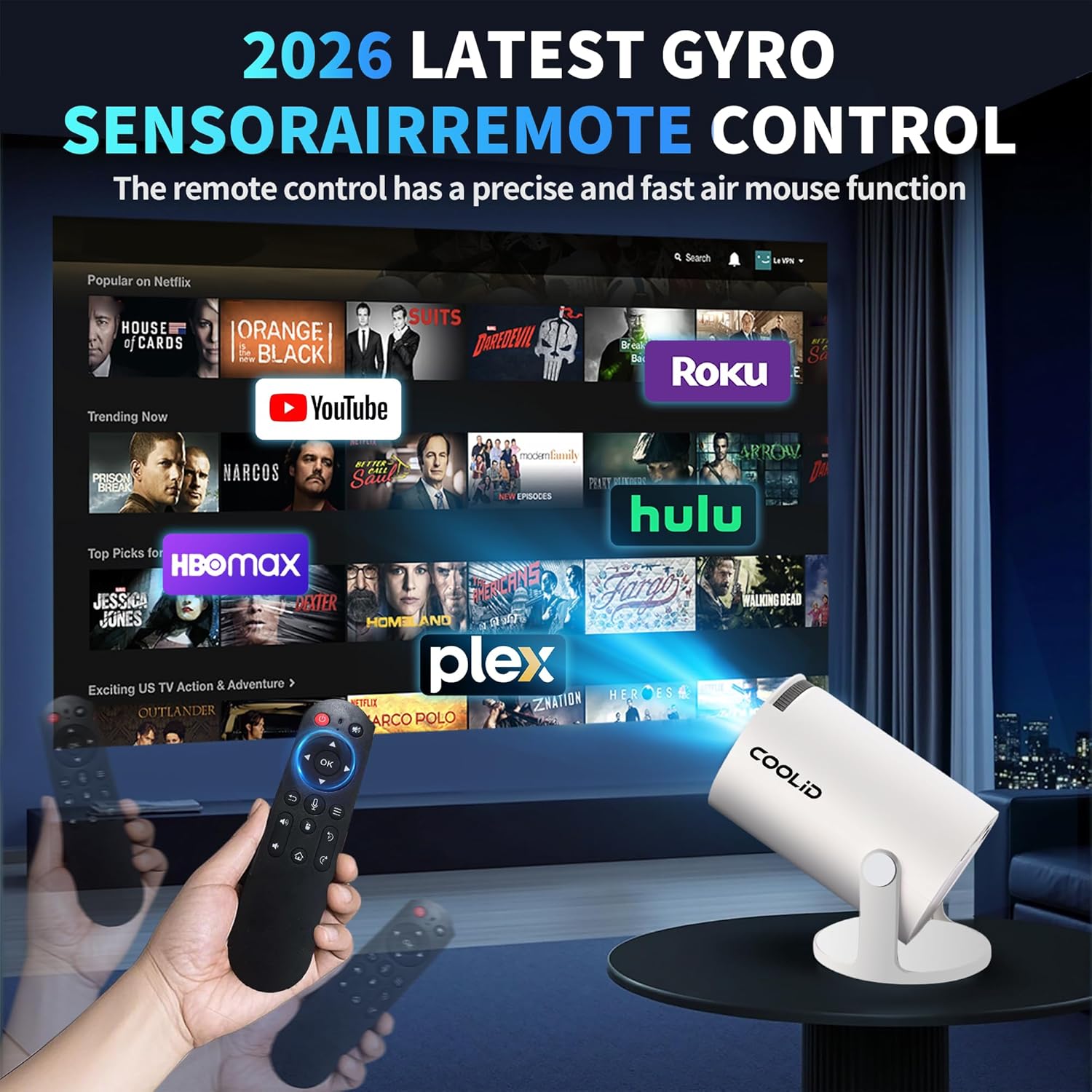
Image 2: Rear view of the coolid Mini Projector C2 with available ports.
- HDMI Port: For connecting external devices such as laptops, gaming consoles, or TV sticks.
- USB Port: For connecting USB memory sticks or other USB devices.
- DC Power Input: For connecting the power adapter.
- Audio Output: For connecting external speakers or headphones (via Bluetooth 5.4).
4. Setup Instructions
4.1. Powering On/Off
- Connect the power cord to the DC input port on the projector and then to a power outlet.
- Press the power button on the projector or the remote control to turn the device on.
- To power off, press the power button again.
4.2. Initial Connection (Wi-Fi)
- Upon first use, the projector will guide you through the initial setup process.
- Select your preferred language.
- Connect to your Wi-Fi network by selecting it from the list and entering the password. The projector supports dual-band WiFi 6 (2.4 GHz and 5 GHz) for stable and fast connections.
4.3. Placement and Image Adjustment
The projector's 180° rotatable design allows for flexible placement, projecting onto walls, ceilings, or screens.

Image 3: The coolid Mini Projector C2 projecting a large image.
- 180° Rotation: Adjust the projector's angle to direct the image to your desired surface.
- Auto Keystone Correction: The projector automatically adjusts the image to ensure a rectangular shape, even if placed at an angle.
- Focus Adjustment: Use the focus wheel on the projector to achieve the clearest picture.
- Digital Zoom: Adjust the screen size between 35%-100% using the remote control without moving the projector. The projection distance ranges from 3-18 feet, supporting a projection size of 35-120 inches.
5. Operating Instructions
5.1. Using Built-in Applications
The coolid C2 projector comes with pre-installed applications such as Prime Video, YouTube, and D+. You can access these directly from the home screen.

Image 4: Projector interface showing built-in applications.
- Navigate to the desired app using the remote control.
- Log in with your account credentials for streaming services.
5.2. Connecting External Devices
- HDMI: Connect your laptop, TV stick, or gaming console to the HDMI port. The projector will automatically detect the input or you can select it manually from the input source menu.
- USB: Insert a USB memory stick into the USB port to play media files directly.
5.3. Wireless Connectivity
- Wi-Fi 6: Ensures fast and stable wireless projection from compatible devices.
- Bluetooth 5.4: Connect Bluetooth devices such as headphones or external speakers for a personalized audio experience.
5.4. Air Remote Function

Image 5: Air Remote Control for the coolid Mini Projector C2.
The remote control utilizes gyroscope technology, allowing you to control the projector screen by shaking your wrist, similar to an air mouse.
5.5. Audio Output

Image 6: Audio connectivity options for the coolid Mini Projector C2.
The projector has a built-in speaker. For enhanced audio, connect external Bluetooth headphones or speakers via Bluetooth 5.4.
6. Maintenance
- Cleaning: Use a soft, dry cloth to clean the projector's exterior. For the lens, use a specialized lens cleaning cloth and solution to avoid scratches.
- Storage: Store the projector in a cool, dry place away from direct sunlight and extreme temperatures when not in use.
- Ventilation: Ensure the ventilation openings are not blocked during operation to prevent overheating.
7. Troubleshooting
- No Power: Ensure the power cord is securely connected to both the projector and a working power outlet.
- Blurry Image: Adjust the focus wheel on the projector until the image is clear. Check if the projection surface is flat and smooth.
- Image Not Rectangular: The auto keystone correction should adjust this automatically. If not, check settings for manual keystone adjustment.
- No Sound: Check the volume settings on the projector and any connected external audio devices. Ensure Bluetooth devices are properly paired.
- Cannot Connect to Wi-Fi/Bluetooth: Ensure the Wi-Fi network is active and the password is correct. For Bluetooth, ensure the device is in pairing mode and within range.
- Remote Control Not Working: Check the batteries in the remote control. Ensure there are no obstructions between the remote and the projector.
8. Specifications
| Feature | Specification |
|---|---|
| Brand | coolid |
| Model | C2 |
| Display Resolution | 1920 x 1080 (Full HD Native), supports 4K HDR |
| Connectivity Technology | Wireless (WiFi 6, Bluetooth 5.4) |
| Special Feature | Built-in Speakers, Air Remote Function, Auto Keystone, 180° Rotatable Design, Digital Zoom |
| Recommended Uses | Indoor/Outdoor |
| Item Weight | 1.54 pounds |
| Product Dimensions | 5 x 6 x 7 inches |
9. Warranty and Support
The coolid Mini Projector C2 comes with a Two-Year Warranty Service. Additionally, a 30-Day Return Policy is available. For technical assistance or any inquiries, please refer to the contact information provided in your product packaging or visit the official coolid support website.