
1. Introduction
Thank you for choosing the NUPANT Commercial Coffee Urn. This 30-cup (4.5L) coffee dispenser is designed for efficient and convenient coffee brewing and serving in various settings, from family parties to commercial events. Constructed from durable 304 stainless steel, it features an upgraded percolator system for enhanced flavor extraction and an automatic keep-warm function. Please read this manual thoroughly before use to ensure safe and optimal operation.
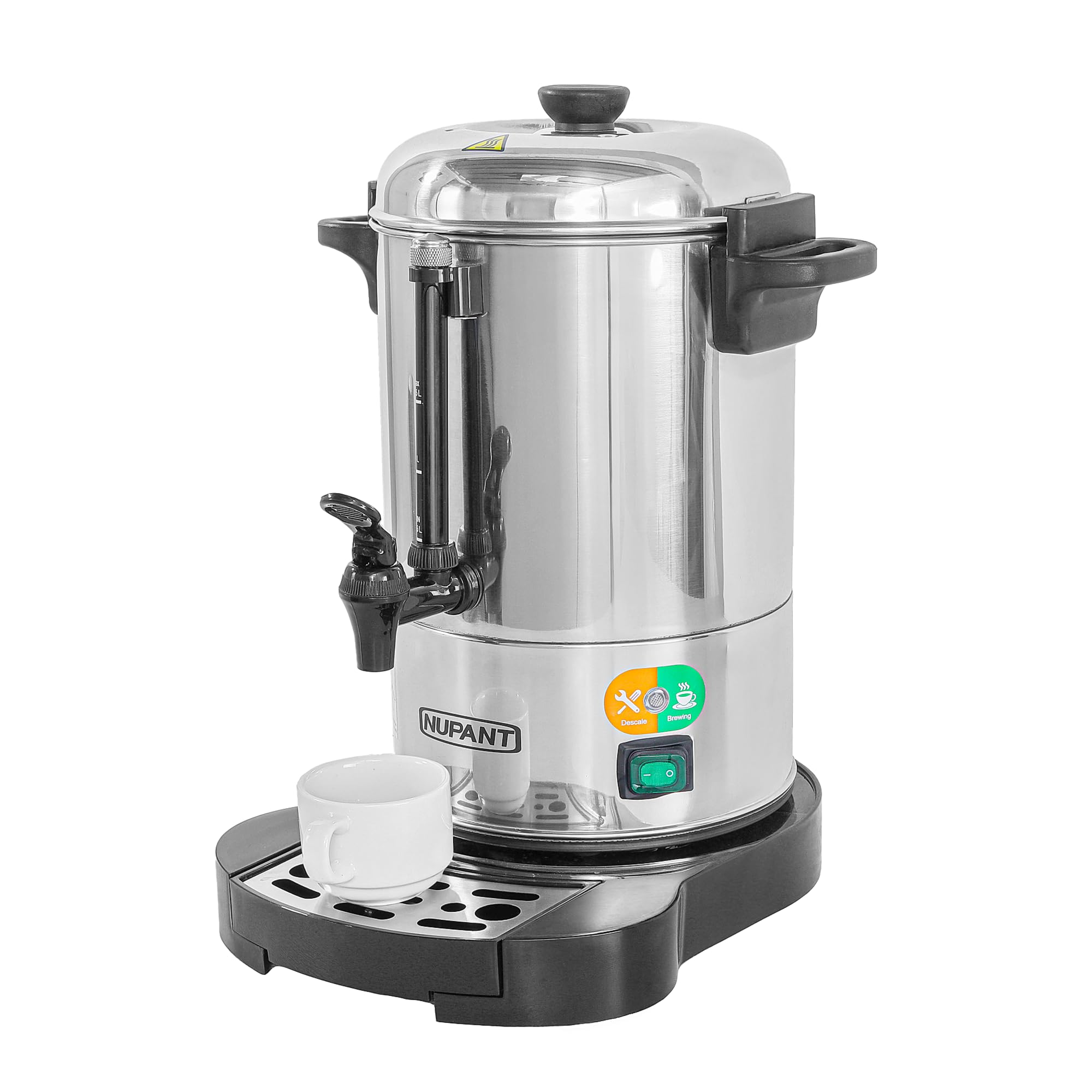
Image: NUPANT Commercial Coffee Urn ready for use.
2. Safety Instructions
- Read all instructions before operating the appliance.
- Do not touch hot surfaces. Use handles and knobs.
- To protect against electrical shock, do not immerse cord, plugs, or the appliance in water or other liquid.
- Close supervision is necessary when any appliance is used by or near children.
- Unplug from outlet when not in use and before cleaning. Allow to cool before putting on or taking off parts, and before cleaning the appliance.
- Do not operate any appliance with a damaged cord or plug or after the appliance malfunctions or has been damaged in any manner.
- The use of accessory attachments not recommended by the appliance manufacturer may cause injuries.
- Do not use outdoors.
- Do not let cord hang over edge of table or counter, or touch hot surfaces.
- Do not place on or near a hot gas or electric burner, or in a heated oven.
- Always attach plug to appliance first, then plug cord into the wall outlet. To disconnect, turn any control to "off", then remove plug from wall outlet.
- Do not use appliance for other than intended use.
- Exercise extreme caution when dispensing hot beverages.
3. Product Overview
The NUPANT Commercial Coffee Urn (Model PC-225) is a robust appliance designed for large-volume coffee preparation. Key features include:
- Upgraded 3-Part Filter: Features a 30% larger extraction area for richer, smoother coffee.
- Large Capacity: Brews 4.5L (30 cups) in approximately 20 minutes.
- Auto Keep Warm: Automatically switches to 88°C keep-warm mode after brewing.
- Smart LED Alerts: Green for brewing completion, yellow for water refill or descaling.
- Anti-Spill Design: External water gauge, removable drip tray, and two-way easy-spout.
- Durable Construction: Food-grade 304 stainless steel with a leak-proof sealed base.
Components
The coffee urn consists of the main body, lid, percolator tube, 3-part filter basket (fixed structure, powder container, dish filter), and a removable drip tray.

Image: Dimensions of the NUPANT Commercial Coffee Urn.

Image: The 3-part filter basket for optimal extraction.

Image: Function introduction showing the waterproof switch, water gauge, and LED alerts.
4. Setup
Follow these steps to set up your NUPANT Commercial Coffee Urn:
- Unpack: Carefully remove all components from the packaging.
- Clean: Wash the urn interior, lid, percolator tube, and filter basket with warm, soapy water. Rinse thoroughly and dry.
- Place Drip Tray: Position the removable drip tray on the base of the urn.
- Add Water: Fill the urn with cold water up to the desired level, indicated by the external water gauge. Do not exceed the MAX fill line.
- Insert Percolator Tube: Place the percolator tube into the center of the urn, ensuring it is securely seated.
- Install Filter Basket: Place the 3-part filter basket onto the percolator tube. Ensure the filter tube's feet click into the slots for secure placement. Loose placement can cause noise and leaks.
- Add Coffee Grounds: Add medium-grind coffee grounds to the filter basket. A recommended ratio is 33ml water per 1g coffee.
- Secure Lid: Place the lid on the urn and twist to lock it securely.
- Plug In: Plug the power cord into a suitable electrical outlet.

Image: Proper filter tube placement is crucial for optimal brewing.
Video: Official NUPANT video demonstrating the setup and operation of the 30-cup coffee urn, including adding water, coffee grounds, and dispensing.
5. Operating Instructions
Once the urn is set up, follow these steps to brew and serve coffee:
- Start Brewing: Turn on the waterproof switch located at the base of the urn. The green LED indicator will illuminate, signaling that brewing has started.
- Brewing Process: The urn will rapidly heat the water and begin the percolation process. Brewing 30 cups (4.5L) typically takes about 20 minutes.
- Keep Warm Mode: Once brewing is complete, the urn will automatically switch to keep-warm mode, maintaining the coffee temperature at approximately 88°C without overheating. The green LED will remain lit.
- Dispensing Coffee: To dispense coffee, place a cup under the two-way easy-spout and press the lever. Release the lever to stop the flow.
- Monitoring Water Level: The external water gauge allows you to monitor the liquid level inside the urn without opening the lid.
- LED Alerts: If the yellow LED illuminates, it indicates a need for water refill or descaling.

Image: The large-area extraction system ensures even water distribution for rich flavor.
6. Maintenance and Cleaning
Regular cleaning and maintenance will prolong the life of your coffee urn and ensure optimal performance.
- Unplug and Cool: Always unplug the urn from the power outlet and allow it to cool completely before cleaning.
- Disassemble: Remove the lid, percolator tube, and filter basket.
- Wash Components: Hand wash the lid, percolator tube, and filter basket with warm, soapy water. Rinse thoroughly.
- Clean Urn Interior: Clean the interior of the urn with warm, soapy water and a soft cloth or sponge. For stubborn stains, a non-abrasive cleaner designed for stainless steel can be used. Rinse thoroughly to remove all soap residue.
- Clean Exterior: Wipe the exterior of the urn with a damp cloth. Do not immerse the base or electrical components in water.
- Drip Tray: Empty and clean the removable drip tray after each use.
- Descaling: Over time, mineral deposits may build up. When the yellow LED alert indicates descaling is needed, follow standard descaling procedures for coffee makers using a descaling solution or a vinegar-water mixture. Run a few cycles with clean water afterward to rinse.
- Dry: Ensure all parts are completely dry before reassembling or storing.
7. Troubleshooting
If you encounter issues with your NUPANT Commercial Coffee Urn, refer to the following common problems and solutions:
| Problem | Possible Cause | Solution |
|---|---|---|
| Coffee not brewing / Urn not heating | Not plugged in; Power switch off; Power outage. | Ensure the urn is securely plugged in and the power switch is on. Check the power supply. |
| Weak coffee | Insufficient coffee grounds; Coarse grind; Too much water. | Increase coffee grounds, use medium grind, or reduce water. Follow recommended coffee-to-water ratio. |
| Coffee overflowing or leaking | Overfilled with water; Filter tube not seated correctly; Lid not secured. | Do not exceed MAX fill line. Ensure percolator tube and filter basket are securely in place. Lock the lid properly. |
| Yellow LED indicator is on | Low water level; Descaling needed. | Refill water if low. If not low, the urn may require descaling to remove mineral buildup. |
| Noise during brewing | Loose filter tube placement. | Always check that the filter tube's feet click into the slots before brewing to ensure secure seating. |
8. Specifications
| Feature | Detail |
|---|---|
| Brand | NUPANT |
| Model Name | 30 Cup |
| Model Number | PC-225 |
| Material | 304 Stainless Steel |
| Color | Silver |
| Capacity | 4.5 Liters (30 cups) |
| Item Dimensions (W x H) | 8.66"W x 15.51"H |
| Item Weight | 8.7 Pounds |
| Special Features | Auto-Keep Warm Mode, Home & Business Use, Larger Extraction Area, Manual, SUS 304 |
| Included Components | Coffee Urn |
9. Warranty and Support
The NUPANT Commercial Coffee Urn is backed by a 1-year warranty, providing peace of mind for your purchase. This warranty covers defects in materials and workmanship under normal use.
For warranty claims, technical support, or any questions regarding your product, please contact NUPANT customer service. Refer to the product packaging or the official NUPANT website for the most current contact information.


