
GOODEA GDNL003
GOODEA Rechargeable Motion Sensor Night Light (Model GDNL003) Instruction Manual
Model: GDNL003 | Brand: GOODEA
Introduction
This manual provides detailed instructions for the safe and efficient use of your GOODEA Rechargeable Motion Sensor Night Light. Please read this manual thoroughly before operating the device and retain it for future reference.
Package Contents
Verify that all items listed below are included in your package:
- 2x Night Lights
- 1x USB-C Charging Cable
- 3x Metal Plates
- 1x User Manual (this document)

Figure 1: Package Contents
Setup
1. Charging the Device
Before initial use, fully charge the night light. The device features a rechargeable battery designed for energy efficiency.
- Locate the USB-C charging port on the side of the night light.
- Connect the provided USB-C charging cable to the night light and a compatible USB power source (e.g., wall adapter, computer USB port).
- The indicator light will turn red during charging and green when fully charged.
- A full charge typically takes approximately 2 hours.

Figure 2: Charging the Night Light
Note: The battery life in motion sensor mode is approximately 40-80 days, based on 10-15 daily activations. Some sources indicate up to 90 days runtime.
2. Installation
The GOODEA night light offers flexible installation options due to its magnetic design.
- Magnetic Surfaces: The night light has a built-in strong magnet and can be directly adsorbed onto metal surfaces (e.g., refrigerators, metal cabinets).
- Non-Magnetic Surfaces: For surfaces like walls or wood, use the included adhesive metal plates.
- Clean the desired installation area to ensure it is dry and free of dust.
- Peel off the protective film from one side of a metal plate.
- Firmly press the adhesive side of the metal plate onto the chosen surface.
- Attach the night light magnetically to the metal plate.

Figure 3: Magnetic Installation Steps

Figure 4: Installation Flexibility
Operating Instructions
1. Power and Mode Selection
The night light features a switch on the back for mode selection:
- OFF: Turns the light off completely.
- AUTO: Activates the motion sensor mode. In this mode, the light will only turn on in dark environments when motion is detected.
Video 1: Demonstrating the power switch and auto mode on the GOODEA night light.
2. Motion Sensor Functionality
In AUTO mode, the built-in smart motion sensor detects human movement within an effective range of 3-5 meters (10-16 feet) and a 0-120° angle. The light activates in approximately 0.5 seconds. It will automatically turn off after 25 seconds of no detected motion to conserve energy.

Figure 5: Motion Sensor Operation
Video 2: Demonstration of the motion sensor activating the night light in a dark environment.
3. Adjustable Brightness
The night light provides 3 levels of brightness (25%, 50%, 100%) to suit your needs. It emits a soft, warm 3000K light that is gentle on the eyes. A smart memory function saves your last brightness setting. However, the brightness will revert to 50% after turning off and restarting the device.

Figure 6: Adjustable Brightness Levels
Maintenance
- Cleaning: Use a soft, dry cloth to clean the surface of the night light. Do not use abrasive cleaners or immerse the device in water.
- Charging: Recharge the device when the light output appears dim or when the indicator light signals low battery. Regular charging helps maintain battery health.
- Storage: If storing the night light for an extended period, ensure it is fully charged and store it in a cool, dry place. Recharge it periodically to prevent deep discharge.
Troubleshooting
| Problem | Possible Cause | Solution |
|---|---|---|
| Light does not turn on in AUTO mode. | Insufficient darkness; battery is low; motion sensor obstructed. | Ensure the environment is dark enough; charge the battery; clear any obstructions from the motion sensor. |
| Light turns on during the day. | Light sensor malfunction or insufficient ambient light for detection. | Ensure the light sensor is not covered; if problem persists, contact support. |
| Short battery life. | Frequent activations; incomplete charging; aging battery. | Reduce frequency of activations if possible; ensure full charge cycles; battery degradation is normal over time. |
| Light is too dim or too bright. | Brightness setting is not optimal. | Adjust the brightness level using the switch on the back of the device. |
Specifications
| Feature | Detail |
|---|---|
| Model Number | GDNL003 |
| Brand | GOODEA |
| Product Dimensions | 0.47"D x 1.77"W x 2.76"H |
| Item Weight | 0.1 Kilograms |
| Lamp Type | Night Light |
| Shade Color | White |
| Switch Type | Toggle |
| Additional Features | Dimmable, Lightweight, Motion Sensor, Portable, Rechargeable |
| Light Source Type | LED |
| Power Source | Battery Powered |
| Number of Light Sources | 3 |
| Is Waterproof | False |
| Mounting Type | Wall Mount |
| Lighting Method | Downlight |
| Water Resistance Level | Not Water Resistant |
| Efficiency | Energy Efficient |
| Voltage | 5 Volts |
| Is Product Cordless | Yes |
| Style Name | Modern |
| Color | White |
| Shape | Rectangular |
| Shade Material | Plastic |
| Material Type | Plastic |
| Room Type | Bathroom, Bedroom, Entryway, Kids Room, Kitchen |
| Included Components | 1* USB-C charging cable, 2* night lights, 3* metal plates, User Manual |
| Number of Items | 2 |
| Indoor Outdoor Usage | Indoor |
| Specific Uses For Product | Toilet |
| Number of Pieces | 2 |
| Manufacturer | Goodea |
| Unit Count | 2.0 Count |

Figure 7: Product Size
Warranty Information
This GOODEA product comes with a 1-year manufacturer's warranty. Please retain your proof of purchase for warranty claims. For detailed warranty terms and conditions, refer to the official GOODEA website or contact customer support.
Customer Support
If you encounter any issues or have questions regarding your GOODEA Rechargeable Motion Sensor Night Light, please contact GOODEA customer support through their official website or the contact information provided in your product packaging.
For more information, visit the official GOODEA Store.
Application Examples
The versatile design of the GOODEA night light makes it suitable for various indoor environments:

Kitchen Lighting

Staircase Illumination

Hallway Guidance
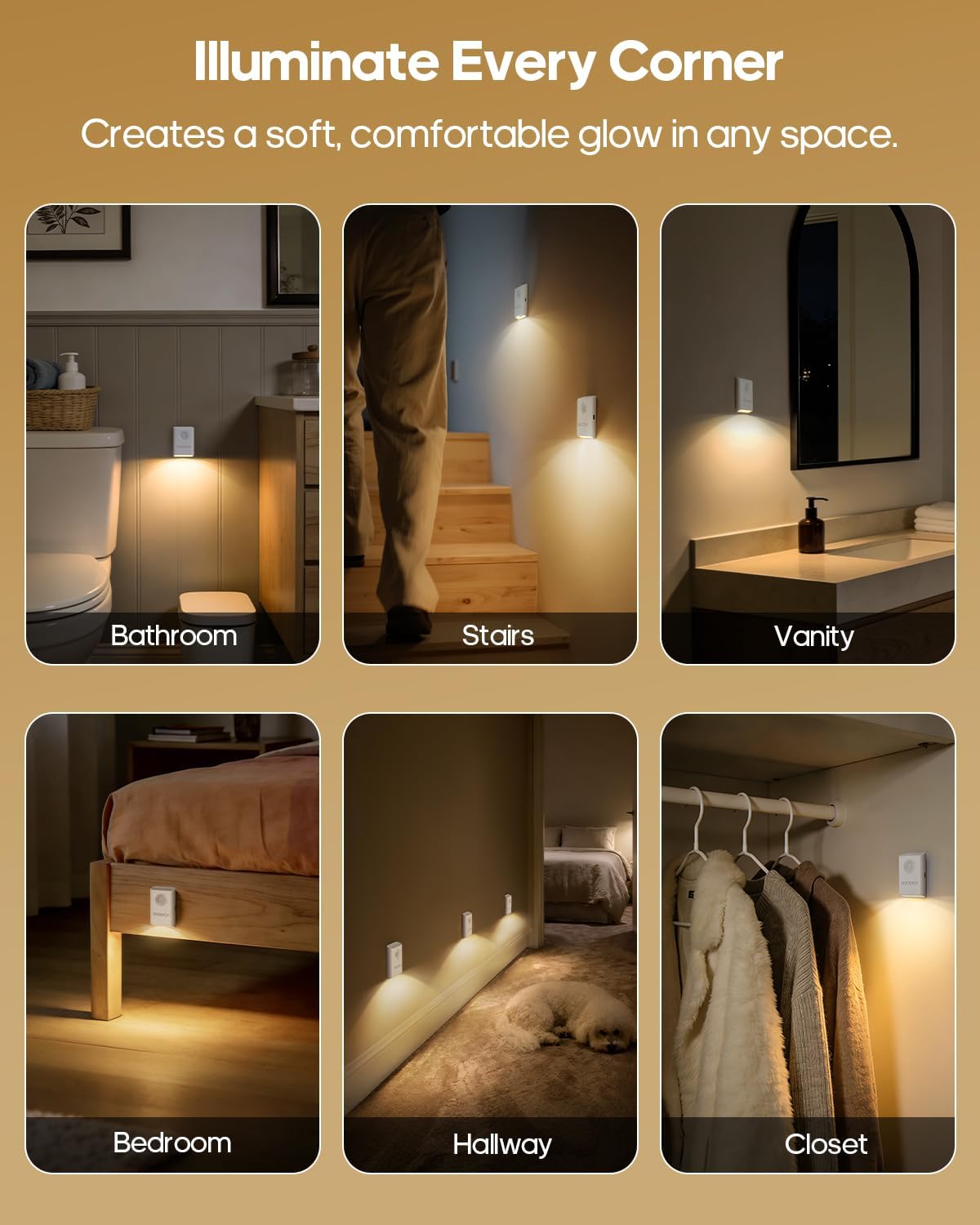
Figure 8: Multi-Scene Application Examples
Ask a question about this manual
Ask about setup, troubleshooting, compatibility, parts, safety, or missing instructions. Manuals+ will review the question and use this page’s manual context to help answer it.