
Introduction
Thank you for choosing the AreShark Ergonomic Office Chair MC03-001. This manual provides essential information for the proper assembly, operation, and maintenance of your new chair. Please read these instructions carefully before use to ensure optimal comfort and longevity of the product.

Setup
Assembly of the AreShark Ergonomic Office Chair is required. Please refer to the detailed assembly instructions included in the product packaging. Ensure all components are present and undamaged before beginning assembly. It is recommended to assemble the chair on a soft, clean surface to prevent scratches.
Important: Do not exceed the maximum weight recommendation of 350 pounds (158 kg).

Operating Instructions
Your AreShark Ergonomic Office Chair is designed with multiple adjustable features to provide personalized comfort and support.
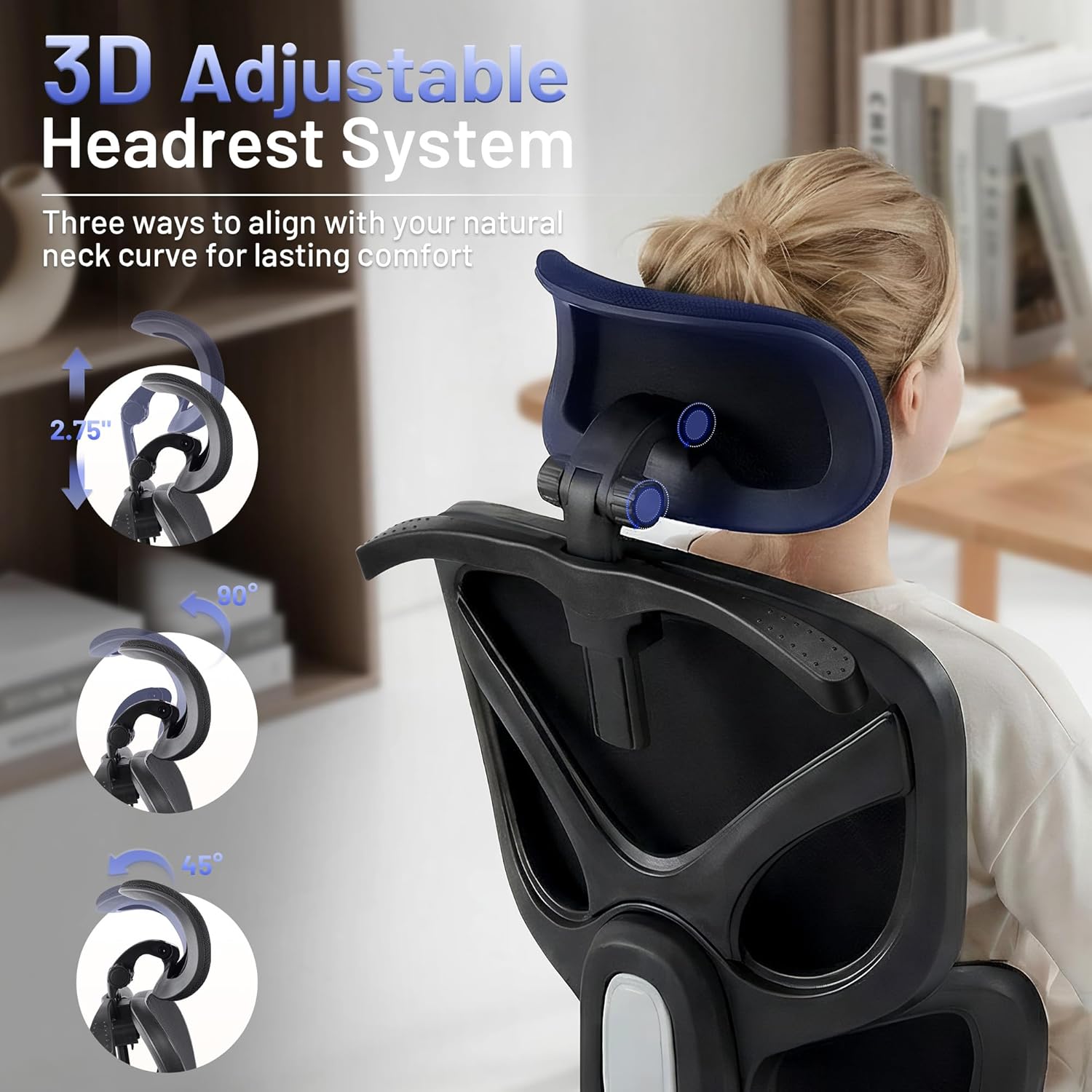
1. Adjustable Headrest System
The 3D headrest can be adjusted vertically and rotationally to support the natural curve of your cervical spine. It offers a range of motion from 45 to 90 degrees for optimal neck and head positioning.
2. Independently Configurable Armrests
The 2D armrests can be moved up and down, as well as forwards and backwards, allowing you to find the ideal position for your arms and shoulders, reducing strain during work or relaxation.

3. Dynamic Lumbar Support
The chair features a split back design that actively supports the lumbar region, adapting to various statures and sitting styles to reduce spinal strain. The dynamic lumbar design promotes pressure dispersion.

4. High-Density Sponge Cushion
The seat cushion is constructed with 4.72-inch high-density sponge, engineered to resist compression and maintain its shape over extended periods of use. This design helps diminish hip pressure and increases thigh support.

5. Reclining Function and Tilt Lock
The chair offers a fluid 90° to 135° wide-angle tilt-back lock, allowing you to switch between different postures for productive work, contemplative mode, or effortless relaxation.

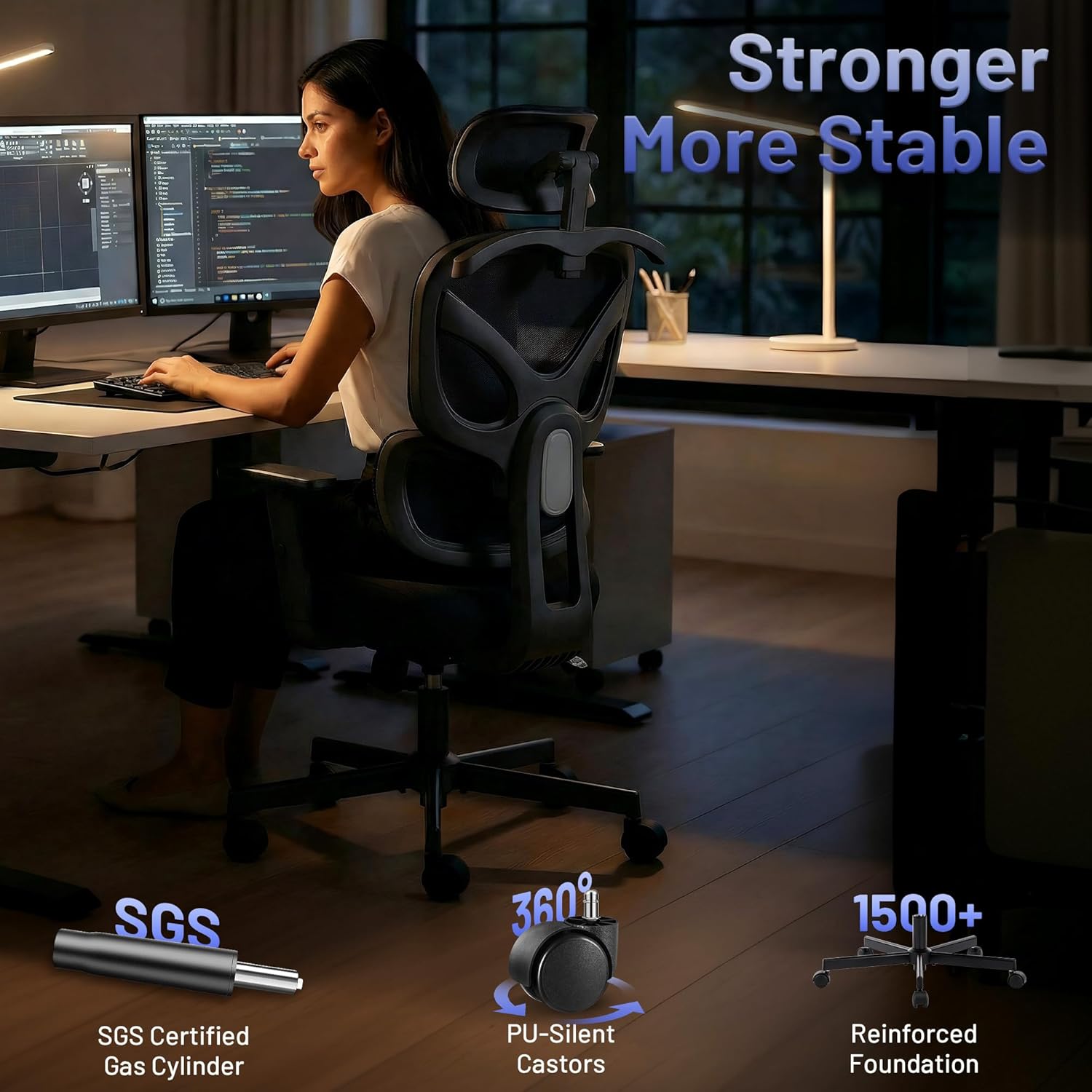
6. 360° Swivel and Smooth Casters
The chair features a 360° swivel for easy movement and access to different areas of your workspace. The PU casters are designed for smooth rolling across various floor surfaces, including hardwood, carpet, and tile.

7. Built-in Hanger
A convenient built-in hanger is located on the back of the chair, providing a practical spot to keep your jacket, bag, or sweater within reach without cluttering your desk or floor space.
Maintenance
To ensure the longevity and appearance of your AreShark Ergonomic Office Chair, follow these maintenance guidelines:
- Cleaning: Wipe clean with a damp cloth. Avoid harsh chemicals or abrasive cleaners, as these can damage the mesh and sponge materials.
- Inspection: Periodically check all screws and bolts to ensure they are tight. Re-tighten if necessary.
- Casters: Keep the casters free of debris (hair, dust, etc.) to ensure smooth movement.
- Gas Lift: Do not attempt to disassemble or repair the gas lift. Contact customer support if it malfunctions.
Troubleshooting
If you encounter any issues with your AreShark Ergonomic Office Chair, please consider the following common solutions:
- Chair not adjusting height: Ensure the gas lift lever is fully engaged or disengaged as required. Check for any obstructions.
- Squeaking noises: Check and tighten all assembly bolts. Lubrication may be applied to moving parts if necessary, using a silicone-based lubricant.
- Casters not rolling smoothly: Clean any debris from the caster wheels. Ensure the chair is on a suitable surface (hard floor recommended).
- Backrest or armrests not adjusting: Verify that adjustment levers or knobs are correctly operated and not obstructed.
For persistent issues or concerns not addressed here, please contact AreShark customer support.
Specifications
| Feature | Detail |
|---|---|
| Brand | AreShark |
| Model Name | MC03-001 |
| Color | Black |
| Material | Mesh, Sponge |
| Product Dimensions (D x W x H) | 24"D x 50"W x 25.98"H |
| Item Weight | 18 Pounds (8.16 kg) |
| Maximum Weight Recommendation | 350 Pounds (158 kg) |
| Seat Height | 21 Inches |
| Seat Depth | 21 Inches |
| Arm Style | 2D Armrests |
| Back Style | Supporting Breathable Backrest |
| Cushion Style | High Density Sponge Cushion |
| Leg Style | Five Clawed Feet |
| Furniture Base Movement | Glide |
| Reclining Position Count | 2 (90-135 degrees) |
| Surface Recommendation | Hard Floor |
| Assembly | Required, instructions included |
Warranty
Please refer to the warranty information provided with your purchase documentation for details regarding coverage and terms. Typically, AreShark products come with a limited warranty covering manufacturing defects.
Support
For further assistance, product inquiries, or to report any issues, please contact AreShark customer support through the retailer where the product was purchased or visit the official AreShark website for contact information.


