
1. Product Overview
The Vaku Luxos SONAIR TWS Earbuds provide a high-quality wireless audio experience with advanced features. This manual will guide you through the setup, operation, and maintenance of your earbuds.

Image: Vaku Luxos SONAIR TWS Earbuds in their charging case.
Key Features:
- Advanced Bluetooth 5.4 Connectivity: Ensures ultra-fast pairing, stable signal, and seamless audio transmission.
- Powerful 10mm Dynamic Driver: Delivers rich audio with bold bass, clear vocals, and balanced highs.
- Extended Playtime: Up to 8 hours of continuous playback on a single charge, with the charging case providing an additional 60 hours of backup.
- Type-C Fast Charging: Quick and efficient charging for minimal downtime.
- Smart Touch Control: Intuitive gestures for music, calls, and voice assistant activation.
- Instant Auto Pairing: Automatic connection to your device upon opening the charging case.
- Noise Reduction Microphone: Filters background sounds for clear call quality.
- Comfortable & Ergonomic Fit: Lightweight design for secure and comfortable wear during various activities.
2. Setup
2.1 Initial Charging
Before first use, fully charge the earbuds and the charging case. Connect the provided Type-C cable to the charging port on the case and to a power source. The indicator light on the case will show charging status.
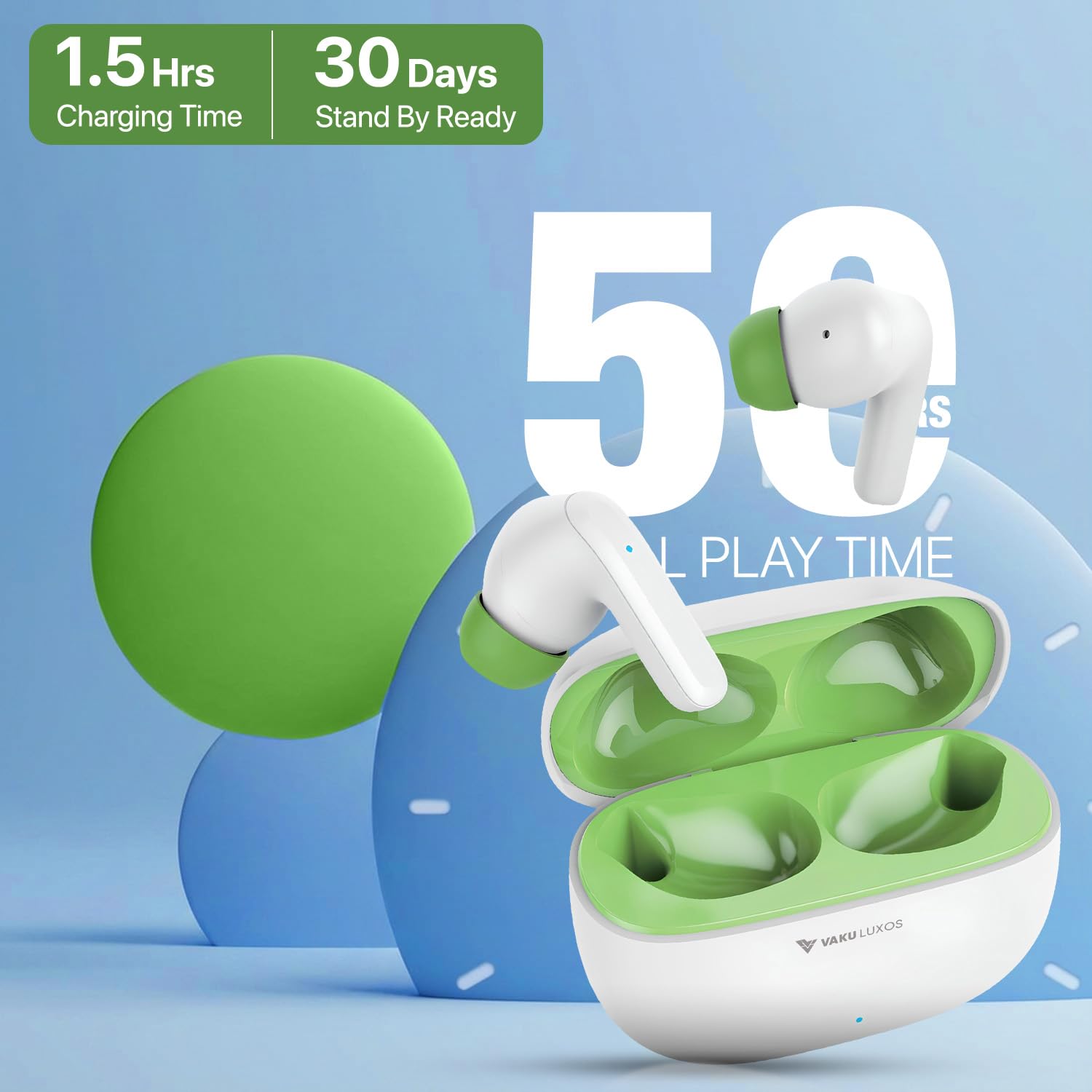
Image: The charging case indicating 1.5 hours charging time and 30 days standby ready.
2.2 Pairing with Your Device
- Ensure the earbuds are charged.
- Open the charging case. The earbuds will automatically power on and enter pairing mode.
- On your smartphone or other Bluetooth-enabled device, go to the Bluetooth settings.
- Search for available devices and select "VL-SONAIR" from the list.
- Once connected, you will hear a confirmation tone, and the earbuds will be ready for use.

Image: A smartphone screen showing Bluetooth settings with 'VL-SONAIR' connected, illustrating the pairing process.
3. Operation
3.1 Touch Controls
The Vaku Luxos SONAIR earbuds feature intuitive touch controls on each earbud. Refer to the diagram below for specific functions:

Image: A diagram illustrating the touch control functions: One Click for Play/Pause/Answer Call, Two Clicks for Next/Previous Track, and Long Press for Voice Assistant/Reject Call.
- One Click: Play/Pause music, Answer/End call.
- Two Clicks (Left Earbud): Previous track.
- Two Clicks (Right Earbud): Next track.
- Long Press: Activate Voice Assistant, Reject call.
3.2 Voice Assistant
Activate your device's voice assistant (e.g., Siri, Google Assistant) with a long press on either earbud. This allows for hands-free control of your device.

Image: A person running outdoors, wearing the earbuds, with icons for Siri and Google Assistant, indicating one-touch voice assistant activation.
3.3 Audio Playback and Calls
The 10mm dynamic drivers deliver a powerful audio experience. The built-in noise reduction microphone ensures clear communication during calls.
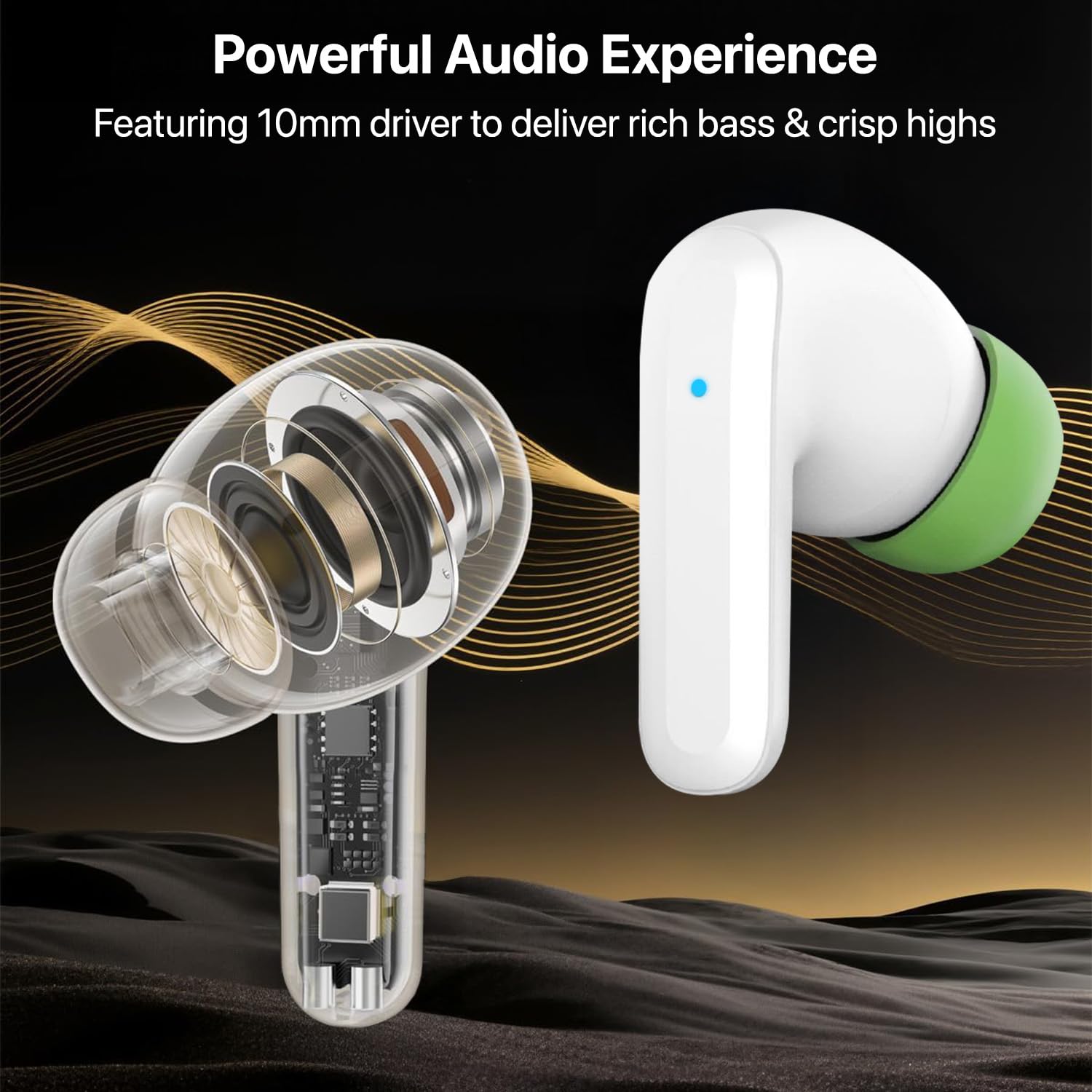
Image: An exploded view diagram of an earbud highlighting the 10mm dynamic driver, illustrating the powerful audio experience.
4. Maintenance
4.1 Charging the Earbuds and Case
- Earbuds: Place the earbuds back into the charging case. They will automatically begin charging.
- Charging Case: Connect the Type-C cable to the case and a power source. The case provides approximately 60 hours of additional charge for the earbuds.
- A full charge for the case takes approximately 1.5 hours.
4.2 Cleaning and Care
- Regularly clean the earbuds and charging case with a soft, dry cloth.
- Avoid using abrasive materials or harsh chemicals.
- Keep the charging contacts on both the earbuds and the case clean to ensure proper charging.
- Important: These earbuds are Not Water Resistant. Avoid exposure to water, sweat, or moisture to prevent damage.
4.3 Storage
When not in use, store the earbuds in their charging case to protect them and keep them charged. Store in a cool, dry place away from extreme temperatures.
5. Troubleshooting
If you encounter issues with your Vaku Luxos SONAIR earbuds, please refer to the following common solutions:
- Earbuds not pairing:
- Ensure both earbuds are charged.
- Turn off Bluetooth on your device, then turn it back on.
- Forget the device ("VL-SONAIR") in your device's Bluetooth settings and attempt to pair again.
- Place earbuds back in the case, close the lid, wait a few seconds, then open to re-initiate pairing mode.
- No sound or low volume:
- Check the volume level on both your device and the earbuds.
- Ensure the earbuds are properly connected to your device.
- Clean any debris from the earbud speakers.
- Earbuds not charging:
- Ensure the charging cable is securely connected to both the case and the power source.
- Verify the charging contacts on the earbuds and inside the case are clean and free of obstruction.
- Try a different charging cable or power adapter.
- Call quality issues (other party hears echo/noise):
- While the earbuds have noise reduction for the microphone, performance can vary in very noisy environments. Try moving to a quieter location.
- Ensure the microphone on the earbuds is not obstructed.
6. Specifications
| Feature | Detail |
|---|---|
| Model Name | SONAIR |
| Connectivity Technology | Bluetooth |
| Bluetooth Version | 5.4 |
| Audio Driver Type | Dynamic Driver |
| Audio Driver Size | 10 Millimetres |
| Battery Life (Earbuds) | 8 Hours |
| Total Playtime (with Case) | Up to 60 Hours |
| Control Method | Touch |
| Noise Control Features | Noise Reduction (Call Only) |
| Water Resistance Level | Not Water Resistant |
| Charging Interface | Type-C |
| Item Weight | 50 Grams |
| Product Dimensions (LxWxH) | 6.2 x 4.7 x 2.5 cm |
| Material | Plastic |
| Compatible Devices | Desktops, Laptops, Tablets |
7. Warranty Information
Your Vaku Luxos SONAIR TWS Earbuds come with a standard warranty to ensure your peace of mind.

Image: A golden badge indicating '1 Year Warranty'.
- Standard Warranty: The product includes a 1-year warranty from the date of purchase.
- Extended Warranty Options: Additional extended warranty plans may be available for purchase from authorized providers. Please check with your retailer for details.
- For warranty claims, please retain your proof of purchase and contact customer support.
8. Customer Support
For any queries, technical assistance, or support, please contact Vaku Luxos customer service.

Image: Vaku Luxos support information including a toll-free helpline number and services offered.
- Toll-Free Helpline: 1800-102-8258 (Monday to Saturday, 10 AM to 5 PM)
- Email Support: Refer to the official Vaku Luxos website for email contact options.
- Services Offered: Product knowledge, instant support, installation support, warranty claims, and doorstep replacement.