
GIODIR 63" Display Cabinet with Glass Doors
GIODIR RGB Display Cabinet User Manual
Model: 63" Display Cabinet with Glass Doors
Brand: GIODIR
Introduction
Thank you for choosing the GIODIR RGB Display Cabinet. This manual provides essential information for the safe assembly, operation, and maintenance of your new display cabinet. Please read all instructions carefully before beginning assembly and retain this manual for future reference.
Safety Information
- Always assemble the cabinet on a soft, clean surface to prevent scratches.
- Due to the weight and glass components, assembly is safer and recommended with two people.
- Ensure all screws and fasteners are securely tightened before use. Do not overtighten.
- Do not place excessively heavy items on shelves. Refer to specifications for weight limits.
- Keep children and pets away from the assembly area.
- The cabinet features reinforced glass designed to shatter safely without dangerous flying debris. However, handle glass components with care to avoid breakage.
- For stability, consider securing the cabinet to a wall using anti-tip hardware (if included or recommended by local safety standards).
- Ensure the power cord for the LED lights is not pinched or damaged during assembly or placement.
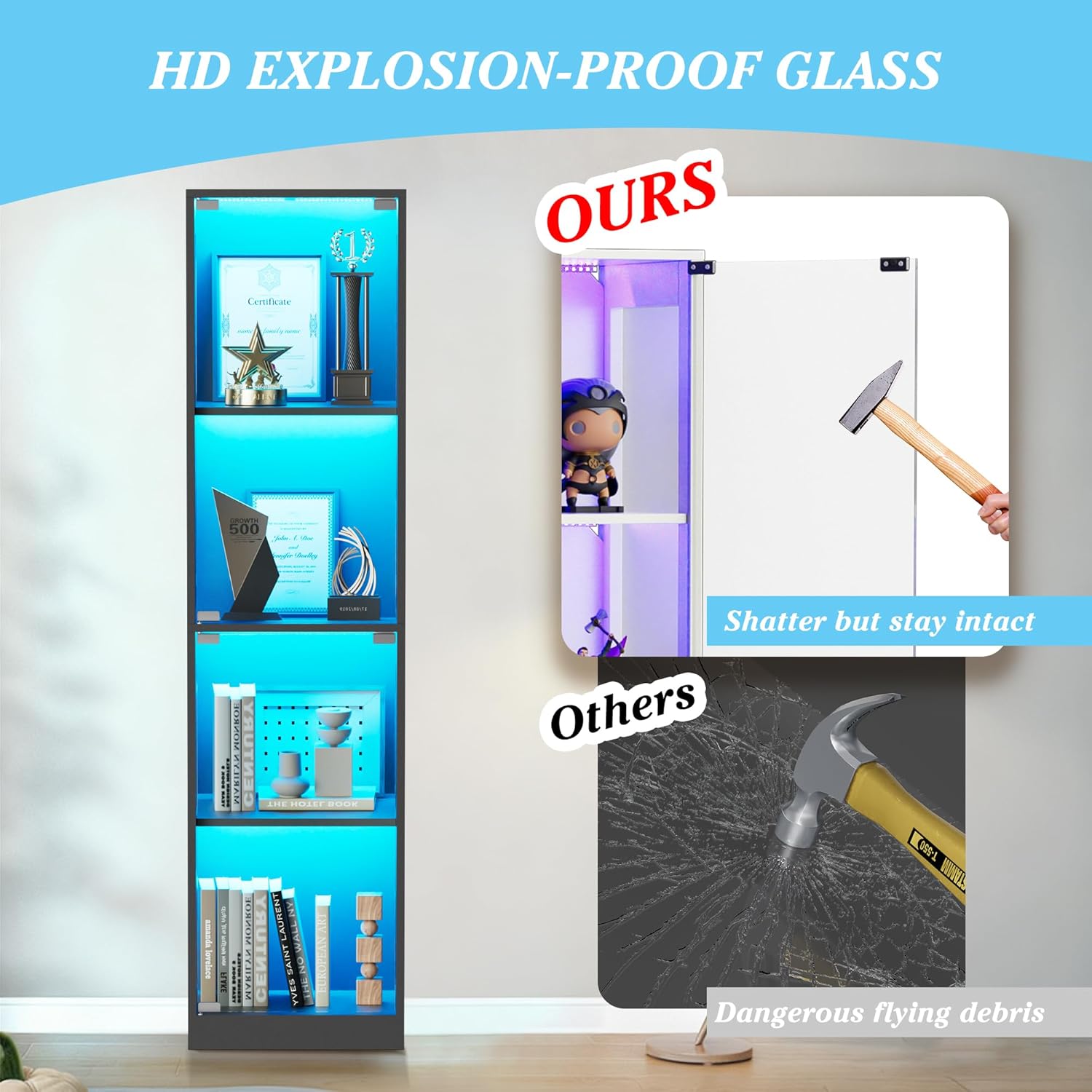
This image illustrates the safety feature of the reinforced glass, which is designed to shatter into smaller, less dangerous pieces compared to standard glass.
Package Contents
Please verify that all components are present before beginning assembly. If any parts are missing or damaged, contact customer support.
- MDF Frame Panels (Top, Bottom, Side Panels)
- Reinforced Glass Panels (Doors, Shelves)
- LED Light Strips and Controller
- Remote Control
- Assembly Hardware (Screws, dowels, cam locks, etc.)
- Power Adapter
- Instruction Manual
Setup and Assembly Instructions
Follow these steps carefully for proper assembly. It is recommended to have two people for this process, especially when handling glass components.
- Unpack and Identify Parts: Lay out all components on a clean, soft surface. Refer to the parts list in your manual to identify each piece.
- Assemble the Frame: Connect the side panels to the bottom panel using the provided hardware. Ensure all connections are secure.
- Install Shelves: Carefully slide the reinforced glass shelves into the designated slots within the frame. Ensure they are level and stable.
- Attach Top Panel: Secure the top panel to the assembled frame.
- Install Glass Doors: Attach the glass doors using the hinge mechanism. The cabinet features a "gentle press to open" design, so no external handles are required. Ensure the doors open and close smoothly.
- Install LED Lighting: Adhere the LED light strips to the interior edges of the cabinet as indicated in the detailed diagram (refer to the included paper manual for specific placement). Connect the LED strips to the controller and then to the power adapter.
- Position the Cabinet: Carefully move the assembled cabinet to its desired location. Ensure it is on a stable, level surface.
- Connect Power: Plug the power adapter into a suitable electrical outlet.

This image demonstrates the convenient pop-up design of the cabinet doors, which open with a gentle press, eliminating the need for external handles.
Operating Instructions
LED Lighting Control (Remote)
The included remote control allows for basic adjustments of the LED lighting.
- Power On/Off: Press the Power button to turn the lights on or off.
- Color Selection: Use the color buttons to select a static color.
- Brightness Adjustment: Use the Brightness Up/Down buttons to increase or decrease light intensity.
- Mode Selection: Cycle through various dynamic modes (e.g., flash, strobe, fade) using the Mode button.

This image illustrates the range of colors and brightness levels achievable with the LED lighting, controllable via both the remote and the smartphone app.
Smart App Control (Bluetooth)
For advanced control and customization, download the dedicated smartphone app (refer to the included paper manual for app name and QR code).
- Download App: Scan the QR code in your manual or search for the app name in your device's app store.
- Enable Bluetooth: Ensure Bluetooth is enabled on your smartphone.
- Pair Device: Open the app and follow the on-screen instructions to pair with your GIODIR RGB Display Cabinet.
- App Features:
- Lighting Dynamic: Customize light patterns and effects.
- Music Mode & Mic: Sync lights to music played on your phone or detected by your phone's microphone.
- Timer Function: Set schedules for lights to turn on/off automatically.
- Full Color Palette: Access a wider range of colors and fine-tune brightness.
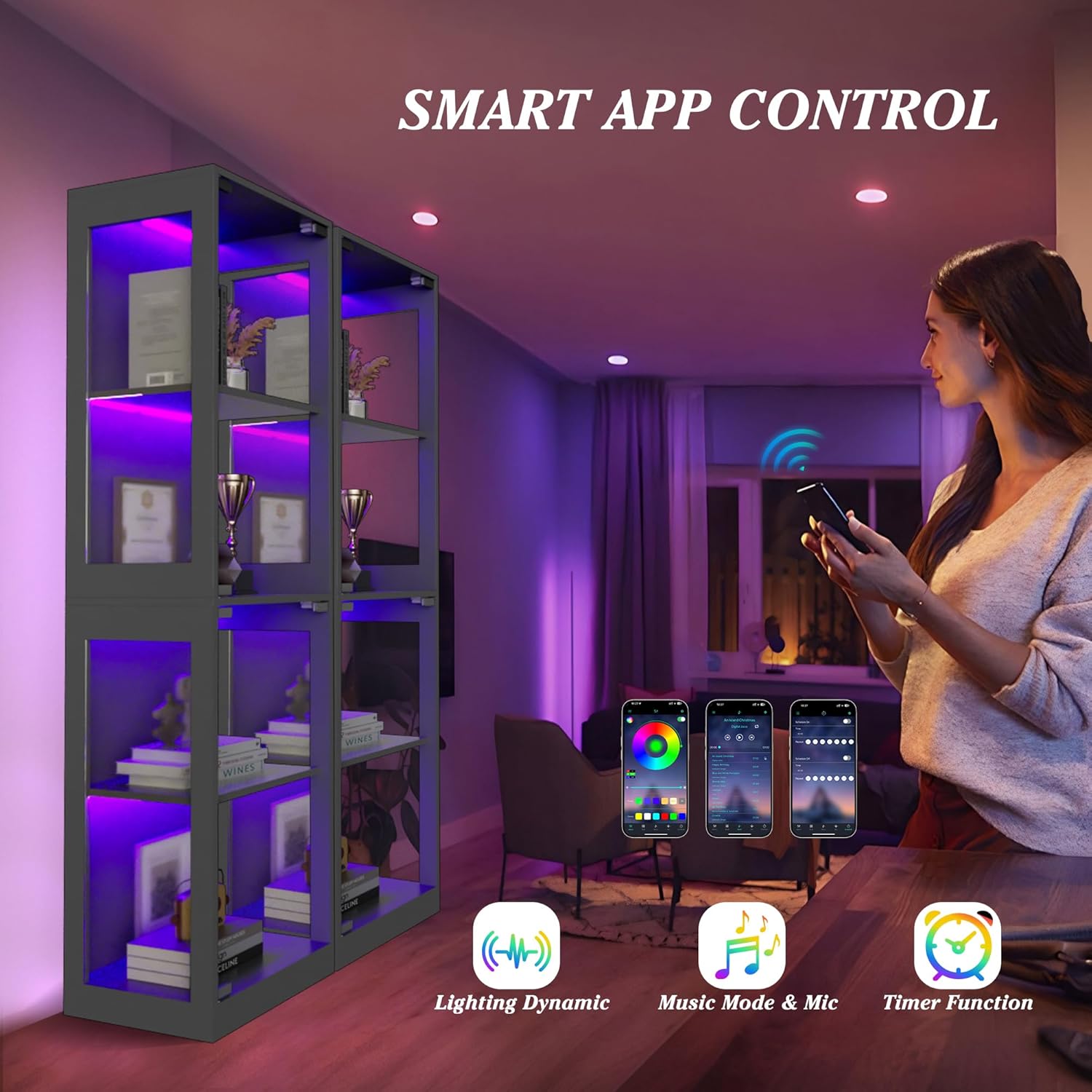
This image highlights the advanced control options available through the smartphone app, including dynamic lighting, music synchronization, and timer settings.

This image visually represents the music sync feature, where the cabinet's RGB lights can respond to the rhythm of music, enhancing the ambiance.
Maintenance
- Cleaning: Wipe the MDF frame and glass surfaces with a soft, damp cloth. Avoid abrasive cleaners or harsh chemicals that may damage the finish or glass.
- Dusting: Regularly dust the cabinet and its contents to maintain clarity and appearance.
- Glass Care: For streak-free glass, use a glass cleaner specifically designed for glass surfaces.
- Electrical Components: Ensure the power cord and LED connections are free from dust and debris. Do not attempt to repair electrical components yourself.
- Inspection: Periodically check all screws and fasteners to ensure they remain tight. Retighten if necessary.
Troubleshooting
| Problem | Possible Cause | Solution |
|---|---|---|
| LED lights do not turn on. |
|
|
| Remote control not responding. |
|
|
| App cannot connect to the cabinet. |
|
|
| Cabinet feels unstable. |
|
|
Specifications
| Model Number | 63" Display Cabinet with Glass Doors |
| Dimensions (Overall) | 14"D x 16"W x 63"H (35.5cm D x 40.6cm W x 160cm H) |
| Shelf Height (Internal) | Approximately 15.2" (38.6cm) and 13.8" (35cm) |
| Material | Engineered Wood (MDF), Reinforced Glass |
| Color | Black |
| Item Weight | 95 pounds (43.1 kg) |
| Mounting Type | Floor Mount |
| Lighting | RGB LED with App & Remote Control, Music Sync, Timer Function |

This diagram provides a visual representation of the cabinet's overall and internal dimensions for planning placement and display arrangements.
Warranty and Support
For warranty information, technical support, or to report missing/damaged parts, please contact GIODIR customer service. Refer to the contact information provided on the product packaging or the official GIODIR website.
Please have your model number (63" Display Cabinet with Glass Doors) and purchase date available when contacting support.
Ask a question about this manual
Ask about setup, troubleshooting, compatibility, parts, safety, or missing instructions. Manuals+ will review the question and use this page’s manual context to help answer it.