1. Introduction
This manual provides essential information for the proper use and maintenance of your Generic HT37 Smart Watch. Please read this manual thoroughly before using the device to ensure optimal performance and longevity. The HT37 Smart Watch is designed to help you monitor your health and fitness activities, and stay connected with notifications.
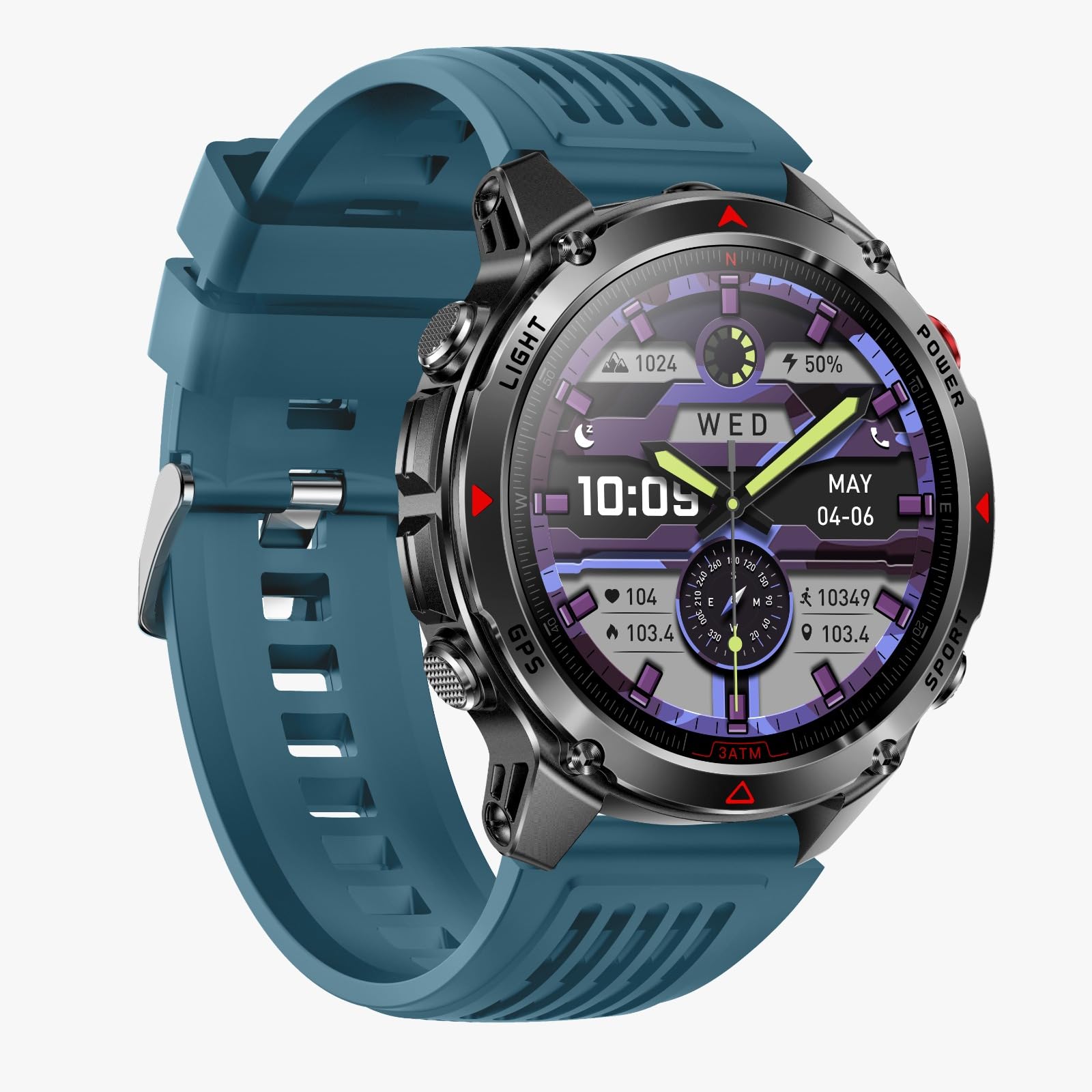
Image: The HT37 Smart Watch featuring a round display, metallic casing, and a blue silicone strap.
2. Safety Information
- Do not attempt to disassemble or modify the device. This may void the warranty and cause damage.
- Keep the device away from extreme temperatures, direct sunlight, and open flames.
- Avoid exposing the device to strong impacts or drops.
- Do not use corrosive cleaners to clean the watch. Use a soft, dry cloth.
- Consult a medical professional before starting any new exercise regimen, especially if you have pre-existing health conditions.
- This device is not a medical instrument and should not be used for diagnostic or treatment purposes.
3. What's in the Box
Upon opening the package, please verify that all items are present:
- HT37 Smart Watch
- User Manual (this document)
- Charging Cable
4. Setup Guide
4.1. Charging the Device
Before first use, fully charge your HT37 Smart Watch. Connect the provided charging cable to the charging port on the back of the watch and plug the USB end into a standard USB power adapter (not included) or a computer's USB port. The watch display will indicate charging status.
4.2. App Installation
To unlock the full functionality of your HT37 Smart Watch, you need to install the companion application on your smartphone. Search for the official app (e.g., 'HT37 Fit' or similar, refer to packaging for exact name) in the Apple App Store (for iOS devices) or Google Play Store (for Android devices). Download and install the application.
4.3. Device Pairing
- Ensure your HT37 Smart Watch is charged and powered on.
- Enable Bluetooth on your smartphone.
- Open the installed companion application on your smartphone.
- Follow the on-screen instructions within the app to search for and connect to your HT37 Smart Watch. The app will guide you through the pairing process.
- Confirm the pairing request on both your watch and smartphone if prompted.

Image: The HT37 Smart Watch displaying notifications, illustrating its connectivity features.
5. Operating Instructions
5.1. Basic Navigation
The HT37 Smart Watch features a full touchscreen display for easy navigation. Swipe left, right, up, or down to access different functions and menus. Press the physical buttons on the side for specific actions like power on/off or returning to the home screen.
5.2. Health Monitoring
The watch continuously monitors various health metrics:
- Heart Rate Monitoring: Access the heart rate interface on the watch to view your current heart rate. The watch can track your heart rate throughout the day.
- Sleep Monitoring: Wear the watch while sleeping to track your sleep patterns, including deep sleep, light sleep, and awake times. Data can be viewed in the companion app.
- Blood Oxygen Monitoring: The watch may offer blood oxygen level measurements. Refer to the specific watch interface for this function.

Image: The HT37 Smart Watch displaying various health metrics like heart rate and blood oxygen levels.

Image: The HT37 Smart Watch showing detailed sleep analysis, including sleep stages.
5.3. Activity Tracking and Sports Modes
The HT37 Smart Watch tracks daily steps, distance, and calories burned. It also supports multiple sports modes for more specific activity tracking.
- Accessing Sports Modes: Swipe on the watch face to find the sports mode menu. Select your desired activity (e.g., running, cycling, walking).
- GPS Tracking: The watch supports GPS via smartphone. Ensure your phone is connected and GPS is enabled for accurate route tracking during outdoor activities.

Image: The HT37 Smart Watch showcasing its multiple sports modes and activity tracking capabilities.

Image: The HT37 Smart Watch demonstrating GPS precise positioning and track return functionality during an outdoor activity.
5.4. Notifications
Once paired with your smartphone, the HT37 Smart Watch can display call reminders, text messages, and app notifications directly on your wrist. Ensure notification permissions are granted in your phone's settings and the companion app.
6. Maintenance
6.1. Cleaning
Regularly clean your watch and strap to prevent skin irritation and maintain device hygiene. Use a soft, lint-free cloth. If necessary, slightly dampen the cloth with plain water. Avoid using soaps, detergents, or abrasive materials.
6.2. Water Resistance (IP67)
The HT37 Smart Watch has an IP67 waterproof rating. This means it is resistant to dust and can withstand immersion in water up to 1 meter for up to 30 minutes. It is suitable for daily use, workouts, and light water exposure like hand washing or rain. It is not recommended for swimming, showering with hot water, or diving, as steam and high water pressure can compromise the seals.
7. Troubleshooting
7.1. Watch Not Turning On
- Ensure the watch is fully charged. Connect it to the charging cable for at least 30 minutes.
- Press and hold the power button for several seconds.
7.2. Unable to Pair with Smartphone
- Make sure Bluetooth is enabled on your smartphone.
- Ensure the watch is within Bluetooth range (typically 10 meters).
- Restart both your watch and smartphone.
- Check if the companion app is updated to the latest version.
- If previously paired, try unpairing the device from your phone's Bluetooth settings and then re-pairing through the app.
7.3. Inaccurate Health Data
- Ensure the watch is worn snugly on your wrist, not too tight or too loose.
- Clean the sensor on the back of the watch.
- Avoid excessive movement during measurements.
8. Specifications
| Feature | Detail |
|---|---|
| Model Number | HT37 |
| Screen Size | 1.46 Inches |
| Connectivity | Bluetooth |
| Water Resistance | IP67 |
| Battery Capacity | 540 Milliamp Hours |
| Operating System | Android Wear 1.0 |
| Memory Storage Capacity | 128 MB |
| Compatibility | Android & iOS |
| GPS | GPS Via Smartphone |
9. Warranty and Support
Your Generic HT37 Smart Watch comes with a standard manufacturer's warranty. Please refer to the product packaging or the official brand website for specific warranty terms and conditions. For technical support, troubleshooting assistance, or warranty claims, please contact the retailer or the manufacturer's customer service department.
For further assistance, please visit the Generic support website or contact customer service at the details provided with your purchase.


