
1. Important Safety Instructions
Please read all instructions carefully before using this walking pad. Keep this manual for future reference.
- Placement: Place the walking pad on a flat, stable surface. Ensure adequate clear space around the unit (at least 0.6 meters on all sides).
- Power Supply: Connect the walking pad to a properly grounded electrical outlet. Do not use extension cords or adapters.
- User Weight: Do not exceed the maximum user weight capacity of 130 kg.
- Children and Pets: Keep children and pets away from the walking pad during operation.
- Medical Conditions: Consult a physician before starting any exercise program, especially if you have pre-existing medical conditions.
- Emergency Stop: Familiarize yourself with the emergency stop procedure.
- Maintenance: Perform regular maintenance as described in this manual to ensure safe operation.
- Moving: Use the built-in transport wheels when moving the unit. Do not lift the unit alone.
- Incline: Be aware of the incline feature and adjust it manually before starting your workout.
2. Product Overview
The Homefitnesscode A1 Incline Walking Pad is a compact and portable fitness device designed for home and office use. It features a powerful yet quiet motor, adjustable speed, and a manual incline function to enhance your workout.
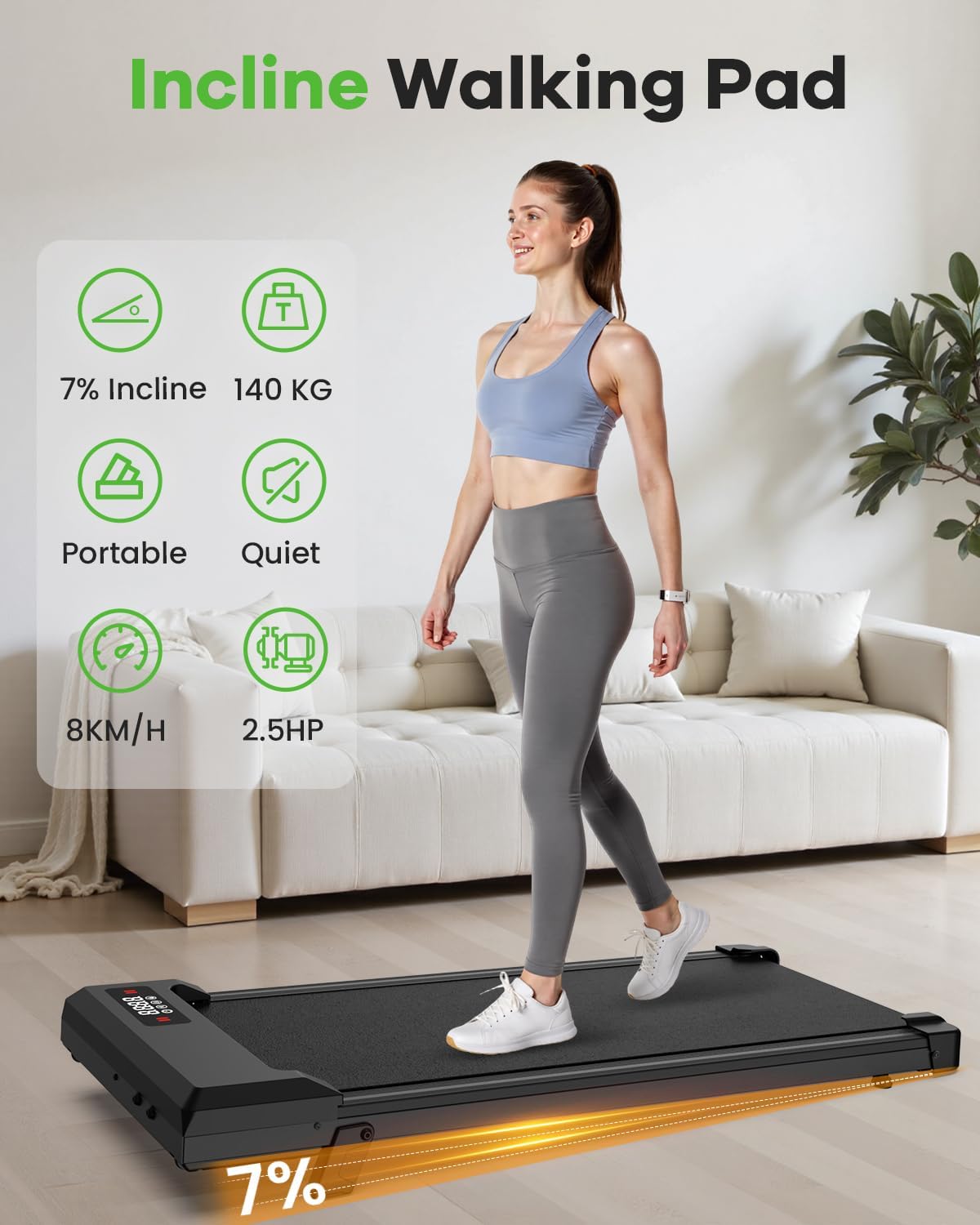
Figure 2.1: Overview of the Homefitnesscode Incline Walking Pad highlighting its main features.
Key Features:
- Compact Design: Ultra-compact dimensions (100 x 48 x 10.5 cm) for easy storage under furniture or against a wall.
- Powerful & Quiet Motor: Equipped with a 2.5 HP brushless motor for smooth and quiet operation (below 45dB).
- Adjustable Speed: Speed range from 1 km/h to 8 km/h, suitable for walking, jogging, and light running.
- Manual Incline: Features a manual 0-7% incline adjustment to increase workout intensity and calorie burn.
- Remote Control: Convenient wireless remote for adjusting speed and power.
- LED Display: Integrated LCD screen displays real-time data including speed, time, distance, and calories burned.
- Anti-slip Running Belt: 5-layer textured belt for enhanced grip and safety.
- Shock Absorption: Multi-layer cushioning and six silicone shock absorbers protect joints during exercise.
- Portability: Built-in transport wheels for easy movement and storage.
3. Setup
The Homefitnesscode A1 Incline Walking Pad requires minimal setup and is ready for use almost immediately out of the box.
Unpacking and Placement:
- Carefully remove the walking pad from its packaging.
- Place the walking pad on a firm, level surface. Ensure there is at least 0.6 meters of clear space around the unit.
- Inspect the unit for any signs of damage during transit. If damaged, contact customer support immediately.
Power Connection:
- Locate the power cord included in the package.
- Plug the power cord into the designated port on the walking pad.
- Plug the other end of the power cord into a standard, grounded electrical outlet.
Incline Adjustment:
The incline is adjusted manually. Before starting your workout, lift the walking pad and adjust the support legs to achieve the desired incline level (0% or 7%). Ensure both sides are set equally and securely.

Figure 3.1: Manual incline adjustment for varied workout intensity.
4. Operating Instructions
The walking pad is controlled via the included remote control and features an integrated LED display.
Remote Control Functions:

Figure 4.1: Remote control and LED display interface.
- ON/OFF Button: Press to power on or off the walking pad.
- '+' Button: Increases the speed of the running belt.
- '-' Button: Decreases the speed of the running belt.
- 'M' Button: Cycles through display modes or preset programs (if available).
LED Display:
The LED display provides real-time feedback on your workout:
- Speed: Current speed in km/h.
- Timing: Duration of your workout.
- Distance: Total distance covered.
- Calories: Estimated calories burned.
Starting a Workout:
- Ensure the walking pad is plugged in and the power switch (if present) is ON.
- Stand on the side rails of the walking pad, not directly on the belt.
- Press the 'ON' button on the remote control. The display will light up.
- Press the '+' button to start the belt at a low speed. Gradually increase the speed to your desired level using the '+' and '-' buttons.
- Step onto the moving belt carefully.
Ending a Workout:
- Gradually decrease the speed using the '-' button until the belt comes to a complete stop.
- Step off the walking pad.
- Press the 'OFF' button on the remote control to power down the unit.

Figure 4.2: The walking pad supports various exercise intensities including walking, jogging, and climbing.
5. Maintenance
Regular maintenance ensures the longevity and safe operation of your Homefitnesscode A1 Incline Walking Pad.
Cleaning:
- Always unplug the walking pad before cleaning.
- Wipe down the unit with a damp cloth after each use to remove sweat and dust.
- Do not use abrasive cleaners or solvents.
Lubrication:
The running belt requires periodic lubrication to reduce friction and extend its lifespan. Use the silicone lubricant provided in the kit.
- Unplug the walking pad.
- Loosen the belt tension bolts slightly (refer to the diagram in the full manual if available).
- Lift the edge of the running belt and apply a small amount of silicone lubricant evenly to the center of the deck, underneath the belt.
- Tighten the belt tension bolts.
- Plug in the walking pad and run it at a low speed for 1-2 minutes to distribute the lubricant.
- Lubricate every 3-6 months depending on usage.
Belt Adjustment:
If the running belt starts to slip or drift to one side, it may need adjustment. Refer to the detailed instructions in the complete product manual for proper belt tensioning and centering procedures.
6. Troubleshooting
If you encounter issues with your walking pad, refer to the following common problems and solutions:
| Problem | Possible Cause | Solution |
|---|---|---|
| Walking pad does not power on. | Not plugged in; Power switch off; Remote battery low. | Check power cord connection; Ensure power switch is ON; Replace remote control battery. |
| Belt slips or hesitates. | Belt too loose; Insufficient lubrication. | Adjust belt tension (refer to manual); Lubricate the running belt. |
| Belt drifts to one side. | Belt not centered. | Adjust belt centering bolts (refer to manual). |
| Unusual noise during operation. | Loose components; Lack of lubrication; Foreign object. | Check all bolts and tighten; Lubricate belt; Inspect for foreign objects. |
| Remote control not responding. | Battery low or dead; Obstruction. | Replace remote control battery; Ensure no obstructions between remote and display. |
If the problem persists after attempting these solutions, please contact customer support.
7. Specifications
Detailed technical specifications for the Homefitnesscode A1 Incline Walking Pad.
| Feature | Specification |
|---|---|
| Model Number | A1 |
| Dimensions (L x W x H) | 100 x 48 x 10.5 cm |
| Product Weight | 14.2 kg |
| Motor Power | 2.5 HP |
| Speed Range | 1 - 8 km/h |
| Incline Levels | Manual 0% - 7% |
| Maximum User Weight | 130 kg |
| Display Type | LCD |
| Display Metrics | Time, Distance, Speed, Calories |
| Frame Material | Alloy Steel |
| Power Source | Corded Electric |
| Included Components | User Manual, Power Cable, Remote Control, Lubricant, Tool Kit |
8. Warranty and Support
Homefitnesscode is committed to providing high-quality products and excellent customer service.
Customer Support:
If you have any questions, concerns, or require assistance with your Homefitnesscode A1 Incline Walking Pad, please do not hesitate to contact our professional customer service team. Our support team is available to provide assistance within 7 days.
Please refer to the contact information provided with your purchase or visit the official Homefitnesscode website for support details.


