
1. Introduction
Thank you for choosing the VEVOR Commercial Ice Maker Machine, Model SY60. This manual provides essential information for the safe and efficient operation, installation, maintenance, and troubleshooting of your ice maker. Please read this manual thoroughly before use and retain it for future reference.
Important Safety Information
- Always ensure the unit is properly grounded.
- Do not operate the machine with a damaged power cord or plug.
- Keep ventilation openings clear of obstructions.
- Only use potable water for ice production.
- Ensure the plumbing drain outlet is lower than the machine's water discharge outlet for proper gravity drainage.
- Do not store explosive substances such as aerosol cans with a flammable propellant in this appliance.
2. Product Overview
The VEVOR Commercial Ice Maker Machine SY60 is a freestanding unit designed for commercial use, featuring a worktop surface and a daily ice production capacity of 132 lbs (60 kg).
Key Features
- Worktable Design: Can be placed anywhere, optimizing kitchen workflow and efficiency.
- High Production Capacity: Produces up to 132 lbs (60 kg) of ice per day.
- Ice Storage: Integrated bin with 30 lbs (13.6 kg) storage capacity.
- Smart Control Panel: Intuitive touch panel for real-time monitoring, auto-cleaning, ice thickness adjustment, defrost, and timer settings.
- Efficient Insulation: Thick insulation layer and sealed bin to slow ice melting.
- Self-Cleaning Function: One-touch automatic cleaning for easy maintenance.
- Transparent Viewing Window: Allows monitoring of ice production.
Package Contents
Upon unpacking, verify that all items are present:
- 1 x VEVOR Commercial Ice Maker Machine SY60
- 1 x Water Inlet Hose
- 1 x Ice Maker Drain Hose
- 1 x Ice Scoop (PP)
- 1 x Filter Joint
- 1 x Water Filter
- 1 x User Manual

Image: VEVOR Commercial Ice Maker Machine SY60 with its accessories, including inlet and drain hoses, filter, ice scoop, and user manual.
3. Setup
3.1 Unpacking
Carefully remove the ice maker from its packaging. Inspect the unit for any shipping damage. If damage is found, do not operate the machine and contact customer support.
3.2 Placement
Place the ice maker on a firm, level surface capable of supporting its weight. Ensure there is adequate ventilation around the unit, especially at the front and rear air vents. Avoid direct sunlight or heat sources. The worktop surface can support up to 330 lbs (150 kg).

Image: The VEVOR Commercial Ice Maker Machine SY60 positioned as a freestanding workstation in a kitchen, highlighting its countertop load capacity and efficient use of space.
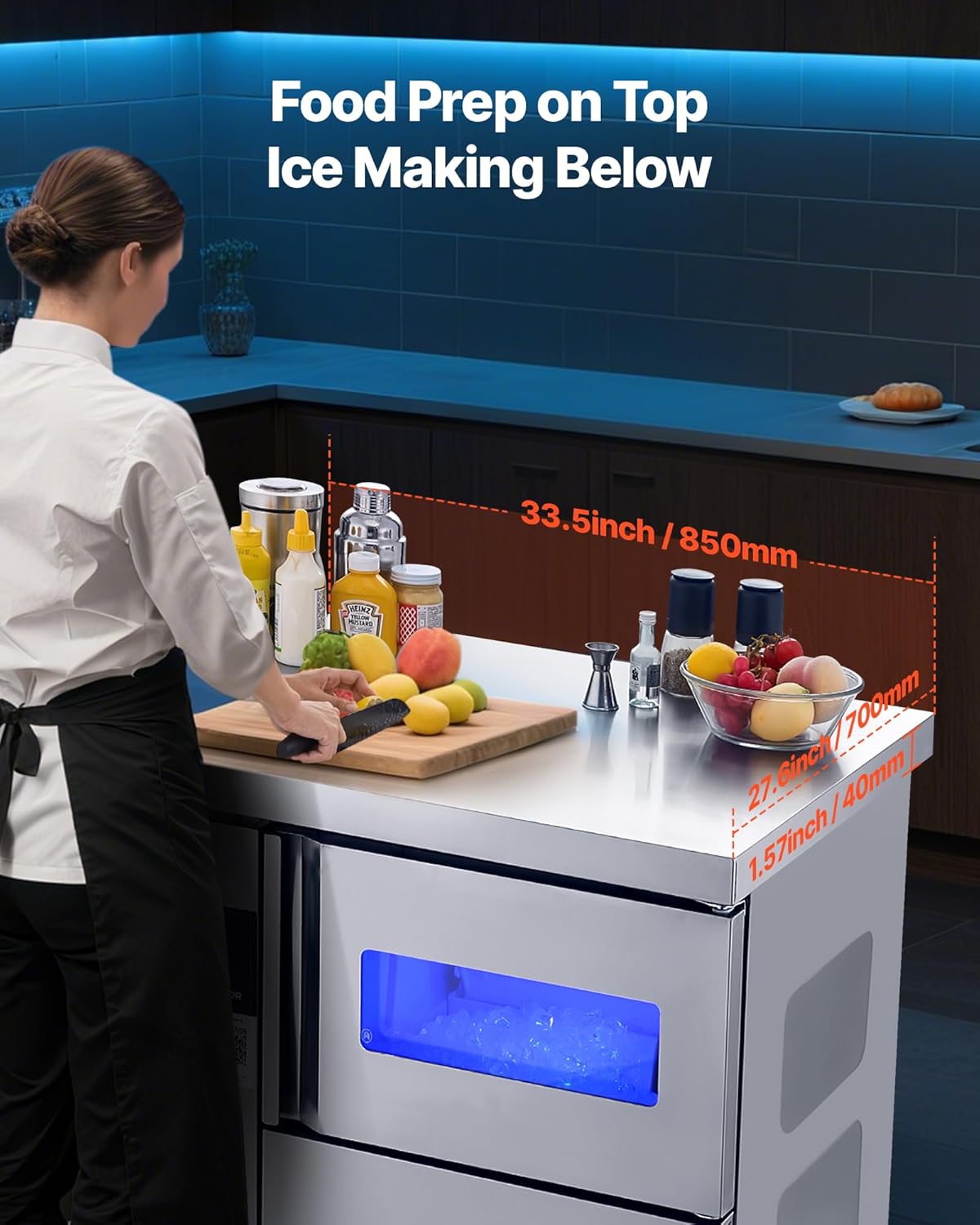
Image: A chef utilizing the stainless steel work surface of the VEVOR Commercial Ice Maker Machine SY60 for food preparation, demonstrating the 'Food Prep on Top, Ice Making Below' concept. Dimensions of the worktop are visible.
3.3 Water Connection
- Connect the provided water inlet hose to a potable water supply.
- Attach the other end of the inlet hose to the water inlet port on the back of the ice maker.
- Install the water filter in line with the inlet hose as per the filter instructions.
- Connect the drain hose to the drain outlet on the back of the ice maker.
- Route the drain hose to a floor drain or a sink. Ensure the drain outlet is lower than the machine's water discharge outlet for gravity drainage.
- Secure all connections to prevent leaks.
3.4 Initial Cleaning
Before first use, it is recommended to perform an initial cleaning cycle. Refer to the 'Maintenance' section for instructions on using the self-cleaning function.
4. Operating Instructions
4.1 Control Panel Overview
The intelligent touch panel provides various functions for operating the ice maker.

Image: A detailed view of the VEVOR Commercial Ice Maker Machine SY60's smart touch control panel, showing buttons for 'switch', 'ice falling', 'timer', 'self-cleaning', and ice thickness adjustment. The 'Timing' button is highlighted.
- Switch Button: Powers the unit on/off.
- Ice Falling Button: Initiates the ice harvest cycle.
- Timer Button: Sets a timer for operation.
- Self-Cleaning Button: Activates the automatic cleaning cycle.
- Thickness Adjustment: Buttons to increase or decrease ice cube thickness.
- Display: Shows current status, ice making time, and error codes.
4.2 First Use and Ice Making
- Ensure the water supply is connected and turned on.
- Plug the power cord into a grounded electrical outlet.
- Press the 'Switch' button to turn on the machine.
- The machine will automatically start the ice-making process. The display will show the remaining ice-making time.
- Ice cubes will fall into the storage bin once ready. The machine produces approximately 70 cubes per cycle.
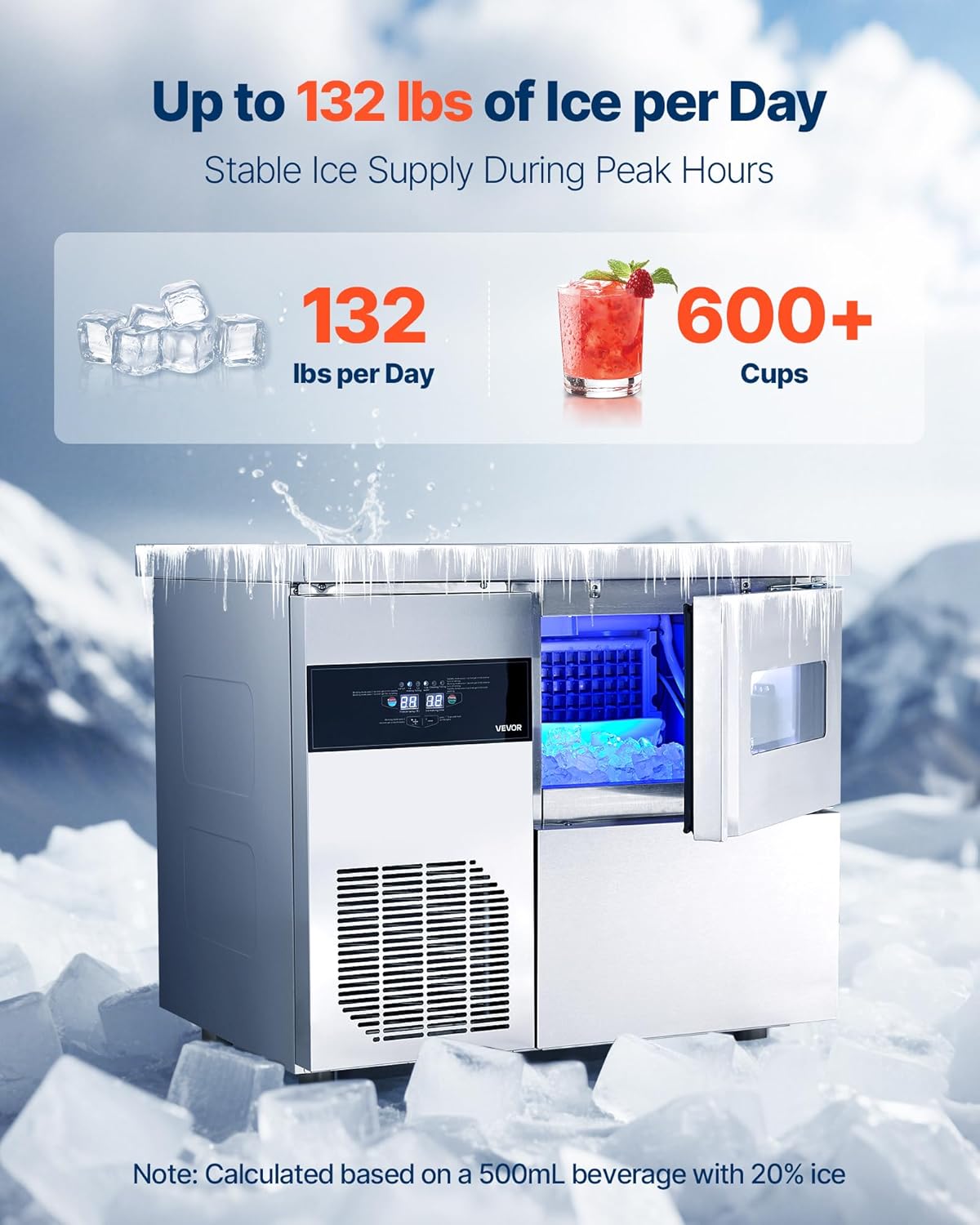
Image: The VEVOR Commercial Ice Maker Machine SY60 actively producing ice, with ice cubes visible in the storage area. Text indicates a production capacity of up to 132 lbs per day.
4.3 Adjusting Ice Thickness
Use the '+' and '-' buttons on the control panel to adjust the ice-making time, which directly influences the thickness of the ice cubes. A longer time results in thicker ice.
4.4 Defrost Function
The machine includes a quick defrost function. Refer to the control panel instructions for activation.
4.5 Timer Function
Press the 'Timer' button to set a delayed start or stop time for the ice maker. Follow the on-screen prompts to set the desired duration.
5. Maintenance
Regular cleaning and maintenance are crucial for the longevity and hygienic operation of your ice maker.
5.1 Self-Cleaning Function
The SY60 model features a one-touch auto-cleaning function:
- Ensure the water supply is connected.
- Press the 'Self-Cleaning' button on the control panel.
- The machine will automatically perform a cleaning cycle, flushing the water system.
- Once complete, drain any remaining water.
5.2 Regular Cleaning
- Exterior: Wipe the exterior with a soft cloth and mild detergent.
- Interior: Periodically clean the ice storage bin and ice-making components with a solution of water and a food-grade sanitizer. Rinse thoroughly.
- Air Filter: Clean the air filter located on the front/side panel regularly to ensure efficient cooling.
5.3 Drainage
The machine uses gravity drainage. Regularly check the drain hose for kinks or blockages to ensure proper water discharge. The plumbing drain outlet must be lower than the machine's water discharge outlet.
5.4 Insulation
The ice maker is built with a thick insulation layer and a sealed bin to maintain ice quality. Avoid opening the ice bin unnecessarily to preserve insulation effectiveness.

Image: A cutaway diagram illustrating the construction of the VEVOR Commercial Ice Maker Machine SY60, highlighting its stainless steel exterior, HIPS liner, and cyclopentane insulation for long-lasting ice storage.
6. Troubleshooting
Before contacting customer support, please refer to the following common issues and solutions:
| Problem | Possible Cause | Solution |
|---|---|---|
| No ice production | No water supply; power issue; clogged filter. | Check water connection and supply valve; ensure unit is plugged in; clean or replace water filter. |
| Low ice production | Poor ventilation; high ambient temperature; dirty condenser. | Ensure adequate clearance around the unit; operate in a cooler environment; clean the condenser coils. |
| Ice cubes are too thin/thick | Ice thickness setting incorrect. | Adjust ice thickness using the control panel buttons. |
| Water leaks | Loose hose connections; clogged drain. | Tighten all water inlet and drain hose connections; clear any blockages in the drain hose. |
| Error code displayed | Specific internal issue. | Refer to the specific error code in the full user manual or contact VEVOR support. |
7. Specifications
| Specification | Detail |
|---|---|
| Item Model Number | SY60 |
| Voltage/Frequency | AC 115V 60Hz |
| Maximum Ice Production Capacity | 132 lbs / 60 kg per 24H |
| Ice Storage Capacity | 30 lbs / 13.6 kg |
| Product Dimensions (D x W x H) | 33.5" x 27.6" x 30.9" / 850 x 700 x 785 mm |
| Item Weight | 121.3 Pounds |
| Refrigerant | R290a |
| Countertop Load Capacity | 330 lbs / 150 kg |
Image: A visual representation of the VEVOR Commercial Ice Maker Machine SY60, detailing its dimensions and key specifications such as model number, voltage, ice production, and storage capacity.
8. Warranty and Support
VEVOR products are designed for durability and performance. For warranty information, technical support, or service inquiries, please contact VEVOR customer support through their official website or the contact details provided with your purchase documentation.
Please have your model number (SY60) and purchase date available when contacting support.