
Introduction
The Dr. Scholl's Pedi Perfect Pro Electric Callus Remover is designed to gently and effectively remove hard, rough, and dry skin from your feet, revealing softer, smoother skin. This device features NanoTech roller heads, a dual-speed motor, and a rechargeable, waterproof design for convenient home foot care.
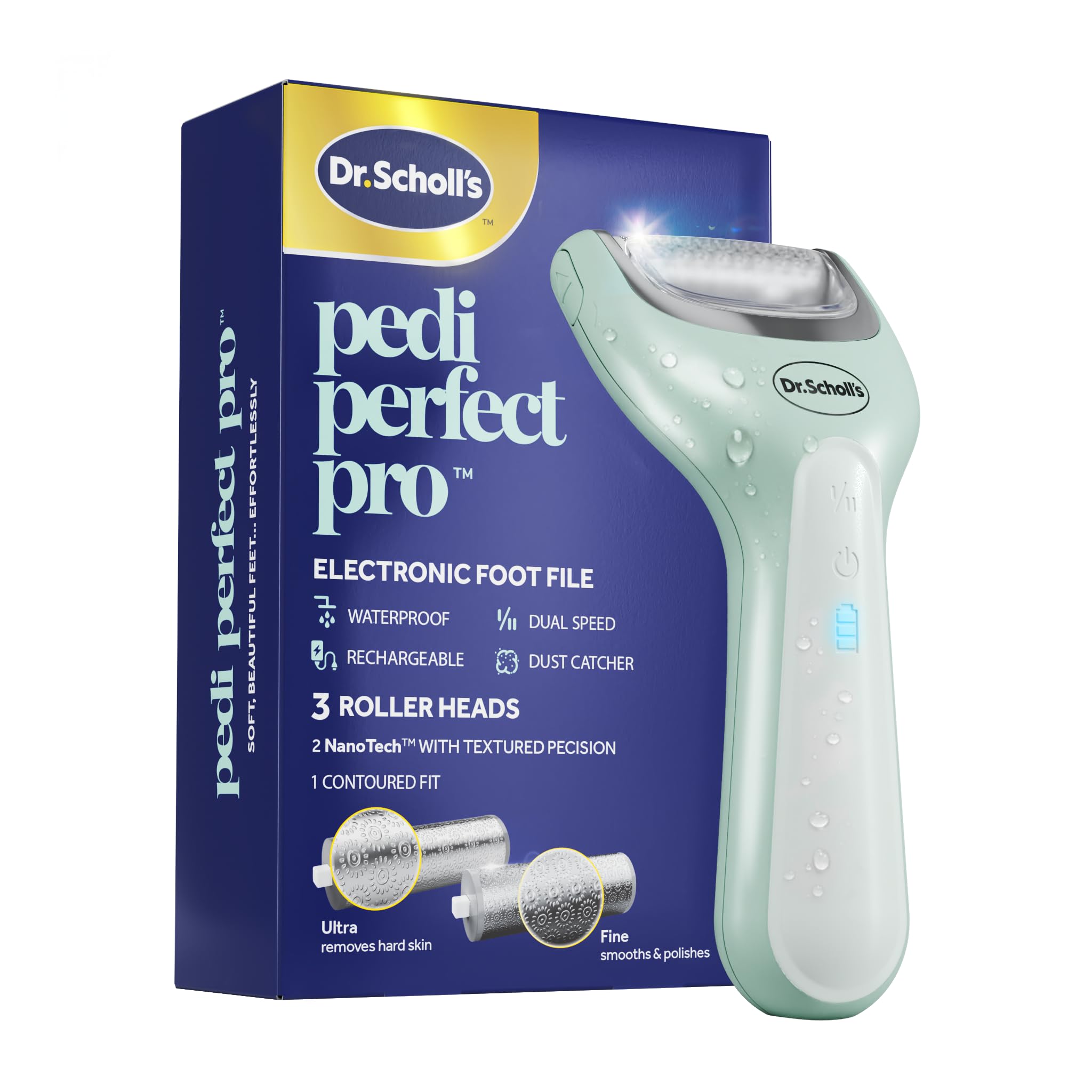
Image: The Dr. Scholl's Pedi Perfect Pro in action, demonstrating its effectiveness in removing hard skin for soft, beautiful feet.
Product Features
- NanoTech Roller Heads: Innovative textured rollers with multi-directional grinding micro-points for efficient filing and smoothing. Includes Ultra, Fine, and Contoured roller heads.
- Dual-Speed Motor: Adjustable motor with two speed settings for customized exfoliation intensity.
- Rechargeable Battery: Provides up to 50 minutes of continuous use on a single charge, with an LED battery indicator.
- Waterproof Design: Allows for safe use on wet or dry skin. Rated IPX6.
- Dust Collector: A patent-pending feature designed to minimize mess during use.
- Ergonomic Grip: Ensures comfortable handling and control.
- Pressure Lock Technology: For safe removal of dead skin.

Image: An overview of the product's main features, including NanoTech roller heads, dust collector, dual speed, rechargeable battery, and waterproof design.
Setup
- Initial Charge: Before first use, fully charge the device using the provided USB-C cable. Connect the USB-C cable to the device and a suitable USB power adapter (not included). The LED battery indicator will show charging status. The device offers up to 50 minutes of runtime on a full charge.
- Attaching Roller Head: Select the appropriate roller head for your needs:
- Ultra Roller: For removing the toughest hard skin.
- Fine Roller: For smoothing and polishing skin.
- Contoured Roller: Specifically designed to target heels.

Image: Detailed view of the NanoTech roller heads, illustrating the Ultra roller for hard skin and the Fine roller for smoothing.

Image: Visual guide to recharging, highlighting the USB-C cable, battery indicator, and run time.
Operating Instructions
- Power On: Press the power button to turn on the device.
- Select Speed: The device has a dual-speed motor. Press the speed button to toggle between the two settings, allowing you to customize the exfoliation intensity.
- Application: Gently apply the rotating roller head to the hard, rough, or dry skin on your feet. Use slow, steady movements. Do not press too hard; the device is designed to work effectively with light pressure.
- Duration: Do not use the device on the same area for more than 3-4 seconds at a time. Regularly check your skin during use.
- Power Off: Press the power button again to turn off the device after use.

Image: The device's control panel, highlighting the dual-speed motor button for personalized exfoliation.
Maintenance
- Cleaning the Device: Ensure the device is turned off and unplugged from the charging cable before cleaning. The device has an IPX6 waterproof rating, meaning it can withstand strong water jets. You can rinse the roller head and the device body under running water. Do not immerse the entire device in water.
- Emptying the Dust Collector: The patent-pending dust collector helps contain skin particles. Regularly empty the dust collector for optimal performance and hygiene.
- Drying: After cleaning, allow the device and roller head to air dry completely before storing or recharging.
- Storage: Store the device in a cool, dry place, away from direct sunlight and out of reach of children.
- Roller Head Replacement: Roller heads wear down over time. Replace them when they become less effective. Replacement roller heads are sold separately.
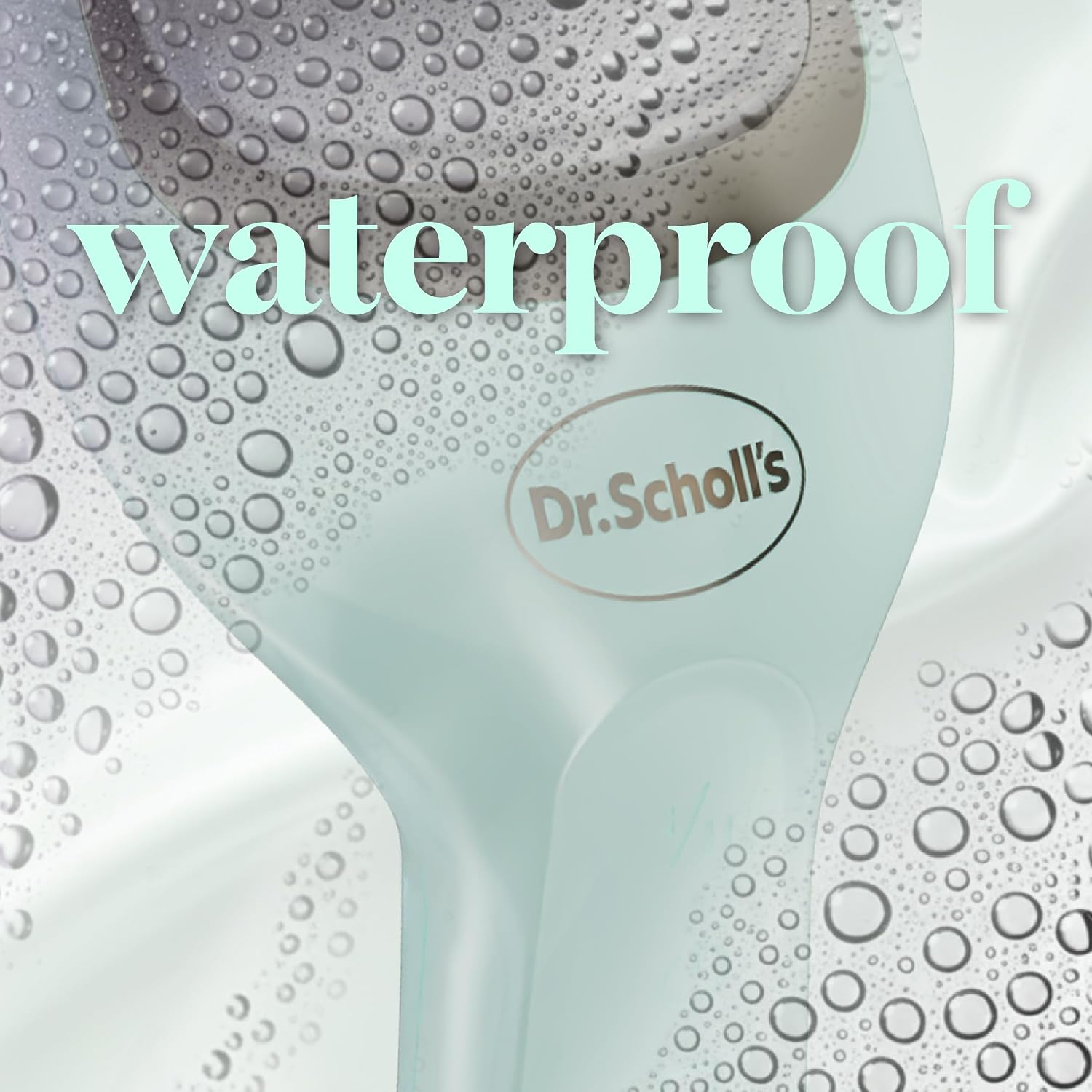
Image: The device shown with water droplets, illustrating its waterproof capability for easy cleaning.

Image: A detailed view of the integrated dust collector, designed for clean exfoliation.
Safety Warnings
- This device is intended for use on hard skin on the feet only. Do not use it on other parts of the body.
- Do not immerse the device completely in water, despite its waterproof rating. The IPX6 rating indicates resistance to strong water jets, not prolonged submersion.
- Keep out of reach of children.
- Do not use the device on the same area for more than 3-4 seconds at a time.
- Stop use immediately if you experience any irritation, discomfort, or pain.
- Do not use on broken, sore, irritated, or damaged skin. Consult a healthcare professional if you have any concerns about your foot health.
- Only use the USB-C cable provided with this product for charging.
- If the batteries are damaged or leaking, avoid all contact with skin or eyes. In case of contact, rinse the affected area thoroughly with water and seek medical attention immediately.
- Stop using the product if it becomes abnormally hot during operation or charging.
- The USB-C charging cable is not waterproof. Do not charge the device near water, do not rinse the cable under water, and do not handle the cable with wet hands.
Troubleshooting
If you encounter issues with your Dr. Scholl's Pedi Perfect Pro, refer to the following common solutions:
| Problem | Possible Cause | Solution |
|---|---|---|
| Device does not turn on. | Battery is depleted. | Charge the device fully using the provided USB-C cable. |
| Roller head stops spinning or slows down significantly. | Excessive pressure applied; roller head is worn; battery low. | Apply lighter pressure. Replace the roller head if worn. Recharge the device. |
| Device becomes abnormally hot. | Prolonged use; internal malfunction. | Discontinue use immediately. Allow the device to cool down. If the issue persists, contact customer support. |
| Device not charging. | USB-C cable or power adapter issue; device not properly connected. | Ensure the USB-C cable is securely connected to both the device and the power source. Try a different compatible USB power adapter. Ensure the cable is not damaged. |
Specifications
- Model Number: 9090441
- Brand: Dr. Scholl's
- Dimensions (L x W x H): 5.7 x 13.2 x 20.6 cm (2.24 x 5.20 x 8.11 inches)
- Weight: 220 grams (0.49 lbs)
- Material: Nano glass (roller heads)
- Color: Green
- Power Source: Rechargeable (Electric)
- Battery Life: Up to 50 minutes of continuous operation
- Waterproof Rating: IPX6
- Country of Origin: China
Warranty and Support
Specific warranty information for the Dr. Scholl's Pedi Perfect Pro Electric Callus Remover is not provided in this manual. Please refer to the product packaging, the manufacturer's official website, or your point of purchase for detailed warranty terms and conditions.
For customer support, technical assistance, or to inquire about replacement parts, please visit the official Dr. Scholl's website or contact their customer service department using the contact information provided on the product packaging.