
1. Safety Information
Please read all instructions carefully before installation and use. Retain this manual for future reference.
- Electrical Safety: Installation should be performed by a qualified electrician or a person with a thorough understanding of electrical wiring. Always turn off power at the circuit breaker before installation or maintenance.
- Dimmable Bulbs Only: This dimmer switch is designed for use with dimmable bulbs. Using non-dimmable LED bulbs may cause flickering, damage to the bulb, or improper operation. Verify your bulbs are dimmable before connecting.
- Neutral Wire Required: A neutral wire is necessary for the proper operation of this device. Ensure your electrical box has a neutral wire available.
- Compatibility: Not compatible with LED strip lights.
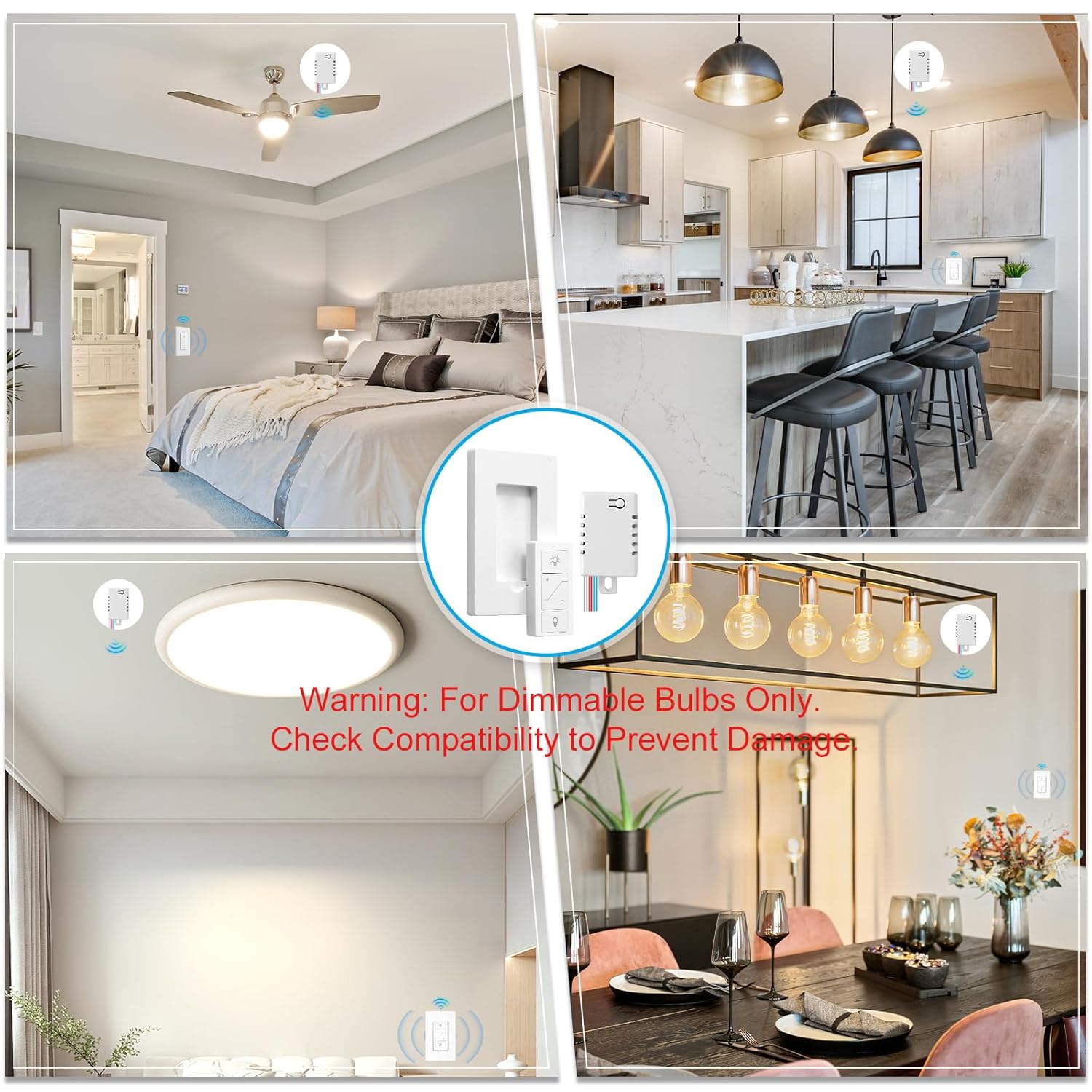
Image: Visual warning indicating the dimmer is for dimmable bulbs only, with examples of various lighting fixtures.

Image: Detailed instructions on how to check if bulbs are dimmable, emphasizing the need for dimmable bulbs and warning against using non-dimmable LEDs.
2. Product Overview
The Sunmerit Wireless Dimmer Switch and Receiver Kit provides convenient control over your lighting fixtures. It includes a compact receiver module and a wireless remote switch that can be mounted as a wall switch or used as a portable handheld device.
2.1 Components
- Wireless Dimmer Receiver Module
- Wireless Remote Switch (with wall plate)

Image: The main product image showing the wireless dimmer receiver module, the remote switch, and its wall plate.
2.2 Key Features
- Wireless Control: Remote operates without Wi-Fi, offering control through walls and obstacles.
- Adjustable Dimming: Brightness adjustment from 1% to 100% via remote, app, or voice commands.
- Memory Function: Retains the last brightness setting after power cycles.
- Alexa Voice Control: Compatible with Alexa for voice commands and app control via Bluetooth.
- Flexible Mounting: Detachable remote can be mounted on a wall or used as a portable switch.
- Wide Compatibility: Supports dimmable LED (max 200W), halogen/incandescent (max 300W), and CFL (max 200W).

Image: A banner highlighting key features such as strong RF signal, no in-wall wiring needed, programmability, and flexible mounting.

Image: Examples of various use cases for the wireless dimmer switch, including adding a wall switch, multi-way switches, controlling multiple lamps, and replacing hard-to-reach switches.
3. Setup and Installation
Follow these steps for proper installation and setup of your Sunmerit Wireless Dimmer Switch.
3.1 Wiring the Receiver Module
- Turn off Power: Before beginning, ensure the power to the circuit is turned off at the circuit breaker.
- Identify Wires: The receiver module has labeled wires: AC IN L (Live Input), AC N (Neutral Input), TO LIGHT L (Live Output to Light), and TO LIGHT N (Neutral Output to Light).
- Connect Input Wires: Connect the AC IN L wire (red) from the receiver to the Live wire from your power source. Connect the AC N wire (white/yellow) from the receiver to the Neutral wire from your power source.
- Connect Output Wires: Connect the TO LIGHT L wire (blue) from the receiver to the Live wire of your lighting fixture. Connect the TO LIGHT N wire (white) from the receiver to the Neutral wire of your lighting fixture.
- Secure Connections: Use appropriate wire connectors to secure all connections.
- Mount Receiver: The compact receiver module is designed to fit inside an electrical junction box, rose/canopy, or switch box.

Image: A detailed wiring diagram showing connections for the dimmer receiver module, including input (AC 110-125V) and output to the light, with a clear indication that a neutral wire is required.

Image: A comprehensive wiring diagram for the dimmer receiver, illustrating connections for power input, live, neutral, and power output to the light, along with maximum power ratings for HAL/INC, CFL, and LED lamps.
3.2 Remote Switch Setup
- Install Battery: The remote switch uses a CR2032 battery. Open the remote to insert or activate the battery.
- Mounting: The remote can be placed into the provided wall plate and mounted anywhere within 30 feet of the receiver. The remote is magnetically attached to the wall plate for easy removal.

Image: A hand pressing the wireless remote switch mounted on a wall, demonstrating its flexibility and range within a home environment.

Image: A comparison showing the remote switch used as a fixed wall switch or as a portable handheld remote, highlighting its versatility.
3.3 Alexa Voice Control Setup
To enable Alexa voice control, connect the dimmer switch to your Alexa device via Bluetooth.
- Open Alexa App: Launch the Amazon Alexa app on your smartphone or tablet.
- Add Device: Navigate to the 'Devices' section and tap the '+' icon or 'Add Device'.
- Select Device Type: Choose 'Light' from the list of device types.
- Select Connection Method: Choose 'Bluetooth' for connection.
- Connect Device: Follow the on-screen prompts to connect your dimmer switch. Ensure the dimmer is powered on.
- Control: Once connected, you can use voice commands like "Alexa, dim the lights" or "Alexa, turn on the kitchen light."

Image: A five-step visual guide demonstrating how to set up the dimmer switch using the Alexa app, from adding a device to connecting via Bluetooth.
4. Operating Instructions
The Sunmerit Wireless Dimmer Switch offers multiple ways to control your lighting.
4.1 Using the Remote Switch
- On/Off: Press the top button (light bulb icon) to turn the light on, and the bottom button (light bulb icon with line) to turn it off.
- Dimming: Use the '+' button to increase brightness and the '-' button to decrease brightness.
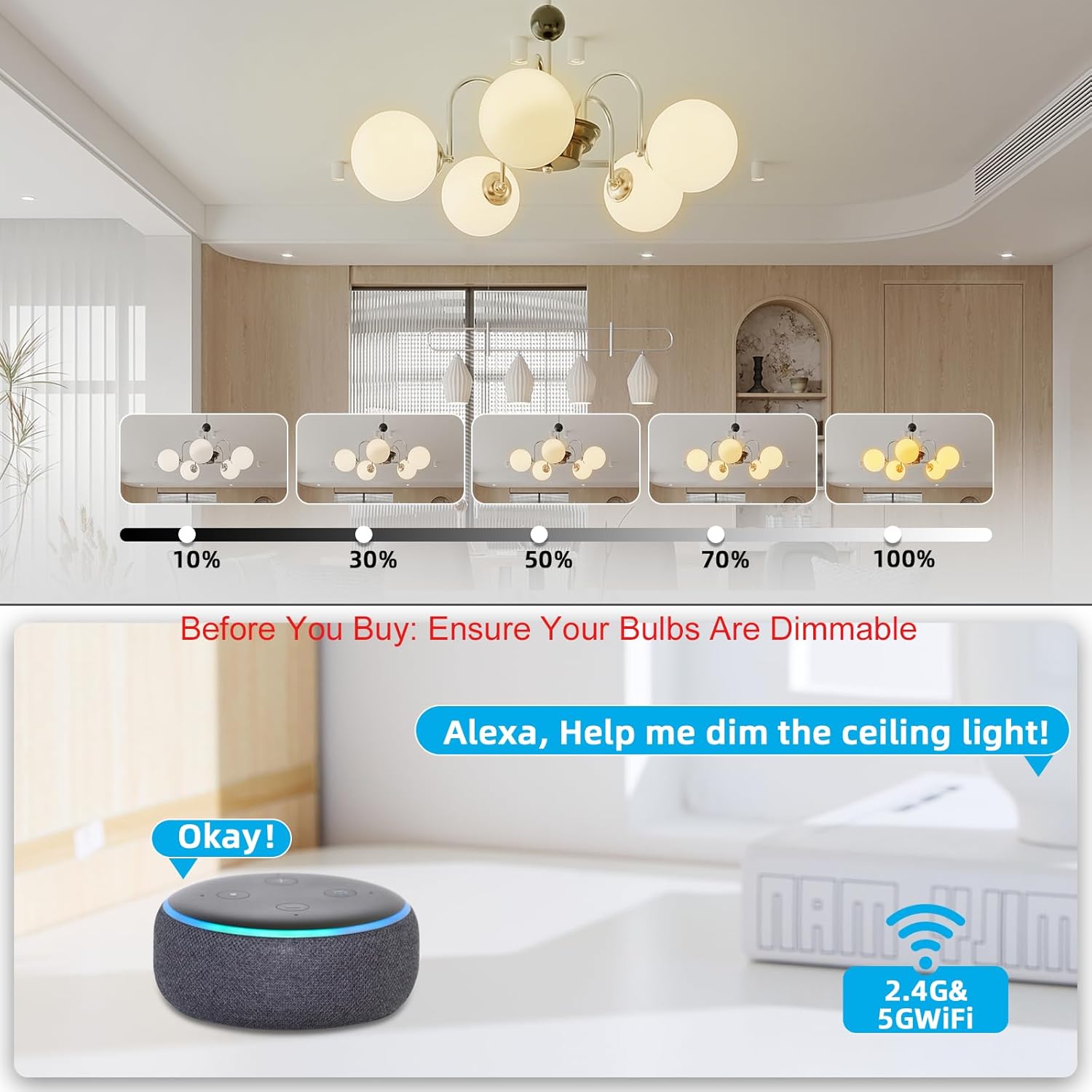
Image: Illustrates the dimming range from 10% to 100% and shows an Alexa device responding to a voice command to dim the ceiling light.
4.2 App Control and Scheduling
Through the Alexa app, you can control your lights and set schedules:
- Brightness Adjustment: Adjust brightness from 1% to 100% using the app's interface.
- Scheduling: Create custom schedules to automatically turn lights on/off and set desired brightness levels at specific times.

Image: A person using a smartphone to control lighting via an app, with examples of scheduled lighting events for different rooms.
4.3 Voice Control
Once paired with Alexa, use simple voice commands:
- "Alexa, turn on [Light Name]."
- "Alexa, turn off [Light Name]."
- "Alexa, dim [Light Name] to 50%."
- "Alexa, brighten [Light Name]."

Image: A scene depicting a person interacting with an Alexa device to control smart lighting using voice commands.
4.4 Memory Function
The dimmer switch features a memory function. When the light is dimmed and then turned off, it will return to the previously set brightness level upon reactivation.
5. Maintenance
The Sunmerit Wireless Dimmer Switch requires minimal maintenance.
- Cleaning: Wipe the remote and wall plate with a soft, dry cloth. Do not use abrasive cleaners or solvents.
- Battery Replacement: Replace the CR2032 battery in the remote switch when its performance diminishes.
- Environmental Conditions: Ensure the device is used within its specified operating temperature and humidity ranges.
6. Troubleshooting
If you encounter issues with your dimmer switch, refer to the following common problems and solutions:
| Problem | Possible Cause | Solution |
|---|---|---|
| Light flickers or does not dim properly. | Non-dimmable bulbs are being used. Incompatible bulb type. | Ensure all connected bulbs are dimmable. Replace with compatible dimmable bulbs. |
| Remote switch does not control the light. | Remote battery is low or depleted. Remote is out of range. Receiver is not powered. | Replace the CR2032 battery in the remote. Move the remote closer to the receiver. Check power to the receiver module. |
| Alexa voice control not working. | Dimmer not paired with Alexa. Bluetooth connection lost. | Follow the Alexa setup instructions (Section 3.3) to pair the device. Check Bluetooth connection on your Alexa device. |
| Light does not turn on. | No power to the receiver. Incorrect wiring. Faulty bulb. | Check circuit breaker. Verify wiring connections (Section 3.1). Test with a known working bulb. |
7. Specifications
| Feature | Specification |
|---|---|
| Product Dimensions | 4.2 x 2.7 x 0.5 inches (Remote/Wall Plate); Receiver: 1.57 x 1.1 x 0.9 inches |
| Item Model Number | SQ-Dimmer-TDQ02(BY06-DK01) |
| Batteries Required | 1 CR2032 battery (for remote) |
| Manufacturer | Sunmerit |
| Operation Mode | ON-OFF, Dimming |
| Current Rating | 1 Amps |
| Operating Voltage | 120 Volts |
| Max Power (LED) | 200W |
| Max Power (Halogen/Incandescent) | 300W |
| Max Power (CFL) | 200W |
| Circuit Type | 1-way |
| Connectivity | Wireless RF, Bluetooth (for Alexa) |

Image: Visual representation of the compact size of the remote and receiver, along with key specifications like frequency, voltage, and maximum wattage.
8. Warranty and Support
For warranty information or technical support, please contact Sunmerit customer service. Details can typically be found on the product packaging or the official Sunmerit website.
- Manufacturer: Sunmerit
- Contact: Refer to product packaging or manufacturer's website for support contact information.