
1. Introduction
This manual provides essential information for the safe and efficient operation of your HYSHIKRA QUANSHENG TK11(8) Taiko Kong Ham Radio. Please read this manual thoroughly before using the device to ensure proper functionality and to prevent damage.
2. Product Overview
The QUANSHENG TK11(8) Taiko Kong is a 10W portable multiband transceiver designed for radio enthusiasts, offering a wide range of reception and transmission capabilities, along with advanced features like a spectrum analyzer and NOAA weather alerts.
Key Features:
- Extreme Wideband Receiver & Multiband Transmitter: Covers 0.153-1160MHz reception (AM/FM/SSB) and transmits on 6m, 10m, 2m, and 70cm amateur bands.
- Professional-Grade Integrated Spectrum Analyzer: Built-in handheld spectrum analyzer and frequency counter for visual scanning, identification, and measurement of nearby signal activity.
- Dual Watch & Advanced Decoding: Monitor two frequencies simultaneously and utilize 3 smart code-breaking modes (CTCSS/DCS).
- NOAA Weather Alert with SAME: Decode localized NOAA weather warnings.
- AM Aviation Mode: Clear reception of aircraft communications.
- Fun Voice Modes: Includes 5 voice variations like Infantlike and Alien Voice effects.
- Customizable & High Power: Personalize call-end tones (WAV/MP3) and benefit from 10W output power for strong signal penetration.
What's in the Box:
- TK11-8 Radio Unit (x1)
- Belt Clip (x1)
- Charger Base and Adapter (x1)
- 3000mAh Battery (x1)
- Dual Band Antenna (x1)
- T Shape Antenna (x1)
- Telescopic 70-1000Mhz Antenna (x1)
- Lanyard (x1)
- User Manual (x1)
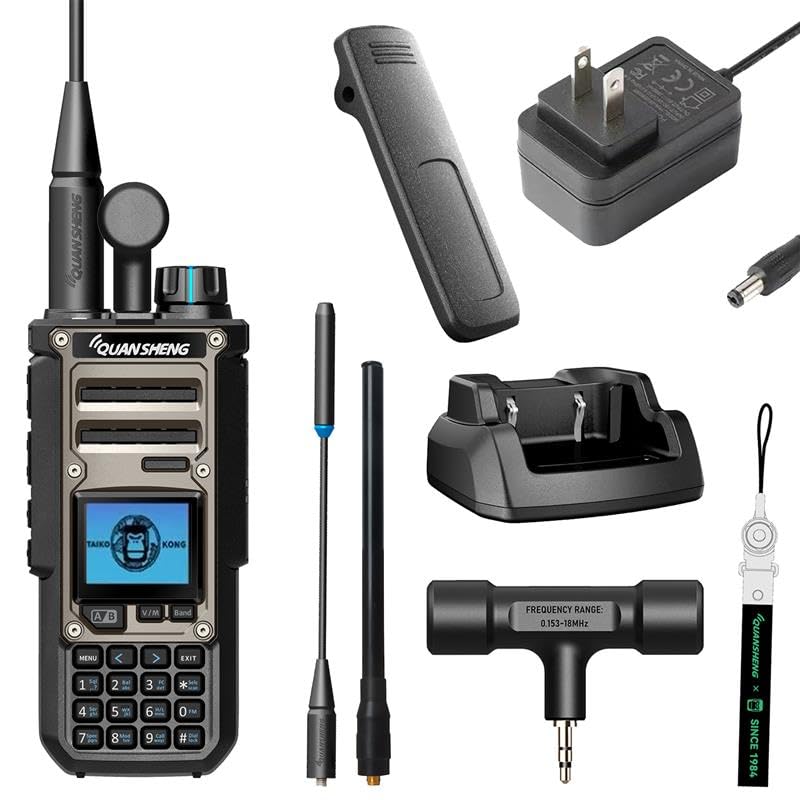
Figure 1: QUANSHENG TK11(8) Taiko Kong Ham Radio with its various components and accessories.
3. Setup
3.1 Battery Installation
- Align the 3000mAh battery with the back of the radio unit.
- Gently slide the battery into place until it clicks securely.

Figure 2: The rear of the TK11(8) radio, illustrating the battery attachment area.
3.2 Antenna Attachment
- Select the appropriate antenna for your desired frequency range (Dual Band, T Shape, or Telescopic).
- Screw the chosen antenna clockwise onto the antenna connector at the top of the radio until it is finger-tight. Do not overtighten.
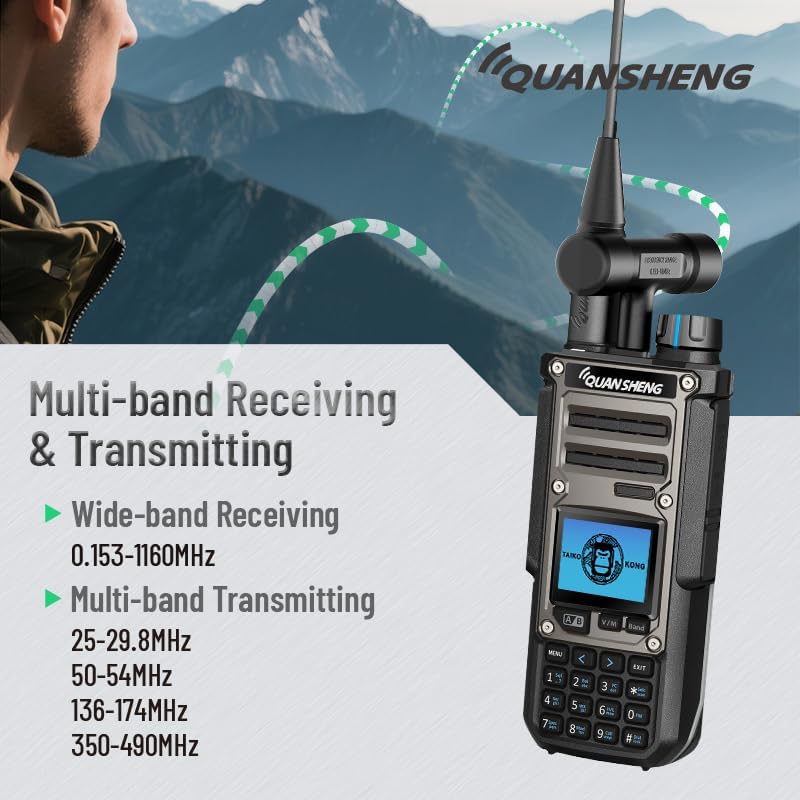
Figure 3: The TK11(8) radio demonstrating its multi-band receiving and transmitting capabilities with various antennas.
3.3 Charging the Battery
- Place the radio with the installed battery into the charging base.
- Connect the charger adapter to the charging base and plug it into a power outlet.
- The charging indicator light will show the charging status. Ensure the battery is fully charged before first use.
Video 1: Unboxing and Initial Setup of the TK11(8) Walkie Talkie.
4. Operating Instructions
4.1 Power On/Off
To power on the radio, rotate the volume knob clockwise until you hear a click and the screen illuminates. To power off, rotate the knob counter-clockwise until it clicks.
4.2 Dual Watch Function
The Dual Watch feature allows you to monitor two different frequencies simultaneously. Refer to the user manual for specific menu navigation to activate and configure this function.

Figure 4: The TK11(8) radio screen showing two active frequencies, indicating the Dual Receiving function.
4.3 Spectrum Analyzer
The integrated spectrum analyzer allows for visual scanning and identification of nearby signal activity. Access this feature through the radio's menu to view frequency spectrums and signal strengths.

Figure 5: The TK11(8) radio highlighting its built-in spectrum analyzer capability, comparable to dedicated equipment.
4.4 NOAA Weather Alert
The radio supports NOAA weather alerts with SAME decoding for localized warnings. Navigate to the NOAA function in the menu to enable and receive weather broadcasts.

Figure 6: The TK11(8) radio displaying the NOAA weather alert feature, similar to a dedicated weather device.
4.5 Smart Code Breaking (CTCSS/DCS)
The radio offers three smart code-breaking modes: Normal Mode (detects CTCSS/DCS), Master Mode (cracks non-standard CTCSS/DCS), and Self-learning Mode (cracks non-standard variable-frequency DCS). These modes enhance communication privacy and access.
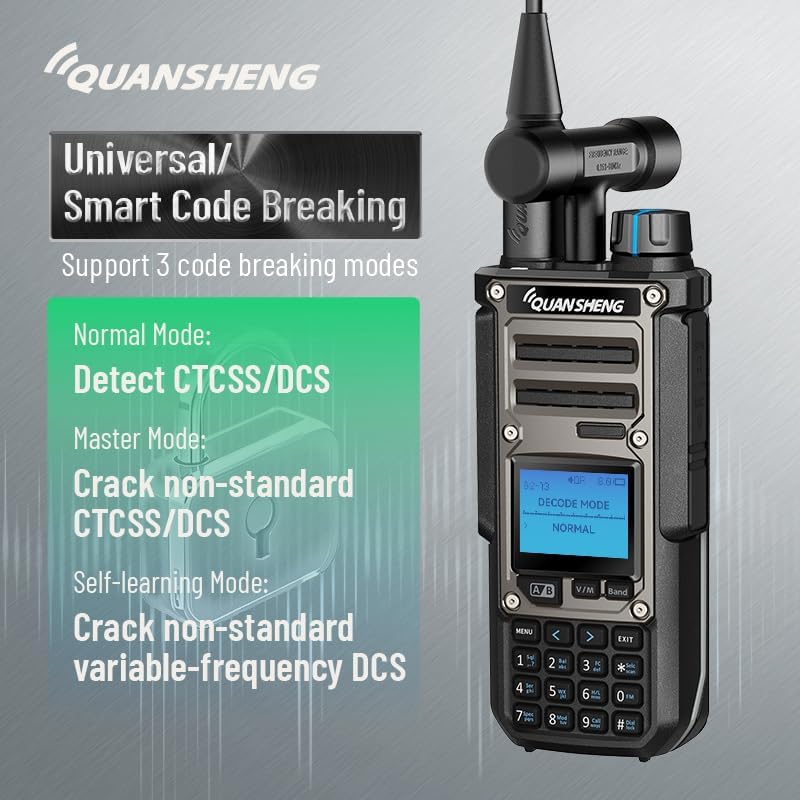
Figure 7: The TK11(8) radio interface detailing the three smart code-breaking modes for CTCSS/DCS.
4.6 AM Aviation Mode
For clear reception of aircraft communications, activate the real AM mode. This mode is optimized for airband frequencies.
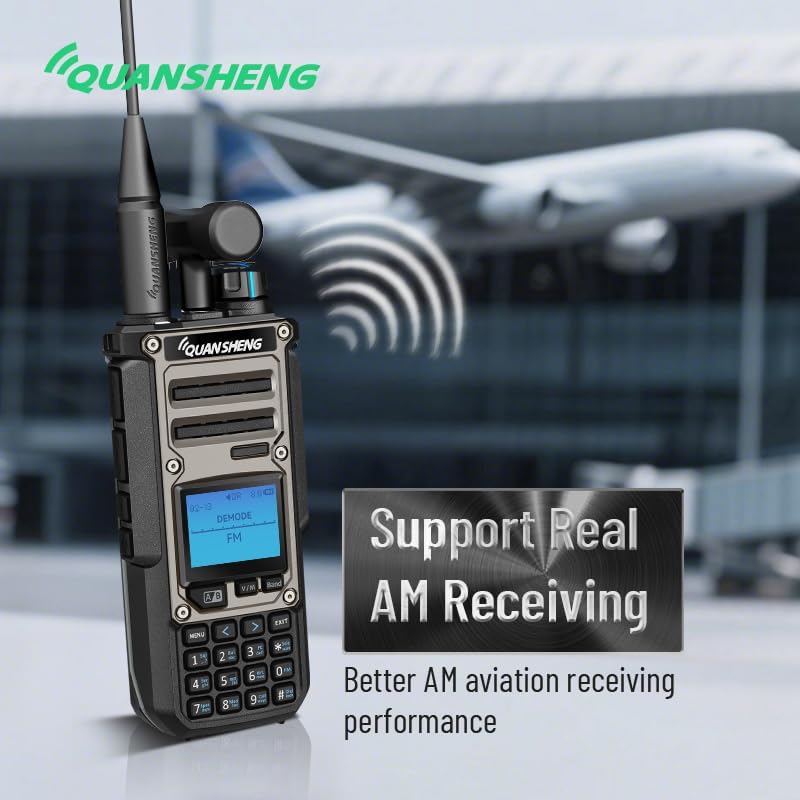
Figure 8: The TK11(8) radio supporting real AM receiving for enhanced airband communication performance.
4.7 High Power Transmission
The radio features 10W of output power, providing strong signal penetration. Ensure you are operating within legal power limits for your licensed band.
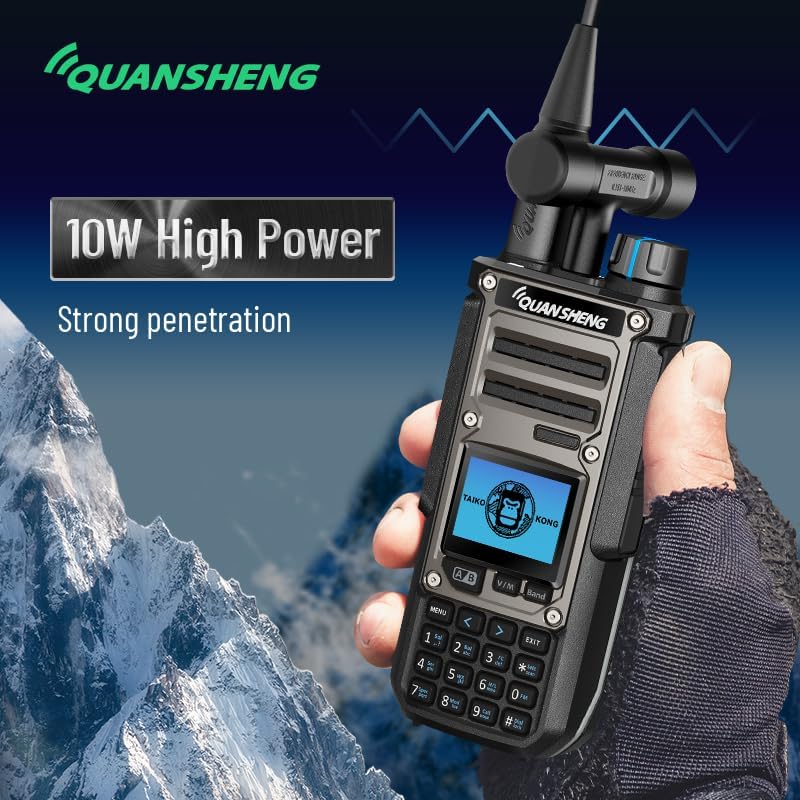
Figure 9: The TK11(8) radio demonstrating its 10W high power output for strong signal penetration.
5. Maintenance
5.1 Cleaning
Wipe the radio with a soft, damp cloth. Do not use harsh chemicals or abrasive cleaners. Ensure all ports are dry before use.
5.2 Battery Care
To prolong battery life, avoid fully discharging the battery frequently. Store the radio and battery in a cool, dry place when not in use for extended periods.
5.3 Storage
Store the radio in a dry environment, away from direct sunlight and extreme temperatures. Remove the battery if storing for several months.
6. Troubleshooting
If you encounter issues with your radio, please refer to the following common troubleshooting steps:
- No Power: Ensure the battery is correctly installed and fully charged. Check the charger connection.
- Poor Reception/Transmission: Verify the antenna is securely attached and the correct type for the frequency. Check for obstructions or interference.
- Unable to Change Settings: Ensure the keypad lock is not activated. Refer to the manual for specific menu navigation.
- Audio Issues: Check the volume level and ensure no external earpiece/microphone is improperly connected.
For more detailed troubleshooting or persistent issues, please consult the comprehensive user manual provided with your device or contact customer support.
7. Specifications
| Feature | Specification |
|---|---|
| Item Weight | 1.76 pounds |
| Package Dimensions | 1.57 x 1.18 x 1.18 inches |
| Item Model Number | TK-11-8 |
| Batteries | 1 Nonstandard Battery required (included) |
| Brand | HYSHIKRA |
| Color | Black |
| Number of Channels | 999 |
| Special Feature | Dual Band, Long Range |
| Frequency Range | 0.153-1160 MHz |
| Water Resistance Level | Not Water Resistant |
| Compatible Devices | Other two-way radios on 6m, 10m, 2m, and 70cm bands |
8. Warranty and Support
This product comes with a 3-month warranty. For warranty claims, technical support, or any inquiries, please contact HYSHIKRA customer service through the retailer where the product was purchased.