
1. Introduction
This manual provides essential instructions for the safe assembly, operation, and maintenance of your ModernMate Executive Standing Desk. Please read this manual thoroughly before installation and use, and retain it for future reference.
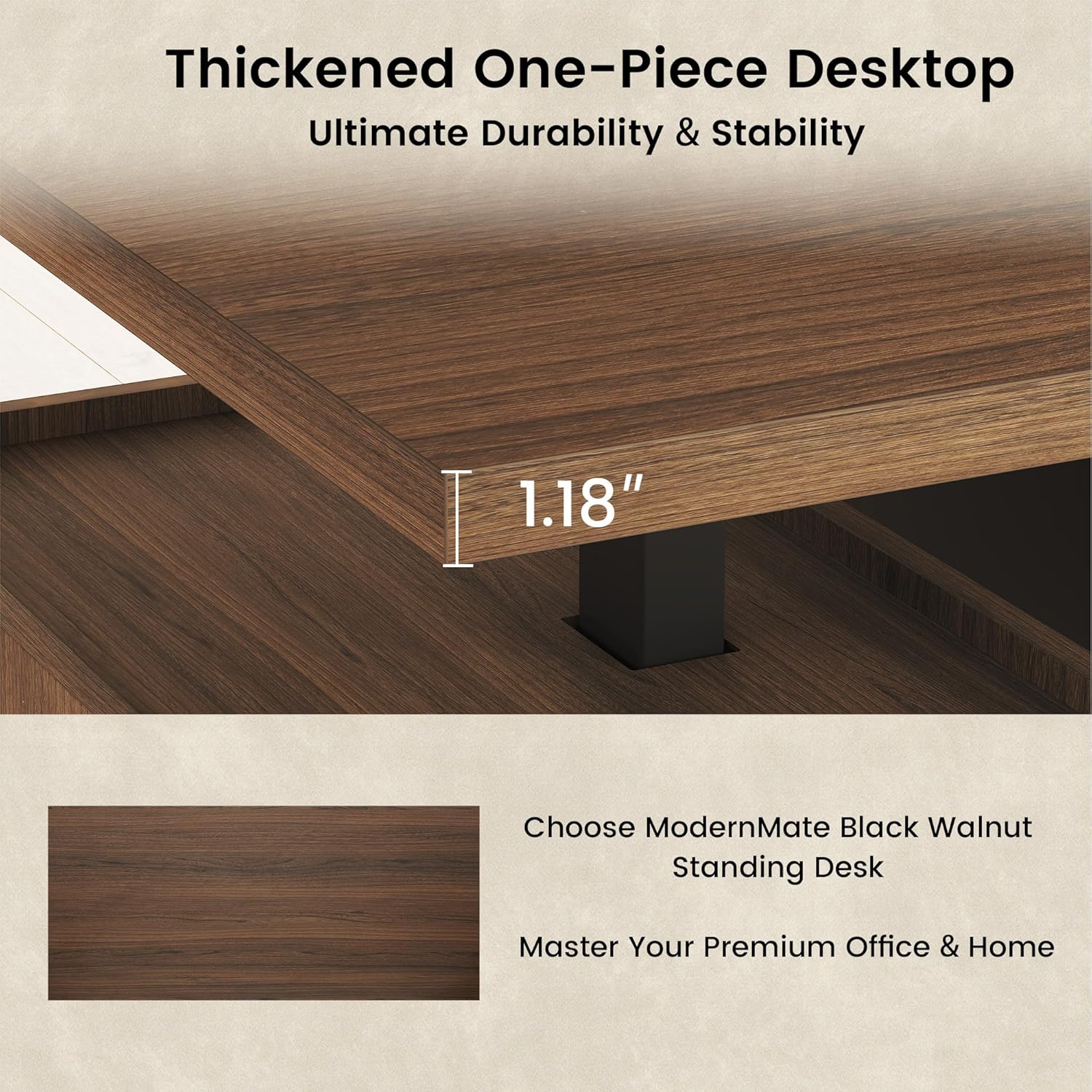
Image: The ModernMate Executive Standing Desk, showcasing its design and functionality in an office environment.
2. Safety Information
Important Safety Precautions:
- Follow all assembly instructions carefully to ensure proper setup.
- Ensure the desk is properly anchored to prevent tipping or collapsing.
- Do not exceed the maximum weight limit of 176 pounds (80 kg) on the desktop.
- Keep children and pets away from the desk during operation to prevent injury.
- Ensure all cables are properly managed to avoid tripping hazards and damage.
- Do not place liquids directly on the control panel or power outlets.
3. Setup and Assembly
The ModernMate Executive Standing Desk requires assembly. Please follow the detailed steps provided in the assembly video and ensure all components are securely fastened.
3.1 Assembly Video Guide
Video: A comprehensive step-by-step guide for assembling your ModernMate Executive Standing Desk. This video covers all necessary procedures from unboxing to final setup.
3.2 Dimensions and Components
Before starting assembly, verify all parts are present and refer to the dimensions below to ensure proper placement in your workspace.

Image: Detailed diagram showing the overall dimensions of the desk and its various storage components.
3.3 Integrated Storage System
The desk features an integrated storage system designed to meet various organizational needs, including drawers, open shelves, and a file cabinet.

Image: Close-up view illustrating the integrated storage system, including left and right cabinets and a central display shelf.

Image: Detailed view of the file cabinet storage, highlighting the adjustable hanging bar compatible with both letter and A4 size files.
4. Operating Instructions
4.1 Electric Height Adjustment
The desk features an electric height adjustment system, allowing you to seamlessly transition between sitting and standing positions. The height range is from 27.9 inches to 45.7 inches.

Image: The desk transitioning between its minimum and maximum height settings, emphasizing its quiet operation.
4.2 Control Panel and Memory Presets
Use the control panel located on the desktop to adjust the height. The panel includes a real-time height display and two memory presets for your preferred sitting and standing heights.
4.3 Built-in Power Outlets
The desk is equipped with built-in power outlets, including AC and USB ports, for convenient charging of your devices. These are located underneath the desktop to maintain a tidy workspace.

Image: Close-up of the built-in power outlets, featuring AC and USB ports, along with a wireless charging pad for electronic devices.
5. Maintenance
Regular maintenance ensures the longevity and optimal performance of your ModernMate Executive Standing Desk.
- Cleaning: Wipe surfaces with a soft, damp cloth. Avoid harsh chemicals or abrasive cleaners that may damage the wood finish.
- Hardware Check: Periodically check all screws and fasteners to ensure they are tight. Re-tighten if necessary.
- Cable Management: Ensure power cords and other cables are neatly organized and not pinched or strained.
- Motor Care: Keep the motor and lifting columns free from dust and obstructions.
6. Troubleshooting
If you encounter issues with your desk, refer to the following common troubleshooting steps:
- Desk Not Moving:
- Check if the power cord is securely plugged into both the desk and the wall outlet.
- Ensure the control panel cable is properly connected to the motor.
- Try resetting the desk by unplugging it for 30 seconds and then plugging it back in.
- Uneven Height:
- Ensure the desk is placed on a level surface.
- Refer to the assembly video for instructions on adjusting column heights if they become inconsistent.
- Unusual Noise:
- While the desk is designed for quiet operation, check for any loose components or obstructions around the lifting columns.
- Ensure the desk is not overloaded beyond its weight capacity.
If these steps do not resolve the issue, please contact ModernMate customer support.
7. Specifications
| Feature | Detail |
|---|---|
| Model Number | USAJZ11N1076014VN |
| Brand | ModernMate |
| Product Dimensions (D x W x H) | 29.92"D x 70.87"W x 29.53"H |
| Adjustable Height Range | 27.9" to 45.7" |
| Weight Capacity | 176 Pounds (80 kg) |
| Material | Wood, Cold-Rolled Steel |
| Color | Black Walnut |
| Special Features | Adjustable Height, Drawers, File Cabinet, Shelves, Storage, AC/USB Outlets |
| Desktop Thickness | 1.18 Inches |

Image: Close-up view of the desk's thickened one-piece desktop, emphasizing its 1.18-inch thickness for durability.
8. Warranty and Support
8.1 Limited Warranty
This ModernMate Executive Standing Desk comes with a limited warranty. For specific terms and conditions, please refer to the warranty documentation included with your purchase or visit the official ModernMate website.
8.2 Customer Support
For any questions, technical assistance, or warranty claims, please contact ModernMate customer support through the following channels:
- Website: Visit the ModernMate Store on Amazon
- Email: Refer to your product packaging for direct contact information.
- Phone: Refer to your product packaging for direct contact information.