
1. Introduction
Thank you for choosing the WARMBLU Inverter Pool Heat Pump. This manual provides essential information for the safe and efficient installation, operation, and maintenance of your 23,000-gallon capacity pool heat pump, Model KSPF-025L1VUA2. Please read this manual thoroughly before installation and retain it for future reference.

Image 1.1: The WARMBLU Inverter Pool Heat Pump, Model KSPF-025L1VUA2.
2. Safety Information
Your safety and the proper operation of the unit are paramount. This heat pump is designed with advanced safety features, including a fully isolated system that separates water and electrical components. Adhere to all local electrical and plumbing codes during installation.
- Electrical Safety: Ensure the unit is connected to a dedicated 220V circuit with appropriate overcurrent protection. All wiring must be performed by a qualified electrician.
- Water & Electricity Separation: The unit features an engineered design for complete separation of water and electrical components, enhancing user safety.
- IPX4 Waterproof: The unit is rated IPX4 for water resistance, protecting against splashing water from any direction.
- Auto Defrost: The heat pump includes an automatic defrost function to maintain efficiency in colder conditions.
- Children and Pets: Keep children and pets away from the unit during operation.

Image 2.1: Illustration of the Water-Electric Separation safety feature.
3. Setup and Installation
Proper installation is crucial for the performance and longevity of your WARMBLU pool heat pump. This section outlines the general setup process.
3.1 Package Contents
Verify that all components are present in the package:

Image 3.1: Included items in the WARMBLU heat pump package.
3.2 Site Selection
Choose a location that allows for adequate airflow around the unit and is close to your pool's filtration system and electrical supply.
3.3 Plumbing Connections
The heat pump integrates with your existing pool filtration system. The recommended water flow rate for optimal performance is 3000-4000 GPH. A ball valve may be required to regulate the flow depending on your pump's output.
- Connect the heat pump in line after your pool filter and before the water returns to the pool.
- Ensure all connections are secure and watertight.
- Note: Adapters such as 1.25" & 1.5" hose adapters, 1.5-inch PVC adapters, and 40mm to 1.5" hose adapters are typically not included and may be required for your specific setup.

Image 3.2: Plumbing diagram for connecting the pool heat pump.
3.4 Electrical Connection
The unit requires a 220V electrical supply. Consult a qualified electrician for proper wiring to ensure compliance with local codes and safety standards.
3.5 Initial Operation Note
During initial operation, it is normal to observe condensation at the bottom of the unit and light frost buildup on the coils. This indicates the heat pump is functioning correctly. Do not turn off the appliance due to these normal occurrences.
4. Operating Instructions
The WARMBLU heat pump is designed for ease of use, offering control via an intuitive mobile app or the integrated touch panel.
4.1 Powering On/Off
Press the power button on the touch panel or within the mobile app to turn the unit on or off.
4.2 Temperature Control
Set your desired pool temperature using the up and down arrows on the touch panel or the temperature controls in the mobile app. The intelligent chip and dynamic algorithm will optimize performance to reach and maintain the set temperature efficiently.
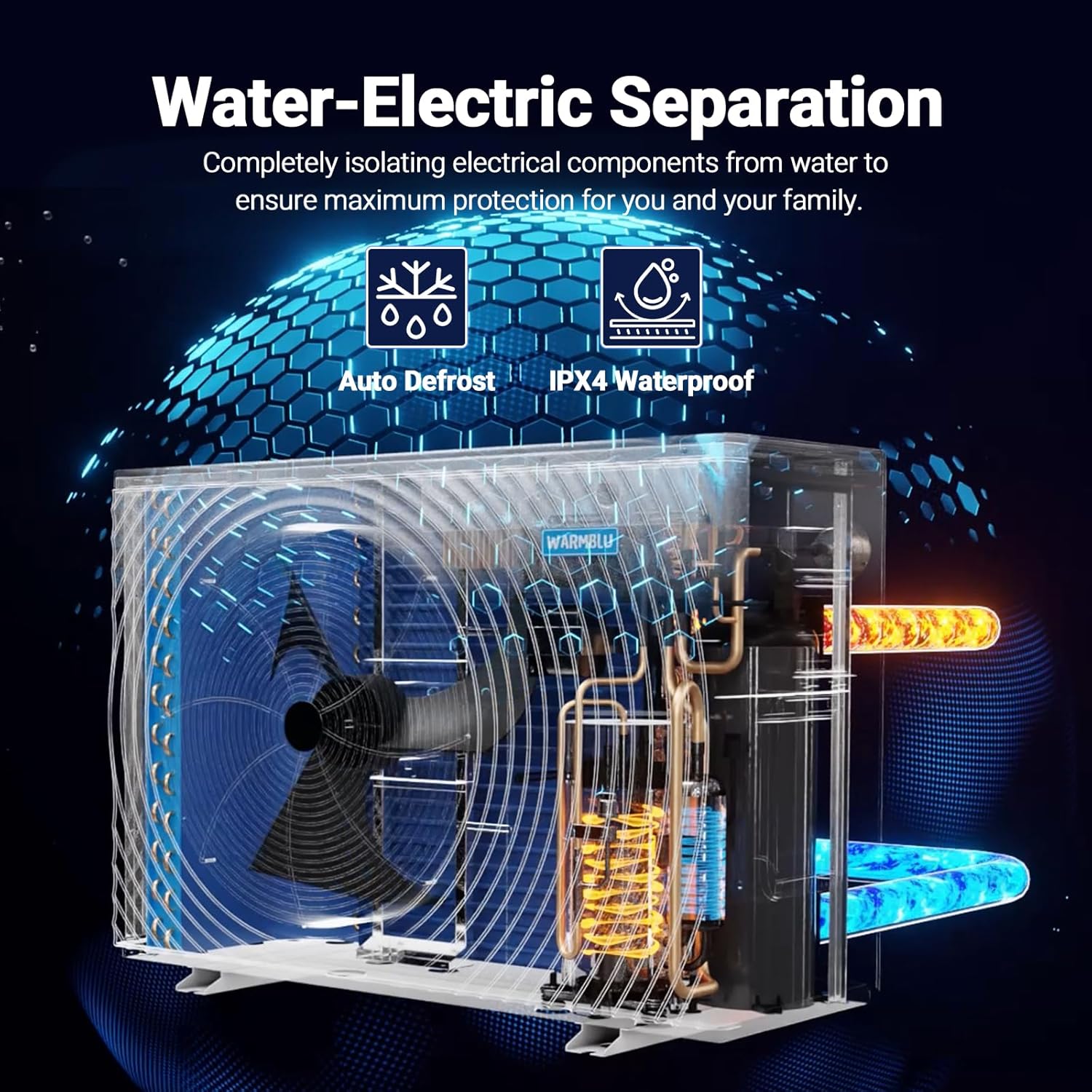
Image 4.1: Touch panel and mobile app for easy control.
4.3 Heating and Cooling Modes
The heat pump can both heat and cool your pool water. To switch between modes (Heat, Cool, or Auto), press and hold the settings key and the up arrow key for 5 seconds. Release the up arrow key first to cycle through the modes. The display will show a sun icon for heating, a snowflake icon for cooling, or an 'A' for auto mode.
4.4 Monitoring
A dedicated sensor provides accurate water temperature readings, ensuring precise control within ±1°F. Monitor the current water temperature and unit status via the control panel or mobile app.

Image 4.2: Dedicated sensor for accurate temperature monitoring.
4.5 Efficiency Tip
To enhance heating efficiency and reduce energy consumption, always use a pool thermal cover after swimming. This helps retain heat and makes subsequent heat-up cycles faster and more cost-effective.

Image 4.3: Using a pool thermal cover to improve heating efficiency.
5. Maintenance
Regular maintenance ensures the optimal performance and extends the lifespan of your heat pump.
- Clean Exterior: Periodically clean the exterior of the unit to remove dust, leaves, and debris that may obstruct airflow.
- Check Airflow: Ensure the area around the heat pump is clear of obstructions to allow for proper airflow.
- Inspect Connections: Regularly check all plumbing and electrical connections for any signs of leaks or wear.
- Winterization: In regions with freezing temperatures, follow proper winterization procedures, which typically involve draining the unit and covering it to prevent damage. Refer to your local pool professional for specific guidance.
6. Troubleshooting
This section addresses common issues you might encounter with your heat pump.
6.1 Common Error Codes
- Error Code E3: This error often indicates an issue with water flow.
6.2 General Troubleshooting Steps
- Power Cycle: Turn off the unit and disconnect it from the power supply for a few minutes, then reconnect and restart.
- Check Water Flow: Ensure your pool pump is running and there is adequate water flow through the heat pump. Check for clogged filters or closed valves.
- Inspect Connections: Verify all plumbing and electrical connections are secure.
- Consult Manual: Refer to the tutorial manuals included in the package for more detailed troubleshooting specific to your model.
- Contact Support: If the issue persists, contact WARMBLU customer service for assistance.
7. Specifications
| Feature | Detail |
|---|---|
| Model Number | KSPF-025L1VUA2 |
| Product Dimensions | 28.2 x 17.5 x 43 inches |
| Item Weight | 175.6 pounds |
| Max Pool Capacity | Up to 23,000 Gallons |
| Voltage | 220V |
| Max COP | Up to 16.0 |
| Noise Level | Sub-50 dB |
| Water Resistance Rating | IPX4 |
| Manufacturer | FOSHAN GOODHEAT TECHNOLOGY LTD |
7.1 Pool Size Compatibility
Refer to the table below to determine the appropriate heat pump model for your pool size based on average ambient temperature.

Image 7.1: Pool size and heat pump model compatibility chart.
8. Warranty and Support
WARMBLU is committed to providing reliable products and excellent customer service.
- Warranty: Enjoy a 12-month warranty from the date of purchase.
- Customer Service: Lifetime friendly customer service is available for all WARMBLU products.
- Contact: For any assistance, please contact us at WARMBLU001@163.com.
- Resources: Detailed tutorial manuals are included in the product package. You are also invited to join our Discord community to connect with other users and find additional support.
9. Product Video
Video 9.1: An official video demonstrating the WARMBLU Pool Heater Pump in operation, highlighting its quiet performance and ease of use.