
Introduction
Thank you for purchasing the MOOONICHE 27-inch Crystal Ceiling Fan with Light. This manual provides detailed instructions for the safe installation, operation, and maintenance of your new ceiling fan. Please read this manual thoroughly before installation and retain it for future reference.
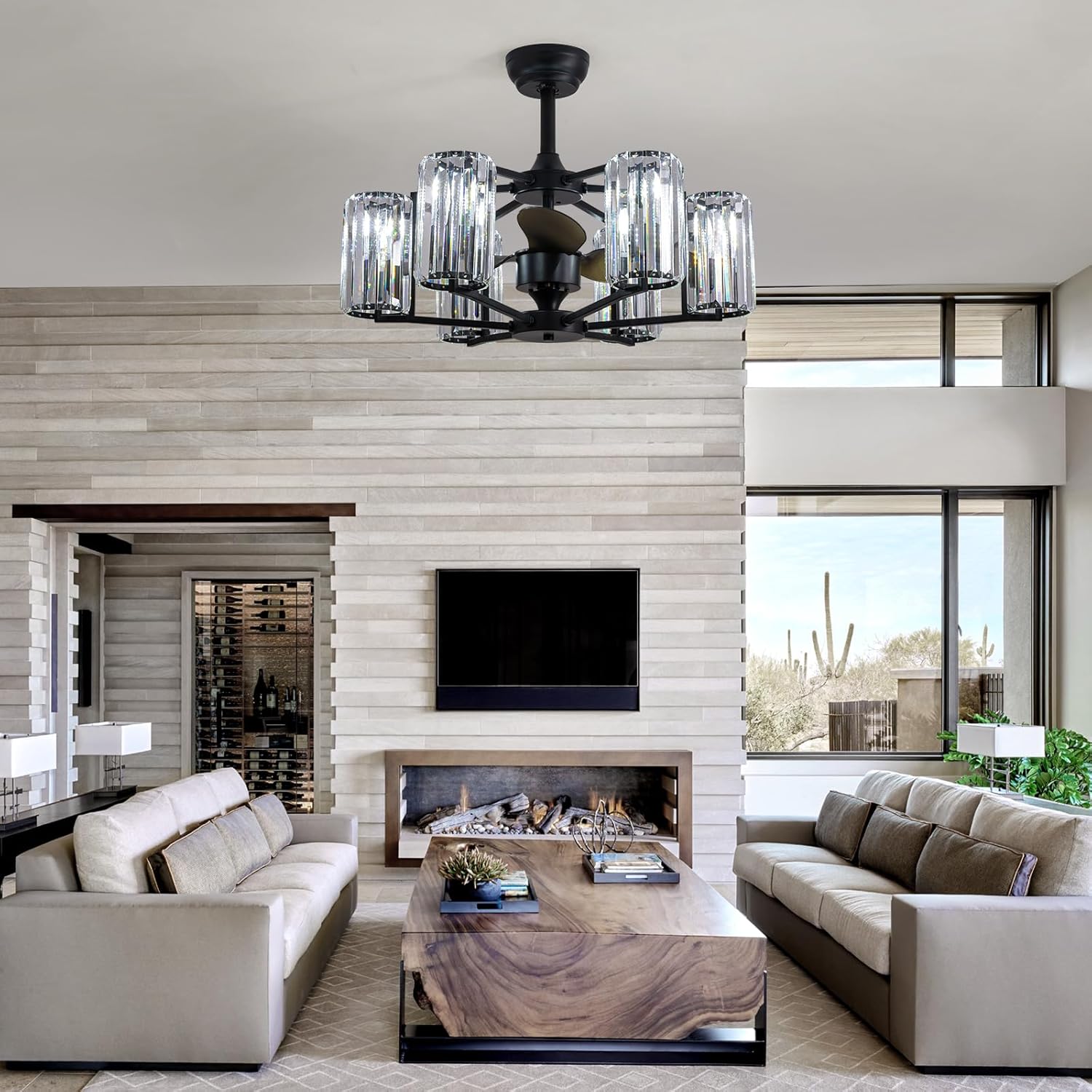
Image: The MOOONICHE 27-inch Crystal Ceiling Fan with Light, featuring a black finish and crystal accents, installed in a contemporary living room setting above a coffee table and sofas.
Safety Information
WARNING: To reduce the risk of electric shock, fire, or personal injury, always turn off the main power at the circuit breaker or fuse box before beginning installation or performing any maintenance.
- All wiring must be in accordance with national and local electrical codes. If you are unfamiliar with wiring, consult a qualified electrician.
- Ensure the installation site can support the weight of the fan (approximately 20 lbs).
- Do not connect the fan to a dimmer switch or rheostat unless specifically designed for fan control.
- Keep hands, feet, and other objects away from the fan blades when the fan is in operation.
- Do not attempt to repair or replace parts unless instructed in this manual. Contact customer service for assistance.
Package Contents
Verify that all components are present before beginning installation. If any parts are missing or damaged, contact customer service.
- Ceiling Fan Motor Assembly
- Crystal Lampshade Components
- Downrods (5-inch and 10-inch options)
- Mounting Bracket
- Remote Control with Wall Mount
- Hardware Pack (screws, wire nuts, washers)
- Instruction Manual
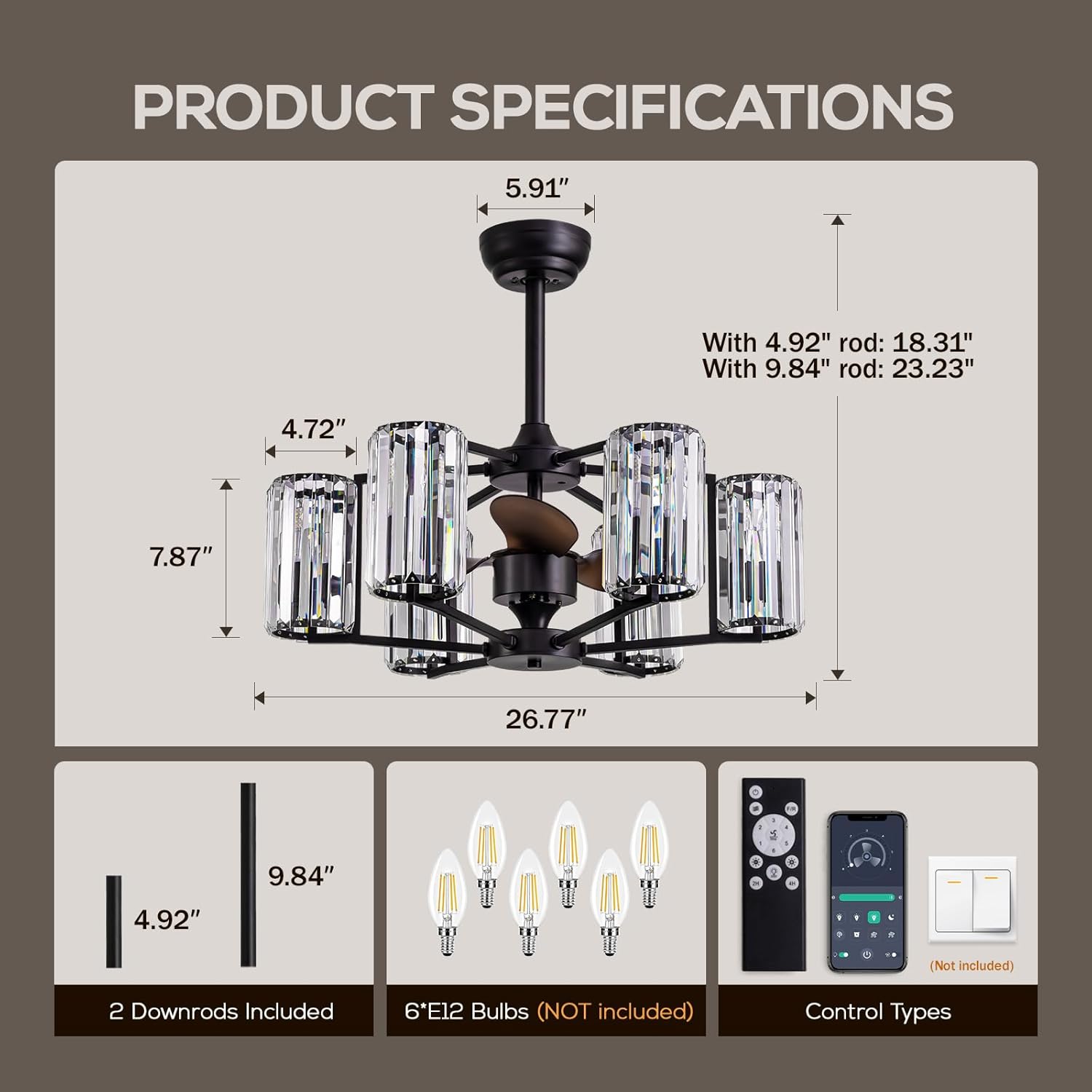
Image: A diagram illustrating the dimensions of the ceiling fan and its components, including the two downrod options, the requirement for 6 E12 bulbs (not included), and the remote control with app control capability.
Specifications
| Brand | MOOONICHE |
| Model Number | B0G48W84QL |
| Product Dimensions | 26.7"D x 21"W x 10"H |
| Fan Diameter | 27 inches (approx.) |
| Light Sockets | 6 x E12 (bulbs not included) |
| Max Bulb Wattage | 8W per bulb |
| Total Wattage | 48 watts (fan motor) |
| Power Source | AC |
| Motor Type | Pure Copper DC Motor |
| Blade Material | ABS Plastic |
| Mounting Type | Downrod Mount |
| Control Method | Remote Control, Smart APP |
| Special Features | Adjustable Height (via downrods), Reversible Motor, Dimmable Light (with compatible bulbs/dimmer) |
Setup and Installation
Professional installation is recommended. Ensure power is disconnected at the circuit breaker before proceeding.
- Prepare the Mounting Location: Securely attach the mounting bracket to a ceiling joist or an outlet box rated for fan support. Ensure all connections are tight.
- Assemble the Downrod: Choose either the 5-inch or 10-inch downrod based on your ceiling height. Feed the electrical wires from the fan motor through the chosen downrod.
- Hang the Fan: Carefully lift the fan motor assembly and hang it onto the mounting bracket hook. This will allow you to make wiring connections hands-free.
- Perform Electrical Connections: Connect the fan's electrical wires to the household wiring according to the wiring diagram provided in the separate wiring guide (if applicable) or standard electrical practices. Use the provided wire nuts and ensure secure connections.
- Secure the Fan: Once wiring is complete, carefully slide the fan assembly into the mounting bracket and secure it with the provided screws.
- Install Light Sockets and Crystals: Screw in the 6 E12 bulbs (not included) into their respective sockets. Attach the crystal lampshade components as per the visual guide.

Image: Detailed views of the fan's components, including the canopy, motor housing, fan blade, and light arm connections, providing visual aid for assembly.
Operating Instructions
Your MOOONICHE ceiling fan can be controlled using the included remote control or a smart application.
Remote Control Functions:
- Fan ON/OFF: Press the fan button to turn the fan on or off.
- Fan Speed Control: Use the speed buttons (e.g., 1-6) to adjust the fan speed.
- Level 1-2: Low speed for comfortable sleep.
- Level 3-4: Medium speed for natural ventilation.
- Level 5-6: High speed for cool and refreshing airflow.
- Light ON/OFF: Press the light button to turn the light on or off.
- Light Dimming: If using dimmable E12 bulbs and a compatible dimmer switch, press and hold the light button to adjust brightness.
- Timer Function: Set the fan to turn off automatically after a specified period (e.g., 1H, 2H, 4H, 8H).
- Reversible Mode: Press the reverse button to change the direction of the fan blades.
- Forward Mode (Summer): Blades rotate counter-clockwise, pushing air downwards to create a cooling breeze.
- Reverse Mode (Winter): Blades rotate clockwise, drawing air upwards to circulate warm air trapped near the ceiling.

Image: A visual guide showing the six fan speed levels and their corresponding comfort levels, from low speed for sleep to high speed for cooling.

Image: A diagram explaining the reversible function, showing forward mode for cooling airflow and reverse mode for better air circulation.
Smart APP Control:
Download the designated smart application (refer to the remote control manual for app details) to control all fan and light functions from your smartphone or tablet. Follow the in-app instructions for pairing your device with the fan.
Maintenance
- Cleaning: To clean the fan, wipe with a soft, damp cloth. Do not use abrasive cleaners or solvents, as these may damage the finish or crystals. Ensure power is off before cleaning.
- Bulb Replacement: Turn off power before replacing bulbs. This fan uses 6 E12 base bulbs, maximum 8W each. Ensure replacement bulbs are of the correct type and wattage.
- Periodic Checks: Periodically check all screws and connections for tightness.
Troubleshooting
| Problem | Possible Cause | Solution |
|---|---|---|
| Fan does not start. | No power to the fan; loose wire connections; remote control battery low or not paired. | Check circuit breaker/fuse. Ensure all wire connections are secure. Replace remote battery or re-pair remote. |
| Light does not work. | Bulbs are faulty or not installed correctly; loose wire connection; remote control issue. | Check bulbs and ensure they are screwed in tightly. Verify light wiring. Replace remote battery or re-pair. |
| Fan makes noise. | Loose screws on fan housing or blades; unbalanced blades; motor issue. | Tighten all screws. Ensure blades are balanced (check for bends or damage). If noise persists, contact support. |
| Remote control not responding. | Low battery; remote not paired with fan; interference. | Replace remote battery. Follow pairing instructions (usually involves pressing a button on the remote within a few seconds of turning on power to the fan). Ensure no obstructions between remote and fan receiver. |
Warranty and Support
MOOONICHE products are manufactured to high-quality standards. For warranty information, please refer to the warranty card included with your purchase or visit the official MOOONICHE website.
If you encounter any issues or have questions regarding your ceiling fan, please contact MOOONICHE customer service for assistance. Our support team is available to help with installation, troubleshooting, and parts replacement.
Customer Service Contact: Refer to your purchase documentation or the MOOONICHE brand store on Amazon for current contact information.