
1. Introduction
Thank you for choosing the GarveeTech 770 LBS Capacity Hydraulic Lift Table Cart. This manual provides essential information for the safe assembly, operation, and maintenance of your new lift table. Please read this manual thoroughly before use to ensure proper function and to prevent injury or damage.
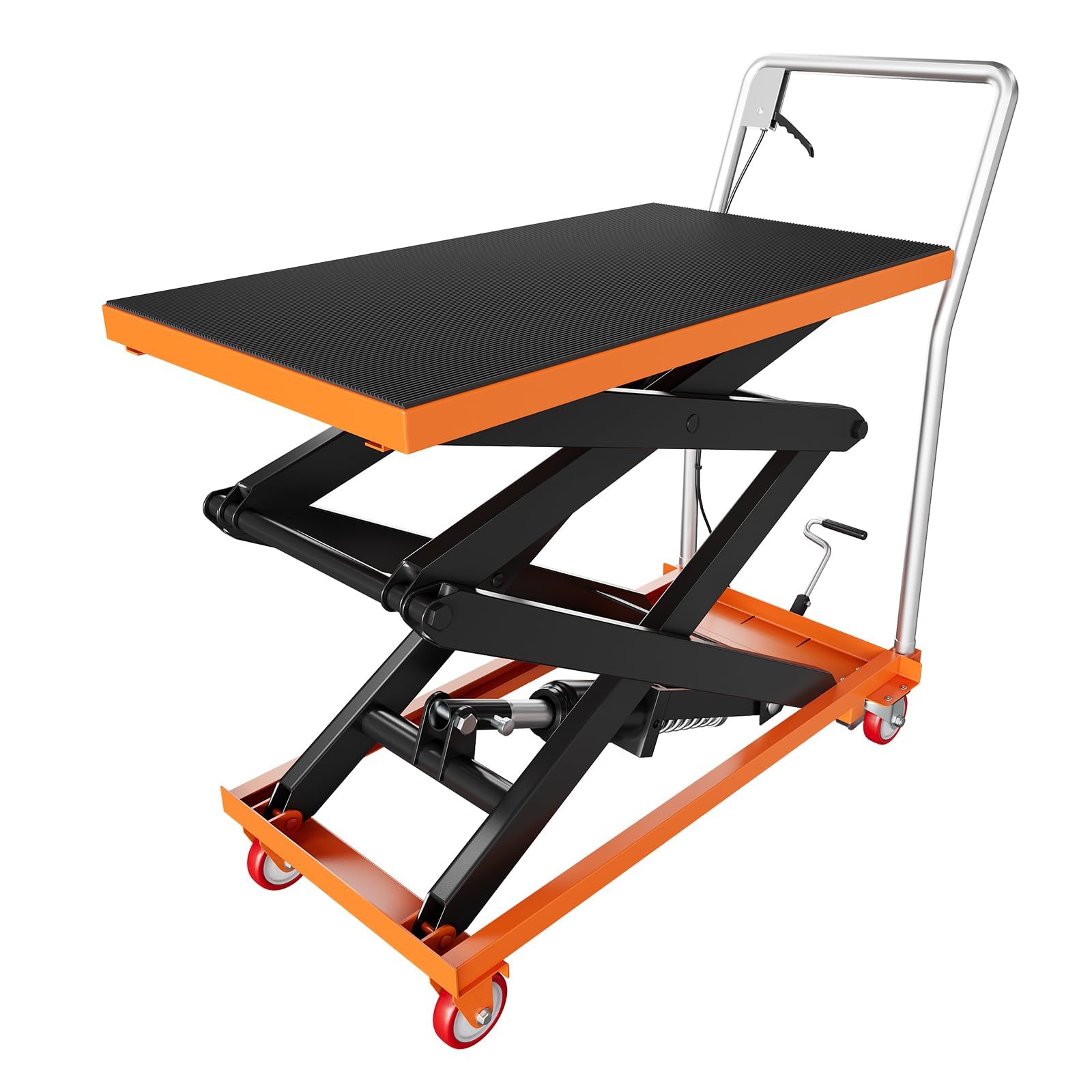
Image 1.1: The GarveeTech Hydraulic Lift Table Cart, showcasing its robust design and 770 LBS load capacity.
2. Safety Instructions
WARNING: Failure to follow these safety instructions may result in serious injury or death.
- Always operate the lift table on a flat, stable, and level surface.
- Do not exceed the maximum load capacity of 770 LBS (350 kg).
- Ensure the load is centered and stable on the platform before lifting or moving.
- Engage the wheel brakes when loading, unloading, or performing maintenance.
- Keep hands and feet clear of moving parts, especially the scissor mechanism, during operation.
- Do not use the lift table to transport people.
- Inspect the lift table for damage or wear before each use. Do not operate if damaged.
- Wear appropriate personal protective equipment (PPE) such as safety shoes and gloves.
- Do not modify the lift table in any way. Use only original replacement parts.
- Be aware of pinch points and crush hazards.
3. Product Overview and Components
The GarveeTech Hydraulic Lift Table Cart is designed for efficient material handling and transportation. Key features include a durable steel construction, a non-slip platform, and swivel casters with brakes.

Image 3.1: Product overview highlighting the 770 LBS load capacity, rust-resistant finish, enhanced cylinder to prevent oil leakage, and superior steel strength.
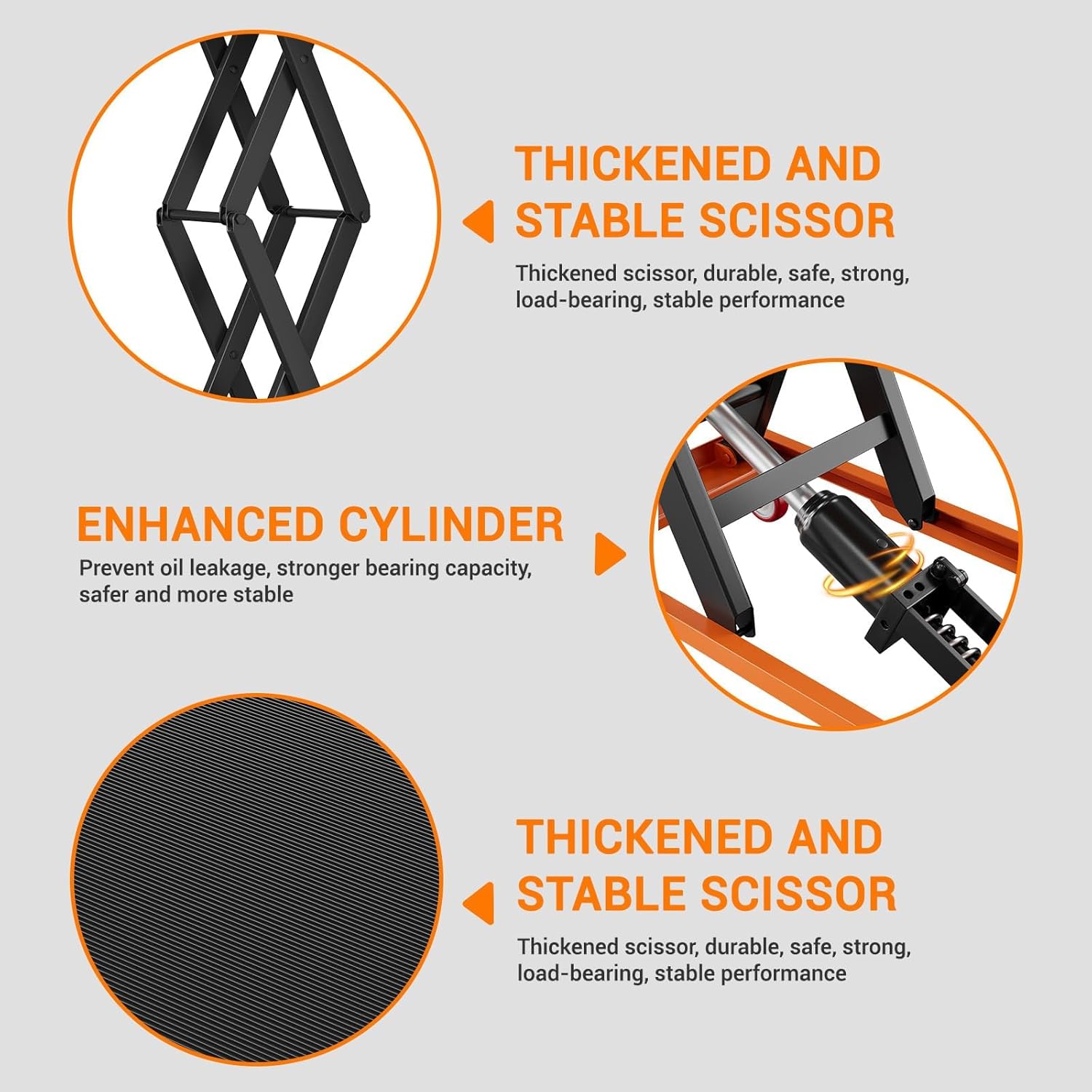
Image 3.2: Close-up views of the thickened and stable scissor mechanism, the enhanced hydraulic cylinder designed for stronger bearing capacity and oil leakage prevention, and the non-slip pad on the platform.
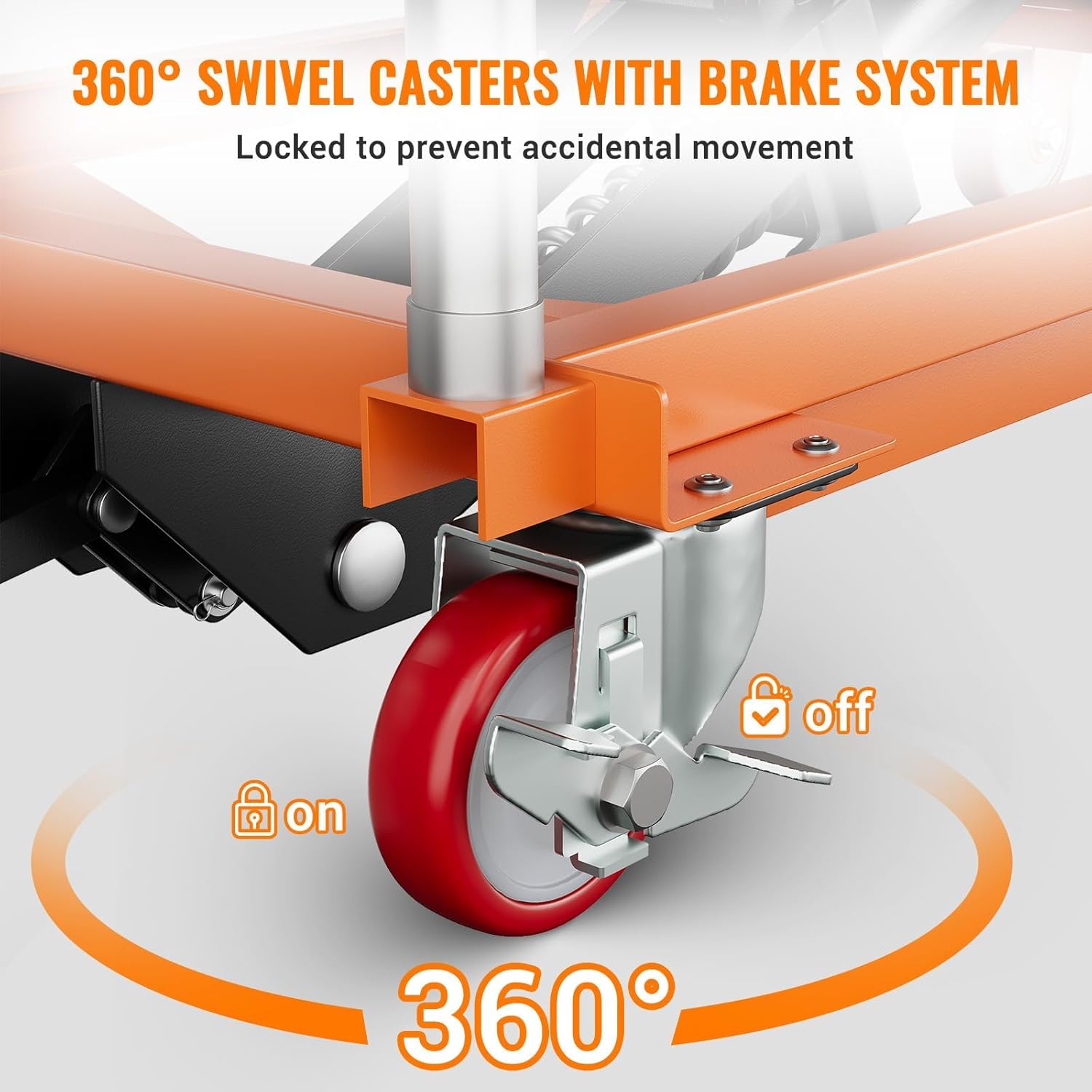
Image 3.3: Illustration of the 360-degree swivel casters and the brake system, showing how to engage and disengage the wheel locks to prevent accidental movement.
4. Package Contents
Verify that all components are present and undamaged upon unpacking.
- 1 x Hydraulic Lift Table Cart (main assembly)
- 1 x Handle assembly
- 1 x Foot pedal assembly
- Mounting hardware (screws)
5. Specifications

Image 5.1: Dimensional diagram of the lift table cart, showing minimum height, maximum height, platform length, and width.
| Feature | Specification |
|---|---|
| Model Number | PIS_014QQI16 |
| Load Capacity | 770 LBS (350 kg) |
| Minimum Lifting Height | 14 inches (35.5 cm) |
| Maximum Lifting Height | 59 inches (150 cm) |
| Platform Dimensions (L x W) | 36 in x 20 in (91.4 cm x 50.8 cm) |
| Overall Dimensions (L x W x H) | 59 in x 20 in x 59 in (150 cm x 50.8 cm x 150 cm) |
| Material | Carbon Steel |
| Item Weight | 144.1 LBS (65.3 kg) |
| Wheel Type | Swivel Casters with Brakes (4 wheels total, 2 locking) |
6. Assembly Instructions
The lift table cart requires minimal assembly. Follow these steps to prepare your unit for use.

Image 6.1: Visual guide for assembly and basic operation.
- Step 1: Install the Handle. Attach the handle assembly to the designated slots on the cart frame using the provided screws. Ensure it is securely fastened.
- Step 2: Install the Foot Pedal. Connect the foot pedal assembly to the hydraulic pump mechanism using the provided screws. Verify that the pedal moves freely and engages the pump.
- Step 3: Check Casters. Ensure all four swivel casters are properly attached and functional. Test the locking brakes on the two casters.
7. Operating Instructions
7.1 Lifting the Platform
- Position the lift table cart on a stable, level surface.
- Engage the locking brakes on the casters to prevent movement.
- Place the item to be lifted centrally on the non-slip platform, ensuring it does not exceed the 770 LBS capacity.
- Step on the foot pedal repeatedly to raise the platform to the desired height. The hydraulic system will lift the platform smoothly.
- The lift table is equipped with limit switches to prevent over-lifting beyond the maximum height of 59 inches.
7.2 Lowering the Platform
- Ensure the area below the platform is clear of obstructions and personnel.
- Gently press the hand lever on the handle assembly to release the hydraulic pressure.
- The platform will slowly descend. Control the descent speed by adjusting the pressure on the hand lever.
7.3 Moving the Lift Table
- Ensure the platform is in its lowest position for maximum stability during transport.
- Disengage the locking brakes on the casters.
- Use the handle to push or pull the cart to the desired location. The swivel casters allow for easy maneuverability.
- Always move the cart slowly and carefully, especially with a loaded platform.
- Engage the locking brakes once the cart is in its new position.
8. Maintenance
Regular maintenance ensures the longevity and safe operation of your lift table cart.
- Daily Inspection: Before each use, check for any visible damage, loose fasteners, or leaks in the hydraulic system. Ensure the wheels and brakes are functioning correctly.
- Cleaning: Keep the platform and scissor mechanism clean and free of debris. Wipe down surfaces with a damp cloth.
- Lubrication: Periodically lubricate all pivot points and moving parts of the scissor mechanism with a suitable grease to ensure smooth operation and prevent wear.
- Hydraulic Fluid: Check the hydraulic fluid level periodically. If low, refill with appropriate hydraulic oil. Consult a qualified technician if you suspect a leak.
- Storage: Store the lift table in a dry, clean environment, preferably with the platform in the lowest position.
9. Troubleshooting
| Problem | Possible Cause | Solution |
|---|---|---|
| Platform does not lift | Low hydraulic fluid level Air in hydraulic system Overload protection engaged Release valve not fully closed | Check and refill hydraulic fluid Bleed the hydraulic system (consult manual or technician) Reduce load to below 770 LBS Ensure hand lever is fully released |
| Platform descends too quickly | Release valve opened too far Hydraulic fluid leak | Control descent speed with hand lever Inspect for leaks; consult technician |
| Difficulty moving cart | Brakes engaged Damaged casters Obstruction | Disengage wheel brakes Inspect and replace damaged casters Clear path of travel |
10. Warranty and Customer Support
GarveeTech products are manufactured to high-quality standards. For specific warranty information, please refer to the warranty card included with your purchase or visit the official GarveeTech website. If you encounter any issues or require technical assistance, please contact GarveeTech customer support through the details provided on our website or your purchase documentation.