
1. Important Safety Information
Before operating the Exacme Magnetic Stair Stepper, please read and understand all instructions in this manual. Keep this manual for future reference.
- Consult your physician before starting any new exercise program.
- Ensure all parts are securely assembled before each use.
- Place the stepper on a flat, stable surface.
- Keep children and pets away from the equipment during operation.
- The maximum user weight capacity is 350 pounds (158 kg). Do not exceed this limit.
- Wear appropriate athletic footwear during use.
- Stop exercising immediately if you feel faint, dizzy, or experience pain.
- Do not attempt to modify the equipment.
2. Product Overview
The Exacme Magnetic Stair Stepper is designed for home cardio workouts, featuring adjustable magnetic resistance, Bluetooth app connectivity, and a compact folding design.

Figure 2.1: Exacme Magnetic Stair Stepper in use.
3. Setup and Assembly
The Exacme Magnetic Stair Stepper is designed for straightforward assembly. Refer to the included assembly guide for detailed step-by-step instructions.
3.1 Unpacking
Carefully remove all components from the packaging. Verify that all parts listed in the assembly guide are present and undamaged.
3.2 Assembly
Follow the graphical instructions provided in the separate assembly manual. Ensure all bolts and nuts are tightened securely. It is recommended to have two people for certain assembly steps.
3.3 Folding and Storage
The stepper features a folding design for compact storage. To fold, follow the instructions in the assembly guide. Built-in transport wheels allow for easy movement.
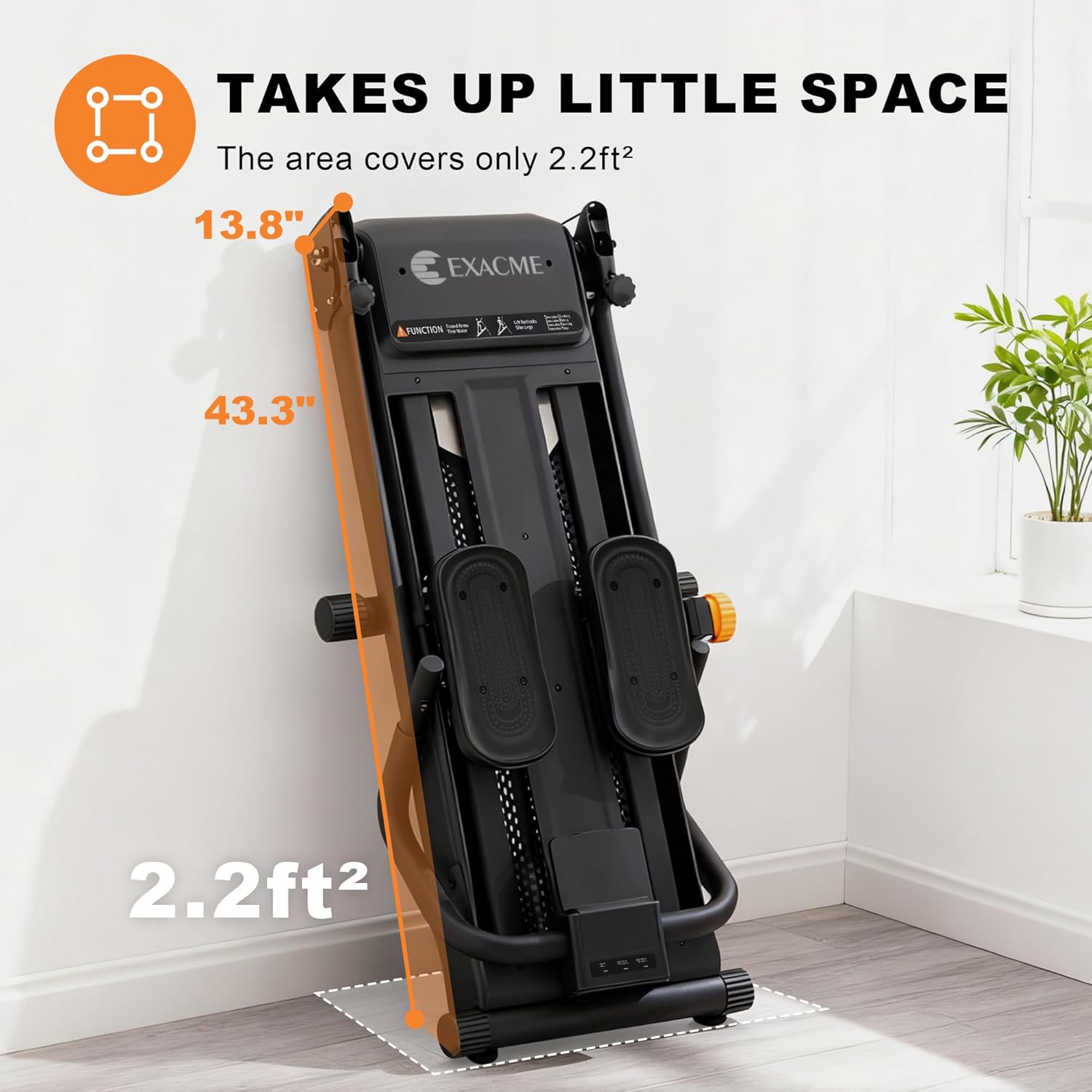
Figure 3.1: Stepper in folded position, demonstrating space-saving design.

Figure 3.2: Transport wheels facilitate easy movement and storage.
4. Operating Instructions
4.1 Resistance Adjustment
The stepper offers 16 levels of magnetic resistance, adjustable up to 77 LBS. Rotate the tension control knob located on the central column to increase or decrease resistance. Turn clockwise for higher resistance, counter-clockwise for lower.
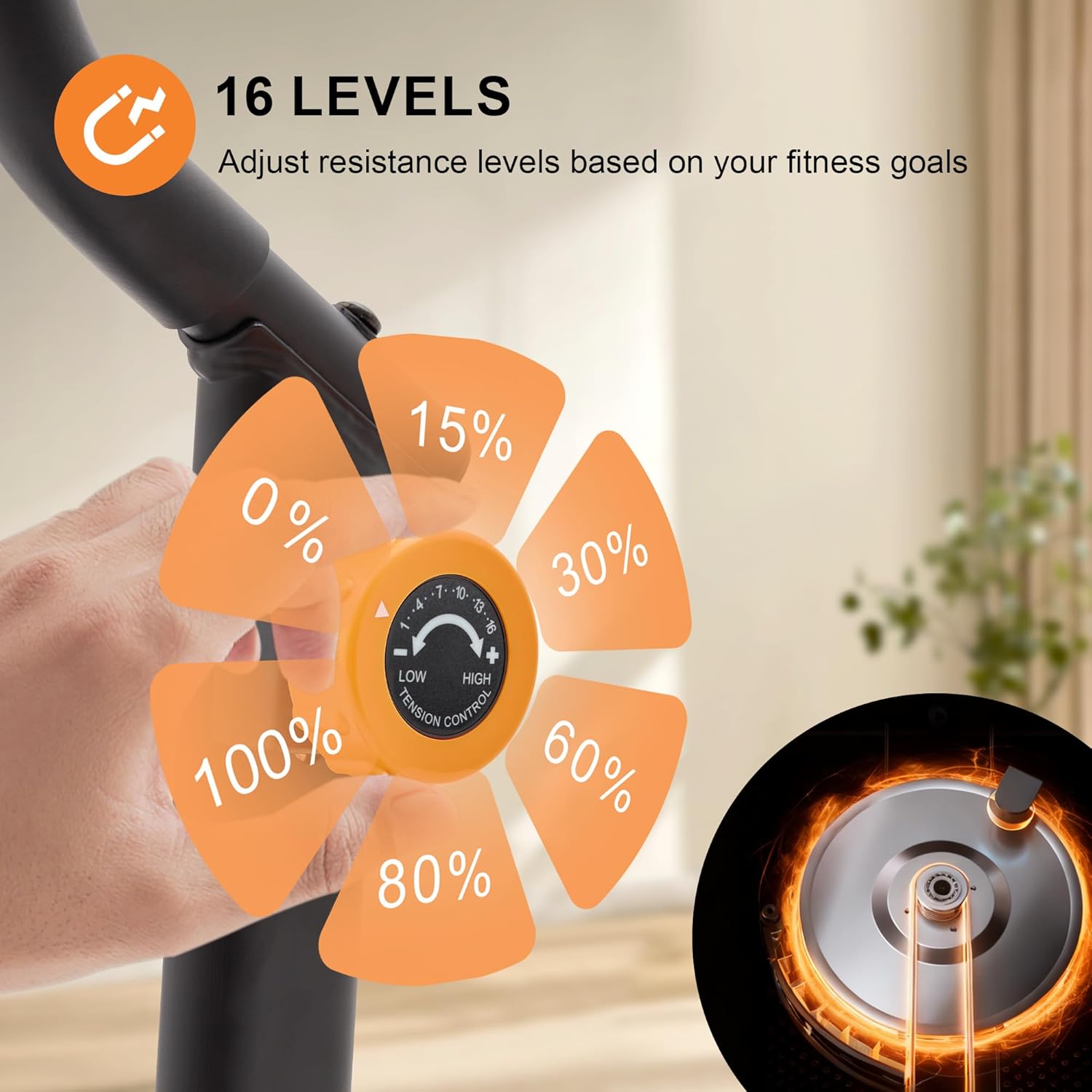
Figure 4.1: Resistance adjustment dial.
4.2 Adjustable Pedal Angles and Incline
Customize your workout intensity by adjusting the 3-level pedal angles and 3-level incline. Refer to the assembly guide for specific instructions on how to adjust these settings.

Figure 4.2: Multiple angle adjustments for pedals and incline.
4.3 Console and Bluetooth App Connectivity
The integrated LCD monitor tracks time, steps, count, distance, and calories. For enhanced tracking and guided challenges, connect the stepper to the Bluetooth App on your smartphone. A cup holder is provided for convenience.

Figure 4.3: Console display and Bluetooth app connectivity.
4.4 Foot Placement
The stepper features 19-inch extra-long non-slip foot mats suitable for most foot sizes, ensuring stability and comfort during your workout.

Figure 4.4: Non-slip foot mat detail.
5. Maintenance
Regular maintenance ensures the longevity and safe operation of your Exacme Magnetic Stair Stepper.
- Cleaning: Wipe down the equipment with a damp cloth after each use to remove sweat and dust. Do not use abrasive cleaners.
- Inspection: Periodically check all bolts, nuts, and moving parts for tightness and wear. Tighten any loose fasteners.
- Lubrication: No specific lubrication is required for the magnetic resistance system. Refer to the assembly guide for any other lubrication needs.
- Storage: Store the stepper in a dry, cool place away from direct sunlight and extreme temperatures.
6. Troubleshooting
If you encounter issues with your Exacme Magnetic Stair Stepper, refer to the following common solutions.
- No Display on Console: Check if the console batteries are correctly installed or need replacement.
- Resistance Not Changing: Ensure the resistance knob is fully engaged and rotating correctly. If the issue persists, inspect the internal magnetic mechanism (refer to the assembly guide or contact support).
- Unusual Noises: Check all connections and moving parts for looseness. Tighten any loose bolts. Ensure the stepper is on a level surface.
- Bluetooth Connectivity Issues: Ensure Bluetooth is enabled on your device and the app is updated. Try restarting both the stepper console and your device.
For issues not covered here, please contact customer support.
7. Specifications
| Feature | Specification |
|---|---|
| Brand | Exacme |
| Model Name | 8300-EM910 |
| Color | Black |
| Material | Alloy Steel, Plastic |
| Product Dimensions (L x W x H) | 48" x 22.8" x 65" |
| Item Weight | 57 Pounds |
| Weight Limit | 350 Pounds |
| Resistance Levels | 16-Level Magnetic Resistance (up to 77 LBS) |
| Stride Length | 19 inches |
| Noise Level | Below 20dB |
| Included Components | Cup holder |

Figure 7.1: Product dimensions and weight specifications.
8. Warranty and Customer Support
8.1 Warranty Information
The Exacme Magnetic Stair Stepper comes with a 1-year manufacturer's warranty. This warranty covers defects in materials and workmanship under normal use.
8.2 Customer Support
For any questions, assistance with assembly, operation, or warranty claims, please contact Exacme customer support. Our dedicated support team is available 24/7 to provide prompt and satisfactory resolutions.
Contact Information: Refer to your purchase documentation or the official Exacme website for the most current contact methods (e.g., email, phone, online chat).