
KIAIR 5646
KIAIR Portable Tire Inflator Air Compressor User Manual (Model 5646)
Your comprehensive guide to operating and maintaining your KIAIR cordless air pump.
1. Product Overview
The KIAIR Portable Tire Inflator Air Compressor (Model 5646) is a compact, cordless device designed for convenient and rapid inflation of various items. It features a high-performance chip, a large LED digital display for real-time pressure monitoring, and an automatic shut-off function to prevent over-inflation. This versatile tool also includes an integrated LED light with an SOS mode and can function as a power bank for charging other devices.
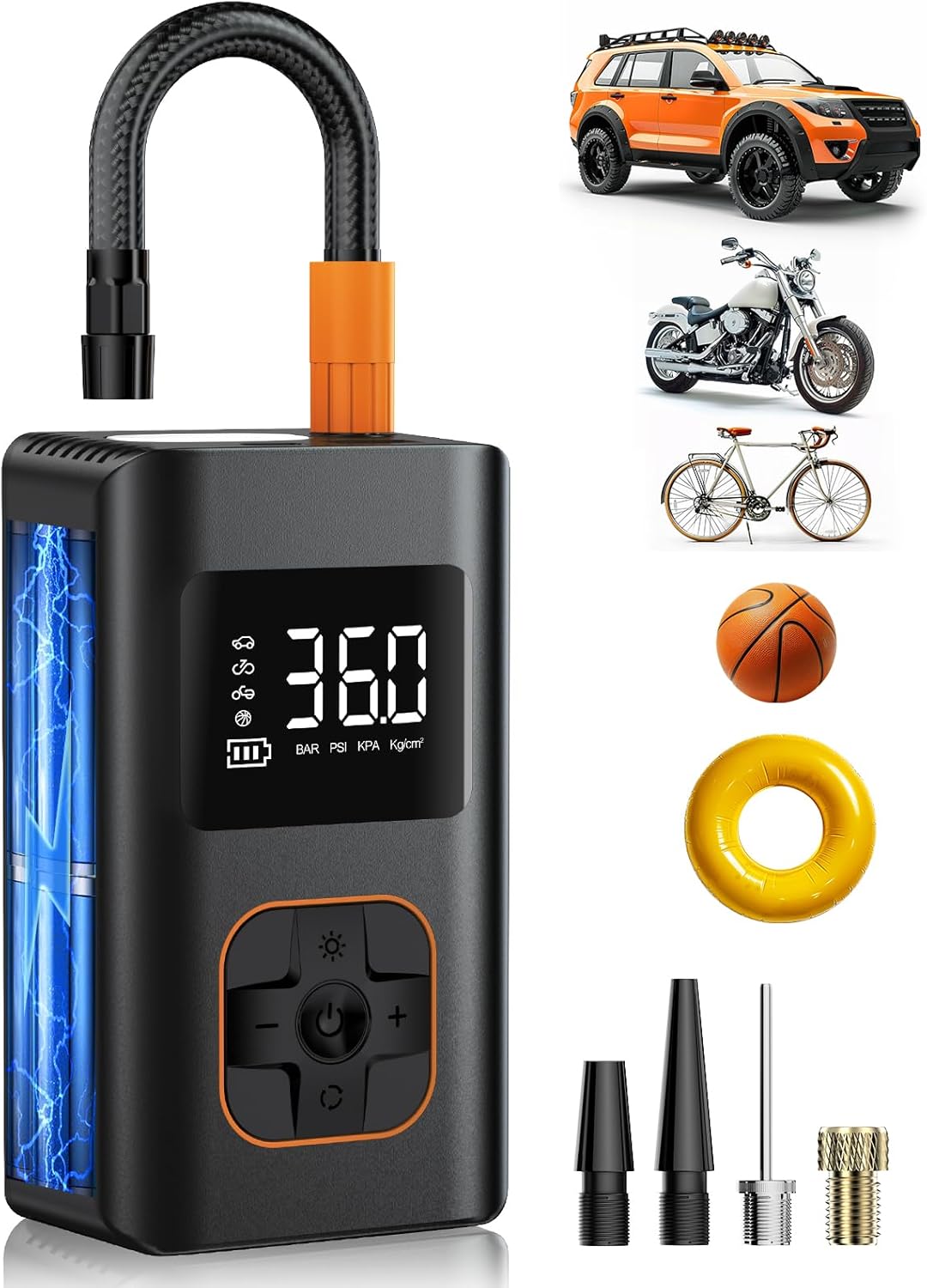
Figure 1: The KIAIR Portable Tire Inflator Air Compressor, showcasing its compact design and the various accessories and items it can inflate, such as car tires, motorcycle tires, bicycles, and balls.
2. Package Contents
Verify that all items are present in your package:
- KIAIR Portable Tire Inflator Air Compressor (Model 5646) x 1
- Air Hose x 1
- Multifunctional Air Nozzles x 4 (various types for different inflatables)
- Type-C Charging Cable x 1
- User Manual x 1

Figure 2: All components included in the KIAIR Portable Tire Inflator package, laid out for inspection.
3. Product Features
- Maximum Pressure: Up to 150 PSI.
- Digital Display: Large LED screen shows real-time and preset pressure values.
- Power Source: Built-in rechargeable battery for cordless operation.
- Smart Modes: 5 modes including Car, Motorcycle, Bike, Ball, and Manual.
- Auto Shut-Off: Automatically stops inflation when the preset pressure is reached.
- Emergency Features: Integrated LED flashlight with SOS mode.
- Power Bank Functionality: USB output for charging external devices.
- Portability: Compact and lightweight design for easy storage and transport.

Figure 3: Visual representation of the key features: one-click preset, clear LED display, automatic shut-off, and compact, powerful design.
4. Setup
- Charge the Device: Before first use, fully charge the air compressor using the provided Type-C charging cable. Connect the cable to the device's Type-C input port and a suitable USB power adapter (not included). The battery indicator on the LED display will show charging progress.
- Attach the Air Hose: Screw the air hose securely into the inflation port on the top of the device. Ensure it is tightened to prevent air leakage.
- Select Appropriate Nozzle: Choose one of the four multifunctional air nozzles based on the item you intend to inflate. Attach it firmly to the end of the air hose.

Figure 4: Illustrated steps for easy operation: Connect the right nozzle, hold the power button for 2 seconds, choose the mode and pressure value, then press the power button to start.
5. Operating Instructions
- Power On/Off: Press and hold the power button (center button) for 2 seconds to turn the device on or off.
- Select Mode: Once powered on, press the mode button (bottom button with arrows) to cycle through the 5 intelligent inflation modes: Car, Motorcycle, Bike, Ball, and Manual. The corresponding icon will appear on the LED display.
- Set Target Pressure: Use the '+' and '-' buttons to adjust the desired pressure (PSI) for your selected mode. The digital display will show the target pressure.
- Connect to Item: Attach the air hose with the selected nozzle to the valve of the item you wish to inflate.
- Start Inflation: Press the power button (center button) once to begin inflation. The device will display the real-time pressure.
- Auto Shut-Off: The compressor will automatically stop once the preset target pressure is reached.
- Stop Manually: To stop inflation manually at any time, press the power button again.
- Change Pressure Units: While the device is on, press and hold the mode button (bottom button with arrows) to switch between pressure units (PSI, BAR, KPA, Kg/cm²).
- LED Light Function: Press the light button (top button with sun icon) to turn on the LED flashlight. Press again to cycle through different light modes (e.g., steady, SOS). Press a third time to turn off.
- Power Bank Function: Use the USB output port to charge other electronic devices like smartphones.
Video 1: Demonstration of the KIAIR Portable Tire Inflator in use, showing how to connect it to a tire, set the desired pressure, and initiate inflation. The video also highlights the automatic shut-off feature and the integrated LED light.

Figure 5: Illustration of the auto-stop feature, showing the device automatically stopping at preset PSI levels for various inflation types.
6. Maintenance
- Cleaning: Wipe the device with a soft, dry cloth. Do not use harsh chemicals or abrasive cleaners.
- Storage: Store the air compressor and its accessories in a cool, dry place, away from direct sunlight and extreme temperatures.
- Battery Care: To prolong battery life, charge the device fully at least once every three months, even if not in regular use.
- Nozzle Inspection: Periodically check the air hose and nozzles for any signs of wear or damage. Replace if necessary to ensure optimal performance.
7. Troubleshooting
| Problem | Possible Cause | Solution |
|---|---|---|
| Device does not turn on. | Low battery or device is off. | Charge the device fully. Press and hold the power button for 2 seconds. |
| Inflation is slow or not working. | Air hose or nozzle not securely attached; incorrect mode selected; item valve blocked. | Ensure all connections are tight. Select the correct inflation mode. Check the item's valve for obstructions. |
| Inaccurate pressure reading. | Loose connection; device malfunction. | Ensure the air hose is tightly connected to both the inflator and the item's valve. If problem persists, contact support. |
| Device stops unexpectedly. | Preset pressure reached (auto shut-off); low battery. | Check the preset pressure. Recharge the device if the battery is low. |
8. Specifications
- Brand: KIAIR
- Model Name: Tire Inflator (Model 5646)
- Color: Black
- Material: Plastic
- Power Source: Battery Powered (Rechargeable)
- Maximum Pressure: 150 PSI (Pound per Square Inch)
- Item Dimensions (LxWxH): 5.24 x 3.15 x 2.91 inches
- Package Weight: 0.5 Kilograms
- UPC: 766757188285
9. Warranty and Support
The KIAIR Portable Tire Inflator Air Compressor comes with a 1-Year Warranty from the date of purchase.
For any questions, technical assistance, or warranty claims, please refer to the contact information provided in your original purchase documentation or visit the official KIAIR website.
Ask a question about this manual
Ask about setup, troubleshooting, compatibility, parts, safety, or missing instructions. Manuals+ will review the question and use this page’s manual context to help answer it.