
1. Introduction
This manual provides instructions for the safe and efficient use of your seaistar Portable Charger Power Bank 50000mAh, Model P500. Please read this manual thoroughly before use and retain it for future reference.
Key Features:
- High Capacity: 50000mAh polymer battery, capable of providing multiple charges for smartphones and other devices.
- Multiple Ports: Features 4 USB output ports, 1 USB-C port (for both input and output), and 1 Micro USB input port, allowing simultaneous charging of up to 4 devices.
- Fast Charging: Supports PD 30W output and QC4.0 for rapid device charging.
- Digital Display: An LED display indicates the remaining battery percentage.
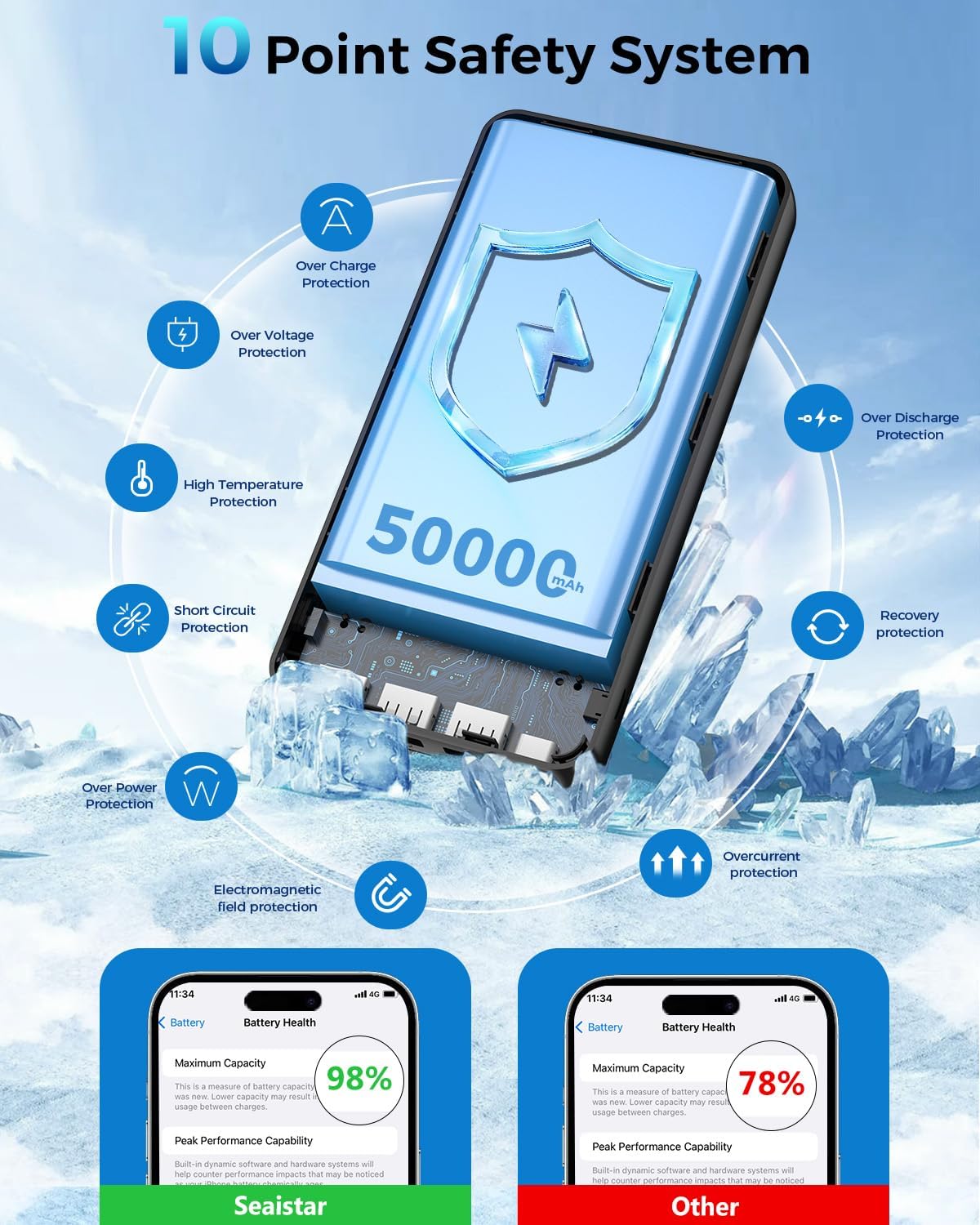
- Safety Protections: Integrated multi-protect safety system guards against overcharging, short circuits, overcurrent, overvoltage, and temperature fluctuations.
2. Package Contents
Verify that all items are present in the package:
- seaistar Portable Charger Power Bank (Model P500)
- USB-C Charging Cable
- User Manual

3. Setup and Initial Charging
Charging the Power Bank:
Before first use, fully charge the power bank. Use a 5V/3A charger (not included) with the USB-C input port for optimal charging speed, or a 5V/2A charger with the Micro USB input port. The LED display will show the charging progress.


4. Operating Instructions
Charging Your Devices:
Connect your device to one of the power bank's output ports (USB-A or USB-C) using an appropriate charging cable. The power bank will automatically begin charging. The LED display will show the current battery level.
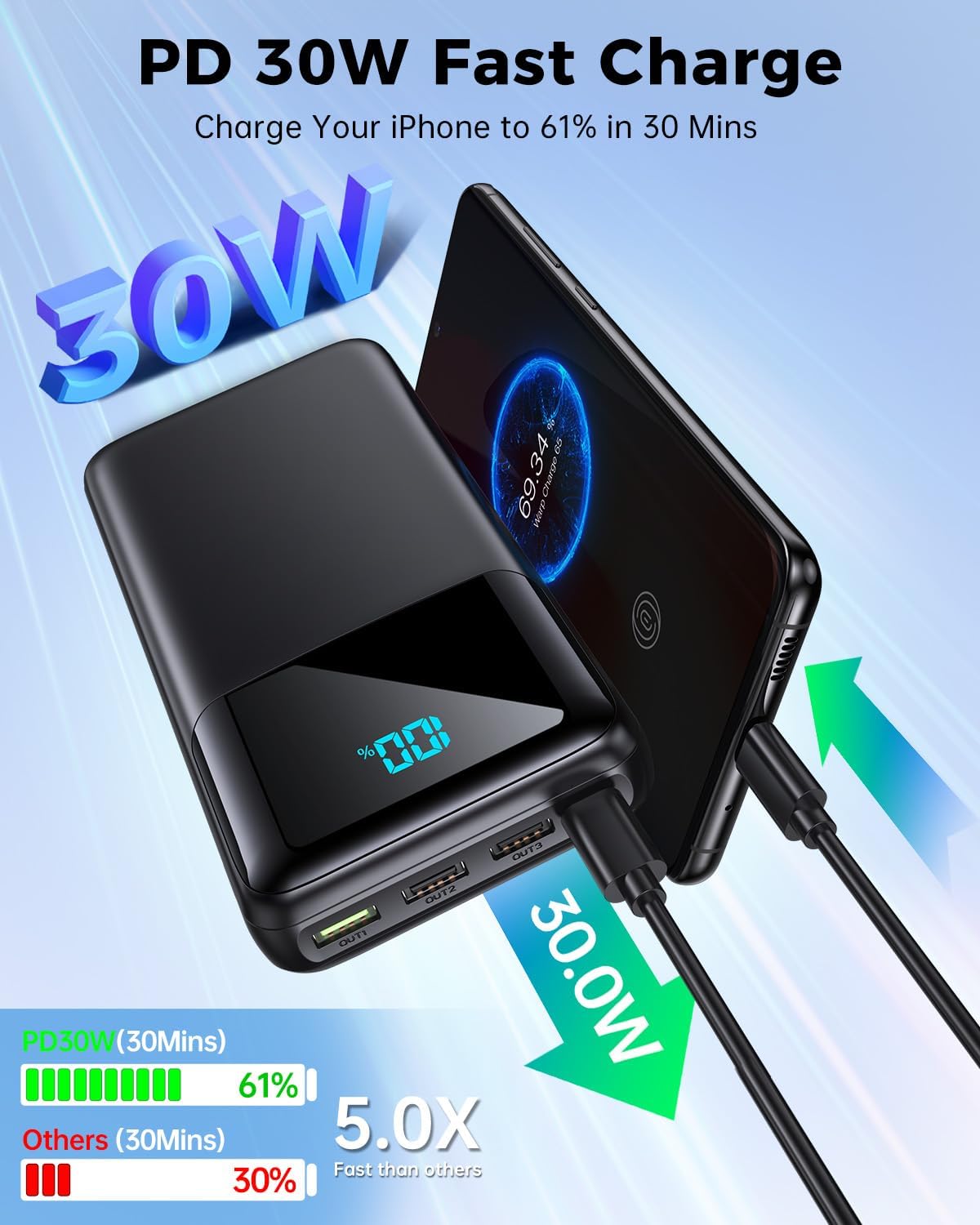
Simultaneous Charging:
The power bank is equipped with multiple output ports (4 USB-A, 1 USB-C) allowing you to charge up to 4 devices concurrently. Ensure all connected devices are compatible with the output specifications of each port.

Low-Current Charging Mode:
For smaller devices such as Bluetooth earbuds, smartwatches, or fitness trackers, the power bank supports low-current charging. This mode ensures safe and efficient charging for devices with lower power requirements.

Digital LED Display:
The integrated LED display shows the remaining battery percentage of the power bank, allowing you to monitor its power level accurately.

Product Overview Video:
5. Safety Information
The seaistar P500 Power Bank incorporates a comprehensive multi-protect safety system to ensure the safety of your devices and the power bank itself. This includes:
- Overcharge Protection
- Overvoltage Protection
- High Temperature Protection
- Short Circuit Protection
- Over Discharge Protection
- Overcurrent Protection
- Over Power Protection
- Electromagnetic Field Protection
- Reset Protection
- Hardware-level overcurrent/short circuit protection
Important Safety Precautions:
- Do not expose the power bank to extreme temperatures (above 60°C/140°F) or direct sunlight.
- Do not disassemble, modify, or repair the device.
- Avoid dropping or subjecting the power bank to strong impacts.
- Keep away from water and other liquids.
- Use only certified charging cables and adapters.
6. Maintenance
To ensure the longevity and optimal performance of your power bank:
- Clean the exterior with a soft, dry cloth. Avoid using harsh chemicals or abrasive materials.
- Store the power bank in a cool, dry place when not in use.
- If storing for extended periods, charge the power bank to approximately 50-75% every three months to maintain battery health.
- Avoid fully discharging the power bank frequently, as this can reduce its overall lifespan.
7. Troubleshooting
Power Bank Not Charging:
- Ensure the charging cable is securely connected to both the power bank's input port and the wall adapter.
- Verify that the wall adapter is functioning correctly and plugged into a live power outlet.
- Try a different charging cable or wall adapter.
Devices Not Charging from Power Bank:
- Check if the power bank has sufficient charge. The LED display should show a percentage above 0%.
- Ensure the charging cable connecting the device to the power bank is functional and securely connected.
- Try a different output port on the power bank.
- Confirm that your device is compatible with the power bank's output specifications.
Slow Charging:
- Ensure you are using a fast-charging compatible cable and your device supports fast charging.
- If multiple devices are connected, the charging speed may be distributed, resulting in slower individual charging.
- Check if the cable or device is overheating, which can trigger safety protocols and reduce charging speed.
8. Specifications
| Feature | Specification |
|---|---|
| Brand | seaistar |
| Model Name | P500 |
| Battery Capacity | 50000 Milliamp Hours (mAh) |
| Connector Type | Micro USB, USB Type C |
| Number of Ports | 5 (4 USB-A Output, 1 USB-C Input/Output, 1 Micro USB Input) |
| Maximum Output Power | 30W (USB-C), 22.5W (USB-A), 18W (USB-A) |
| Output Current | 3 Amps |
| Voltage | 5 Volts |
| Battery Charge Time | 6 Hours (with 5V/3A adapter) |
| Item Weight | 1.4 Pounds (609.5 Grams) |
| Item Dimensions (L x W x Thickness) | 6.5" x 3.15" x 1.3" |
| Battery Cell Type | Lithium Polymer |
| Compatible Devices | Smartphones, Tablets, Laptops, Cameras, Headphones, MP3 Players, Speakers |
9. Warranty and Support
Warranty Information:
The seaistar Portable Charger Power Bank (Model P500) comes with a 1-year limited warranty from the date of purchase. This warranty covers manufacturing defects and issues arising from normal use. It does not cover damage caused by misuse, accidents, unauthorized modifications, or natural disasters.
Customer Support:
For any questions, technical assistance, or warranty claims, please contact seaistar customer support. Refer to the product packaging or the official seaistar website for the most current contact information.