
1. Introduction
The FiiO DM15 is a portable stereo CD player designed for high-fidelity audio playback. It features a true 24-bit R2R DAC, high-power output, aptX Adaptive Bluetooth transmission, and versatile connectivity options, including USB DAC functionality. This manual provides detailed instructions for setting up, operating, and maintaining your DM15 to ensure optimal performance and longevity.
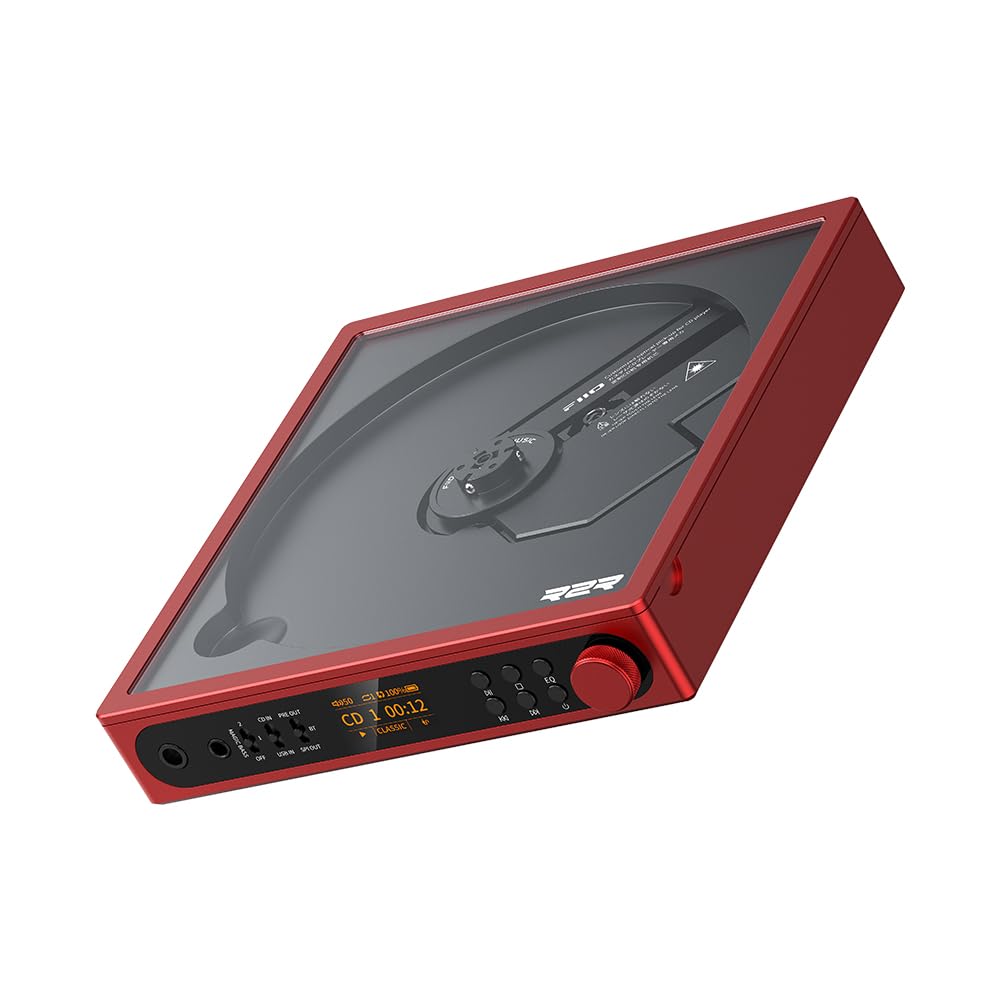
Figure 1: FiiO DM15 Portable Stereo CD Player (Red variant).
2. What's in the Box
Please check the contents of your package. If any items are missing or damaged, contact your retailer.
- FiiO DM15 Portable Stereo CD Player
- USB Cable (for power and data transfer)
- Remote Control
- User Manual (this document)
3. Product Overview
3.1 Front Panel Controls and Connections
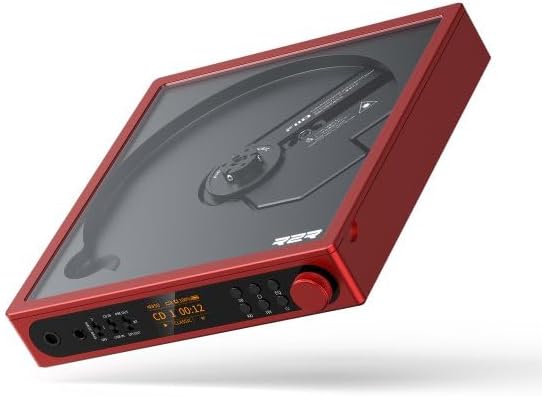
Figure 2: Front panel view of the FiiO DM15, showing the display, control buttons, and headphone outputs.
- 3.5mm Headphone Output: Standard single-ended headphone jack.
- 4.4mm Balanced Headphone Output: For high-performance headphones.
- Magic Bass Switch: Toggles between Off, Bass Low, and Bass High settings.
- Input/Output Mode Switches: Select between CD In, USB In, SPDIF Out, Bluetooth Out, and Pre Out.
- HD TFT Display: Shows track information, volume, battery status, EQ settings, and more.
- Playback Controls: Play/Pause, Skip Forward/Backward.
- EQ Button: Cycles through built-in equalizer presets.
- Volume Knob: Stepped metal knob for precise volume adjustment.
3.2 Rear Panel Connections

Figure 3: Rear panel view of the FiiO DM15, illustrating various input and output ports and switches.
- USB In/Rec Port (USB-C): For connecting to a computer as a USB DAC or for ripping CDs to a USB storage device.
- D. Mode Switch: Toggles Desktop Mode On/Off, allowing the unit to run without relying on battery power.
- Power In Port (USB-C): Dedicated power input.
- ESP Switch: Toggles Electronic Skip Protection On/Off.
- LO/Coax/Opt Output: Multi-function jack for Analog Line Out, Coaxial Digital Out, and Optical Digital Out.
- BAL LO (4.4mm) Output: Dedicated 4.4mm balanced line output for connecting to higher-end amplifiers or systems.
4. Setup
4.1 Powering On and Charging
- Connect the provided USB cable to the Power In port on the rear panel and to a USB power adapter (not included) or a computer.
- The device will automatically power on or can be powered on by pressing the power button (if available, or by inserting a CD).
- The battery indicator on the HD TFT display will show the charging status. A full charge provides approximately 7 hours of continuous playback.
4.2 Inserting a CD
- Gently lift the transparent lid from the side of the device.
- Place a CD onto the central spindle, ensuring it snaps securely into place.
- Close the lid. The device will typically begin loading the CD automatically.
4.3 Connecting Audio Devices
The FiiO DM15 offers multiple ways to connect to headphones, speakers, or other audio systems:

Figure 4: Diagram illustrating various input and output connections for the FiiO DM15.
- Headphones: Connect 3.5mm or 4.4mm balanced headphones to the corresponding jacks on the front panel.
- Line Out (Analog): Use the LO/Coax/Opt output for a fixed-level analog signal to an amplifier or powered speakers.
- Digital Out (Coaxial/Optical): Use the LO/Coax/Opt output to send a pure digital signal to an external DAC.
- Bluetooth Output:
- Set the output mode switch to BT Out.
- The DM15 will enter pairing mode (indicated on the display).
- On your Bluetooth headphones or speaker, enable Bluetooth pairing.
- Select "FiiO DM15" from the list of available devices to connect.
- USB DAC: Connect the USB In/Rec port to a computer. The DM15 will function as a high-performance USB sound card.
5. Operating Instructions
5.1 Basic Playback
- After inserting a CD, playback typically starts automatically.
- Use the Play/Pause button to pause or resume playback.
- Use the Skip Forward/Backward buttons to navigate between tracks.
- Adjust the volume using the Volume Knob on the front panel or the remote control.
5.2 Sound Customization (EQ and Bass Boost)

Figure 5: The FiiO DM15 offers 24 sound combinations through BASS modes and EQ presets.
- EQ Presets: Press the EQ button to cycle through 8 built-in equalizer presets (e.g., Jazz, Pop, Rock, Dance, Classic, Hip Hop, Retro) or turn EQ off. The current preset is displayed on the screen.
- Magic Bass: Use the Magic Bass Switch to select between Off, Bass Low, or Bass High for enhanced bass response.
- Note: Adjust volume as necessary when changing EQ or Bass settings, as output levels may vary.
5.3 USB CD Ripping

Figure 6: The FiiO DM15 supports USB ripping to preserve audio from CDs.
The DM15 allows you to rip audio from CDs directly to a USB storage device (not included). Connect your USB storage device to the USB In/Rec port and follow the on-screen instructions or refer to the detailed ripping guide on the FiiO support website.
5.4 Desktop Mode
For extended use without battery reliance, activate Desktop Mode. Flip the D. Mode switch on the rear panel to "ON". This allows the DM15 to operate as a desk unit, powered directly via the USB-C power input.
5.5 Remote Control
The included remote control provides full functionality for the DM15, allowing you to control playback, volume, EQ settings, and other features from a distance. Ensure the remote is aimed at the front of the unit for optimal response.
6. Maintenance
6.1 Cleaning the Device
- Wipe the exterior of the DM15 with a soft, dry cloth.
- Do not use liquid cleaners or abrasive materials, as they may damage the finish.
- Keep the CD compartment clean and free of dust. Use a soft brush or compressed air if necessary.
6.2 CD Handling
- Always handle CDs by their edges to avoid fingerprints and scratches.
- Store CDs in their cases when not in use.
- Clean dirty CDs with a soft, lint-free cloth, wiping from the center outwards.
6.3 Battery Care
- For optimal battery life, avoid fully discharging the battery frequently.
- If storing the device for an extended period, charge it to approximately 50% and store in a cool, dry place.
7. Troubleshooting
| Problem | Possible Cause | Solution |
|---|---|---|
| No power | Battery depleted; Power cable not connected properly. | Charge the device; Ensure power cable is securely connected. |
| CD skipping or not playing | CD is dirty or scratched; ESP is off; Device is unstable. | Clean or replace CD; Ensure ESP switch is ON; Place device on a stable surface. |
| No sound from headphones/speakers | Volume too low; Incorrect output mode selected; Headphones/speakers not connected properly. | Increase volume; Select correct output mode (e.g., CD In, Pre Out); Check cable connections. |
| Bluetooth pairing issues | DM15 not in pairing mode; Device too far; Interference. | Set output mode to BT Out to enter pairing; Move devices closer; Reduce interference. |
| Remote control not working | Line of sight blocked; Remote battery depleted. | Ensure clear path to DM15; Replace remote battery. |
8. Specifications
| Feature | Detail |
|---|---|
| Brand | FiiO |
| Model Name | DM15 |
| DAC Type | True 24Bit R2R DAC (192pcs of 0.1% precision resistors) |
| Headphone Output Power | Up to 1150mW+1150mW (Balanced output, 32Ω, THD+N < 1%) |
| Bluetooth Chipset | Qualcomm QCC3095 |
| Bluetooth Codecs | aptX, aptX HD, aptX Adaptive, SBC |
| USB DAC Support | Up to 384kHz/32bit PCM, DSD256 |
| Sound Presets | 24 combinations (3-stage BASS boost + 8 EQ presets) |
| Display | HD TFT Display |
| Battery Capacity | 4700mAh (approx. 7 hours continuous playback) |
| Connectivity Technology | Bluetooth, USB |
| Media Format Type | Audio CD |
| Supported Audio Format | MP3 (for USB ripping) |
| Headphones Jack | 3.5mm, 4.4mm Balanced |
| Line Outputs | Analog Line Out, Coaxial Digital Out, Optical Digital Out, 4.4mm Balanced Line Out |
9. Warranty and Support
The FiiO DM15 Portable Stereo CD Player comes with a 1-year warranty from the date of purchase. This warranty covers manufacturing defects and malfunctions under normal use.
For technical support, troubleshooting assistance, or warranty claims, please contact your authorized FiiO retailer or visit the official FiiO support website at www.fiio.com/support. Please have your product model and purchase information ready when contacting support.
10. Product Video Overview
Video 1: An overview of the FiiO DM15 CD Player, demonstrating its features, connectivity options, and design. This video provides a visual guide to the product's functionality and physical attributes.


